

Item snapshots preserve the product and supplier details used when a business document was created. This helps teams understand older quotations, purchase orders, delivery orders, and invoices even after item names, prices, SKUs, descriptions, or supplier references have changed.
What Is an Item Snapshot?
An item snapshot is the set of item details preserved inside a document when that document is created. It can include the product name, SKU, description, unit price, supplier item code, unit of measurement, and other information relevant to the transaction.
The snapshot remains connected to that quotation, purchase order, delivery order, or invoice even when the main product record is updated later. This allows the document to continue showing what the business used at that specific point in time.
For example, a distributor may rename Industrial Filter Model A to Industrial Filter Series 2026. A quotation issued before the change should still display the original product name understood by the customer when the quotation was prepared.
Why Current Product Data Should Not Replace Old Document Details
Product information naturally changes as an SME improves its catalogue, receives revised supplier information, or adjusts its pricing. These changes are useful for future transactions, but they should not rewrite the meaning of documents that were already prepared.
Without preserved item snapshots, opening an older document could show details that were not used when the transaction occurred. Common examples include:
- A quotation displaying a new product name instead of the name originally presented to the customer.
- A purchase order showing a revised supplier item code that the supplier did not receive at the time.
- An old invoice displaying the latest selling price instead of the price agreed for that sale.
- A delivery order showing an updated description that no longer matches the wording used during packing.
Keeping each document's original item details makes its contents easier for sales, finance, procurement, and operations teams to understand.
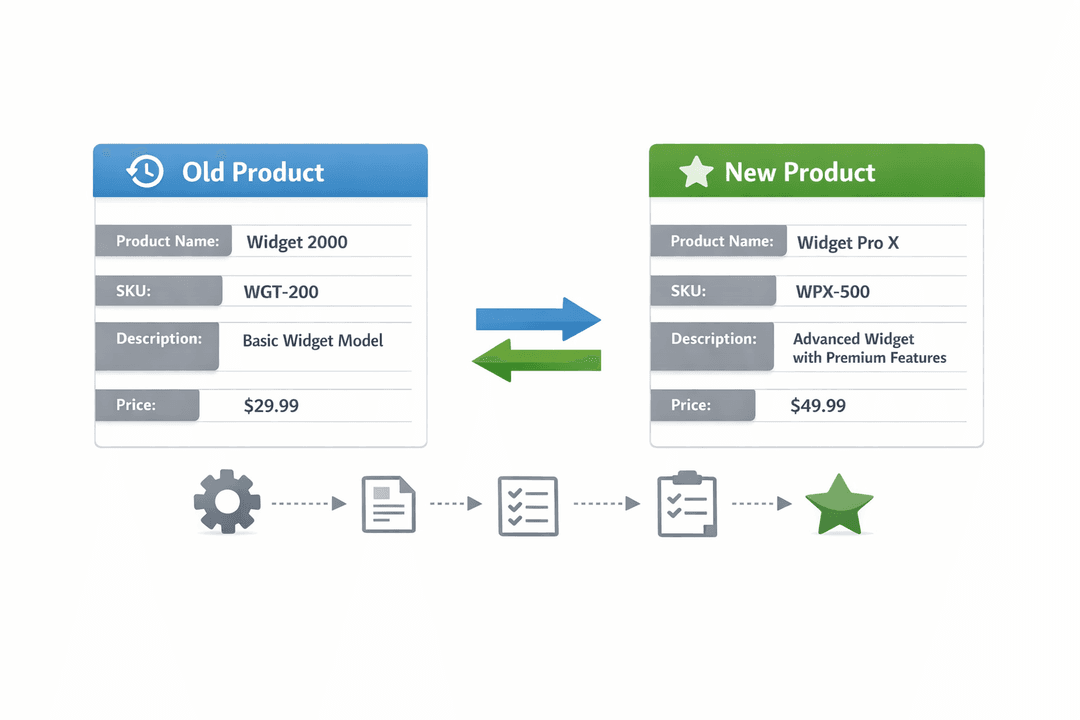
How Missing Snapshots Create Confusion During Document Review
Historical documents are often reviewed after the main product information has changed. A finance administrator may compare an invoice with an earlier quotation, while a sales administrator may check whether the delivered item matches the customer's accepted description.
Consider an SME that originally sold an item as Stainless Steel Bottle 750ml at RM28 per unit. The item is later renamed Premium Steel Bottle, its description is revised, and its current price becomes RM32. When reviewing the old invoice, the team should still see the original name, description, and RM28 price.
If the invoice instead displays the updated information, the reviewer may wonder whether the wrong item was invoiced, whether the price was changed, or whether the customer received a different product. The transaction may still be correct, but the document no longer explains it clearly.
Supplier Item Codes Also Need Historical Context
Purchasing documents may contain both an SME's internal SKU and a supplier's item code. Supplier references can change when packaging, models, brands, or supplier catalogues are revised.
For example, a wholesaler may issue a purchase order using supplier code SP-440. Several months later, the supplier replaces it with SP-440B. Future purchase orders should use the new code, but the earlier purchase order should continue showing SP-440 because that was the reference communicated at the time.
This distinction helps procurement teams compare supplier confirmations, receiving records, and purchase invoices without assuming that the latest supplier code was always used. It also reduces the need to search through messages to determine which reference belonged to an older order.

Practical Ways to Keep Document History Reliable
Distributors, wholesalers, and SMEs with frequently changing product data should treat document details as part of the transaction history rather than a live display of the current catalogue.
Practical steps include:
- Preserve the item name, SKU, description, price, and supplier reference when each document is created.
- Apply later product changes only to new documents unless an existing draft is intentionally updated.
- Review item details before issuing a quotation, purchase order, delivery order, or invoice.
- Keep related documents consistent when converting an accepted quotation into a sales order, delivery order, or invoice.
- Make deliberate corrections when a historical document contains an actual error instead of allowing later catalogue changes to alter it automatically.
This approach gives each document a clear context while allowing the product catalogue to continue evolving.

How TREX Grow Can Help Solve This
TREX Grow can preserve item details within sales and purchasing documents so later product changes do not automatically confuse earlier transactions. Teams can continue updating product names, SKUs, descriptions, prices, and supplier references for future use while retaining the details associated with existing documents.
This supports clearer comparisons between quotations, sales orders, purchase orders, delivery orders, and invoices. Finance admins can review the price and description used for an earlier invoice, sales teams can confirm what was originally offered, and procurement teams can identify the supplier item code included in a past purchase order.
Explore TREX Grow to build a more reliable document history while keeping product and supplier information ready for future transactions.

