
TREX Grow 30-Day Trial
Test paid SME workflows before upgrading
Use the one-time 30-day trial to test the Starter, Essential or Premium workflows your team needs before choosing an annual plan.
Paid plan trial
30 days
Test Starter, Essential or Premium
Starter
RM 120/year
For small teams that need attachments and the complete sales workflow without purchasing or inventory management.
Essential
RM240/year
Run sales, purchasing, inventory documents, supplier billing and core operations without advanced warehouse management.
Premium
RM380/year
Add warehouse management for teams that need location-level inventory, picking, warehouse movement visibility and tighter fulfilment control.
What to trial
Workflows worth testing during the 30 days
Use the trial to test the parts of TREX Grow that usually need real business data, team input, and workflow confirmation.
Sales document workflow
Test sales orders, pro-forma invoices, delivery orders, official receipts, credit notes, debit notes, and refund notes.
Purchasing and supplier flow
Check whether purchase orders, supplier invoices, stock entries, supplier returns, and supplier notes fit your daily operations.
Inventory and stock movement
Trial stock entries, inventory adjustments, WMS-lite General/BIN handling, and the controls your team needs before upgrading.
Warehouse management
Use Premium trial access to evaluate custom locations, ledgers, delivery picking, picking list PDFs, and inventory count sessions.
Document attachments
Starter and higher plans let you attach files across the business records each plan can access.
Team readiness
Let actual users test the workflow, permissions, handoffs, and daily habits before committing to a paid plan.
Product screenshots
See the screens your team can test
The trial should prove the actual workflow. These screens show the kinds of sales, purchasing, inventory, and warehouse tasks your team can review.
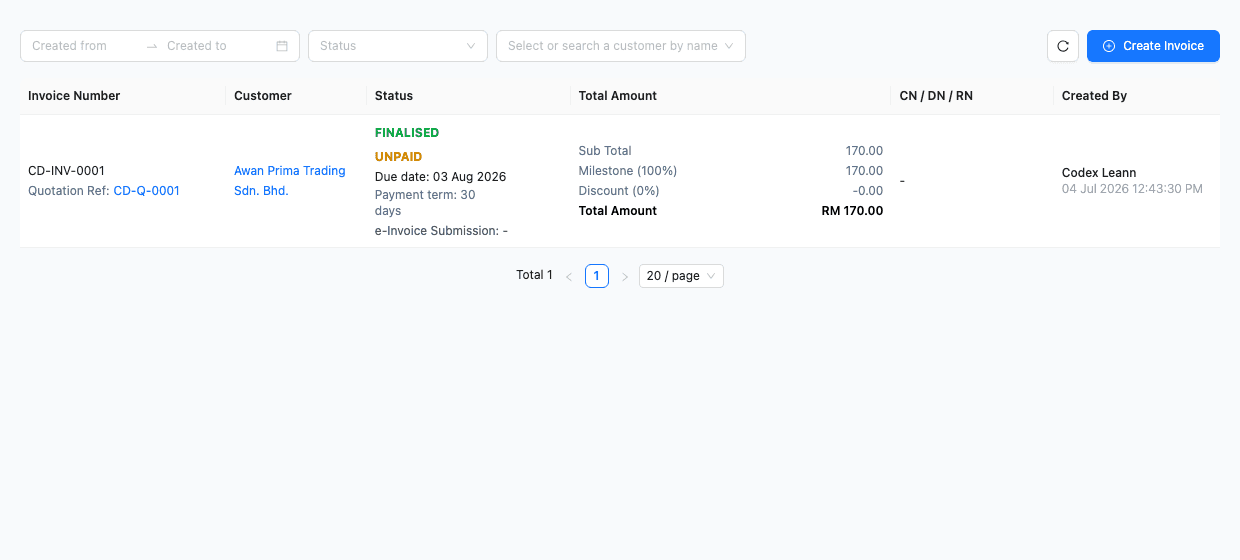
Sales documents
Review invoice status, customer records, payment terms, document totals, and links back to the sales workflow.
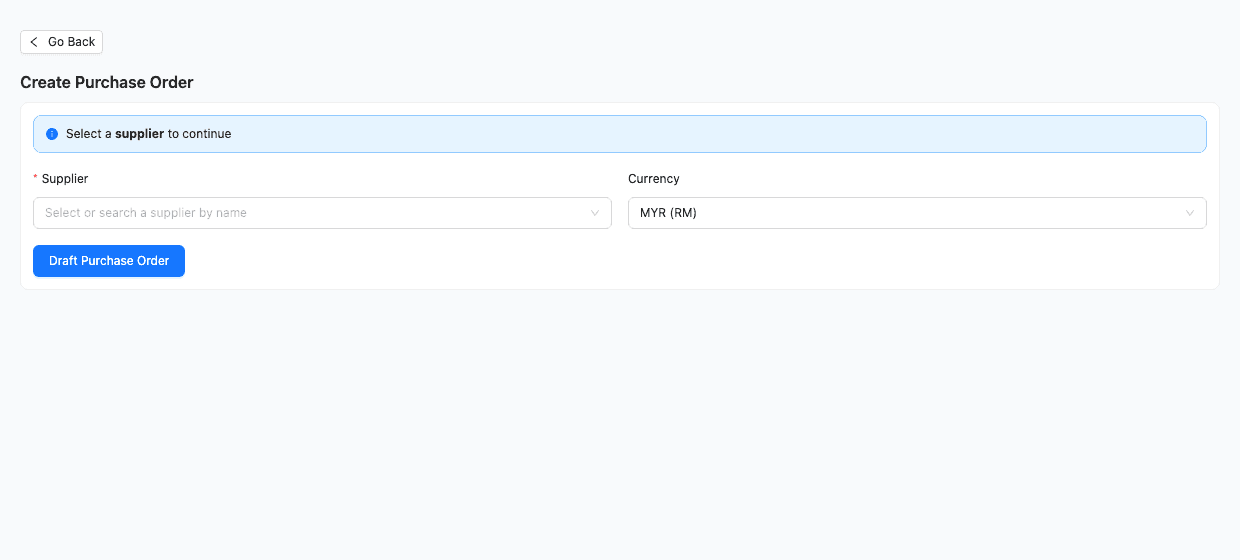
Purchasing workflow
Test how supplier, currency, purchase order, and stock entry preparation works before your team commits to the process.
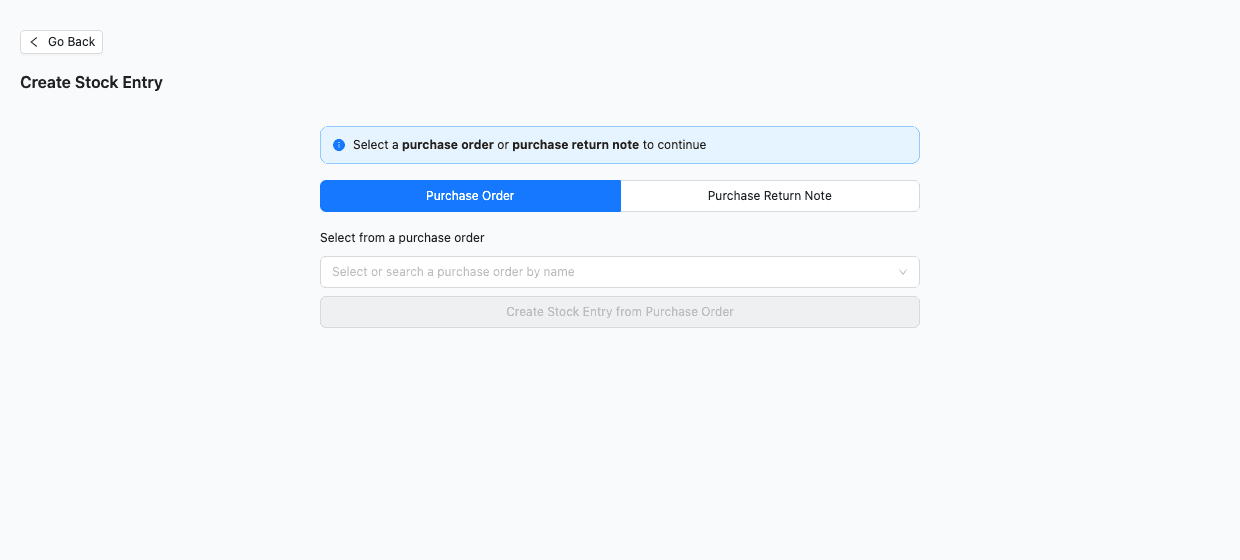
Inventory stock movement
Check how stock entries can be started from purchase orders or purchase return notes for clearer inventory movement.
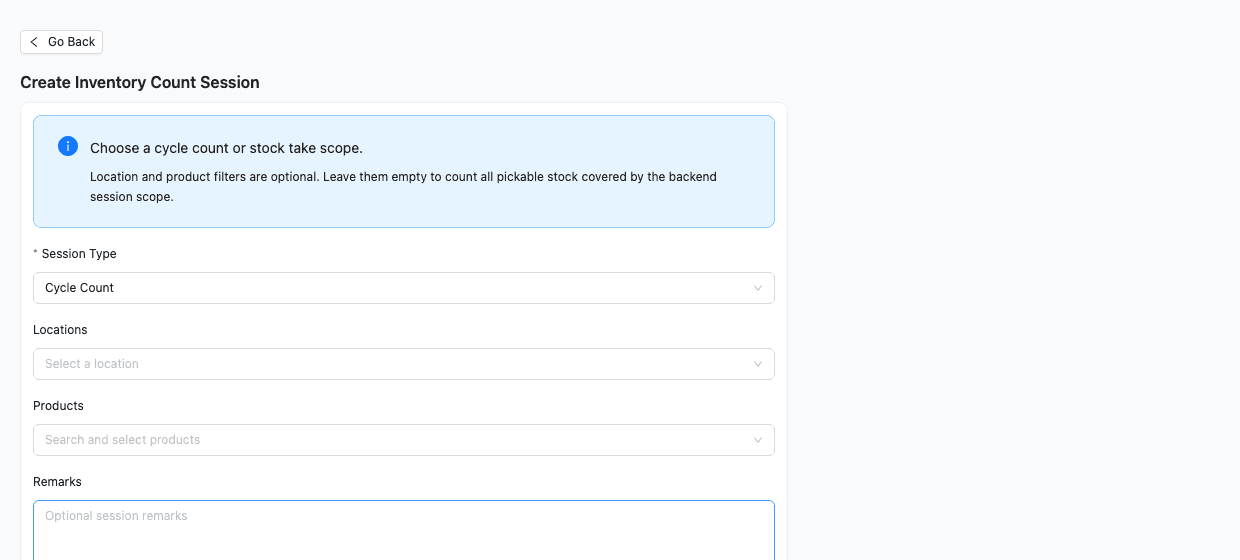
Inventory count sessions
Use the trial to evaluate cycle count or stock take sessions with optional location and product filters.
Trial checklist
Use the trial to answer operational questions
A good trial is not just clicking around. It should prove whether TREX Grow can replace manual tracking and support the way your team already sells, buys, stocks, fulfils, and follows up.
- Create a real quotation-to-invoice or sales order workflow.
- Test whether purchasing documents match how your suppliers work.
- Check if stock entries and inventory adjustments reduce spreadsheet work.
- Ask your team to test daily document creation, approvals, and follow-up.
- Compare Starter, Essential and Premium before choosing the workflow depth you need.
30-day trial timeline
A practical month-long trial plan
Use the 30 days with a clear sequence so the trial produces a decision, not just a quick product tour.
Week 1: set up the workspace
Add users, products, customers, company settings, and the records available in your selected plan for a realistic trial.
Week 2: test sales documents
Run quotations, sales orders, invoices, delivery orders, receipts, and follow-up tasks with the team that handles customers.
Week 3: test purchasing and inventory
Create purchase orders, supplier invoices, stock entries, inventory adjustments, and warehouse checks using real examples.
Week 4: choose the right plan
Review gaps, team feedback, document control, purchasing, and warehouse needs before choosing Starter, Essential, Premium, or continuing with Free.
Starter vs Essential vs Premium
Choose the trial based on workflow depth
Starter covers the complete customer-sales workflow without purchasing or inventory management. Essential adds purchasing and WMS-lite stock handling. Premium adds advanced warehouse location, picking and counting workflows.
Starter
- 30-day trial
- Everything in Free
- Complete sales documents, attachments and multi-currency
- Accounting Beta included
Essential
- 30-day trial
- Everything in Starter
- Purchasing, stock entries, supplier invoices and returns
- Accounting Beta included
Premium
- 30-day trial
- Everything in Essential
- Warehouse locations, ledger, picking and WMS controls
- Accounting Beta included
FAQ
Common 30-day trial questions
Answers for SMEs deciding whether to test TREX Grow paid workflows before choosing a plan.
Which TREX Grow plans include a 30-day trial?
Starter, Essential and Premium include a one-time 30-day paid-plan trial. A company that has already used a paid-plan trial cannot start another by choosing a different paid plan.
Can I keep using the Free plan after the trial?
Yes. You can continue using the Free Forever plan for included core workflows if you are not ready to continue with a paid plan.
Which paid plan should I trial?
Trial Starter for complete sales documents, attachments, multi-currency and Accounting Beta. Trial Essential for purchasing and stock, or Premium for advanced warehouse locations, picking and inventory counts.
What should I test during the 30 days?
Test real documents, products, customers, suppliers, stock movement, and team handoffs. The goal is to confirm whether the workflow fits daily operations.
Start a 30-day trial with real SME workflows
Test complete sales documents, attachments, purchasing, inventory, warehouse control, and team handoffs available in your selected plan before deciding what fits.