Quotations and invoices are separated
Sales teams may prepare quotations in Excel while accounts teams create invoices separately, so the final invoice can miss earlier changes.

MyInvois setup is not just a login task. Malaysian SMEs need to prepare user access, buyer and supplier data, invoice workflows, approval controls and system connections before they can submit e-Invoices confidently.
For many Malaysian SMEs, the challenge is not only understanding LHDN e-Invoice rules. The bigger problem is that daily business records are often created in different places before they become an invoice.
Operational pressure
When records live in different places, the person responsible has to reconstruct what happened before they can make a confident decision or follow up.
Sales teams may prepare quotations in Excel while accounts teams create invoices separately, so the final invoice can miss earlier changes.
Customer details may be collected through WhatsApp, email or walk-in forms without a standard data checklist for TIN and business details.
Supplier invoices, purchase orders and payments may not be connected to the same operational record, which makes self-billed scenarios harder to review.
Credit notes, debit notes and cancellations may be handled manually, making it difficult to see what changed after an invoice was created.
Different staff may issue invoices without a clear approval or review step, creating avoidable errors before e-Invoice validation.
The business may not know whether MyInvois Portal manual submission is enough, or whether API integration is needed for its transaction volume.
MyInvois is the LHDN system used for e-Invoice submission, validation and document management. SMEs should prepare both the technical setup and the internal workflow before going live.
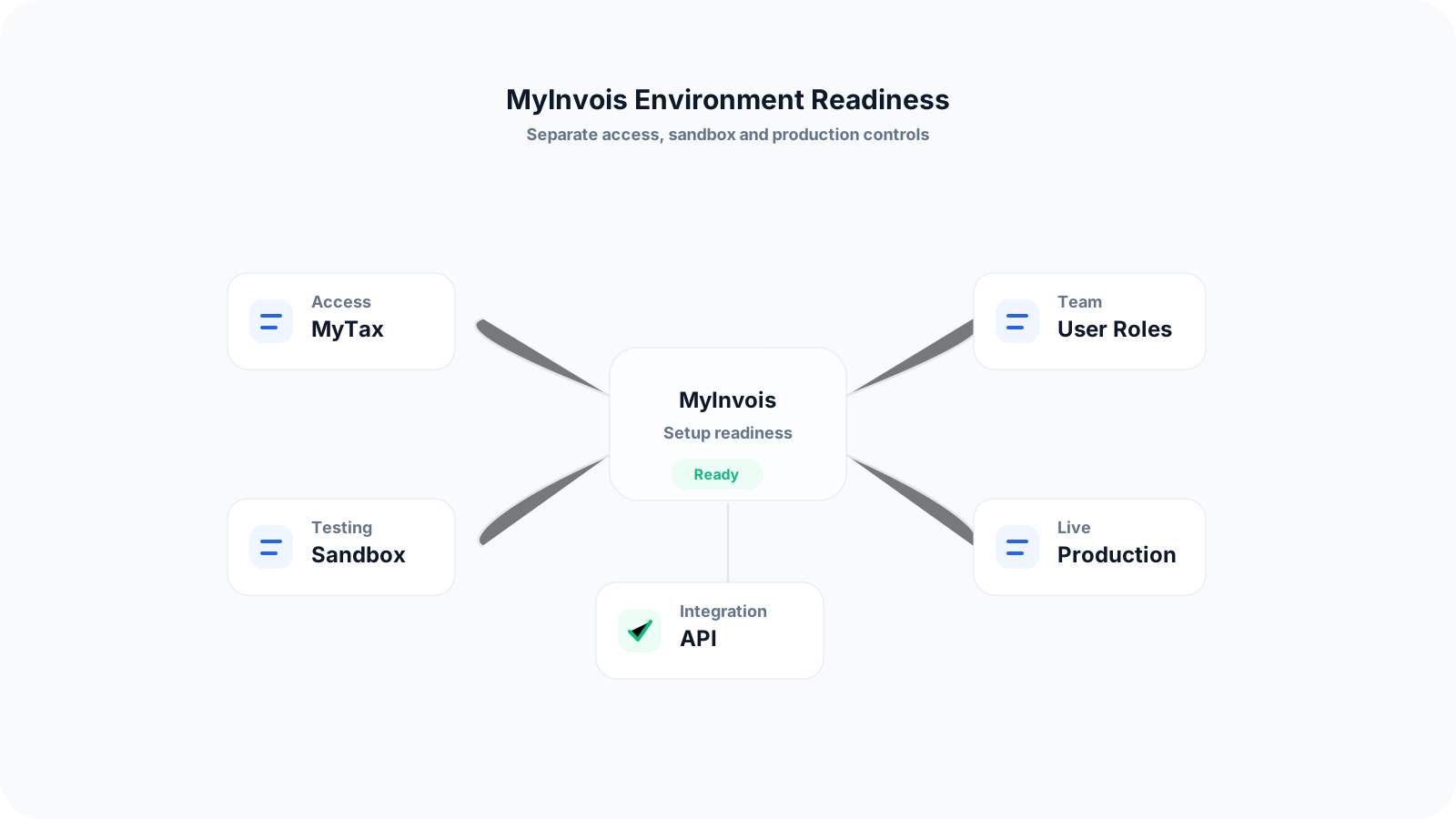
MyInvois Portal is suitable for businesses that want to manage e-Invoice tasks through a portal, especially if transaction volume is still manageable.
API integration is usually more relevant when the business wants invoices from its internal system to be submitted to MyInvois with less manual re-entry.
Sandbox testing should be used to practise the workflow before production submission, because test data and live submission are separate.
Production submission should only be used when the business has reviewed its invoice data, user roles and internal approval process.
The business should decide who owns sales document creation, invoice review, e-Invoice submission, cancellation, credit note handling and record keeping.
Invoice data should be treated as operational data, not just tax data, because errors often begin earlier in sales, inventory or purchasing workflows.
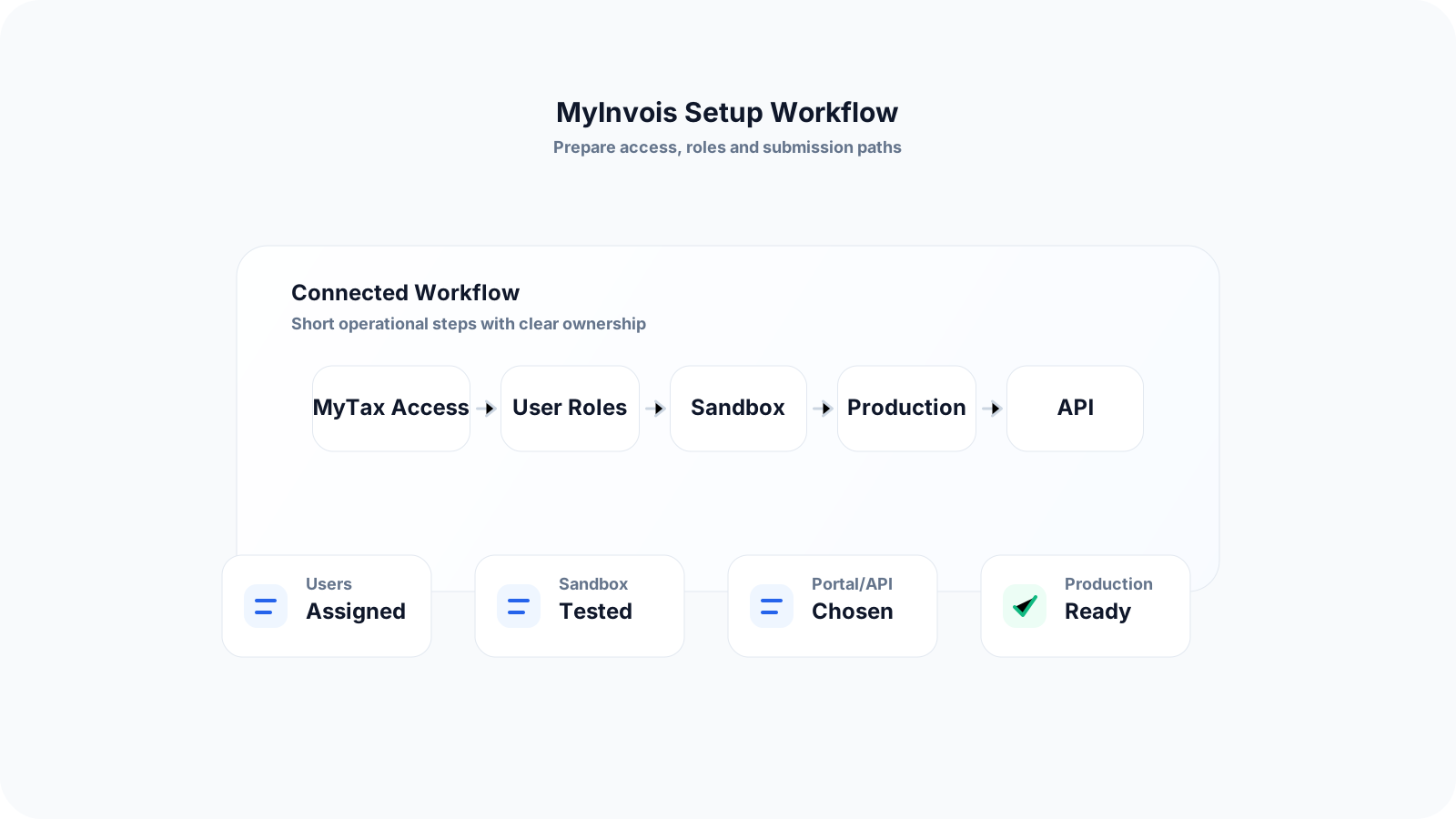
Use this workflow to organise your MyInvois preparation before assigning users or submitting live e-Invoices.
Record the current facts in one shared place.
Confirm what is known and what needs attention.
Make the next decision or follow-up accountable.
Complete the next task and record the outcome.
Refresh the shared view when facts change.
A dependable workflow keeps the shared record and the next action aligned.
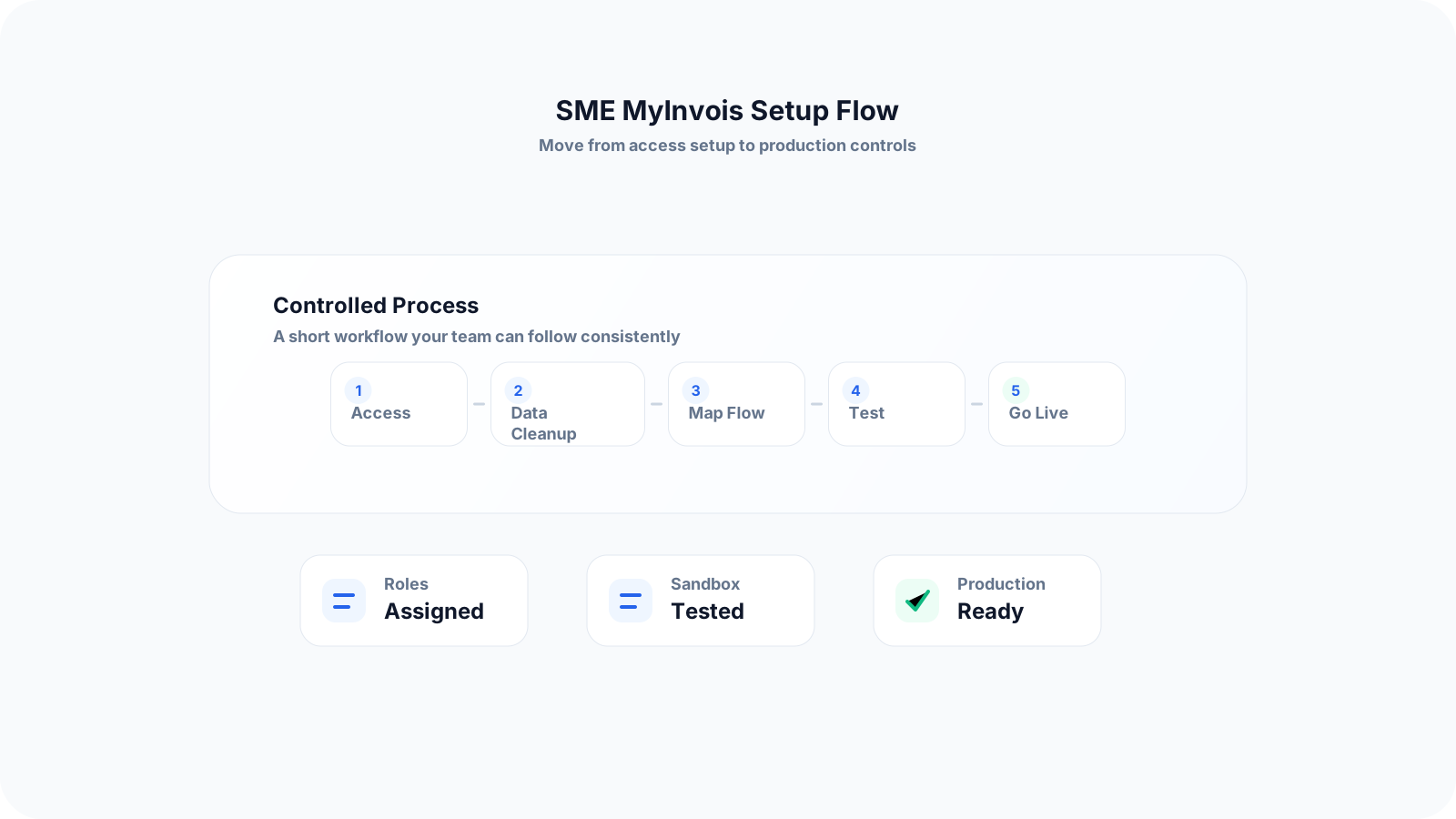
Confirm your e-Invoice responsibility - Review your business type, transaction flow and implementation timeline. Identify whether you issue normal sales invoices, self-billed invoices, consolidated invoices, credit notes, debit notes or refund notes.
Prepare company and user access - Decide who should access MyInvois and what each person should do. Separate responsibilities between business owners, finance users, approvers, system administrators and external representatives where relevant.
Clean up buyer and supplier information - Create a standard checklist for customer and supplier details such as business name, registration number, TIN, address, contact details and tax-related fields required for e-Invoice preparation.
Map your document flow - Write down how a transaction moves from quotation to sales order, delivery, invoice, payment, credit note or cancellation. This helps your team see where errors may enter before MyInvois submission.
Choose portal, API or hybrid submission - If transaction volume is low, portal submission may be a starting point. If the business issues many invoices or already uses an operations system, API integration may reduce repeated data entry.
Test in sandbox before going live - Use the testing environment to practise issuing documents, checking field formats, understanding rejection reasons and training users without affecting production records.
Create an exception-handling process - Define what happens when an invoice is rejected, needs cancellation, requires a credit note, or has incomplete buyer information. Assign a clear owner for each exception.
Move to production with controls - Before live submission, make sure invoice numbering, approval rules, customer data, supplier records and system access are reviewed. Keep supporting documents in a consistent place for audit and reconciliation.
Many issues happen because the business focuses only on the portal login, instead of preparing the full operational process behind each invoice.
Recurring issues usually point to workflow-control gaps, not one isolated data-entry mistake.
Sales, purchasing, inventory and management approvals may affect invoice accuracy, so the setup should involve more than the accounts department.
Submitting live invoices before testing common transaction scenarios in sandbox can turn training issues into production errors.
Allowing too many users to submit or change documents without clear responsibility makes exception handling harder.
Not standardising buyer and supplier data collection before invoice creation leads to missing TIN, registration and contact details.
Keeping quotations, delivery orders, invoices and payments in disconnected files makes it harder to trace how a transaction changed.
Not documenting what to do when a validated e-Invoice needs cancellation or adjustment can delay corrections.
Waiting until the deadline before deciding whether portal submission or API integration fits the business volume creates avoidable rollout pressure.
Assuming PDF invoices alone are enough can cause the team to miss the structured XML or JSON e-Invoice data requirement.
A good setup should make compliance easier while also improving daily operations. SMEs can start with a simple but disciplined process.
Create one internal e-Invoice owner who coordinates finance, sales, purchasing and system users during setup and early rollout.
Prepare a customer and supplier master data checklist before your team issues new invoices or collects missing details.
Use a clear document sequence from quotation to invoice so staff know which records support each transaction.
Separate draft preparation, approval and submission responsibilities where possible to reduce accidental changes.
Review high-risk transaction types such as credit notes, debit notes, refunds, imports, self-billed transactions and consolidated invoices.
Keep a simple log of rejected, cancelled or adjusted documents so the team can spot repeated issues.
Train staff with realistic customer, supplier and adjustment scenarios, not only generic compliance slides.
Review your workflow monthly during the early rollout period to improve data quality and reduce manual rework.
The best practice is to make the next action clear before the situation becomes urgent.
TREX Grow helps SMEs connect the operational steps that happen before an e-Invoice is submitted. Instead of treating e-Invoice as a separate admin task, your team can manage the documents and approvals that feed into the invoice workflow.
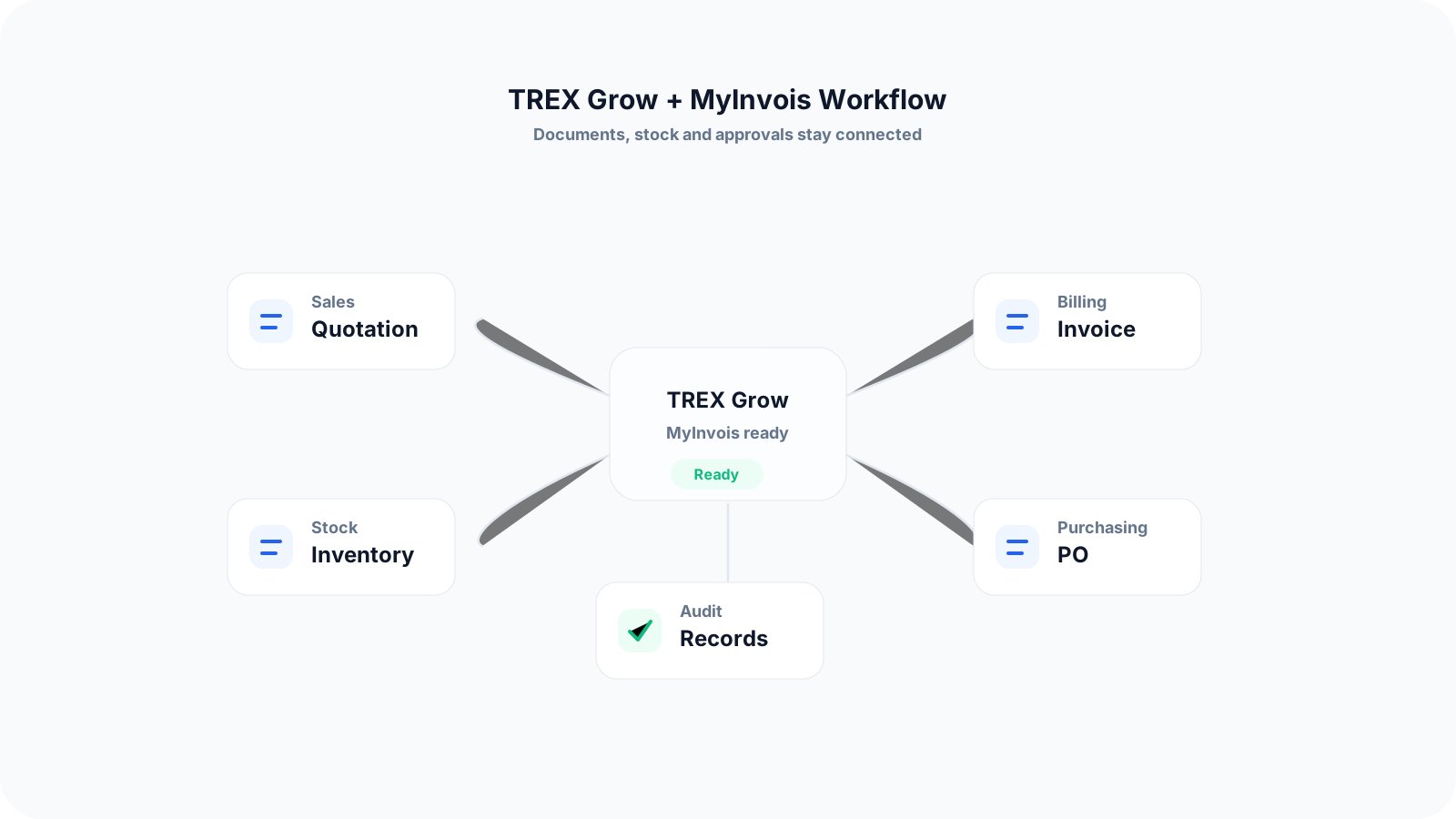
Create quotations and invoices from a connected workflow so sales and accounts teams do not need to retype the same information.
Link inventory, purchase orders and supplier payments to reduce gaps between stock movement, purchasing and invoicing.
Use approval flows so invoices and related documents can be reviewed before submission or customer sharing.
Organise customer, supplier and product records in one place to improve data consistency before invoices are created.
Support RFQ and product catalog workflows where pricing, product and supplier information need to be controlled before invoicing.
Prepare LHDN e-Invoice workflows with better document structure, cleaner transaction records and fewer disconnected Excel files.
Start by organising the records behind every invoice: quotation, customer details, inventory, purchase order, approval and payment. TREX Grow gives Malaysian SMEs a practical way to connect these workflows before e-Invoice submission becomes part of daily operations.
MyInvois is used for Malaysia e-Invoice related workflows such as submission, validation, viewing, rejection, cancellation, printing and document management. SMEs should prepare their user access and invoice data before relying on it for daily operations.