Customer records are copied from too many places
A customer's name, billing address and contact details may exist in old invoices, spreadsheets, WhatsApp messages, email threads and accounting records with small differences in each place.

Customer data is one of the first places e-Invoice problems appear. Before issuing LHDN e-Invoices, SMEs need a reliable way to collect buyer names, TIN, registration or ID numbers, address details and contacts without slowing down sales or finance work.
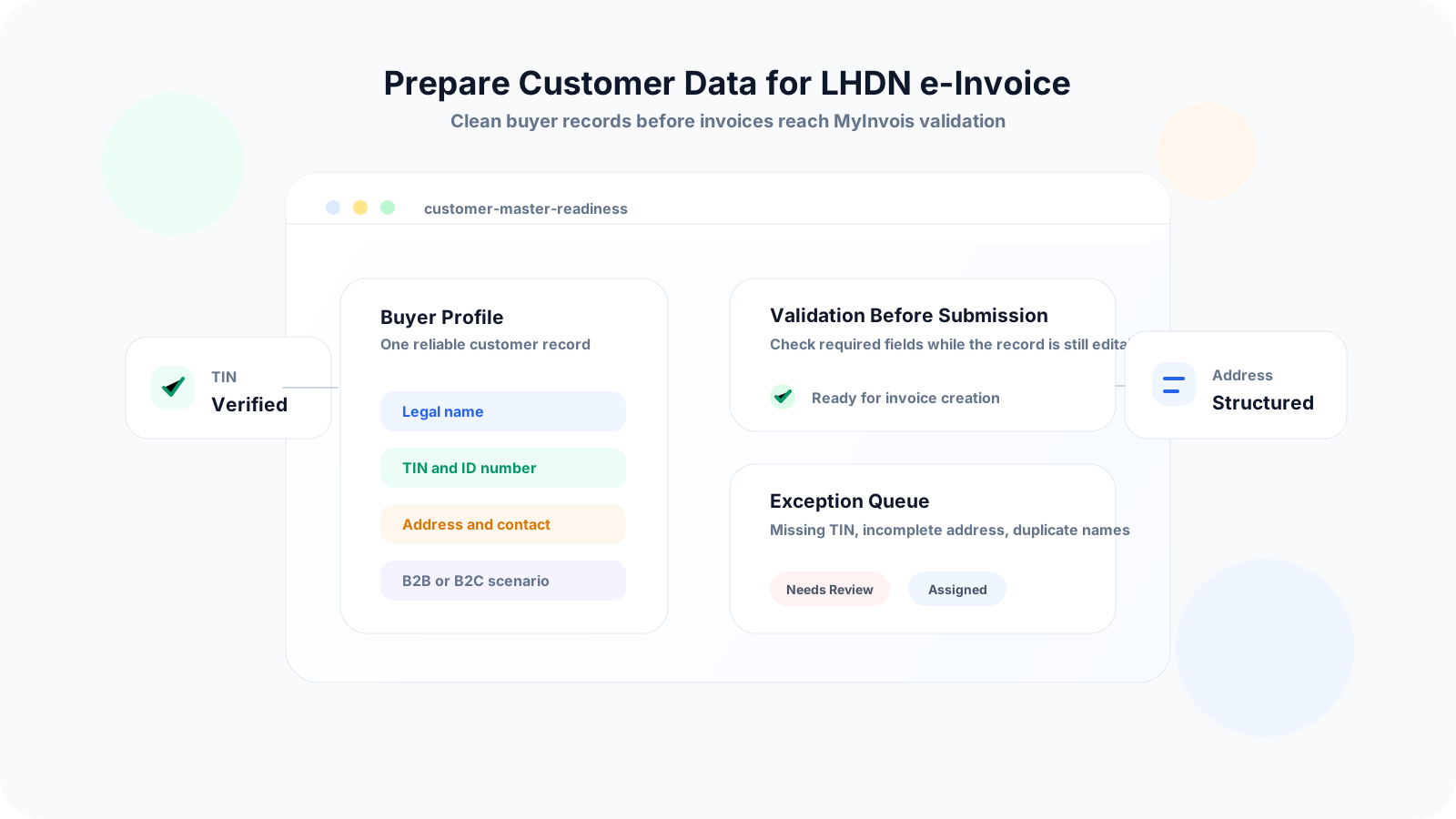
Many SMEs focus on the submission system first, then discover that the customer information behind each invoice is incomplete. If buyer details are missing or inconsistent, the invoice team has to pause, contact the customer again, or guess which record is correct.
Operational pressure
When records live in different places, the person responsible has to reconstruct what happened before they can make a confident decision or follow up.
A customer's name, billing address and contact details may exist in old invoices, spreadsheets, WhatsApp messages, email threads and accounting records with small differences in each place.
B2B customer records often need tax and identification details such as TIN, business registration number, NRIC, passport number or SST registration number where applicable.
A full address typed into one free-text cell is harder to validate, search and reuse than separate fields for address line, postcode, city, state and country.
If buyer details are only requested when finance is ready to issue an invoice, the invoice can be delayed while staff wait for the customer to reply.
Walk-in customers, foreign buyers, individual consumers and customers who refuse to share details need a documented process instead of one-off decisions.
Without an owner for customer data changes, staff may edit records informally and create duplicate or unverified buyer profiles.
LHDN and MyInvois document structures include buyer identity, address and contact fields. The practical goal is to maintain customer master data that can support invoice creation without manual rewriting every time.
Use the registered company name, business name or individual name consistently. Avoid nicknames, short forms and branch labels in the main legal name field.
Prepare the customer's TIN together with the relevant registration or identification number, such as business registration number, NRIC or passport number depending on the customer type.
If the customer is SST registered and the information is relevant to the transaction, keep the SST registration number in a structured field instead of invoice remarks.
Store address line, postcode, city, state and country in a consistent format. This reduces cleanup work when invoice data is sent to MyInvois or an integrated system.
Keep an email address and phone number for operational follow-up, sending validated documents and resolving missing information before the invoice deadline.
Classify customers as B2B, B2C, foreign, government, walk-in or other relevant groups so staff know when full buyer details, consolidated e-Invoice handling or exception review may apply.
LHDN's phased e-Invoice rollout is based on annual turnover or revenue, with groups moving in from 1 August 2024 through 1 July 2026. SMEs should clean customer data before their go-live date instead of waiting for the first live invoice.
The best customer data cleanup is not a one-time spreadsheet exercise. Treat it as a workflow that starts before quotation and continues through invoice approval, submission and future customer changes.
Record the current facts in one shared place.
Confirm what is known and what needs attention.
Make the next decision or follow-up accountable.
Complete the next task and record the outcome.
Refresh the shared view when facts change.
A dependable workflow keeps the shared record and the next action aligned.
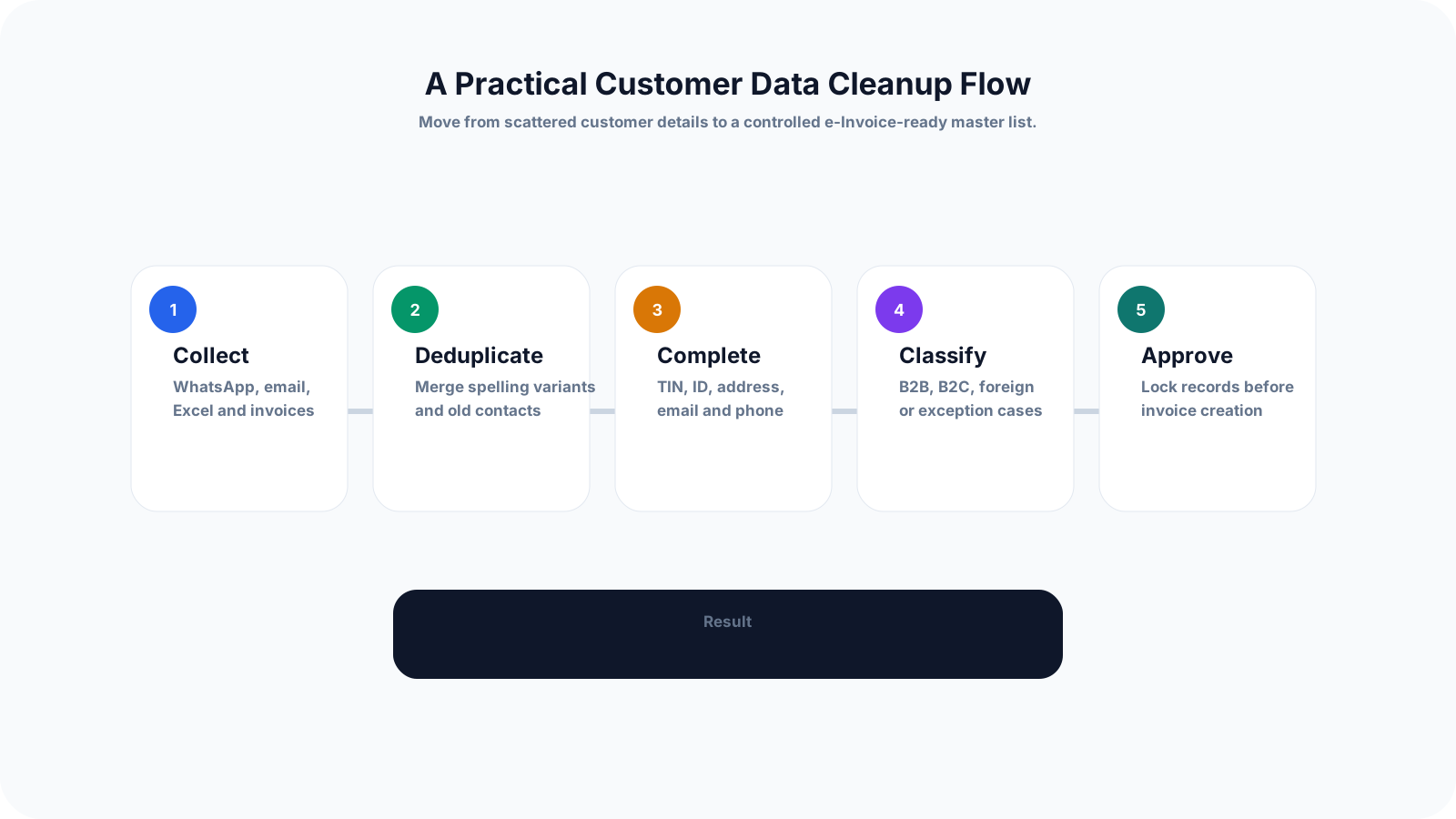
Step 1: Export every customer list - Gather customer names and contacts from accounting software, Excel files, CRM notes, old invoices, quotations, WhatsApp and email records.
Step 2: Remove duplicates and naming variants - Merge records such as Sdn Bhd spelling variants, branch names, old contacts and customers created twice by different staff.
Step 3: Add required identity fields - Fill in TIN, registration or ID number, SST registration number if applicable, email, phone and complete address fields based on customer type.
Step 4: Split free-text addresses - Convert messy address blocks into address line, postcode, city, state and country fields so they can be reused consistently in invoice documents.
Step 5: Classify customer scenarios - Mark each customer as B2B, B2C, foreign, government, walk-in, related company or exception case so staff know the right invoice handling process.
Step 6: Assign data owners - Decide who may create, update and approve customer records. Separate temporary notes from approved master data where possible.
Step 7: Test with real invoices - Use recent sales examples to test whether the cleaned customer data can support quotation, invoice, credit note, debit note and refund workflows.
Step 8: Keep an exception queue - Track missing TIN, incomplete address, old registration number, customer refusal and foreign buyer cases so unresolved records do not disappear.
Customer data problems usually look small until they block invoice creation. The same cleanup mistakes can repeat every month if the business does not change how customer records are collected and approved.
Recurring issues usually point to workflow-control gaps, not one isolated data-entry mistake.
TIN, contact details and special instructions should not live only in remarks. Put repeatable data into structured customer fields that staff can search and reuse.
If the same customer appears under different spellings, branches or contact persons, finance may select the wrong profile during invoice creation.
Waiting until the invoice stage creates avoidable pressure. Add customer data collection earlier in the sales or quotation workflow where possible.
Some customers use different billing and delivery locations. Mixing the two can create confusion for both invoice records and fulfilment work.
B2C and walk-in transactions should have a clear process based on current LHDN rules instead of relying on staff memory at the counter.
Customer master data should have ownership and change control. Otherwise, one staff member may overwrite details another team already verified.
A practical SME process should be simple enough for sales staff to follow, but controlled enough for finance to trust. Start with a small number of mandatory fields and improve the record quality as customer volume grows.
Use one form or checklist for new customers so sales and admin staff collect legal name, TIN, ID number, address, email and contact number consistently.
Before a quotation becomes an invoice, check whether the customer profile is complete. This catches missing details before finance is under time pressure.
Mark records as draft, pending verification, approved, blocked or inactive. A visible status helps staff avoid using incomplete customer profiles.
When a customer provides new registration, address or contact details, record when the update was received and who approved it.
Clean high-frequency and high-value customer records before long-tail customers. This reduces the biggest operational risk before rollout.
Use real examples: missing TIN, foreign customer, wrong billing address, customer name mismatch, walk-in sale and correction after invoice approval.
LHDN and MyInvois guidance can be updated. Assign someone to review official changes and adjust customer data rules when needed.
The best practice is to make the next action clear before the situation becomes urgent.
TREX Grow helps SMEs manage customer data as part of daily operations, not as a separate compliance spreadsheet. Customer records can support quotation, invoice, approval, inventory, purchasing, payment tracking and Malaysia LHDN e-Invoice workflows in one connected platform.
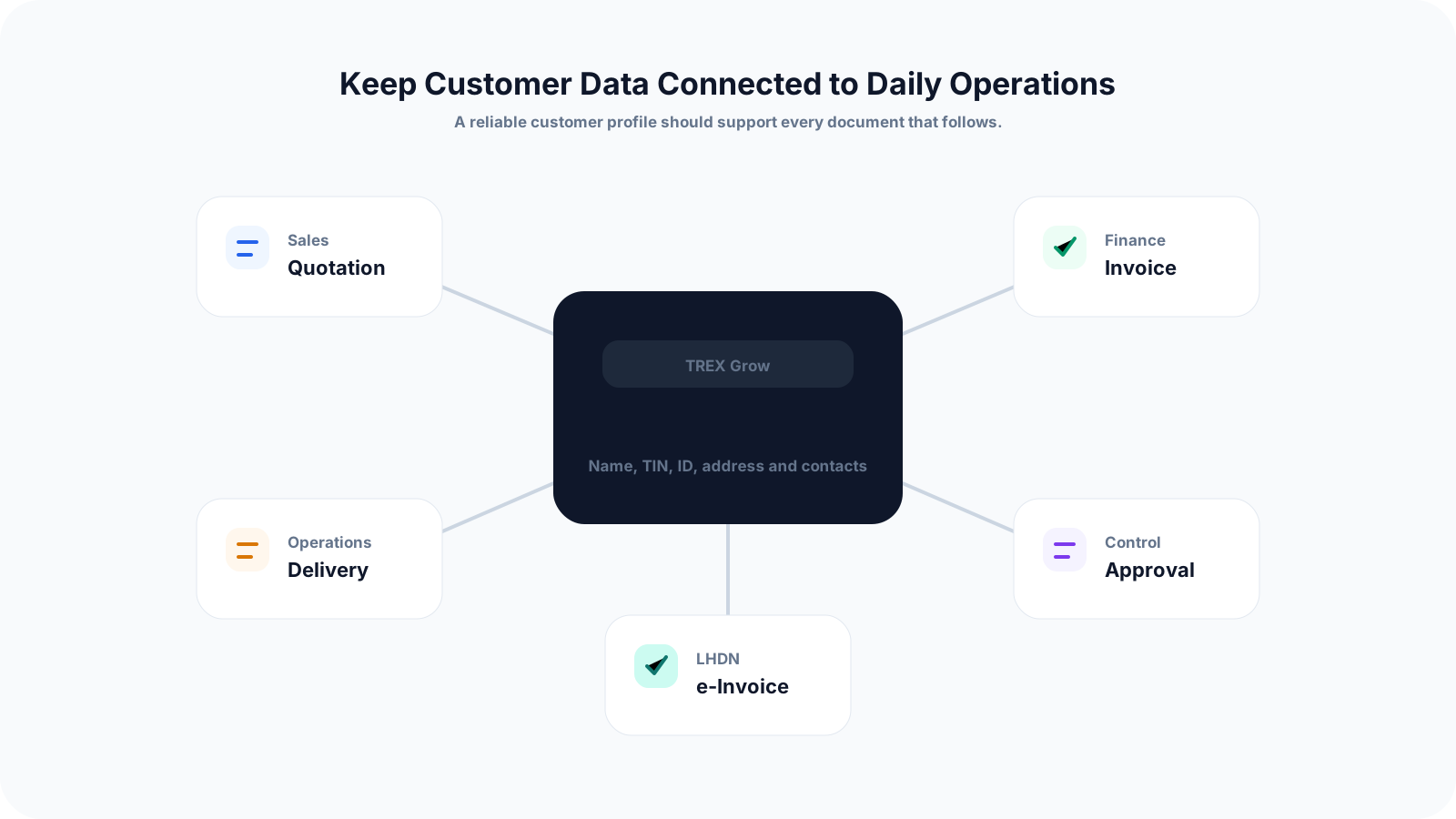
Keep buyer details in structured customer profiles so staff do not need to retype the same information across quotations and invoices.
Convert approved quotations into invoices while carrying customer information forward through the workflow.
Add review steps before documents are finalised, helping the business catch incorrect buyer details earlier.
For product-based SMEs, connect customer orders with inventory, delivery and invoicing so records stay traceable.
Track invoice status and follow-ups after submission so customer records remain useful beyond the e-Invoice step.
Organise invoice data in a way that supports LHDN e-Invoice workflows while keeping the operational process clear for the team.
Before e-Invoice becomes a daily pressure point, build one reliable customer data process. TREX Grow can help your team connect customer records with quotation, invoice, approval and Malaysia e-Invoice workflows in one place.
SMEs should prepare customer legal name, TIN, registration or identification number, SST registration number if applicable, complete address, email, phone number and customer type. The exact handling can depend on customer and transaction scenario.