Detailed page planned
Malaysia e-Invoice System
Connect transaction source data with day-to-day document processing.
Topic included in this hub · no dead link
Malaysia e-Invoice
Prepare customer, supplier and transaction records inside the same operating flow your team uses for sales and purchasing.
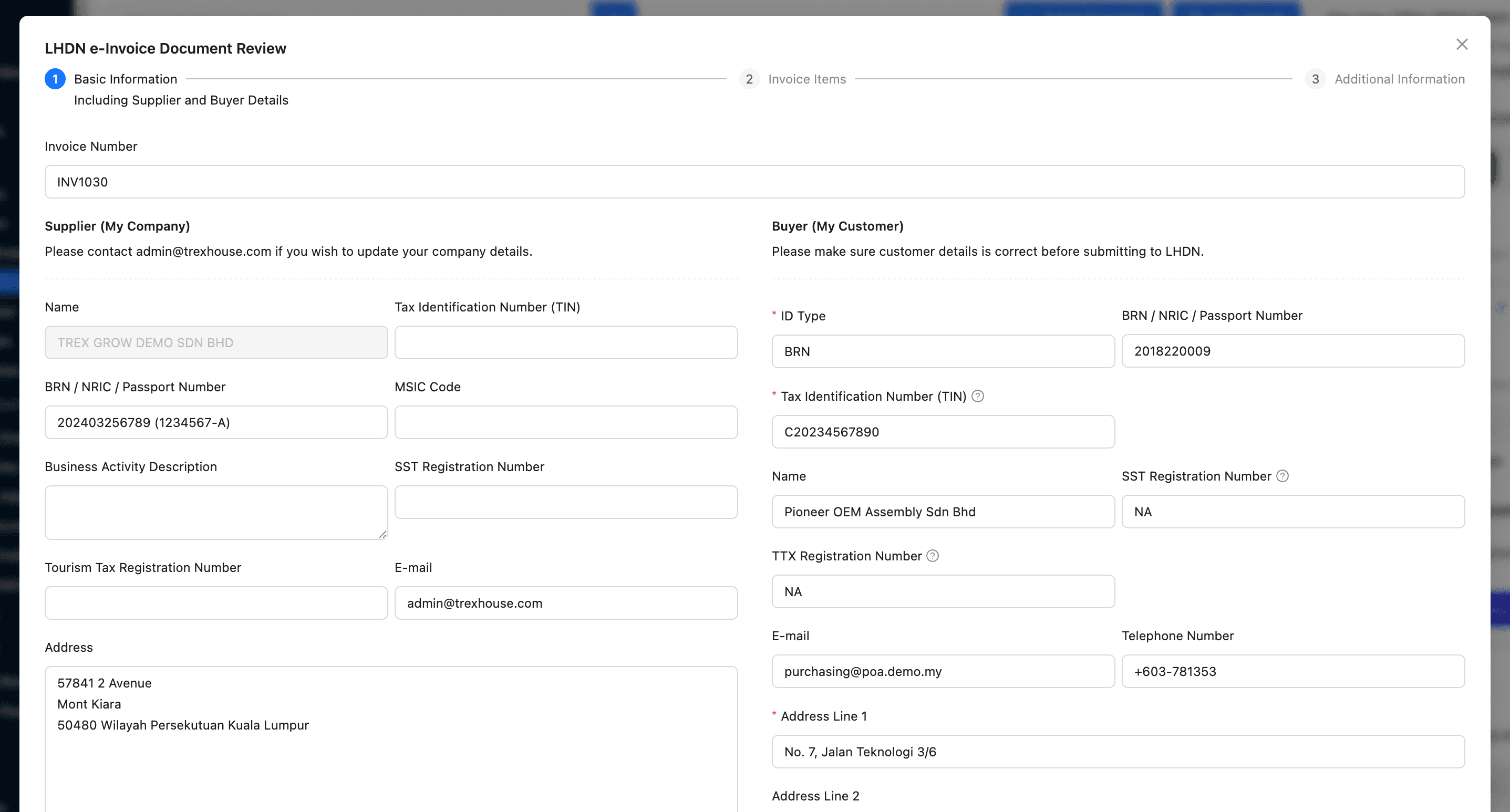
1. Prepare source data
2. Create the transaction
3. Review the details
4. Keep the evidence
e-Invoice solution library
Published pages open directly. Roadmap topics stay visible here so the category structure is clear without sending visitors to unfinished routes.
Connect transaction source data with day-to-day document processing.
Topic included in this hub · no dead linkSupport a controlled operating path between business records and MyInvois.
Topic included in this hub · no dead linkCoordinate preparation, review, processing and record follow-up.
Topic included in this hub · no dead linkKeep adjustment documents tied to the transaction they change.
Topic included in this hub · no dead linkOrganise source data, roles and workflow before daily processing begins.
Topic included in this hub · no dead linkWorkflow before feature list
The software is useful when it protects the handoff—not only when it stores the final document.
Keep business, customer, supplier and item records usable.
Build the document from controlled operating records.
Give the team a clear checkpoint before the next action.
Retain status and related document context for follow-up.
Designed for daily operations
A connected workflow should make everyday work clearer for the people doing it and more visible for the people responsible for the outcome.
What the workflow needs
Reduce last-minute searches for customer, supplier and item information.
Keep e-Invoice work connected to the transaction that produced it.
Make review and exception handling part of a visible workflow.
Keep related documents and status easier to find after processing.
Operational outcomes
Related guides
Use these practical guides to audit the current process and identify which handoff needs attention first.
Continue across the business
Start with a real workflow
Explore the product, compare plans or talk through the operating handoff your team needs to control first.