Customer details arrive too late
Customer details are collected only when finance needs to issue an invoice, instead of being captured earlier during quotation or order confirmation.

Malaysia e-Invoice is not only a tax submission task. For SMEs, it affects how customer details are collected, how invoices are approved, how corrections are handled, and how sales, inventory, and purchasing records stay consistent.
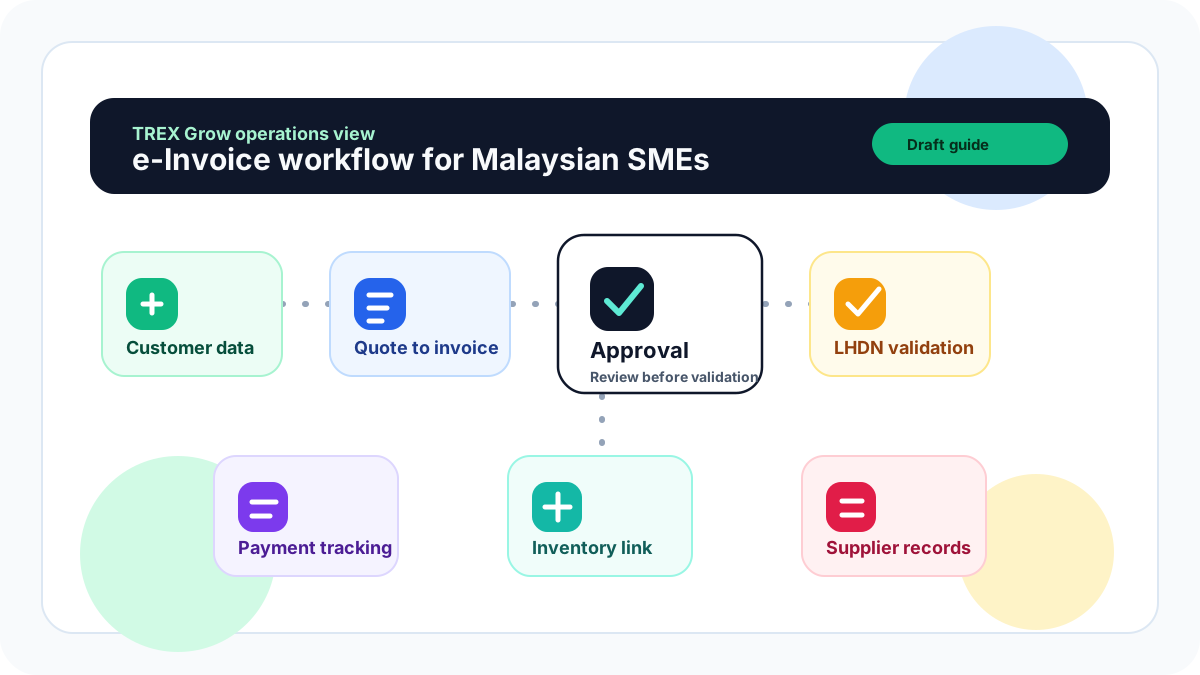
The challenge is rarely just submitting an invoice to MyInvois. The bigger issue is that many SMEs still run sales, finance, stock, and purchasing in separate files, messages, or paper records. When e-Invoice becomes part of daily work, these small gaps become operational problems.
Operational pressure
When records live in different places, the person responsible has to reconstruct what happened before they can make a confident decision or follow up.
Customer details are collected only when finance needs to issue an invoice, instead of being captured earlier during quotation or order confirmation.
Sales teams revise prices, discounts, or quantities but finance may not receive the latest version before invoicing.
Invoices are created before delivery or stock movement is properly confirmed.
Credit notes, debit notes, and refund notes are issued without a clear link to the original invoice.
Managers approve sales, purchasing, or payment decisions through chat, making it difficult to trace later.
Supplier invoices are recorded separately, so business owners cannot easily compare sales income, purchase cost, payment status, and cash flow.
Teams focus on compliance only at the end of the process, instead of designing the workflow correctly from the start.
LHDN e-Invoice supports near real-time validation and storage of transactions across B2B, B2C, and B2G transactions. In practice, this means SMEs need a reliable way to prepare correct transaction data before submission, track the document status after submission, and manage corrections properly when changes happen.
An e-Invoice workflow starts before the invoice is issued. It begins with customer or supplier master data, product details, tax information, pricing, and approval rules.
A validated e-Invoice should match the business transaction, not just the PDF shared with the customer.
The workflow should define who can create, check, approve, submit, cancel, or correct a document.
SMEs should separate normal sales invoices from consolidated e-Invoices, self-billed e-Invoices, credit notes, debit notes, and refund notes.
The team should keep a clear connection between quotation, sales order, delivery order, invoice, payment, and receipt where applicable.
For purchasing, the team should connect purchase orders, supplier invoices, supplier payments, and inventory movements.
LHDN's official implementation timeline and technical references should be checked regularly, especially when deciding readiness dates and submission rules.
The best workflow is one that your sales, admin, finance, and operations team can follow every day. SMEs do not need to overcomplicate the process, but they do need clear steps and ownership.
Record the current facts in one shared place.
Confirm what is known and what needs attention.
Make the next decision or follow-up accountable.
Complete the next task and record the outcome.
Refresh the shared view when facts change.
A dependable workflow keeps the shared record and the next action aligned.
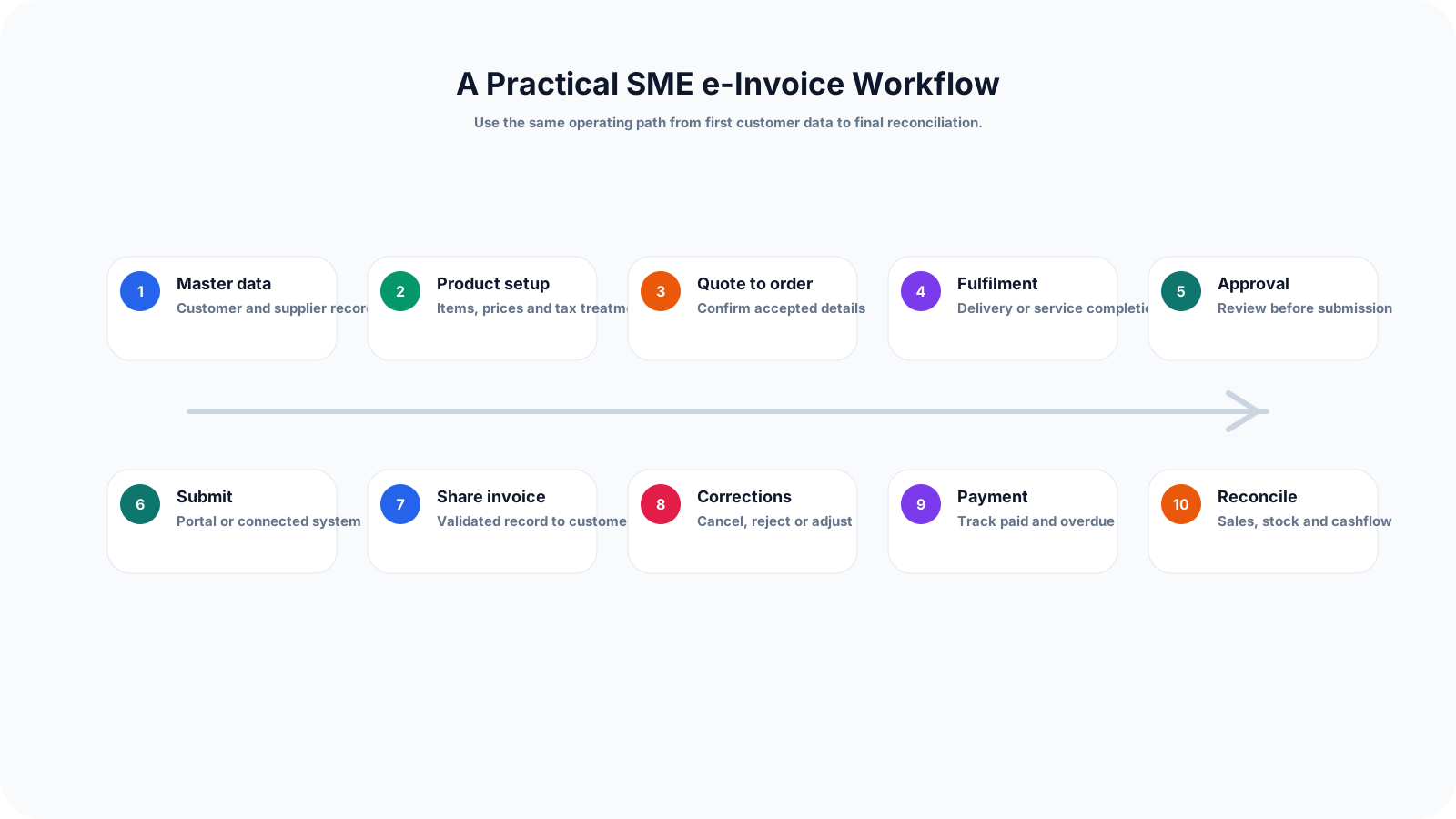
1. Prepare company, customer, and supplier master data: Start by cleaning your company profile, customer records, and supplier records. Keep TIN, registration number, SST number if applicable, address, contact person, email, phone number, and business classification details in one place. Do not wait until invoice issuance to collect these details.
2. Standardise product and service information: Create a clean product or service list with item names, item codes, descriptions, unit of measurement, pricing, tax treatment, and stock tracking where relevant. This reduces invoice errors and helps sales, purchasing, and inventory teams use the same source of truth.
3. Connect quotation to sales order before invoicing: For SMEs that issue quotations, the accepted quotation should flow into a sales order or invoice without retyping the same information. Any discount, quantity change, tax treatment, or customer detail update should be reviewed before the invoice is created.
4. Confirm delivery or service completion: Before issuing the invoice, confirm whether goods were delivered, services were completed, or partial delivery applies. For stock-based SMEs, this step should connect to delivery order and inventory movement to avoid selling or invoicing items that were not properly fulfilled.
5. Review and approve the invoice internally: Set a simple approval rule. For example, finance checks customer data and tax details, sales checks pricing and discount, and management approves high-value invoices or unusual terms. The goal is to catch mistakes before submission.
6. Submit or prepare the e-Invoice through the chosen method: Depending on the SME's setup, the invoice may be prepared through MyInvois Portal or connected software. The workflow should record the submission status, validation result, date, document reference, and any error that needs correction.
7. Share the validated invoice with the customer: Once validated, send the invoice to the customer through the agreed channel. Keep the validated record linked to the customer, sales document, payment history, and official receipt.
8. Manage rejection, cancellation, credit note, debit note, or refund: If the customer rejects the document or a correction is required, avoid editing records casually. Use the correct follow-up document type and keep the reason, approval, and original invoice link visible.
9. Track payment and issue receipt: The e-Invoice process does not end at validation. Finance should track whether the invoice is unpaid, partially paid, paid, overdue, cancelled, or adjusted. Official receipts and payment records should connect back to the invoice.
10. Reconcile sales, purchasing, inventory, and cash flow: At month-end, compare issued invoices, supplier invoices, stock movements, purchase orders, payments, receipts, and bank records. This helps business owners spot missing invoices, duplicate records, unpaid bills, and stock discrepancies.
Most e-Invoice problems come from weak internal workflow rather than the final submission step. These mistakes can create delays, rework, and confusion between sales, finance, and operations.
Recurring issues usually point to workflow-control gaps, not one isolated data-entry mistake.
Treating e-Invoice as only a finance department task, even though sales and operations create the information finance needs.
Collecting customer TIN and business details too late, usually only when the invoice is urgent.
Allowing multiple invoice formats across Excel, accounting software, handwritten notes, and WhatsApp instructions.
Changing invoice values after approval without recording who changed it and why.
Issuing invoices without linking them to quotation, delivery order, purchase order, or stock records.
Using credit notes or debit notes without a clear reason and original invoice reference.
Not defining who can cancel, reject, or resubmit an invoice.
Ignoring supplier invoice workflow, even though purchasing and supplier payments affect cash flow and inventory cost.
A good e-Invoice setup should make daily work clearer, not slower. Before choosing software or changing your process, map how documents currently move inside the business.
Create one customer and supplier master list instead of keeping separate records across sales, finance, and purchasing.
Decide which team owns each step: data collection, document creation, approval, submission, correction, payment tracking, and record keeping.
Use a standard naming and numbering structure for quotations, sales orders, invoices, delivery orders, purchase orders, and supplier invoices.
Define approval thresholds for discounts, large invoice amounts, credit terms, refund requests, and supplier payments.
Review product codes, service descriptions, tax labels, units of measurement, and pricing before issuing invoices.
Keep documents connected so the team can trace quotation to invoice, invoice to payment, purchase order to supplier invoice, and stock movement to delivery.
Train staff using real scenarios such as walk-in customer sales, B2B invoice issuance, partial payment, returned goods, cancelled order, supplier bill, and refund.
Check official LHDN guidance periodically because implementation details, guidelines, and technical references may be updated.
The best practice is to make the next action clear before the situation becomes urgent.
TREX Grow is built for Malaysian SMEs that need more than standalone invoicing. It connects sales documents, purchasing, inventory, supplier payments, approvals, RFQ or product catalog workflows, and Malaysia LHDN e-Invoice operations in one practical platform.
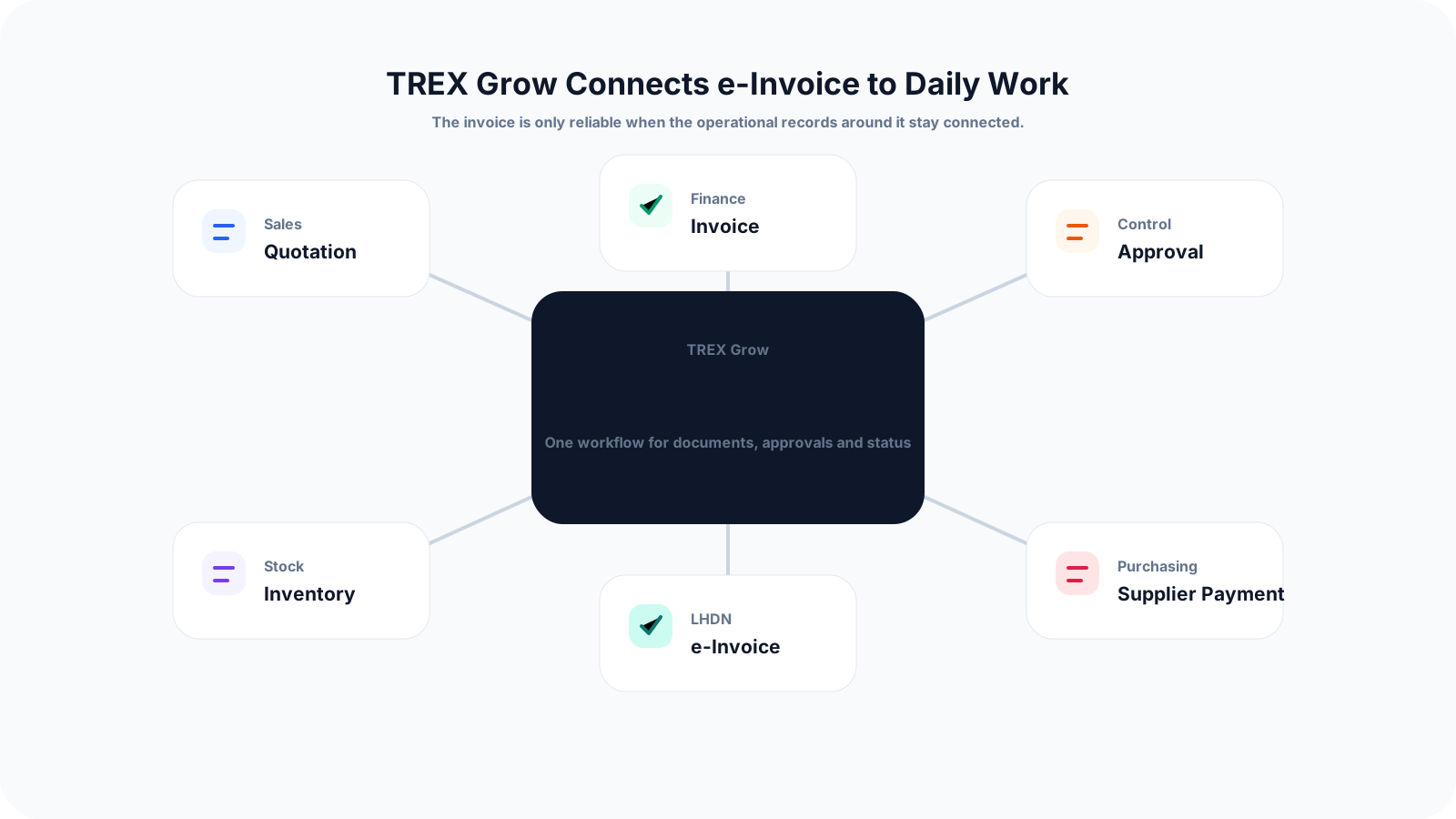
Create quotations, pro-forma invoices, invoices, sales orders, purchase orders, supplier invoices, credit notes, debit notes, refund notes, and receipts from connected records.
Keep customer and supplier details in one place so sales, finance, and purchasing teams work with cleaner information.
Reduce repeated data entry by moving information from quotation to invoice and from purchase order to supplier invoice where applicable.
Connect inventory and delivery workflows so stock movement is easier to trace against sales and purchasing documents.
Use approval flows to reduce unauthorised changes to discounts, invoices, purchase orders, supplier payments, and adjustments.
Track document status, payment status, and related records so business owners can understand what is pending, paid, overdue, adjusted, or cancelled.
Support Malaysia e-Invoice workflows without turning the page into a hard compliance tool only. The aim is to improve the SME's daily operations while preparing for LHDN requirements.
If your SME still depends on Excel, WhatsApp approvals, and disconnected documents, e-Invoice preparation is a good time to connect sales, finance, purchasing, inventory, approval, and payment workflows in one place.
It is the step-by-step process an SME uses to collect customer details, prepare transaction data, approve invoices, submit or prepare e-Invoices, track validation status, manage corrections, and keep payment records. A good workflow connects sales, finance, purchasing, and inventory instead of treating e-Invoice as a final upload task.