Customer details are incomplete
Customer records may not include TIN, identification number, SST number, address, email, or correct company name.

Preparing for e-Invoice is not only about choosing software. Small businesses also need clean customer records, proper document flow, clear approval steps, and consistent invoice practices. This checklist helps Malaysian SMEs identify what to prepare before daily operations are affected.
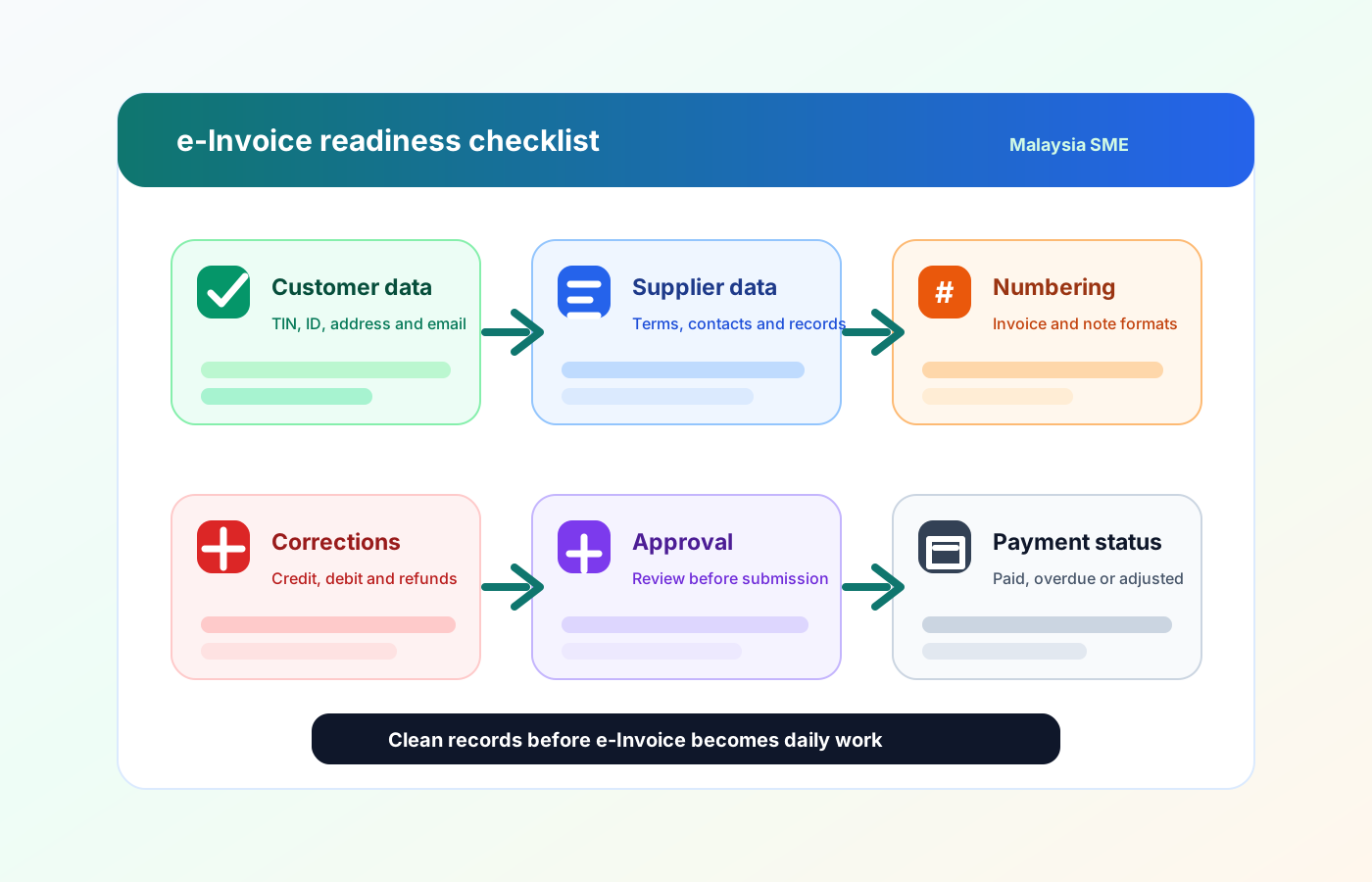
Many SMEs only start preparing when they need to issue their first e-Invoice. By then, they may realise that customer details are missing, supplier information is incomplete, invoice numbers are inconsistent, or internal teams are unsure who should check the document before submission.
Operational pressure
When records live in different places, the person responsible has to reconstruct what happened before they can make a confident decision or follow up.
Customer records may not include TIN, identification number, SST number, address, email, or correct company name.
Supplier records may be saved separately in Excel, WhatsApp, accounting software, or email threads.
Sales teams may issue quotations manually, while finance teams recreate invoices later, increasing the chance of mismatch.
Purchase orders, supplier invoices, and payments may not be linked, making reconciliation harder.
Credit notes, debit notes, and refund records may not have a consistent approval process.
Business owners may not have visibility over unpaid invoices, pending supplier payments, or document status.
Before adopting e-Invoice, SMEs should review both compliance data and internal workflows. The goal is to make sure every invoice can be created from accurate business records, checked by the right person, and tracked after submission.
Prepare your business registration name, registration number, TIN, SST details if applicable, business address, contact details, and authorised person information. These details should be consistent across invoices, quotations, accounting records, and customer-facing documents.
Collect and clean customer details such as company name, TIN, BRN or NRIC where relevant, billing address, email, phone number, and contact person. For walk-in or B2C customers, decide how your team will handle cases where consolidated e-Invoice may apply.
Review supplier names, registration numbers, TIN, payment terms, bank details, contact person, and document history. Supplier data matters because purchase orders, supplier invoices, and supplier payments should be traceable.
Standardise item names, descriptions, pricing, tax treatment, SKU or item codes, units of measurement, and inventory tracking rules. This reduces confusion when converting quotations into invoices or purchase orders.
Set a clear format for quotations, invoices, purchase orders, delivery orders, credit notes, debit notes, and refund notes. Avoid changing formats too often because inconsistent numbering can make audit trails harder to follow.
Decide who can create, review, approve, void, cancel, or adjust documents. Small businesses often skip this step, but approval control helps prevent incorrect invoices, duplicate submissions, and unauthorised changes.
Define how your team tracks paid, unpaid, partially paid, overdue, and cancelled invoices. e-Invoice compliance is only one part of the workflow; businesses still need to manage cashflow and follow up on payments.
A small business can prepare for e-Invoice in stages instead of changing everything at once. Start by cleaning data, then standardise documents, then connect the workflow between sales, purchasing, finance, and inventory.
Record the current facts in one shared place.
Confirm what is known and what needs attention.
Make the next decision or follow-up accountable.
Complete the next task and record the outcome.
Refresh the shared view when facts change.
A dependable workflow keeps the shared record and the next action aligned.
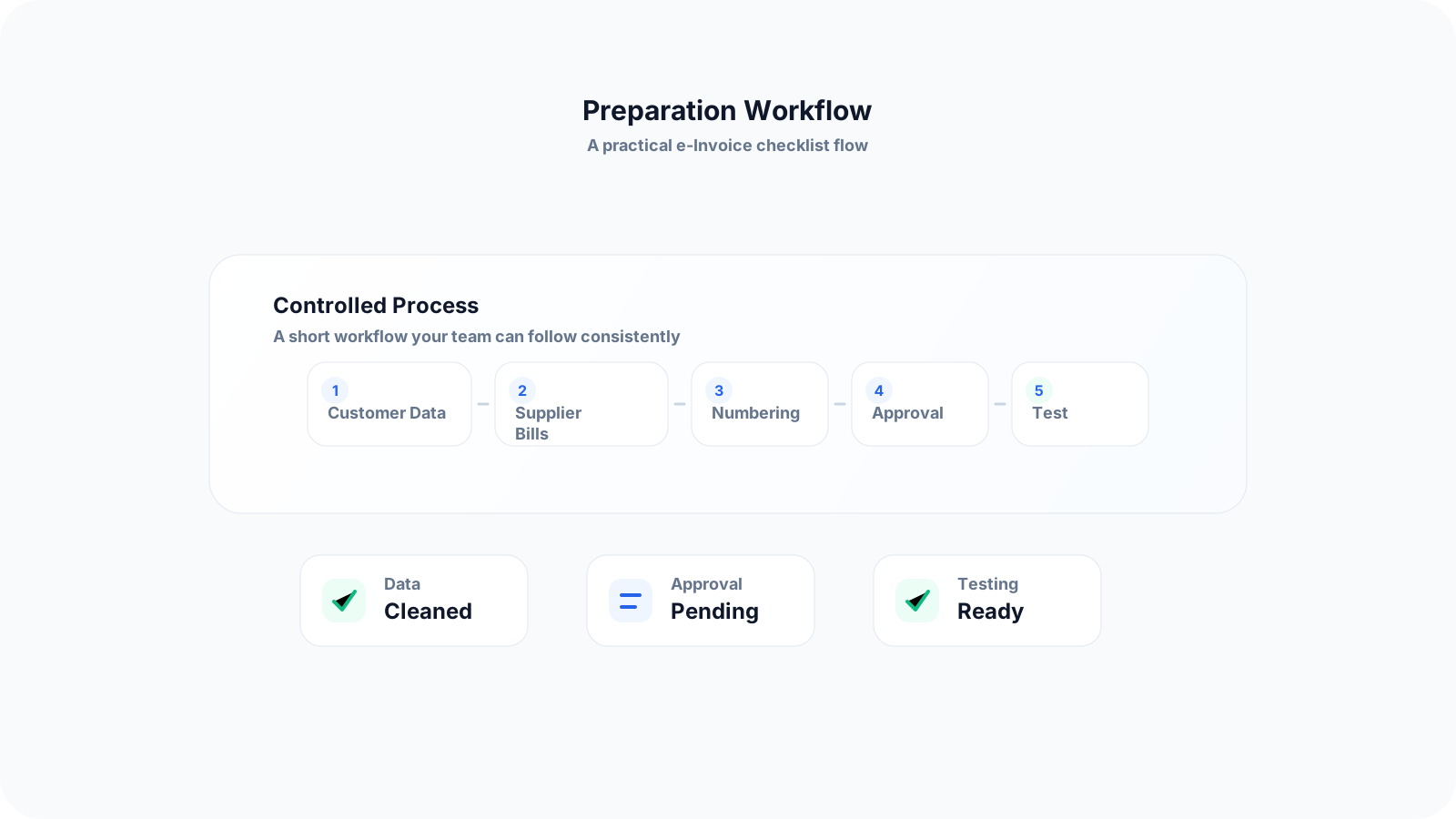
Step 1: Review your current invoice process - Map how a sale starts today. For example, does it begin from WhatsApp, quotation, purchase order, delivery order, or direct invoice? Identify where information is copied manually.
Step 2: Clean company, customer, and supplier records - Create one reliable source of truth for customer and supplier details. Remove duplicate names, outdated addresses, incomplete tax information, and inconsistent contact details.
Step 3: Standardise product and service details - Make sure your item names, descriptions, prices, tax treatment, and stock information are consistent. This is especially important for businesses that sell products, spare parts, materials, or repeat services.
Step 4: Define document types and when to use them - Train your team on the difference between quotation, invoice, purchase order, credit note, debit note, refund note, and consolidated e-Invoice scenarios.
Step 5: Set approval and correction rules - Decide who checks invoices before submission, who can make changes, and what happens if an invoice needs to be cancelled, adjusted, or replaced.
Step 6: Test the workflow with real examples - Use recent business cases such as a normal sale, repeat customer, supplier purchase, stock item sale, partial payment, and invoice correction to test whether your process works.
Step 7: Move daily operations into a connected system - Once the workflow is clear, connect quotation, invoice, inventory, purchase order, supplier payment, approval, and e-Invoice submission in one platform to reduce manual work.
Many small businesses focus only on software setup and forget the operational habits that cause invoice problems. These mistakes can create confusion even after a company starts using an e-Invoice-ready system.
Recurring issues usually point to workflow-control gaps, not one isolated data-entry mistake.
Invoices often begin from sales quotations, product orders, delivery records, or service confirmation. If only the finance team understands e-Invoice, the source information may still be incomplete.
When customer details are saved in Excel, mobile contacts, email threads, and accounting files separately, staff may use outdated or incorrect information.
e-Invoice readiness is not only about sales invoices. SMEs should also understand how supplier invoices, purchase orders, payment records, and stock purchases are tracked.
Without approval control, staff may submit invoices with wrong details, wrong amounts, incorrect tax treatment, or missing supporting documents.
Generic descriptions such as 'goods', 'service fee', or 'miscellaneous' may be hard to review internally. Clear item descriptions help both compliance and business tracking.
Businesses should prepare a clear process for returns, discounts, cancelled orders, wrong invoice amounts, or post-invoice adjustments.
A good e-Invoice setup should make daily work clearer, not more complicated. The best approach is to build a simple workflow that your team can follow consistently.
Keep one updated list for customer and supplier records. Assign someone to verify details before they are used in invoices or purchase documents.
Instead of retyping invoice details from quotation manually, convert approved quotations into invoices. This reduces mismatch between what was quoted and what was billed.
For product-based SMEs, connect stock movement with invoices, purchase orders, and supplier payments. This helps the business avoid selling items without knowing stock position.
Use statuses such as draft, pending approval, approved, submitted, paid, overdue, cancelled, or adjusted. This helps staff understand what action is needed next.
Use examples from your own daily operations instead of only theory. For example: repeat customer order, walk-in sale, supplier purchase, stock return, partial payment, and invoice correction.
e-Invoice does not automatically solve cashflow problems. SMEs should still monitor overdue invoices and follow up with customers consistently.
Write down who can create, approve, submit, cancel, and adjust documents. Clear rules help reduce confusion when staff change or business volume grows.
The best practice is to make the next action clear before the situation becomes urgent.
TREX Grow helps Malaysian SMEs connect e-Invoice preparation with daily business operations. Instead of treating e-Invoice as a separate task, TREX Grow brings quotation, invoice, inventory, purchasing, supplier payment, approval, RFQ/product catalog, and Malaysia LHDN e-Invoice workflows into one operational platform.
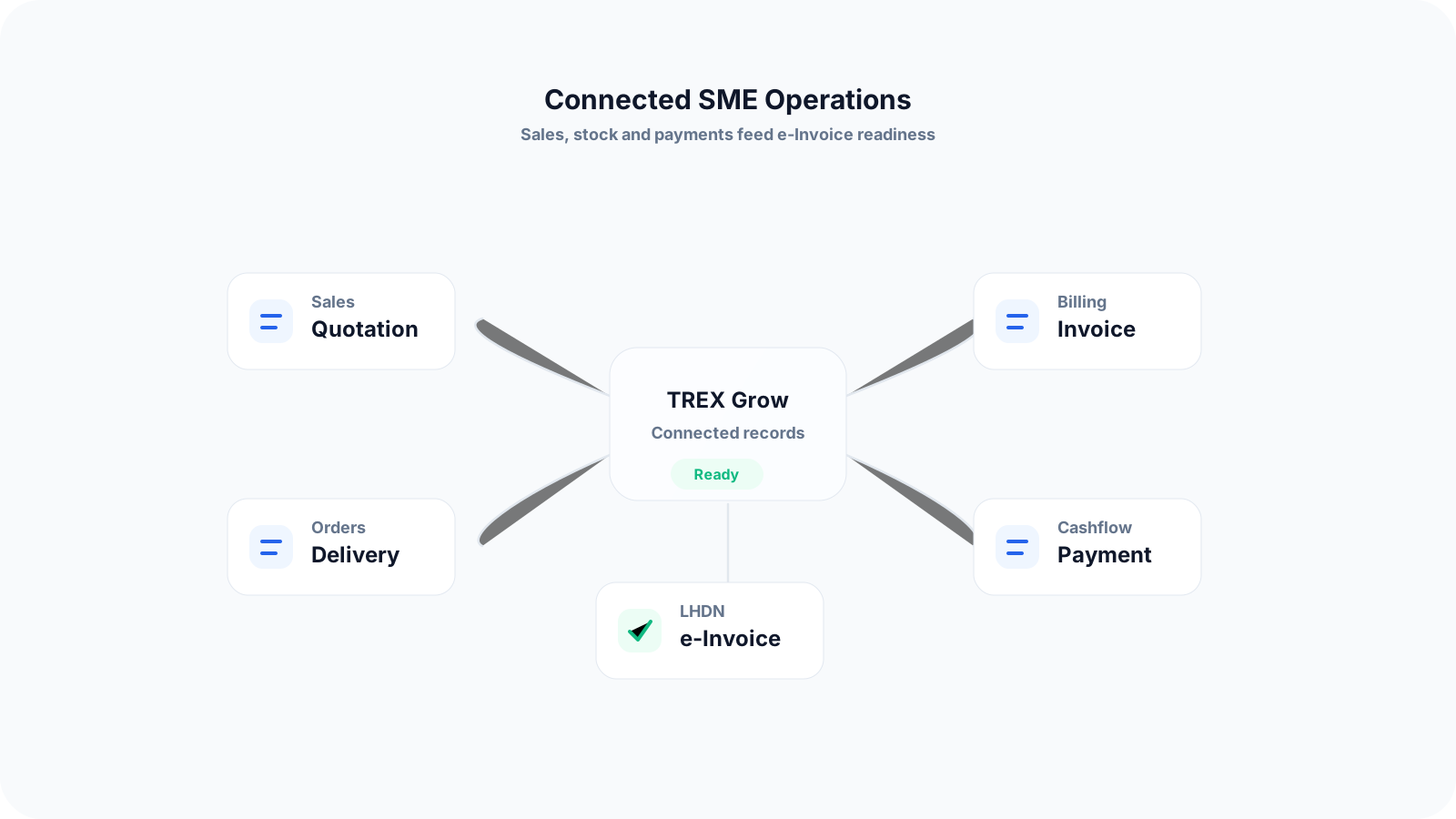
Create quotations, convert them into invoices, and keep document records connected so teams do not need to retype the same information repeatedly.
Maintain structured customer and supplier data to support smoother invoice creation, purchasing records, and payment tracking.
Connect stock items, purchase orders, supplier invoices, and sales invoices so product-based SMEs can manage operations more clearly.
Set approval steps before key documents are finalised or submitted, reducing the chance of incorrect records and unauthorised changes.
Prepare invoice data in a more structured way so your business can manage Malaysia e-Invoice workflows with less manual coordination.
For businesses that receive quotation requests, TREX Grow can support RFQ and catalog workflows so sales enquiries can be managed more systematically.
Start by cleaning your records and improving your workflow. When your business is ready to move from manual documents to a connected system, TREX Grow can help you manage quotation, invoice, inventory, purchasing, approval, and e-Invoice workflows in one place.
A small business should prepare company details, customer records, supplier records, product or service details, invoice numbering, document approval rules, and payment tracking processes. The goal is to make sure invoice information is accurate before submission.