The same invoice can create different correction scenarios
A wrong discount, missing transport charge, returned product or actual payment refund may all start from the same invoice, but they do not always use the same follow-up document.

After an e-Invoice is validated, not every correction should be handled the same way. SMEs need to know when to cancel or reject quickly, when to issue a credit note, when a debit note is needed, and when a refund note confirms money returned to the buyer.
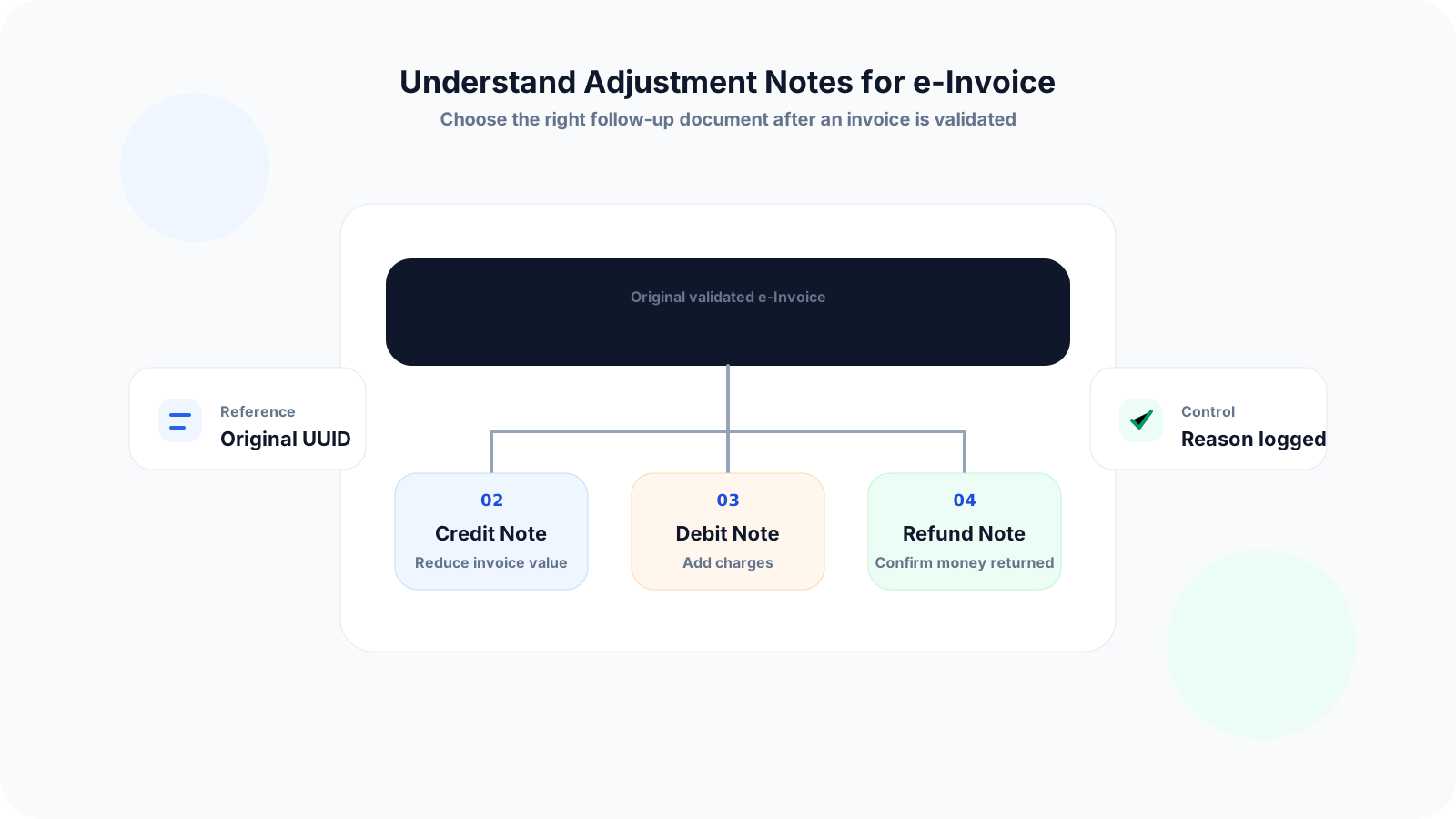
Credit notes, debit notes and refund notes are easy to mix up because all three happen after an invoice. The difference is not only accounting wording. Each note should reflect a specific business reason and remain linked to the original e-Invoice.
Operational pressure
When records live in different places, the person responsible has to reconstruct what happened before they can make a confident decision or follow up.
A wrong discount, missing transport charge, returned product or actual payment refund may all start from the same invoice, but they do not always use the same follow-up document.
Changing spreadsheet totals or payment balances without an official note makes it difficult to explain what happened later.
Adjustment notes should reference the original invoice affected by the change. If this link is not preserved, review and reconciliation become harder.
A credit note or refund may affect revenue, stock and customer balances, so staff should know who is allowed to approve it.
A return can affect invoice value, inventory movement and customer refund status. If each team updates separately, records can drift apart.
LHDN's SDK explains cancellation and rejection windows for valid documents. Once the window has passed, the business may need the correct credit, debit or refund note instead.
The MyInvois SDK identifies invoice type code 01 for invoice, 02 for credit note, 03 for debit note and 04 for refund note. The practical SME question is what business event each type represents.
A credit note is used to correct errors, apply discounts or account for returns in a previously issued e-Invoice where the reduction does not involve returning money to the buyer.
A debit note is used when additional charges need to be indicated after a previous e-Invoice, such as missed fees or extra billable work.
A refund note is used when the supplier confirms the refund of the buyer's payment, which means money is returned to the buyer.
The SDK document structures include an original e-Invoice reference for credit note, debit note and refund note. Normal adjustment notes refer to normal invoices, while self-billed versions refer to self-billed invoices.
Cancellation and rejection are not the same as adjustment notes. They are time-sensitive state changes used when issues are noticed quickly after validation.
The SDK states that cancellation and rejection are permitted within a 72-hour window from the date and time the document was marked valid. After that, correction may need a credit note, debit note or refund note as the case may be.
SMEs should decide the correction route before creating a new document. A small checklist can prevent staff from using the wrong note or losing the original invoice reference.
Record the current facts in one shared place.
Confirm what is known and what needs attention.
Make the next decision or follow-up accountable.
Complete the next task and record the outcome.
Refresh the shared view when facts change.
A dependable workflow keeps the shared record and the next action aligned.
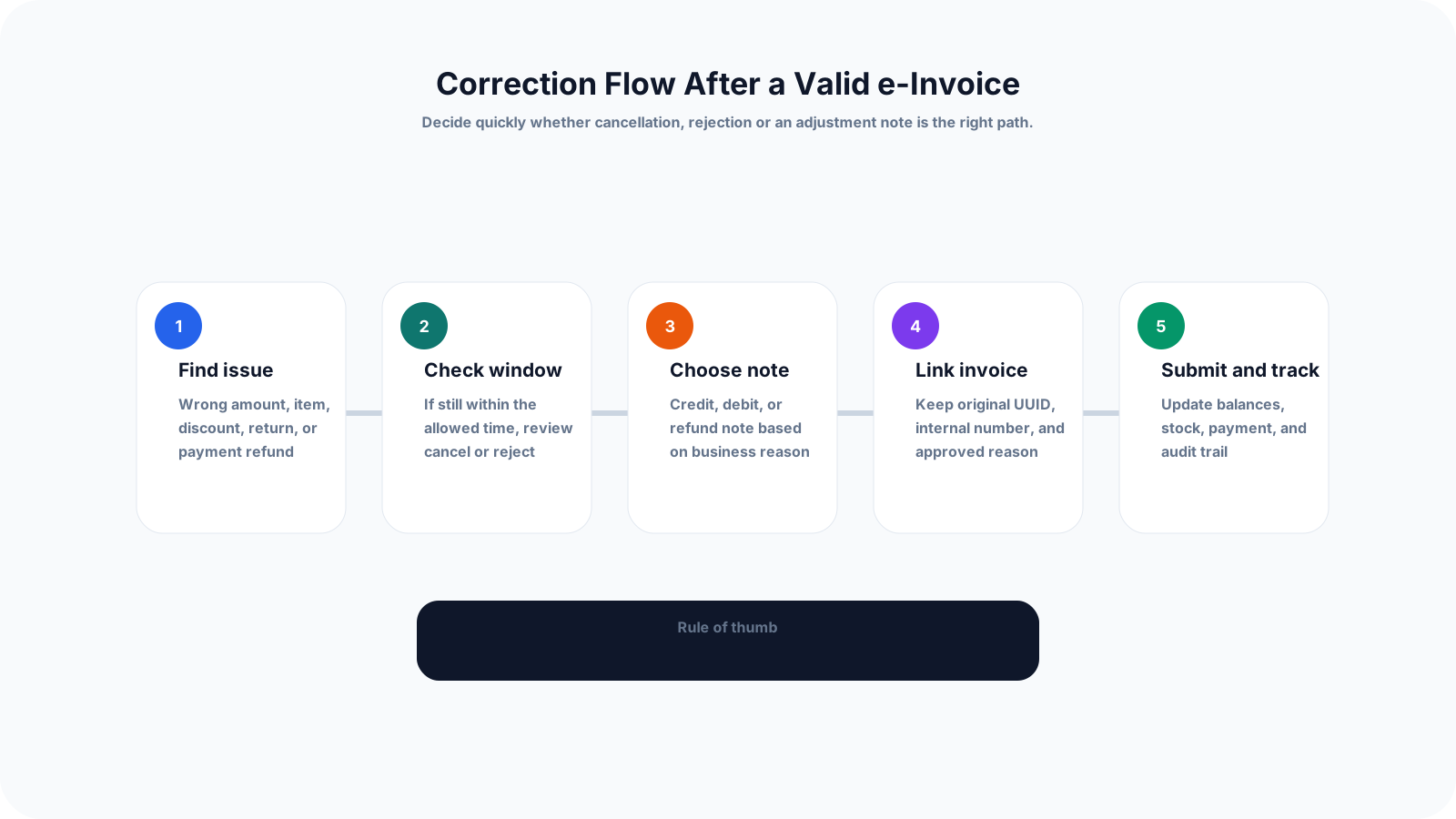
Step 1: Identify what changed - Confirm whether the issue is a wrong amount, item return, extra charge, cancelled order, discount, customer dispute or payment refund.
Step 2: Check document status and timing - If the e-Invoice was recently marked valid, check whether cancellation or rejection is still available before creating an adjustment note.
Step 3: Choose the correct note type - Use credit note for reduction without returning money, debit note for additional charges and refund note when payment is returned to the buyer.
Step 4: Link the original invoice - Keep the LHDNM unique identifier, internal invoice number, customer, line items and reason visible in the adjustment record.
Step 5: Get approval before issue - Require approval for discounts, write-offs, returns, extra charges and refunds so the change is traceable.
Step 6: Update operational records - Adjust payment status, customer balance, stock movement, delivery records and sales reporting after the note is approved.
Step 7: Submit and monitor status - After submission, track whether the note is accepted, valid, rejected or needs correction, instead of assuming the process is complete.
Step 8: Keep an exception log - Record repeated reasons such as wrong item code, missing shipping charge or frequent customer returns so the upstream workflow can improve.
Most adjustment-note issues are workflow problems, not just document-type problems. The wrong internal process can create confusion even if the final note is technically submitted.
Recurring issues usually point to workflow-control gaps, not one isolated data-entry mistake.
A credit note is not a catch-all document. If the correction increases the invoice amount, a debit note may be the right document. If money is returned, a refund note may be needed.
An adjustment note should not float on its own. Keep the original invoice UUID and internal invoice number attached to the note record.
Refunds affect cashflow and customer balances, so they should not be issued only based on an informal message.
Cancellation changes the state of a document within the allowed window. Credit note is a separate follow-up document for reducing value when appropriate.
If goods are returned but stock is not updated, the finance record and warehouse record will disagree.
Reasons such as wrong price, returned item, extra charge, cancelled order and goodwill refund should be recorded consistently for review.
A good e-Invoice adjustment workflow helps the business protect revenue, maintain customer trust and keep audit trails clear. Start with simple controls that staff can follow every day.
Give staff a short guide that explains when to use invoice, credit note, debit note, refund note, cancellation and rejection.
Do not allow adjustment notes to be created without the original invoice reference, customer name, invoice date and approved reason.
Let sales or operations request an adjustment, management or finance approve it, and the authorised user submit the e-Invoice note.
After a credit note or refund note, review whether the customer's outstanding balance, paid amount and refund status are updated.
For product-based SMEs, connect credit note and refund scenarios to stock return, damaged goods or replacement workflows.
Use examples such as wrong pricing, missed delivery fee, returned stock, cancelled order, partial refund and customer rejection so staff understand the difference.
LHDN and MyInvois guidance can change. Assign someone to review official updates before changing internal e-Invoice rules.
The best practice is to make the next action clear before the situation becomes urgent.
TREX Grow helps SMEs treat adjustment notes as part of daily operations. Instead of managing invoice corrections separately in spreadsheets, teams can keep customer, invoice, approval, inventory and payment records connected.
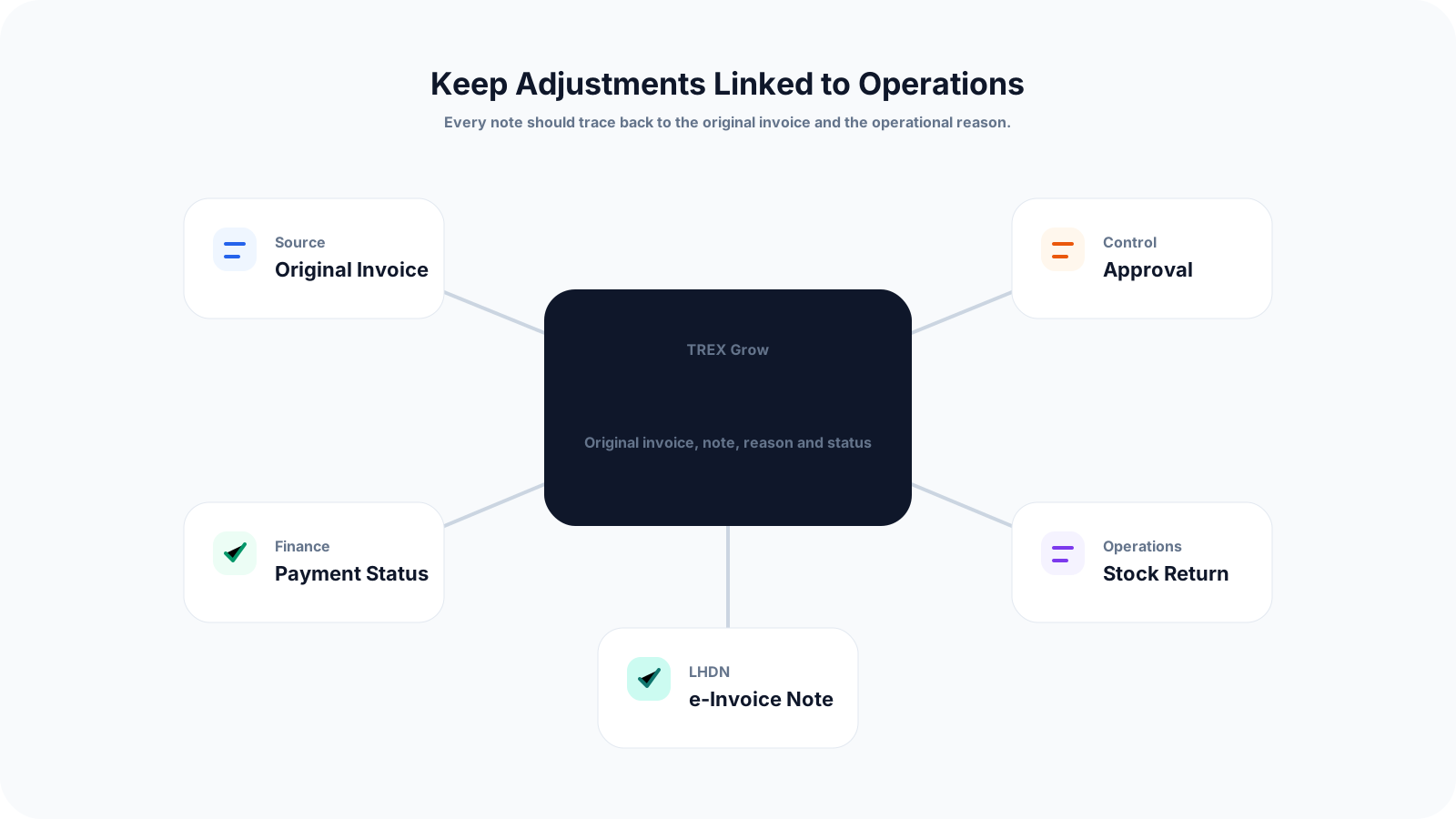
Keep the adjustment note connected to the original invoice, customer and internal document number so the reason is easy to review.
Set approval steps for discounts, refunds, extra charges, returns and other post-invoice changes before documents are finalised.
Track how a credit note or refund note affects paid, unpaid, partially paid and refunded invoice balances.
Connect item returns or replacements to stock movement so the invoice adjustment and inventory record stay aligned.
Organise invoice and adjustment data in a structured workflow that supports Malaysia LHDN e-Invoice processes.
Review why adjustments happen, such as pricing error, return, refund, missed charge or customer dispute, so the business can reduce repeat mistakes.
If your team still handles credit notes, debit notes and refunds through messages and spreadsheets, start by standardising the workflow. TREX Grow can help you connect invoices, approvals, payments, inventory and e-Invoice adjustments in one place.
A credit note reduces the value of a previous e-Invoice without returning money, a debit note adds charges to a previous e-Invoice, and a refund note confirms that money has been returned to the buyer.