Detailed page planned
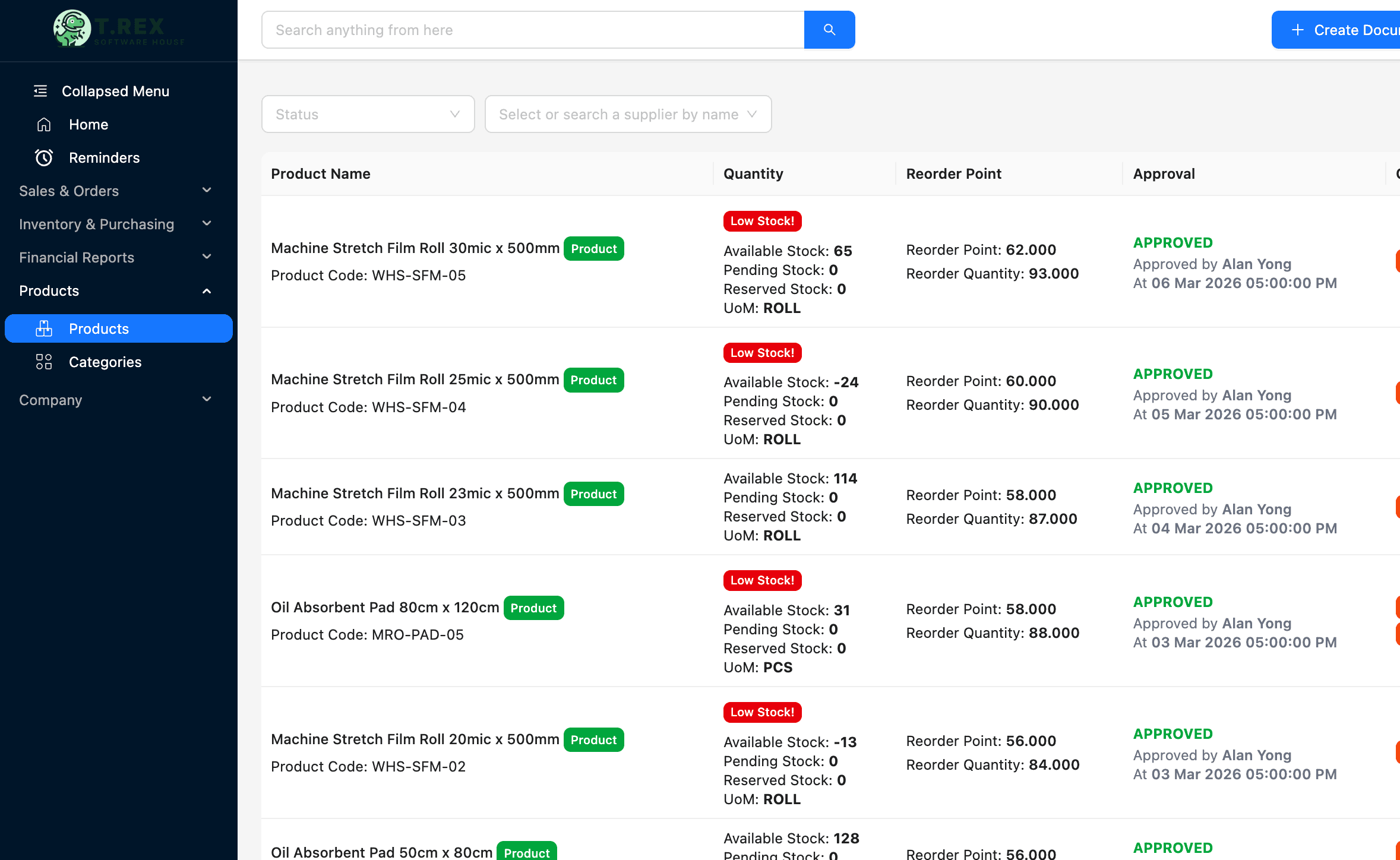
Low Stock Alert Software
Surface reorder conditions and items that need attention.
Topic included in this hub · no dead link
Inventory control
Keep product quantities, warehouse locations and movement history connected to the business records that caused each stock change.
1. Set the item record
2. Record the movement
3. Know the location
4. Act on the signal
Inventory solution library
Published pages open directly. Roadmap topics stay visible here so the category structure is clear without sending visitors to unfinished routes.
Surface reorder conditions and items that need attention.
Topic included in this hub · no dead linkControl sensitive stock actions with a recorded decision trail.
Topic included in this hub · no dead linkWorkflow before feature list
The software is useful when it protects the handoff—not only when it stores the final document.
Use consistent product details, units and stock rules.
Capture stock in, stock out, returns and adjustments.
Keep warehouse and location context attached to quantities.
Review counts, low-stock conditions and movement history.
Designed for daily operations
A connected workflow should make everyday work clearer for the people doing it and more visible for the people responsible for the outcome.
What the workflow needs
Understand quantity changes through their underlying stock movements.
Organise stock by location without maintaining separate files.
Keep a clearer history of returns, corrections and count differences.
Spot items that need attention before shortages interrupt daily work.
Operational outcomes
Related guides
Use these practical guides to audit the current process and identify which handoff needs attention first.
Continue across the business
Start with a real workflow
Explore the product, compare plans or talk through the operating handoff your team needs to control first.