The customer request is not captured properly
If the request is only in a chat thread, sales may miss the quantity, delivery expectation, billing contact, purchase order reference or special condition.

A quotation is not just a document to send the customer. It is the starting point for pricing, approval, invoicing, payment collection, adjustments and future e-Invoice readiness. This guide maps the full workflow small businesses should use before invoice mistakes become cash flow problems.
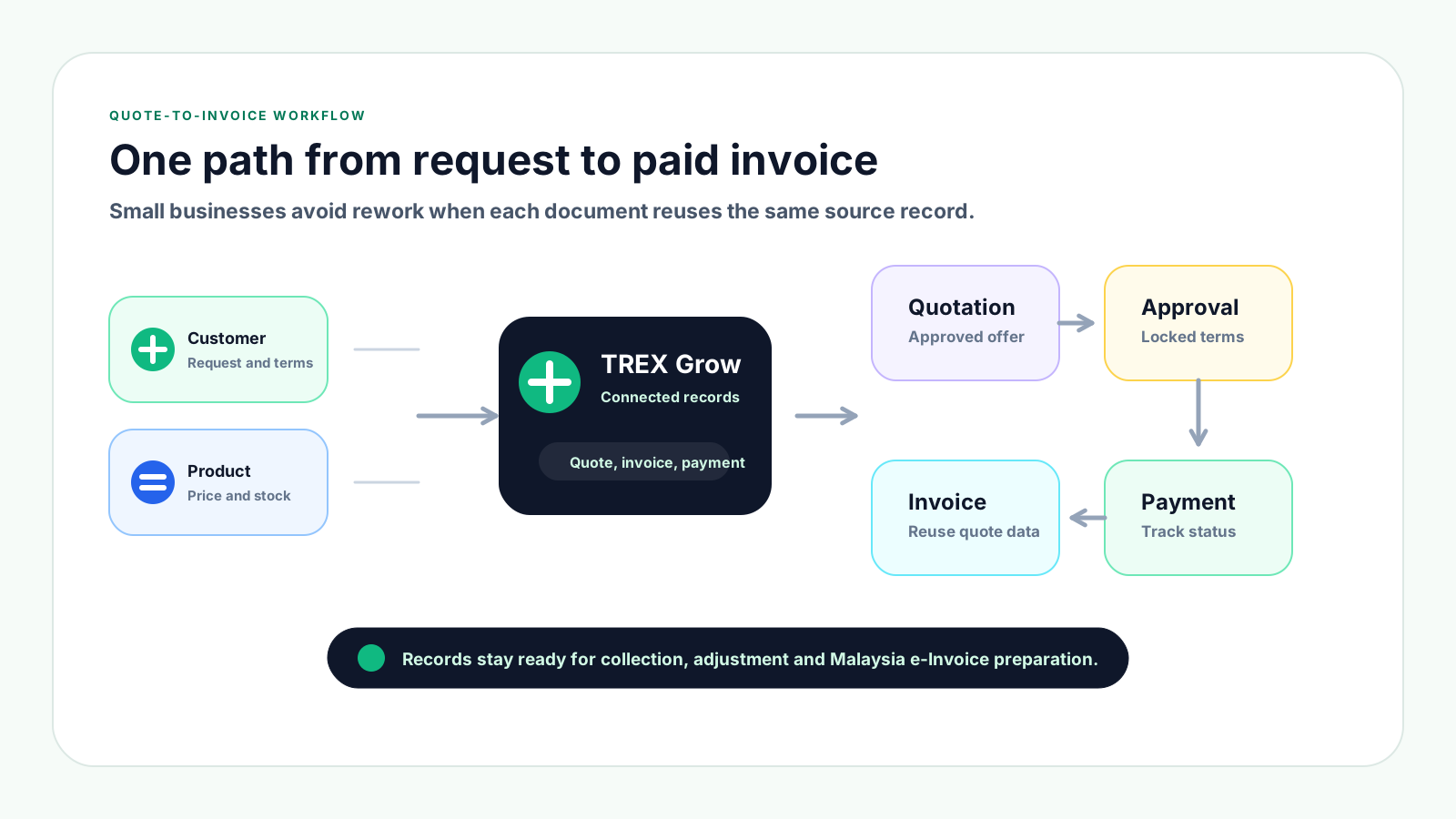
Small businesses often have the right people working hard, but the workflow is split across spreadsheets, chat approvals, PDF files and manual payment follow-ups. The invoice problem usually starts before the invoice is created.
Operational pressure
When records live in different places, the person responsible has to reconstruct what happened before they can make a confident decision or follow up.
If the request is only in a chat thread, sales may miss the quantity, delivery expectation, billing contact, purchase order reference or special condition.
When every revision is saved as a new file, the team may invoice from the wrong version or honour an old price.
Discounts, special payment terms and exceptions should be linked to the quotation. Otherwise, finance cannot prove why the invoice value changed.
Retyping customer names, item descriptions, prices and quantities increases the chance of mistakes and slows down billing.
If payment terms and due dates are not carried forward from the accepted quotation, collection work begins only after the invoice is overdue.
Credit notes, debit notes and refund notes become confusing when the original invoice, reason and approval trail are not easy to find.
A complete quote-to-invoice workflow is not only about issuing a nicer PDF. It connects the business objects behind the sale so the invoice can be trusted later.
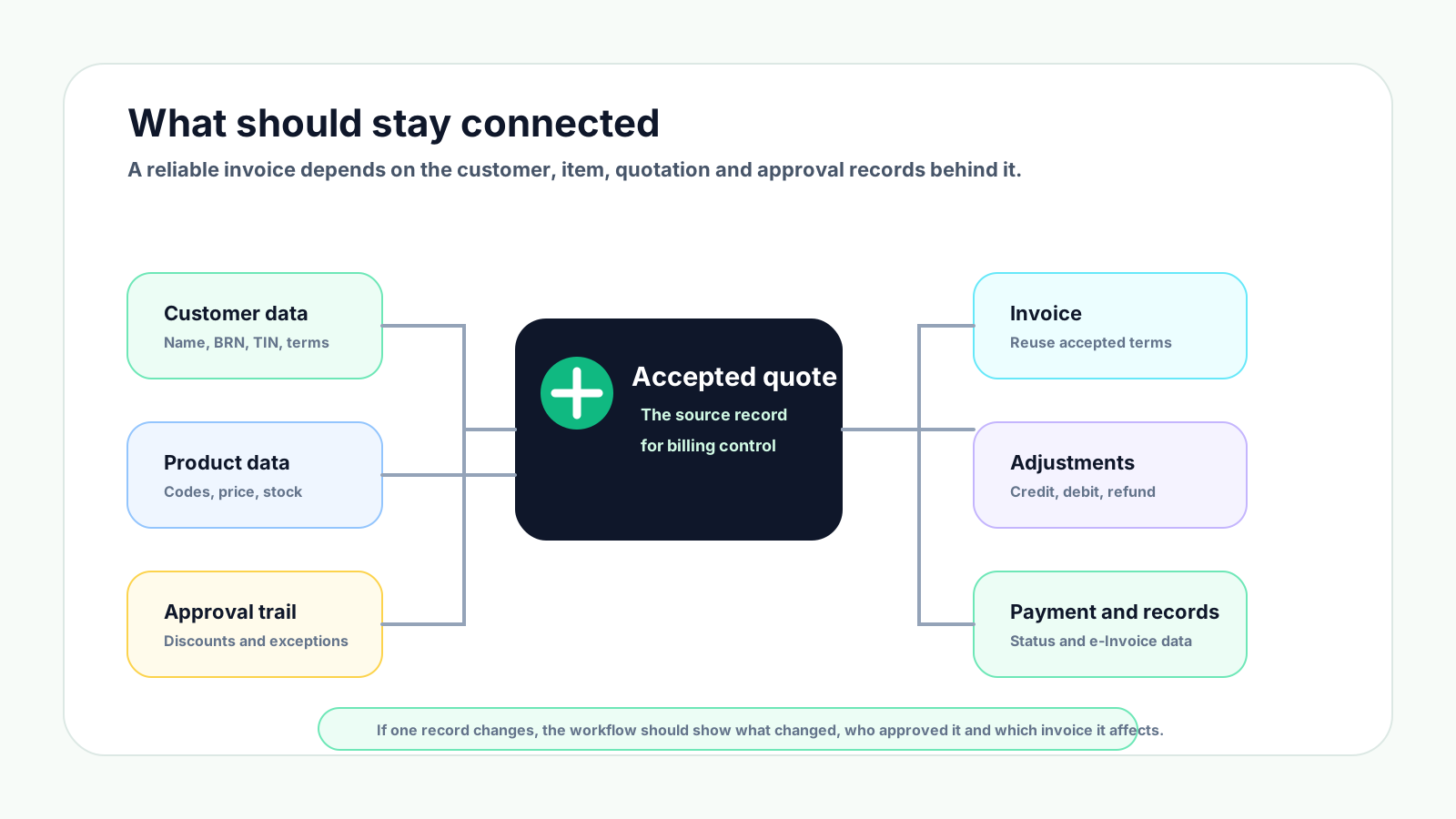
Keep the customer name, BRN, TIN where applicable, billing address, contact person and payment terms in one customer profile.
Use consistent item codes, item names, descriptions, units, prices and stock information so quotations and invoices match.
The accepted quotation should show the agreed price, scope, quantity, validity, revision number and customer acceptance status.
Approvals for discounts, special terms, low margin or unusual delivery conditions should be visible before billing.
Invoices, credit notes, debit notes and refund notes should keep their relationship to the original customer agreement clear.
Payment status, invoice references and clean source data help the business prepare for Malaysia e-Invoice workflows when applicable.
Use this workflow as a practical operating checklist. It is detailed enough for control, but simple enough for daily sales, finance and operations work.
Record the current facts in one shared place.
Confirm what is known and what needs attention.
Make the next decision or follow-up accountable.
Complete the next task and record the outcome.
Refresh the shared view when facts change.
A dependable workflow keeps the shared record and the next action aligned.
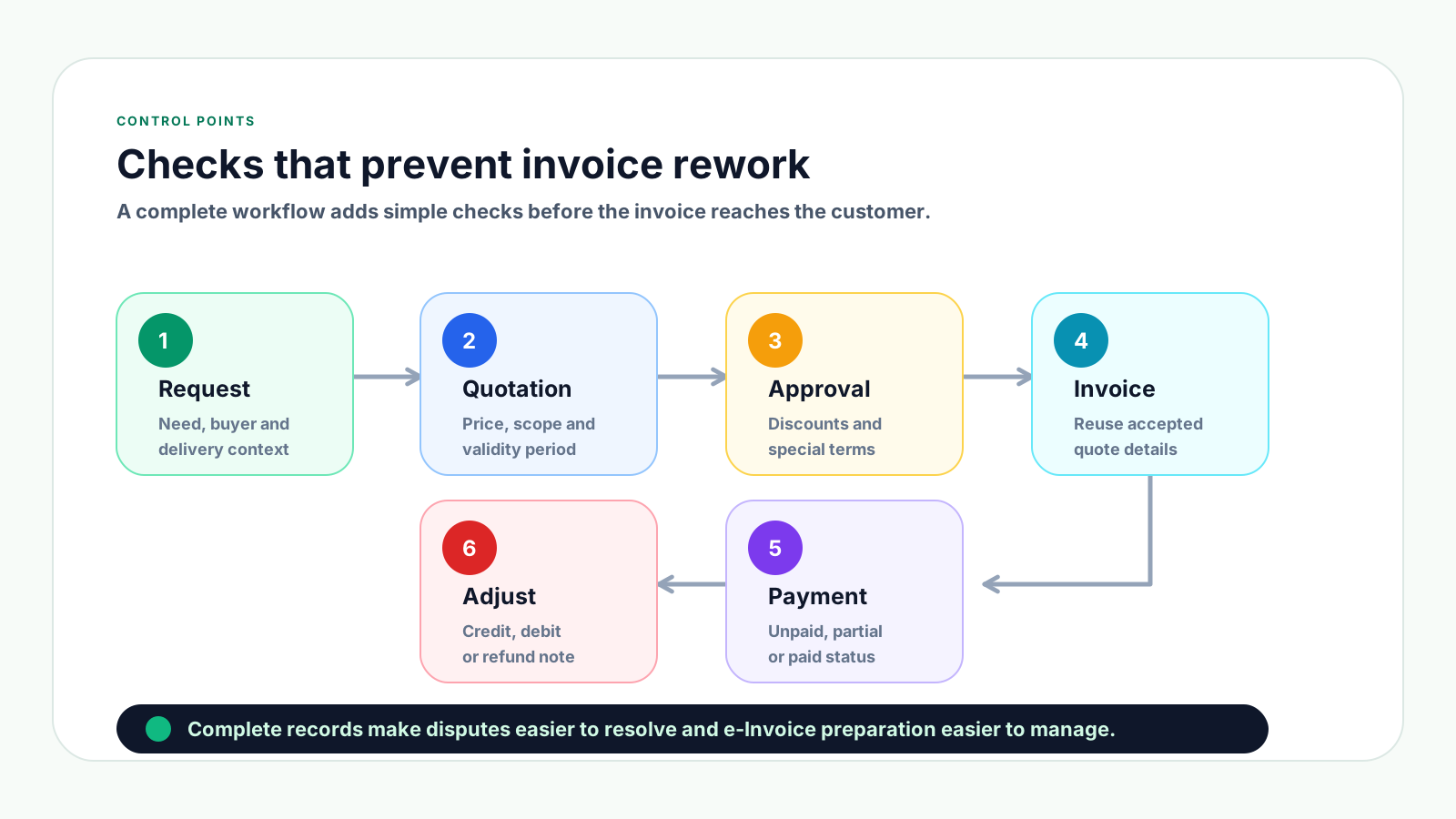
1. Record the customer request: Capture what the customer asked for, who requested it, delivery expectations, billing details and any reference such as purchase order number or project name.
2. Prepare customer and product data: Confirm customer profile, billing address, payment terms, product or service descriptions, item codes, unit prices, units of measurement and stock availability.
3. Create the quotation: Build the quotation from clean records, include quotation validity, delivery or service scope, payment terms, tax treatment and any exclusions.
4. Review pricing and approval needs: Check margin, discount, credit terms and unusual requests. Route the quotation for internal approval when it crosses your approval rules.
5. Send and track the quotation: Mark the quotation as sent, revised, accepted, rejected or expired. Keep revision history so the accepted version is clear.
6. Convert accepted quotation to invoice: Once the order is confirmed and billing is appropriate, create the invoice from the accepted quotation details instead of retyping.
7. Check invoice readiness: Review customer details, line items, price, due date, delivery or service status, approval trail and e-Invoice readiness fields before issuing.
8. Issue the invoice and track payment: Send the invoice, record payment status and follow up on unpaid, partially paid or overdue invoices based on agreed terms.
9. Manage corrections with proper documents: If there is a price correction, return, extra charge or refund, create the right adjustment document and link it to the original invoice.
10. Close the loop with proper records: Keep the quotation, invoice, payment, adjustment and e-Invoice-related records together so future disputes and reporting are easier.
These mistakes usually do not look serious at the quotation stage, but they create confusion when the invoice is sent or when payment is due.
Recurring issues usually point to workflow-control gaps, not one isolated data-entry mistake.
Old quotations can become risky when supplier cost, exchange rate, stock availability or labour cost changes.
Customers and staff may refer to different versions, especially when quotations are shared as PDFs through chat or email.
Even small differences in item name, quantity, price or description can delay customer approval and payment.
A discount may be valid, but it becomes difficult to explain later if the approval is not tied to the quotation or invoice.
Issuing invoices before fulfilment is clear can lead to disputes, cancellation requests or repeated rework.
Manual lists make it hard to know which invoices are unpaid, partially paid, overdue or already collected.
Credit notes, debit notes and refund notes should explain the reason and reference the invoice they adjust.
The best small business workflow is predictable. Everyone should know what to check before a quotation is sent, before an invoice is issued and before a payment follow-up begins.
Use statuses such as draft, sent, revised, accepted, converted, invoiced, paid and cancelled so staff understand the next action.
Set approval thresholds for discount percentage, quotation value, low margin, long payment term or unusual delivery commitment.
Document numbering should be easy to search, easy to audit and difficult to duplicate accidentally.
Where possible, create invoices from accepted quotations so the customer, item, price and term data stays consistent.
A simple weekly review helps sales and finance agree who should follow up, which invoices are overdue and which payments are partial.
Do not wait until submission time to clean customer and invoice data. Prepare buyer and transaction fields while the workflow is still under control.
Every credit note, debit note or refund note should state why it exists and which invoice it adjusts.
The best practice is to make the next action clear before the situation becomes urgent.
TREX Grow helps small businesses manage quotations, invoices, payments, approvals, product records and customer records as connected operational data instead of separate files.
Sales and finance can work from the same customer and item data, reducing repeated typing and mismatched document details.
Accepted quotation details can remain connected to the invoice, making the billing record easier to trace and explain.
Discounts, exceptions and document changes can be managed with clearer ownership instead of disappearing inside chat history.
Teams can track unpaid, partially paid, overdue and paid invoices instead of relying on a separate spreadsheet.
Credit notes, debit notes and refund notes can be handled as follow-up records linked to the original invoice.
When invoice source data, customer fields and adjustments are organised, e-Invoice preparation becomes less stressful.
If your team still turns quotations into invoices by copying data between files, start by connecting customer records, product data, approvals, invoice status and payment follow-up in one workflow.
It is the step-by-step process of capturing a customer request, preparing a quotation, getting approval, sending the quotation, converting the accepted quotation into an invoice, tracking payment and keeping proper records.