

Raw materials, components, resale items, and finished goods may all sit inside the same product catalog, but they do not always serve the same operational purpose. Clearer product records help purchasing, inventory, and sales teams understand which items are bought, stored, consumed internally, or sold to customers without requiring a complex manufacturing system.
Not Every Item in the Catalog Plays the Same Role
A growing SME may use one product catalog for everything it buys, stores, and sells. That can work at first, but confusion starts when very different items are treated as if they serve the same purpose.
Packaging used during production, a component installed inside another product, a finished bundle sold to customers, and a resale item purchased and sold unchanged all behave differently in day-to-day operations. Purchasing may need to reorder the packaging and component, while sales should only see the finished bundle and resale item when preparing a quotation.
For Malaysian light-manufacturing, assembly, food-production, and trading SMEs, the practical goal is not to build a complicated enterprise resource-planning model. It is to make each product record clear enough that staff understand how the item should be purchased, stored, and used.
Raw Materials and Components Often Need Internal-Facing Records
Raw materials and components usually enter the business because they are needed for another operational process rather than because they will be sold exactly as received.
Consider packaging used to prepare a finished food product. Purchasing needs a supplier, item code, unit of measure, and stock record for the packaging, but sales may never need to quote that packaging directly to a customer. The same applies to a component that is installed inside an assembled item. Making it appear as a normal sale item can create unnecessary choices and increase the chance that someone quotes the wrong record.
Keeping these items clearly identified also helps inventory staff understand why stock is being held. The record can still support purchasing and stock control without implying that every stocked item is intended for customer-facing sales.
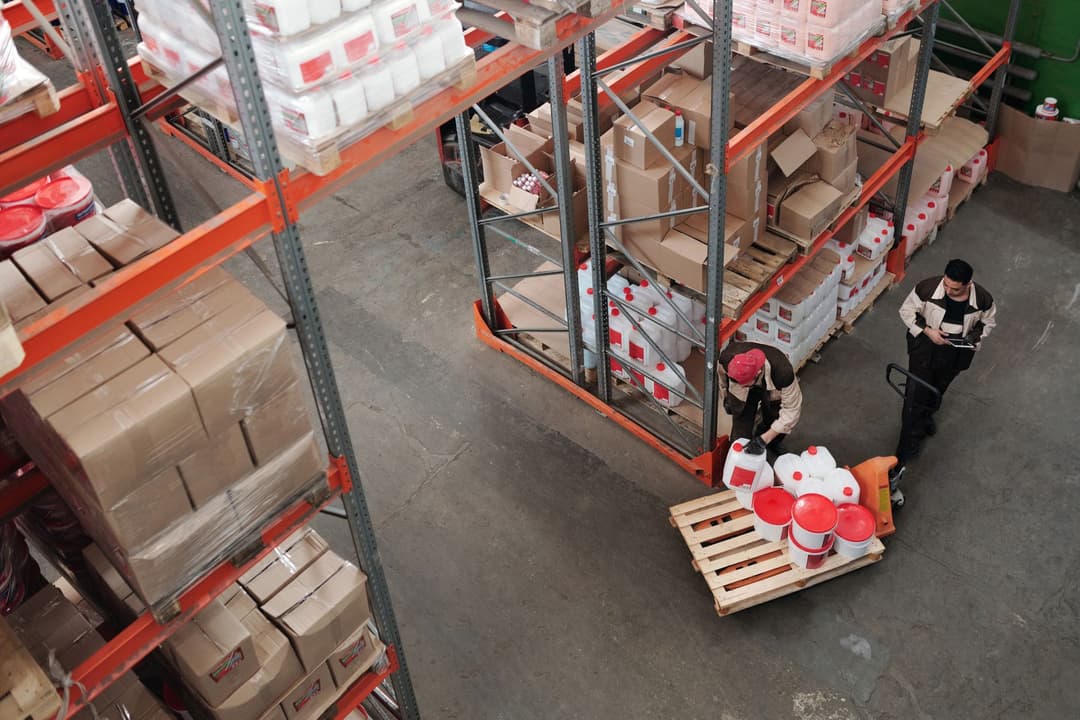
Finished Goods and Resale Items Need Different Context
An end product is the item the business intends to offer after its internal preparation, assembly, or packaging process. For example, several components may ultimately become a finished bundle that customers buy as one item. The sales record should describe that sellable item clearly rather than forcing staff to work from its internal components.
A resale item is different again. The business may buy it from a supplier and sell essentially the same item without transformation. In this case, both purchasing and sales may need the same product record, although supplier information and customer-facing descriptions can still serve different purposes.
These distinctions do not need to be universal across every industry. A product that is an internal component for one SME may be a resale item for another. The important step is to define the item's role according to how the business actually uses it.
Control Which Products Appear in Purchasing and Sales Workflows
A clearer product role can help teams see only the records relevant to their work. Purchasing may need access to raw materials, packaging, components, resale items, and certain finished goods. Sales may only need the products and services that can legitimately be offered to customers.
For example, a component used inside a finished product should not automatically appear in a customer's quotation simply because it has a stock record. Conversely, a finished bundle should be easy for sales staff to find even if the underlying components are maintained separately for internal inventory purposes.
This separation makes the wider inventory workflow easier to understand because product records reflect how items move through purchasing, storage, and sales rather than treating every item as interchangeable.

Use a Practical Product-Role Checklist
Before making a new product record widely available, review the fields that define how the item will be used:
- Item name: Use a name that helps staff distinguish the item from similar raw materials, components, resale products, or finished goods.
- Internal code: Assign a consistent internal reference where the business uses item codes for searching and control.
- Unit of measure: Define whether the item is handled by piece, carton, kilogram, litre, roll, pack, or another practical unit.
- Purchasing use: Decide whether the item is normally purchased from a supplier and which team needs to use it in purchase documents.
- Sales use: Decide whether the item should be available for quotations, sales orders, invoices, or other customer-facing documents.
- Stock handling: Clarify whether the item is stocked, consumed internally, assembled into another item, or bought and sold unchanged.
- Category: Place the item in a category that reflects how staff search and review the catalog.
- Supplier context: Record the relevant supplier information where it helps purchasing identify or reorder the item.
- Reviewer: Identify who should check a new or changed product record before it becomes part of normal operations.
The checklist should stay proportionate to the business. Actual production planning, recipes, bills of materials, costing, or manufacturing control may require separate specialist processes beyond basic product and inventory records.
Clear Ownership Helps Keep Product Records Usable
Product records can become confusing when nobody knows who owns them. Purchasing may update supplier information, sales may change a customer-facing description, and inventory staff may adjust the unit of measure, but no one is responsible for checking whether the overall record still makes sense.
A simple reviewer or record owner can reduce this problem. New products can remain in draft until someone confirms the item role, unit, category, supplier context, and whether it should appear in purchasing, inventory, sales, or a combination of those workflows.
This is particularly useful when the business adds new ranges or starts light assembly. Instead of copying an old product and inheriting unsuitable settings, staff can review the intended use before the item is made available.
A structured inventory management workflow can support this by keeping product information, stock handling, and purchasing context connected while allowing SMEs to maintain the level of detail that fits their operations.

How TREX Grow Can Help Solve This
TREX Grow can help SMEs keep product and inventory records clearer by separating the information needed for purchasing, stock control, and sales use.
A practical workflow can follow these steps:
- Create the product record with a clear item role. Add the item using a consistent name, internal code, and unit of measure, then identify whether it is being maintained primarily as a raw material, component, resale item, or end product according to the business's own workflow.
- Set the relevant purchasing and inventory details. Record the information needed to buy and hold the item, such as supplier context, purchasing unit, and stock-related details where applicable.
- Assign categories and suppliers. Place the product in an appropriate catalog category and connect relevant supplier information so purchasing and inventory teams can find the right record more easily.
- Review draft records before normal use. Have the appropriate product, purchasing, or inventory reviewer check the item's purpose, unit, supplier context, and sales availability before the record is used broadly.
- Make the right items available to the right team. Keep internal materials and components focused on purchasing and inventory workflows where appropriate, while ensuring finished goods and resale products intended for customers are available to sales staff.
The objective is not to impose one product-classification model on every SME. It is to make product roles clear enough that purchasing, inventory, and sales teams can work from records that match how the items are actually used. Businesses that want clearer product and inventory records can explore how TREX Grow supports this structure while using separate specialist processes where more advanced production planning is required.

