TREX Grow Data Security

Data security for SME workflows, documents and customer records

TREX Grow is designed to help SMEs keep business records, user access, approvals, public catalog visibility and document workflows more controlled than scattered spreadsheets, shared logins and informal message approvals.

Security posture

Practical controls for daily business data

Workspace access should be tied to named users.
Approval flow helps control sensitive document actions.
Public catalog links should be reviewed before sharing.
No system is completely risk-free, so account hygiene still matters.
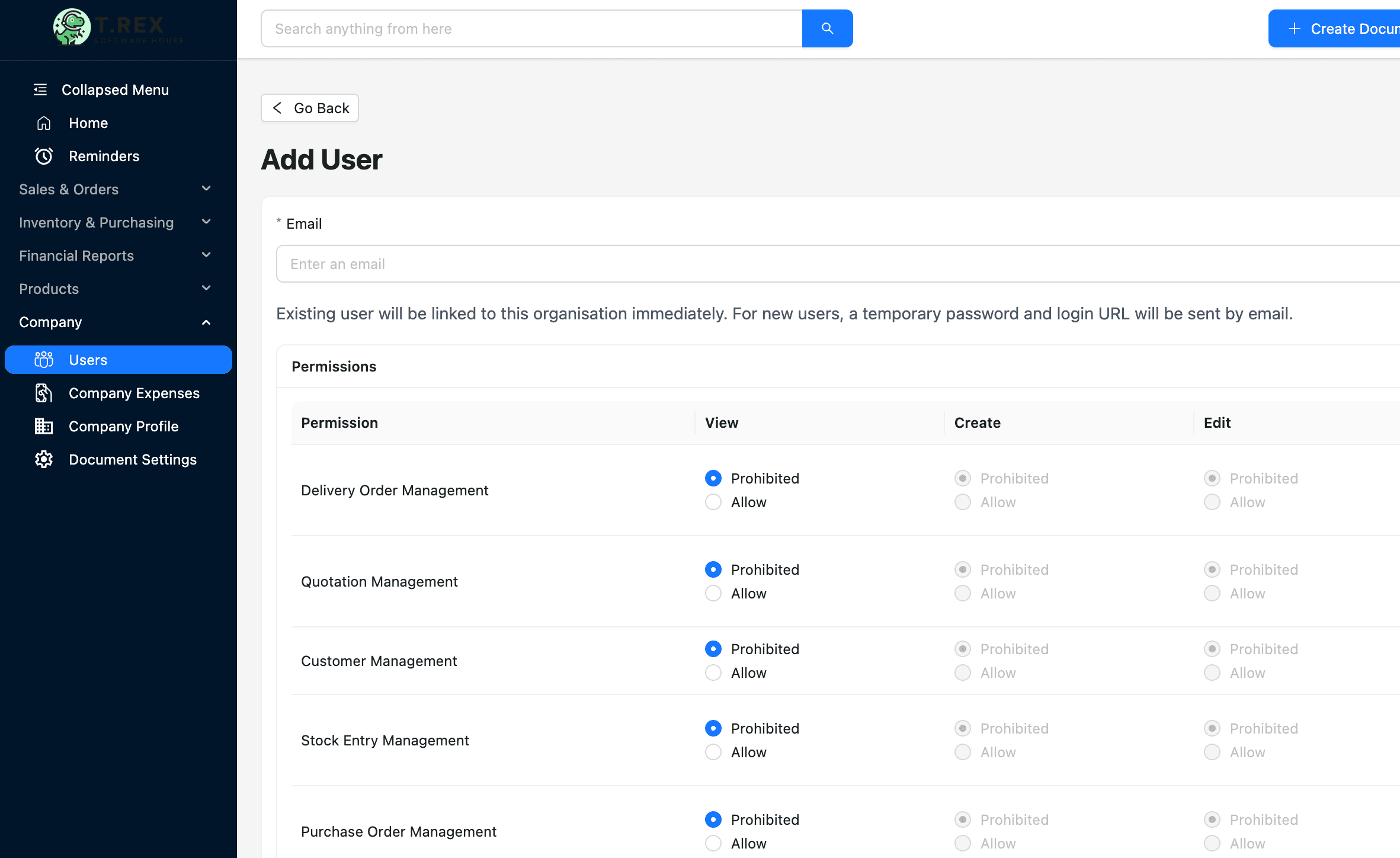
TREX Grow user management preview for data security and access control

Security areas

The data security questions SMEs usually ask first

Most SMEs do not need vague security language. They need to know who can access the workspace, how documents are controlled, what can be shared publicly and what the business still needs to manage.

Workspace access

Control who can access your TREX Grow workspace and keep account access tied to the users who need to work inside the system.

Permission boundaries

Use user and permission controls so document creation, updates, approvals and admin work are not handled by everyone by default.

Document traceability

Keep business records, document status and supporting activity in a structured workspace instead of scattered files and messages.

Approval control

Route important business actions through practical approval steps so teams can review work before it becomes final.

Public sharing awareness

Catalog and booking pages can be shared externally, so visibility choices should be reviewed before links are sent to customers.

Payment data handling

Stripe card or bank details are handled by Stripe and are not stored directly by TREX Grow, based on the current Privacy Policy.

Product controls

How TREX Grow supports more controlled operations

Data security on an operations platform is closely tied to everyday workflow: who enters data, who reviews it, what becomes final and what gets shared outside the business.

TREX Grow user management preview for workspace access and permission controls

Access and user control

Security starts with the people inside the workspace. TREX Grow helps teams organize users, admin responsibilities and permission-sensitive workflows instead of sharing one login across the business.

  • Keep workspace access tied to named users.
  • Separate admin work from everyday document handling where possible.
  • Review access when employees change roles or leave the company.
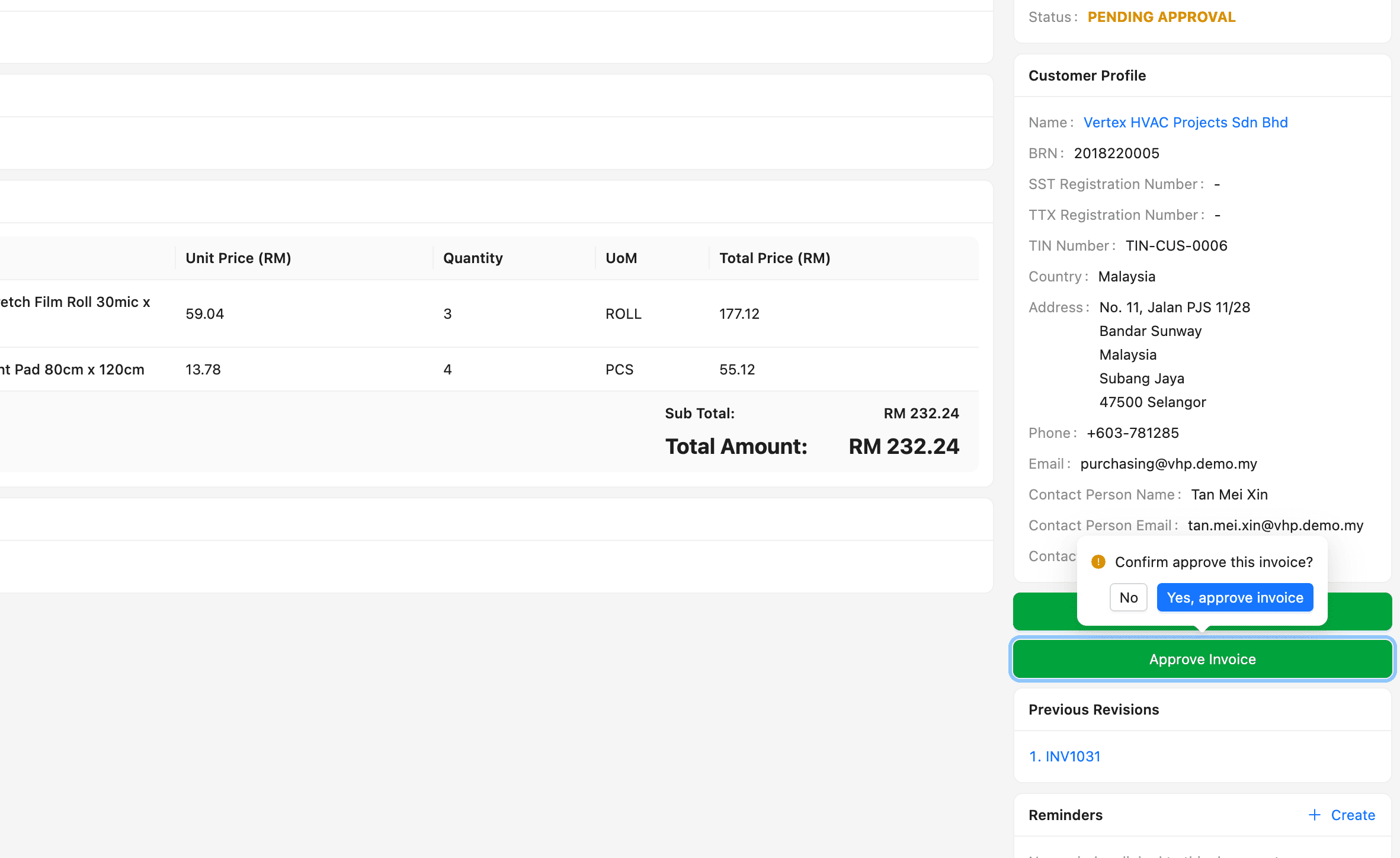
TREX Grow approval workflow preview for controlled document review

Approval and document status

Operational security is not only about login access. SMEs also need control over when documents are draft, reviewed, approved or finalized.

  • Use approval flow for records that should not be finalized casually.
  • Keep document status visible for sales, purchasing and finance records.
  • Reduce dependency on informal approvals in chat messages.
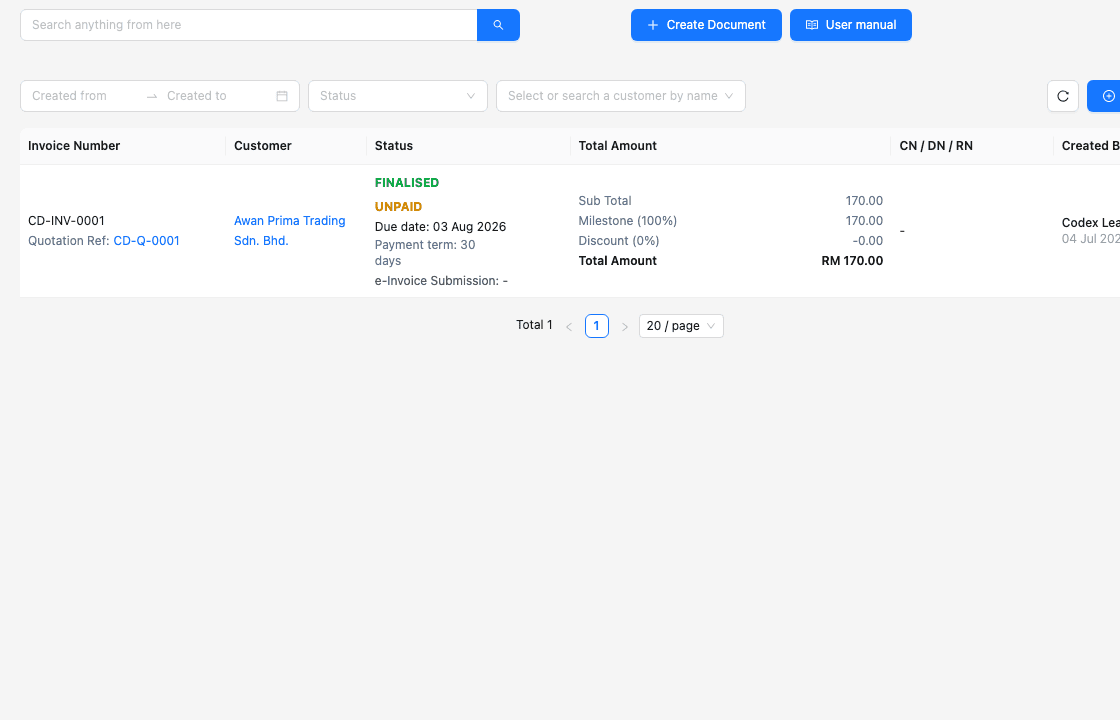
TREX Grow invoice records screen showing document status and customer information

Business record protection

Customers, suppliers, products, invoices, purchase orders and stock records carry sensitive business context. TREX Grow keeps these records in a structured operating workspace.

  • Keep document records easier to find and review.
  • Avoid storing operational truth across many uncontrolled spreadsheet copies.
  • Use consistent records for customer, supplier, invoice and stock workflows.
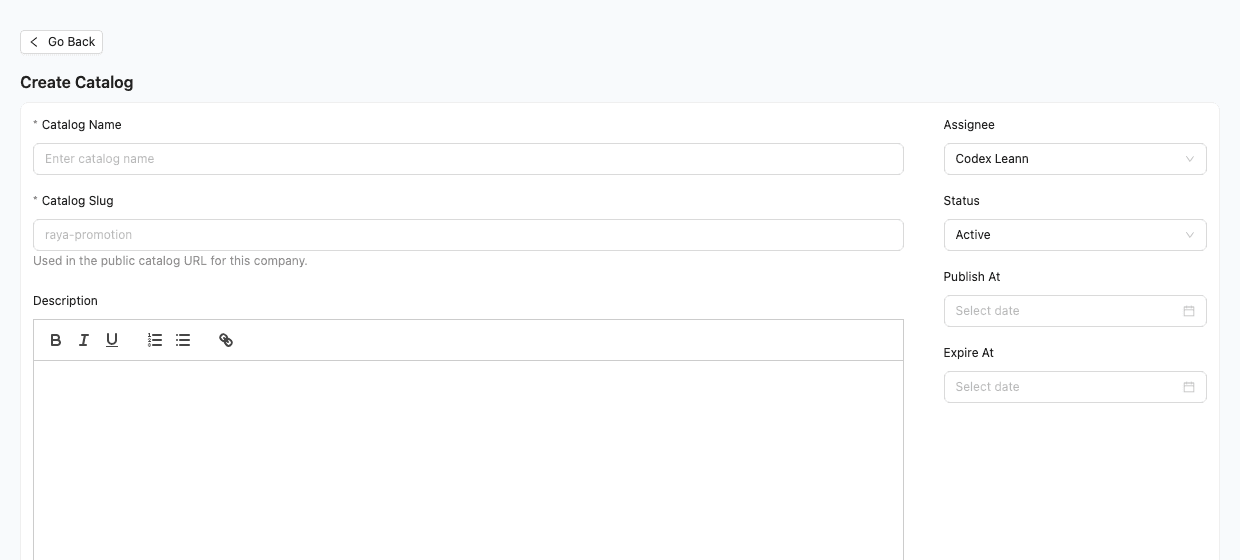
TREX Grow catalog setup screen for customer-facing catalog visibility

Public catalog and external links

Some TREX Grow features are intentionally customer-facing. Public catalog pages and booking links should be treated as shared business information.

  • Review what product and company information appears before publishing.
  • Share customer-facing links only with the intended audience.
  • Use visibility settings where the business needs to hide profile or product information.

Shared responsibility

Good security also depends on how the business uses the system

TREX Grow provides a structured workspace and safeguards designed to protect information. Customers should still manage access, passwords, shared links, exported files and staff responsibilities carefully.

  • Use strong, unique account passwords and avoid sharing logins between staff.
  • Give workspace access only to users who need it for their role.
  • Review user access, public catalog visibility and permission-sensitive workflows regularly.
  • Contact TREX Grow promptly if you suspect unauthorized account use or a security issue.
  • Treat exported files, PDFs, shared links and downloaded reports as business-sensitive information.

FAQ

Common data security questions

Practical answers for SMEs checking how TREX Grow handles access, public links, payment data and shared security responsibilities.

Does TREX Grow guarantee that no security incident can ever happen?

No. No system is completely risk-free. TREX Grow uses administrative, technical and organizational safeguards designed to protect information, while customers should also maintain appropriate account security and access controls.

Does TREX Grow store Stripe card or bank details?

Based on the current Privacy Policy, Stripe card or bank details are handled by Stripe and are not stored directly by TREX Grow.

Who is responsible for user access inside a TREX Grow workspace?

Customers are responsible for safeguarding login credentials, controlling workspace access and notifying TREX Grow about unauthorized use or suspected account security incidents.

Are public catalog pages private by default?

Public catalog pages are designed to be shared externally. Customers should review what company and product information is visible before sharing catalog links.

Where can I read the full privacy wording?

You can read the TREX Grow Privacy Policy at /privacy-policy. It explains how information is collected, used, stored, protected and shared.

Start with a workspace your team can control

Use TREX Grow to move customer records, invoices, purchasing, inventory and public catalog workflows into a more structured operating system.