Official-source review
Product positioning and plan considerations were checked against official vendor documentation on 12 September 2026. Competitor workflows were not tested hands-on.

A catalog can help buyers request a quote, explore a publication, place an order or access consistent product information. Compare five tools by the job you need done, not a single overall ranking.
This guide is for SMEs shortlisting software before implementation. It is published by TREX Grow, one of the vendors included, and is not an independent hands-on benchmark or exhaustive market survey.
Product positioning and plan considerations were checked against official vendor documentation on 12 September 2026. Competitor workflows were not tested hands-on.
The recommendations are editorial interpretations of documented capabilities. No performance scores, customer results or universal winner are claimed.
A PIM, storefront and publishing tool may complement each other. Inclusion does not mean they are interchangeable or that any vendor endorses this comparison.
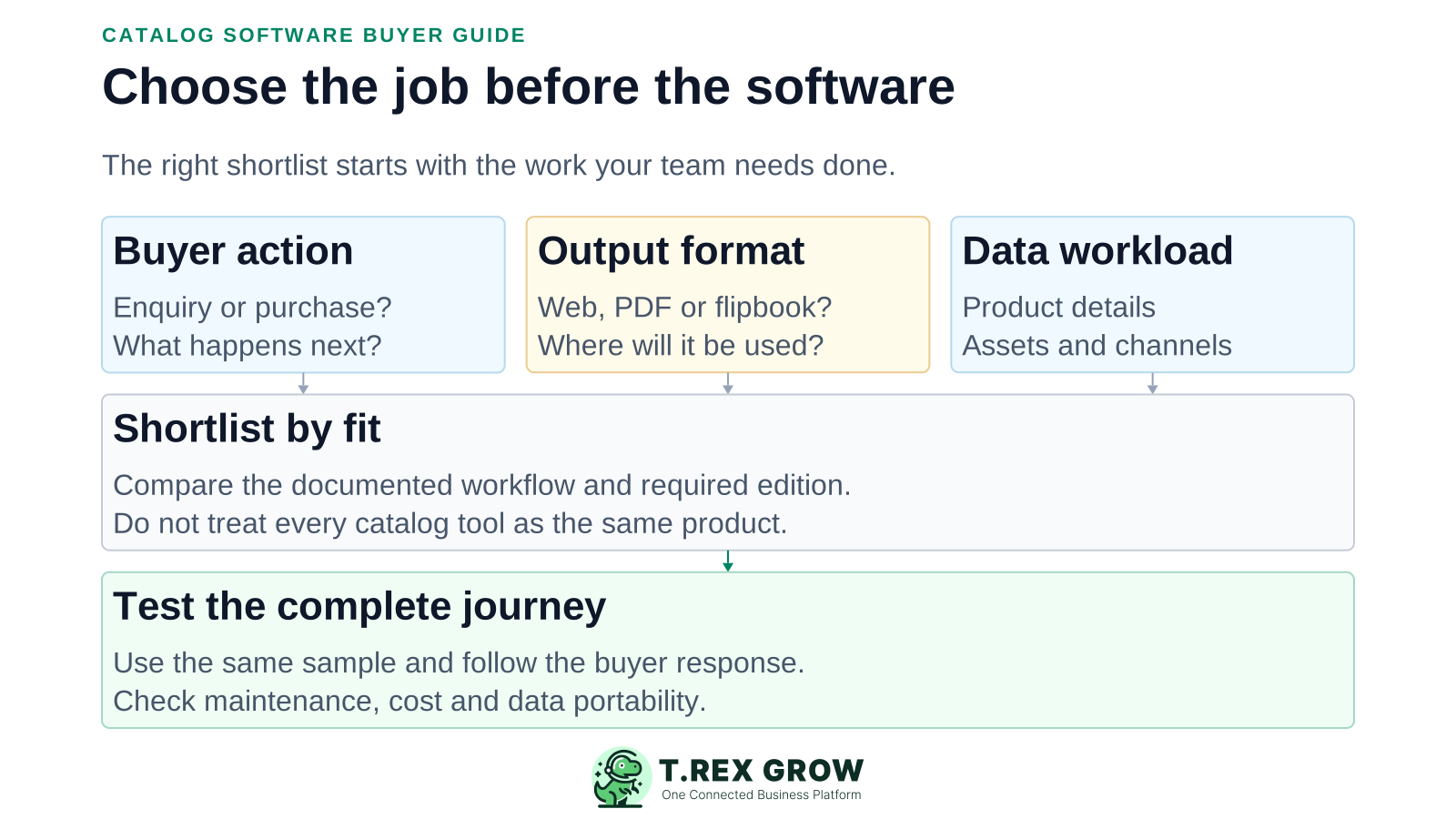
Write the intended result first. Collecting wholesale enquiries, publishing designed brochures and distributing product data create different software requirements.
Decide whether buyers should send products and quantities for review or complete a purchase. Trace where the request or order goes next.
Choose your principal output: browsable products, an interactive flipbook, printable PDF or a storefront.
List required attributes, assets, languages and channels. Test their support rather than inferring it from the word catalog.
Check public versus restricted access, price visibility and update behaviour. Export sample data before committing.
Evaluate the required workflow on the intended edition. Category labels and screenshots alone cannot prove that the software fits.
Recurring issues usually point to workflow-control gaps, not one isolated data-entry mistake.
An RFQ is not a checkout payment. A product feed is not a buyer-facing sales experience.
Branding, media, automation, volume and distribution requirements may change the plan you need.
If this review did not establish a capability, ask for a demonstration rather than treating it as missing.
Include product cleanup, design, updates, integration and training in the decision.
This is a fit-based shortlist, not a league table. Features and plan gates can change. Use the official links below and demonstrate the required workflow before purchase.
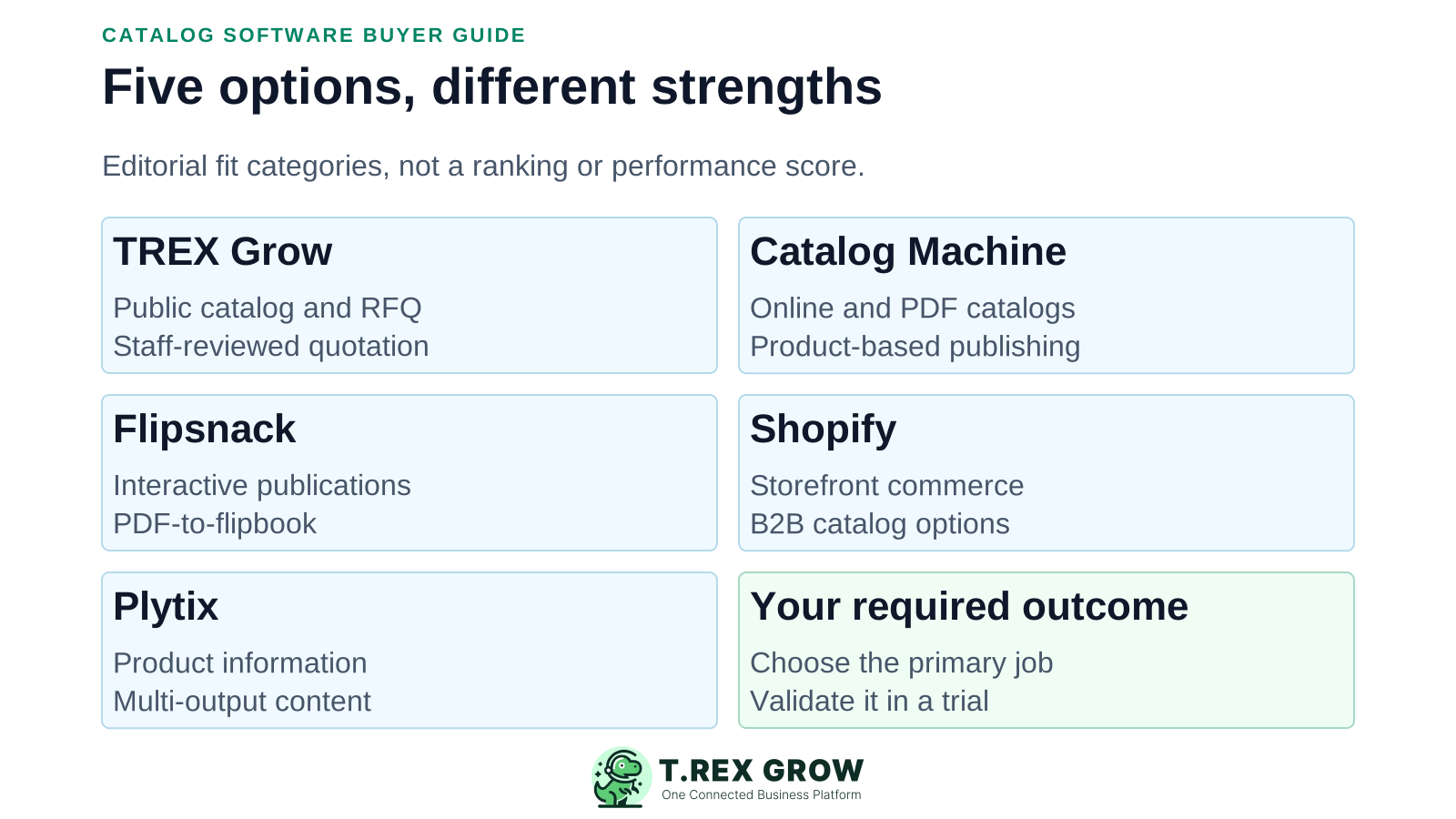
| Option | Starting fit | Documented capability | Verify before choosing |
|---|---|---|---|
| TREX Grow | Public catalog enquiries followed by quotations | Selected products, optional prices, minimum quantities, public links and RFQs with staff-led quotation conversion. | Core catalog/RFQ is in Free; public attachments depend on plan. Checkout and product syndication are not claimed. |
| Catalog Machine | Product-based online and PDF catalogs | Product database, catalog templates, online sharing, PDF download and order requests; its FAQ also documents Stripe payments. | Check product, catalog, storage and privacy limits. Official pages disagree on trial duration; confirm current terms. |
| Flipsnack | Interactive digital publications | PDF-to-flipbook publishing and sharing, with interactivity and catalog-generation features varying by plan. | Check branding, publication/page limits, required interactions and automation. Test the exact sales handoff. |
| Shopify | Catalogs within a commerce workflow | Storefront commerce and B2B catalogs. Basic, Grow and Advanced currently allow up to three active catalogs across B2B markets; Plus adds unlimited catalogs and direct company/location assignment. | Confirm payment-provider availability, transaction costs, B2B requirements and any apps needed for the intended workflow. |
| Plytix | Product information across multiple outputs | PIM for centralising and distributing product content, with feed, brand-portal and product-data-sheet options. | Scope base plan, add-ons, usage and onboarding. Demonstrate the buyer-facing output rather than treating PIM as checkout. |
Shortlist TREX Grow when the immediate need is a public product selection that leads to a clearer quotation request. Staff still review price, availability, specifications and delivery.
Buyers identify products and quantities; the RFQ keeps those details with the buyer information for staff review and supported quotation conversion.
Choose the visible range, optional prices and minimum quantities. Catalog timing and product readiness govern public availability.
For page-designed publications, full online checkout or multi-channel product-data governance, test publication, commerce or PIM tools first.
This comparison does not claim password-protected buyer catalogs, payment-gateway checkout, RFQ stock reservation or universal product-feed distribution for TREX Grow.
Pricing structure is more useful here than an unverified starting amount. Region, billing period, plan gates and dynamic configurators can affect the final cost.
Budget for identifiers, units, descriptions, assets, training and the person responsible for future updates.
Request a usable export and clarify what happens to assets, public links and published outputs after downgrade or cancellation.
| Tool | Questions to resolve |
|---|---|
| TREX Grow | Free covers core catalog/RFQ. Check the plan for public attachments and downstream paid workflows. |
| Catalog Machine | Compare monthly/annual plans and product, catalog, storage and user allowances. Confirm trial terms because official pages differ. |
| Flipsnack | A limited branded Free plan is listed. Confirm the paid tier for volume, branding, interactivity and generation requirements. |
| Shopify | Include the plan, payment processing, applicable transaction fees, apps/themes and implementation for your country. |
| Plytix | Assess the base plan, usage credits, distribution add-ons and onboarding. Entry or pilot access does not establish the full rollout cost. |
Use ten safe sample products, including one with no public price, one with a minimum quantity and one needing a description correction. These are suggested test inputs, not universal requirements for every category.
Record the current facts in one shared place.
Confirm what is known and what needs attention.
Make the next decision or follow-up accountable.
Complete the next task and record the outcome.
Refresh the shared view when facts change.
A dependable workflow keeps the shared record and the next action aligned.
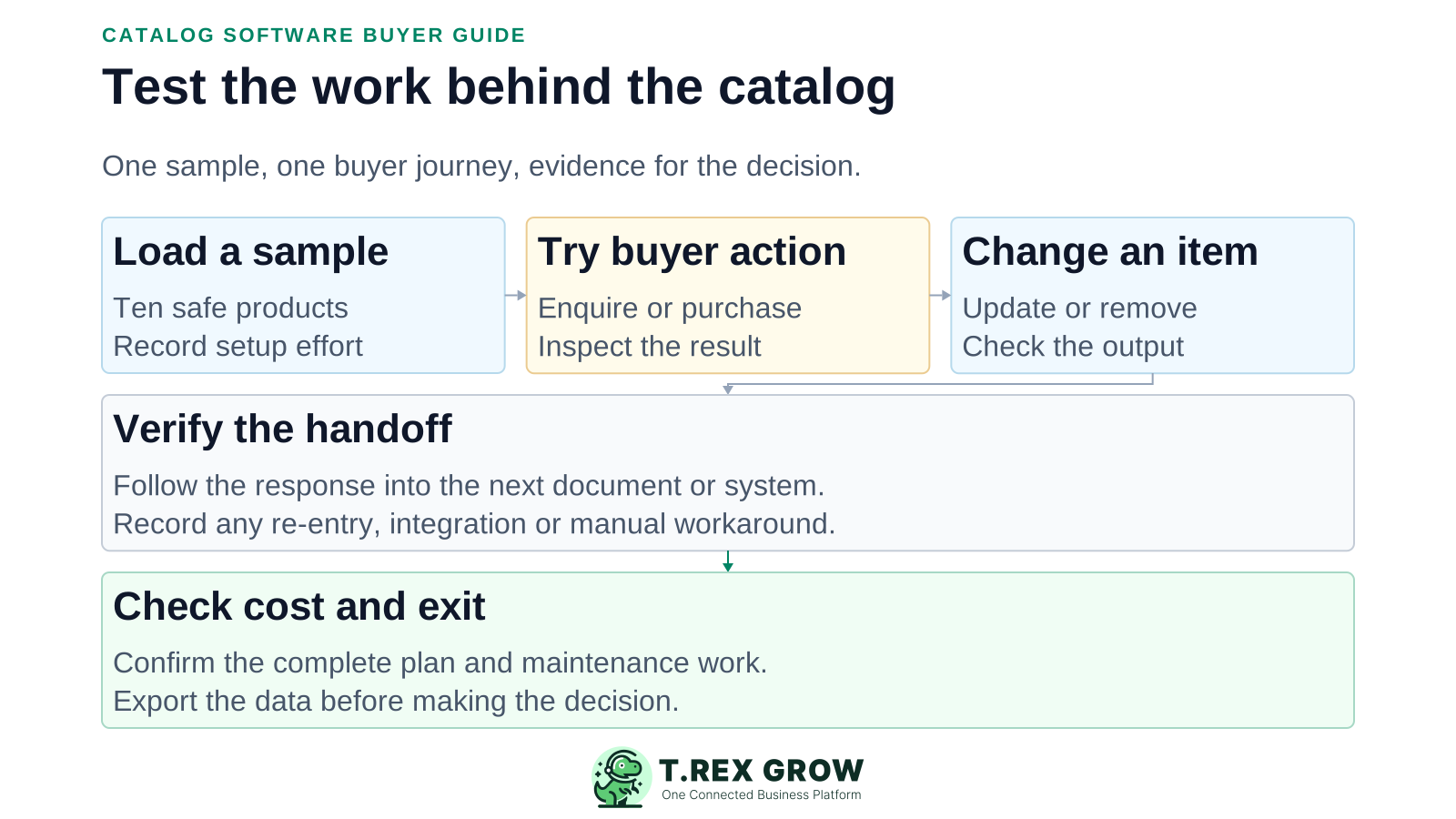
Load the sample and record any cleanup or manual formatting required.
Build the intended output: public catalog, PDF/flipbook, storefront or product-data distribution.
Complete the buyer action. For an enquiry, verify that staff receive the correct items, quantities and contact details.
Change a description or price and remove an item. Check the relevant live output, exported file and link behaviour.
Follow the result into the next document or system. Identify re-entry, integration needs and the responsible person.
Check mobile usability, access, complete cost and export. Choose the demonstrated fit for your non-negotiable workflow.
Record the edition tested, the result and any workaround. A useful evaluation should establish who can maintain the system after launch.
The customer can finish the intended enquiry, publication interaction or purchase, and the team receives a usable result.
The changed item is correct in the live page or distribution output. Note that downloaded files cannot necessarily be recalled.
A second authorised person can perform an ordinary update without relying on the original implementer.
Document any app, export, custom integration or paid add-on and its ongoing owner before deciding.
The best practice is to make the next action clear before the situation becomes urgent.
Try TREX Grow Free with a small selection and inspect how the request reaches sales. If another category fits better, use the same sample and acceptance checks there.
There is no universal winner. This shortlist positions TREX Grow for RFQ-led sales, Catalog Machine for online/PDF catalogs, Flipsnack for publications, Shopify for commerce and Plytix for product-information management. Validate the fit with your own workflow.