The enquiry is not captured completely
A short chat message may not include the customer name, contact person, billing address, quantity, delivery expectation or project reference needed for a proper quotation.

A customer quotation should be more than a PDF sent from a spreadsheet. It should record the enquiry, customer profile, item details, price, validity, approval and accepted version so the invoice can be issued from trusted source data.
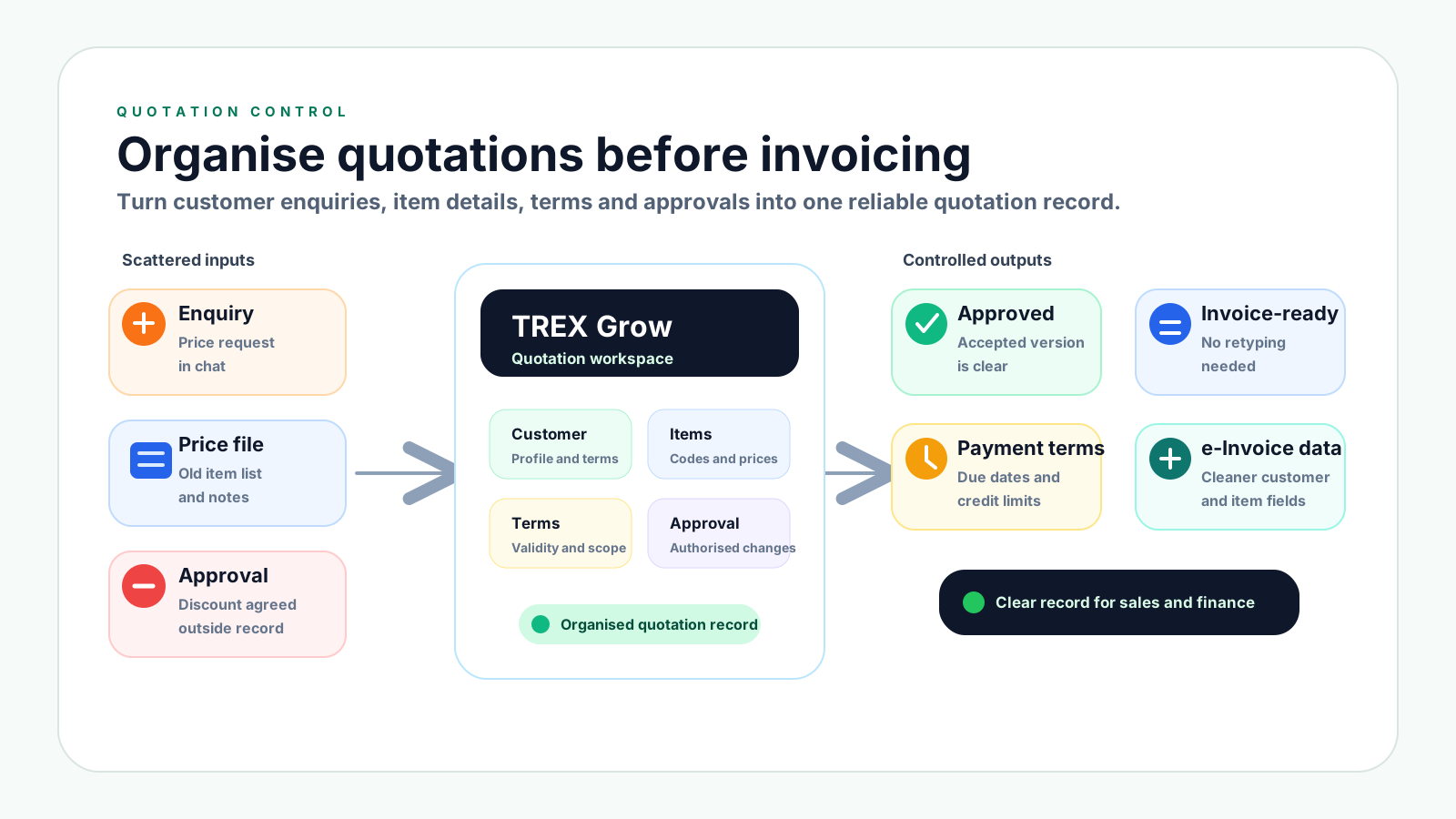
Quotation problems usually start before finance gets involved. A customer asks for a price, sales prepares a file, a manager approves a discount, and several revised PDFs are sent. If those steps are not organised, the accepted quote becomes hard to trust.
Operational pressure
When records live in different places, the person responsible has to reconstruct what happened before they can make a confident decision or follow up.
A short chat message may not include the customer name, contact person, billing address, quantity, delivery expectation or project reference needed for a proper quotation.
When each quote is only a spreadsheet or PDF, the team depends on file names and folders to know what changed.
Customers may receive revised quotations, but sales and finance may not know which version was accepted.
Discounts, special payment terms and exceptions may be approved in chat, while the quotation record does not show who authorised the change.
Inconsistent item names, units, prices and descriptions make invoices harder to match to accepted quotations.
Without validity dates and quotation status, old pricing can be accepted after costs, stock or delivery terms have changed.
A quotation is a controlled sales record. It should show what the customer asked for, what the business offered, what was approved, what version was accepted and how it can later become an invoice.
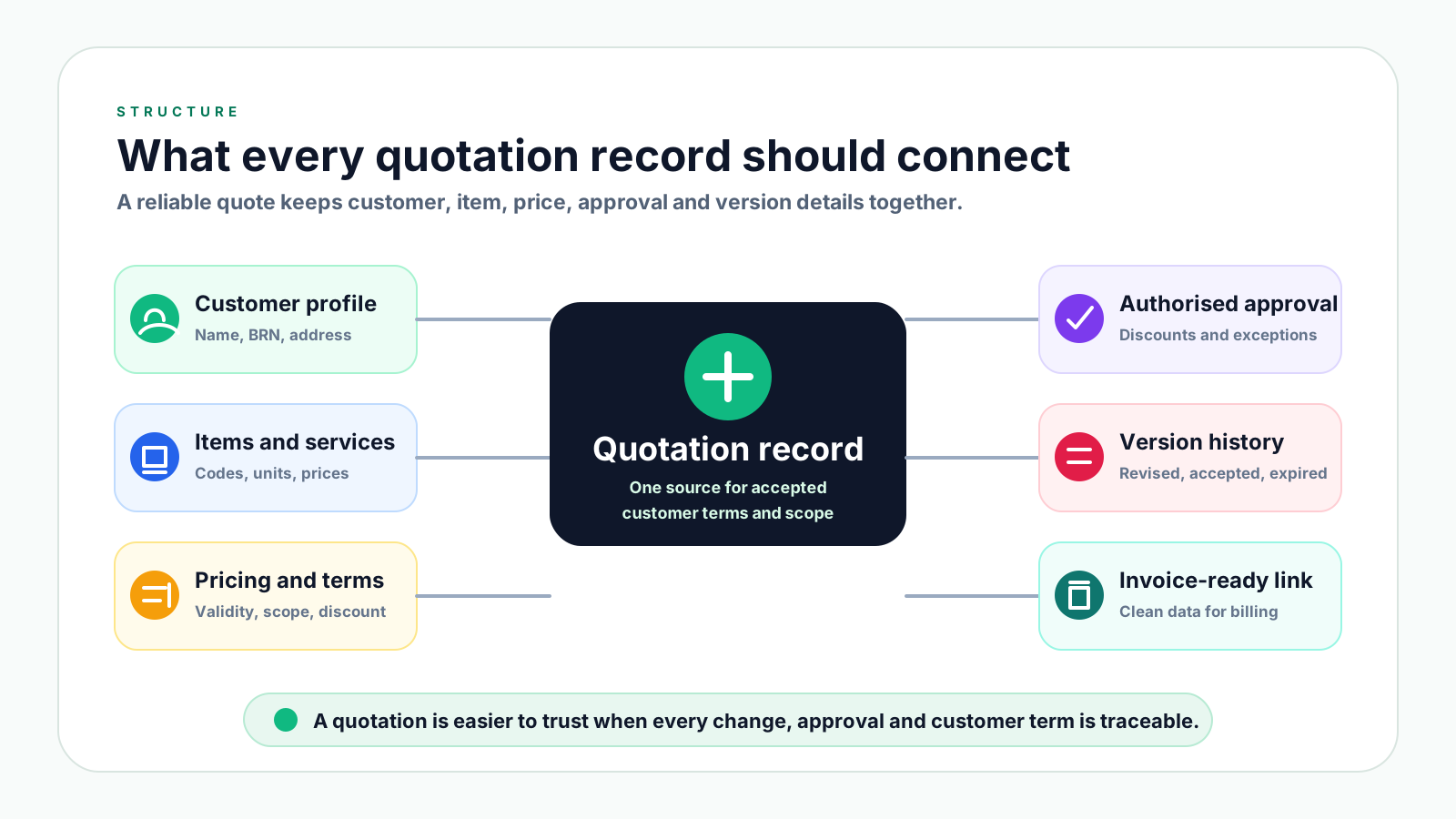
Keep the customer name, BRN where relevant, billing address, contact person, delivery address and payment terms ready before sending a quote.
Use a standard item code, item name, description, unit, price and tax treatment so the quote can later match the invoice.
Every quotation should have a unique number, issue date, expiry date and clear status such as draft, sent, revised, accepted, rejected or expired.
State quantity, delivery terms, service scope, exclusions, discount, deposit, payment term and any customer reference such as a purchase order number.
If margin, discount, credit term or special scope needs approval, keep the approval tied to the quotation instead of leaving it in a chat thread.
Once the customer accepts, lock the accepted version so the invoice can reuse the same customer, item, price and term details.
Use this workflow before sending quotations to customers. It gives sales enough flexibility to respond quickly while giving finance and management enough control to trust the accepted quote later.
Record the current facts in one shared place.
Confirm what is known and what needs attention.
Make the next decision or follow-up accountable.
Complete the next task and record the outcome.
Refresh the shared view when facts change.
A dependable workflow keeps the shared record and the next action aligned.
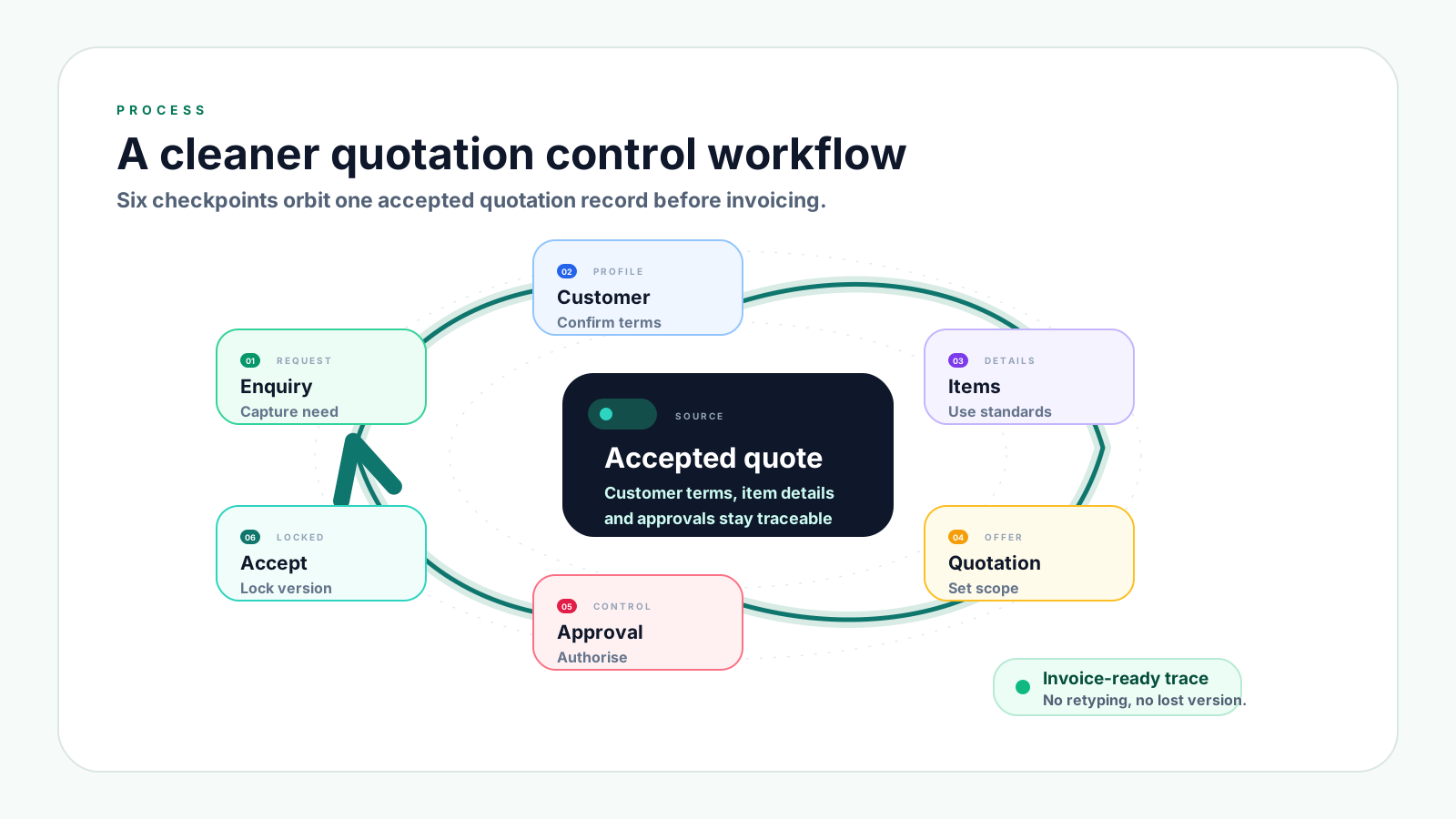
1. Capture the enquiry properly: Record the customer, contact person, requested item or service, quantity, delivery expectation, location, budget note and any customer reference.
2. Confirm the customer profile: Before preparing the quote, check the customer name, billing details, delivery address, payment terms, credit limit and contact information.
3. Build from standard item records: Use consistent product or service names, codes, descriptions, units, prices and tax treatment so the quotation does not become a one-off manual document.
4. Set quotation terms clearly: Add quotation number, issue date, expiry date, payment terms, delivery scope, exclusions, deposit requirement and expected fulfilment date where applicable.
5. Route special terms for approval: Ask for authorised approval before sending discounts, low-margin pricing, unusual delivery commitments, extended credit terms or revised scope.
6. Send and track the quotation status: Mark whether the quotation is sent, revised, accepted, rejected or expired. Keep the customer-facing PDF linked to the source record.
7. Lock the accepted version: When the customer accepts, make it clear which version was accepted and avoid editing the accepted commercial terms without a new revision.
8. Convert from the accepted quote: When billing is ready, create the invoice from the accepted quotation details instead of retyping customer, item, price and term information.
These mistakes can feel harmless during sales follow-up, but they create disputes, invoice errors and delayed collection once the customer expects the business to honour the quoted terms.
Recurring issues usually point to workflow-control gaps, not one isolated data-entry mistake.
File names such as final, latest or revised can easily become confusing. A proper quotation record should show the revision number and accepted version.
A quote without an expiry date can be accepted after supplier cost, stock availability, freight cost or labour cost has changed.
Discounts and special terms should be authorised and visible. Otherwise, margin loss becomes hard to explain.
When the quote and invoice use different item names, the customer may delay approval while asking the team to explain the difference.
Missing billing details, payment terms or contact information slow down invoice preparation later.
Once accepted, the quotation should be locked or revised formally. Silent edits create confusion when the invoice is compared with the agreed quote.
If the accepted quotation is not linked to the invoice, the team wastes time proving what price, scope and terms were agreed.
A strong quotation process should be simple enough for daily sales work, but structured enough for management, finance and customer service to trust the record.
Use the same required fields for every quote: customer, contact, item, price, quantity, validity, payment term, delivery scope, revision and status.
Keep customer details in one profile rather than copying names, addresses and payment terms from previous quotations.
Maintain product or service records so sales can quote from standard names, units and descriptions instead of typing from memory.
Make quotation status visible so everyone knows whether the quote is still being prepared, already sent, revised, accepted, rejected or expired.
When price, quantity, scope or terms change, add a short reason. This helps the team explain the quotation later.
Do not leave approval evidence only in chat. Keep authorised discounts and special terms visible beside the quotation record.
Clean customer and item data at quotation stage reduces rework when the accepted quote becomes an invoice and when e-Invoice preparation applies.
The best practice is to make the next action clear before the situation becomes urgent.
TREX Grow helps SMEs manage quotations as part of a connected operating workflow, not as scattered files. Sales, finance and management can work from customer records, product data, quotation versions, approvals and invoice links that stay connected.
Teams can prepare quotations from customer profiles and product or service records instead of retyping the same details for every quote.
A quotation can move through practical states such as draft, sent, revised, accepted, rejected, expired and converted.
When a customer accepts a quotation, the invoice can be prepared from trusted source data rather than a separate manual file.
Discounts, exceptions and special terms can be handled with clearer ownership so the accepted quote is easier to explain later.
Once the quote becomes an invoice, the business can keep invoice status, payment follow-up and later adjustment records tied to the original sale.
Organised customer, item and invoice source data makes e-Invoice preparation less stressful when the business needs traceable billing records.
If your team is still preparing quotes from spreadsheets, chat requests and copied PDFs, start by organising the quotation record. TREX Grow gives SMEs a connected way to manage quotations, invoices, approvals, payments and e-Invoice-ready data in one workflow.
Use one quotation record for each customer request. The record should include customer details, item or service details, price, quantity, validity date, payment terms, revision history, approval status and final acceptance status.