Is the output a model or a live record?
A sales forecast explores assumptions. An issued invoice records a particular customer obligation. Changing a model and changing an issued document need different rules.

Excel suits flexible calculations and analysis. Operational software can suit recurring work that needs linked records, defined actions and clear handovers. Choose around the job your team must complete, including the awkward cases that a tidy example leaves out.
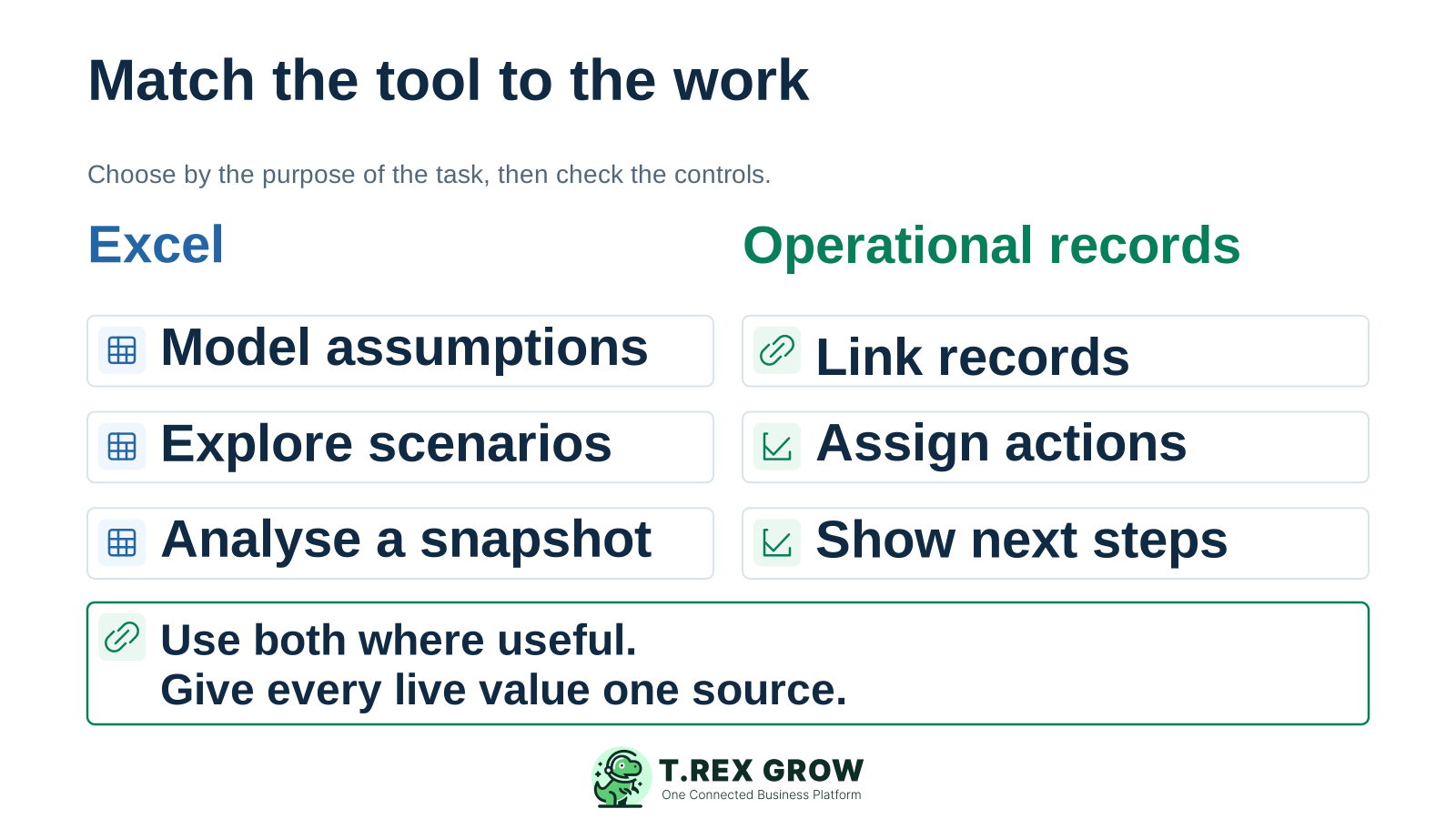
An SME can need a flexible forecast and a reliable invoice workflow on the same day. A single company-wide verdict about Excel will miss that difference. First identify what one task must preserve when another person takes over.
Operational pressure
When records live in different places, the person responsible has to reconstruct what happened before they can make a confident decision or follow up.
A sales forecast explores assumptions. An issued invoice records a particular customer obligation. Changing a model and changing an issued document need different rules.
If sales, the store and finance all act on the same job, check how each receives the relevant change and knows which record to trust.
A completed delivery needs fulfilment evidence. A paid invoice needs a recorded settlement. A coloured cell alone does not establish either event.
A revised quantity, partial delivery or part payment should leave an understandable record of what changed and what remains to be done.
Excel can be a capable shared tool. Microsoft documents co-authoring in supported versions with suitable cloud storage, Show Changes for reviewing edits, and data validation for restricting entries. Those features deserve a place in the assessment. The remaining question is how your team defines and maintains the business process around the workbook.
Use a workbook when changing assumptions, formulas and layout is part of the work, such as comparing purchase quantities or modelling next month's sales.
A straightforward list can remain workable when its scope, update rules, source documents and review routine are clear and the team can maintain them.
Check the actual Excel version, file format and storage setup before assuming collaboration is unavailable. Agree how downloads and emailed copies will be treated.
A workbook can help analyse an export or investigate a difference. Keep its reporting date and source clear so a useful review does not become a competing live record.
Operational software gives recurring business objects such as quotations, invoices, payments and stock movements a defined place. Its usefulness depends on the product, configuration and working practice. Treat the software column below as requirements to verify in a real demonstration.
Neither column guarantees a good outcome. Assess the setup your staff will actually use, including its upkeep and exceptions.
| Requirement | Excel workbook approach | Operational software to verify |
|---|---|---|
| Changing the model | Staff can reshape calculations, assumptions and layout; someone must review the logic. | Defined fields and workflows can improve consistency; check whether they fit the job without awkward workarounds. |
| Reusing master details | Tables, lookups or connections can reuse data; the team maintains identifiers and references. | Check whether customer, supplier and product records are reused across the documents you need. |
| Connecting documents | The team defines reference columns, links and the rules for keeping them aligned. | Check the source-to-document relationships and whether a user can trace the relevant records. |
| Showing business state | Status columns and validation can help; the team defines who may change them and what the change means. | Check distinct draft, finalisation, review, fulfilment and payment states where the workflow needs them. |
| Reviewing a change | Supported change review and file history help inspect edits; business reasons and evidence need an agreed home. | Verify which business events, actors, adjustments and supporting records are retained and visible. |
| Handling unfinished work | Filters and formulas can expose open rows if staff update the underlying data consistently. | Check whether partial fulfilment, unpaid balances and follow-up work remain visible without manual reconstruction. |
| Maintaining the setup | Include formula review, access management, reconciliation and cover for the workbook owner. | Include setup, data preparation, user training, plan scope and ongoing administration; obtain current details. |
Consider an illustrative Malaysian trading business with a quotation for 20 units, an invoice of RM1,000 and a recorded customer payment of RM400. Twelve units have been delivered. Before any adjustments, the invoice balance is RM600 and eight units remain to deliver. Each answer comes from a different record.
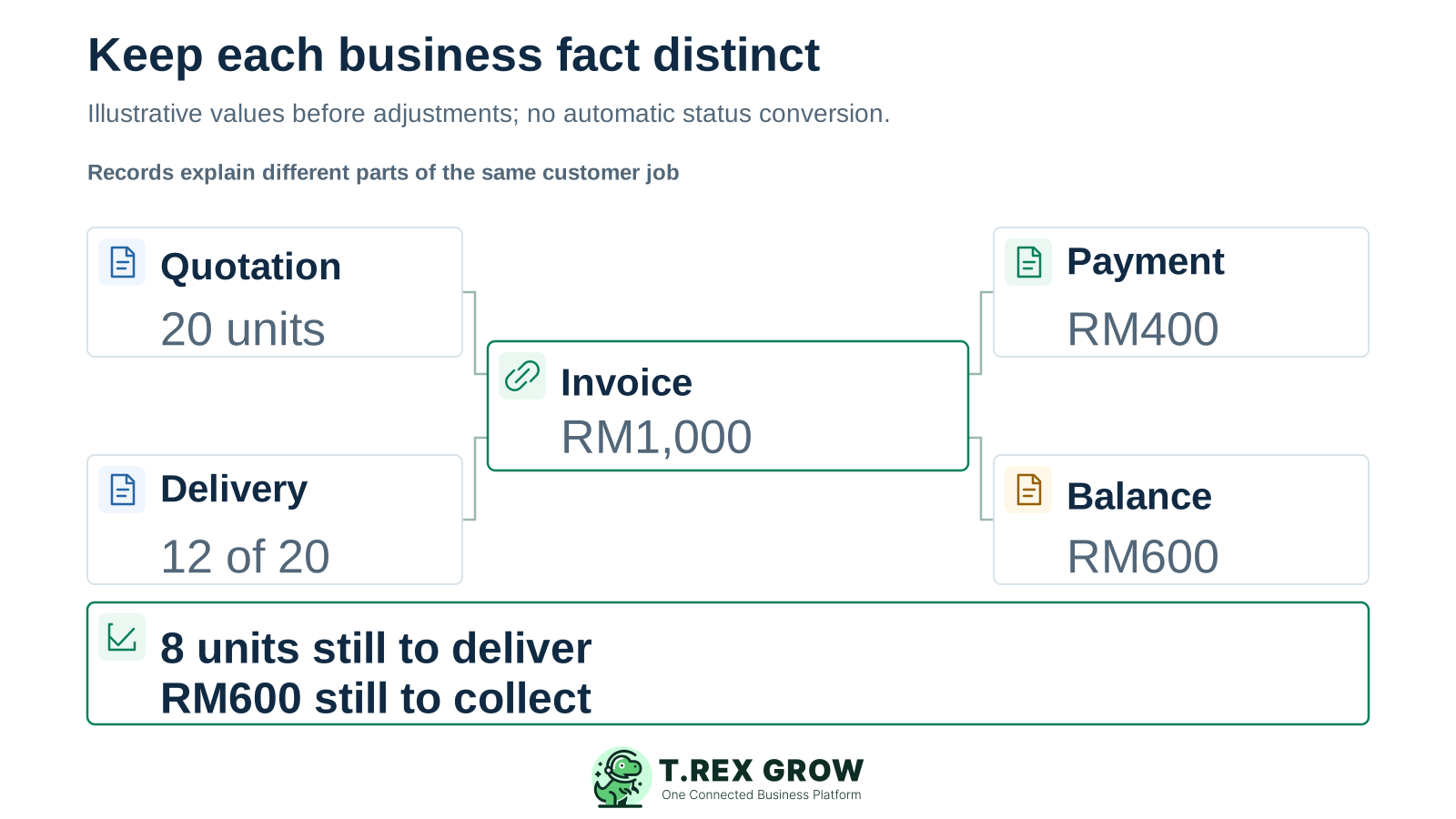
The accepted price and quantity belong to the agreed quotation or order. A later revision needs an explicit decision about downstream documents.
The delivery record states what actually left or reached the customer. Delivery completion should not be inferred from an invoice's payment status.
The payment entry supports the amount received. The remaining balance and undelivered quantity tell different people what to follow up next.
Use a small set of real, appropriately handled examples from your own business. This is a task-fit review before a buying or migration decision. Keep any trial entries separate from live customer documents and payments.
Record the current facts in one shared place.
Confirm what is known and what needs attention.
Make the next decision or follow-up accountable.
Complete the next task and record the outcome.
Refresh the shared view when facts change.
A dependable workflow keeps the shared record and the next action aligned.
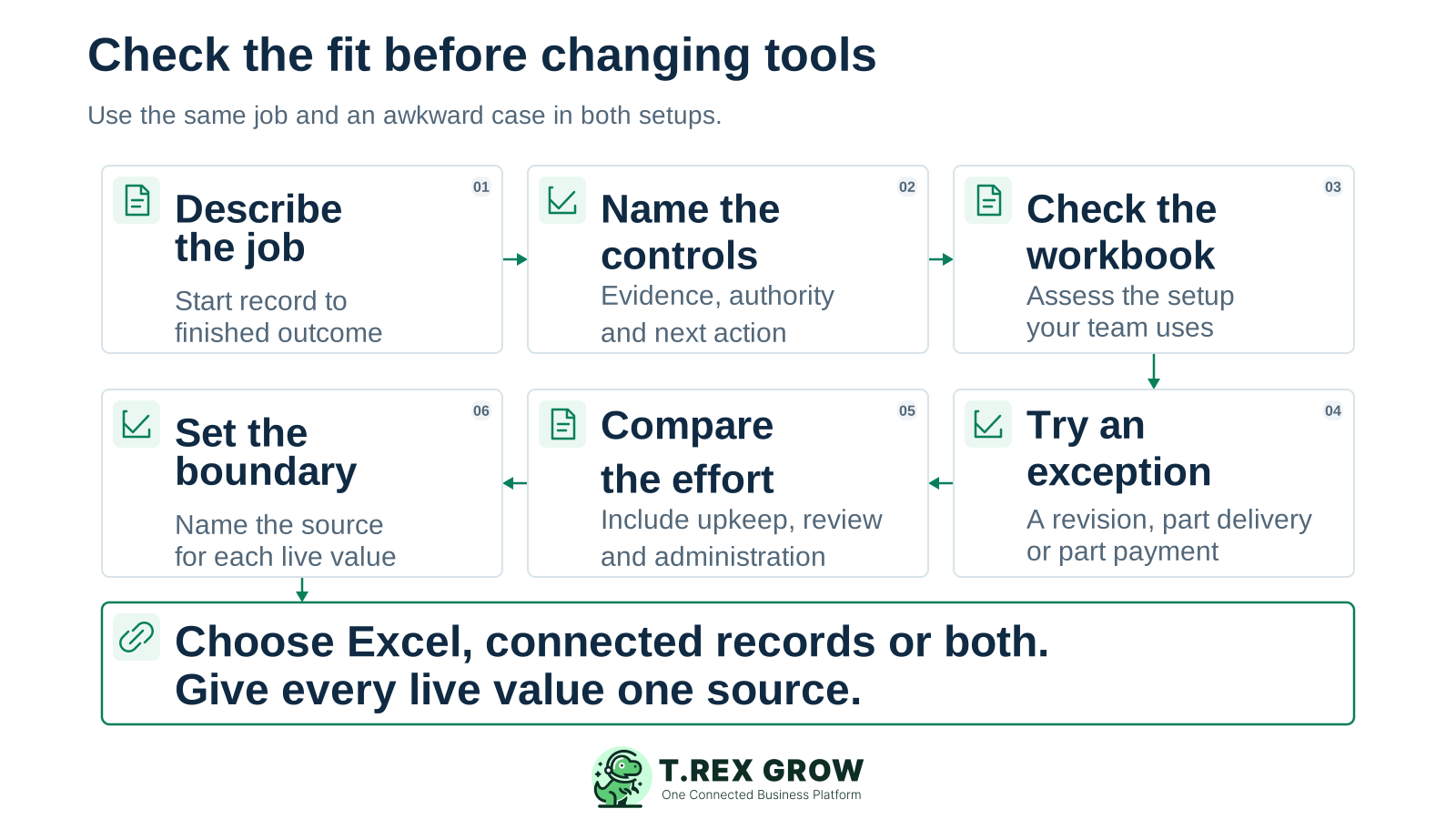
Describe the job: name the starting record, the completed outcome and the people who act between them. For example, follow one customer request through quotation, delivery, invoice and payment.
List the required controls: record identity, reusable details, who may act, what proves each state, and what the next person needs to see.
Check the current workbook fairly: review its sharing, validation, references, source evidence and upkeep. Identify a control that is missing rather than treating Excel itself as the defect.
Try an awkward case: replay a revision, partial delivery or part payment in the workbook and any candidate software. Follow the outstanding work to its source.
Compare the operating effort: include repeated entry, exception review, reconciliation, training and administration. Record observed differences without inventing a savings percentage.
Choose the ownership boundary: keep the workbook, move this workflow or use both with a named source for every live value. If software fits, plan data transfer and cut-over as a separate next step.
A fair comparison tests the same business requirement in both setups. It also makes the limits of the evidence clear.
Recurring issues usually point to workflow-control gaps, not one isolated data-entry mistake.
A large analytical model and a small shared payment tracker create different demands. Judge dependencies, required controls and upkeep as well as volume.
Shared editing can improve access to the current workbook. Staff still need agreed meanings for statuses, evidence, responsibility and follow-up.
Verify the actual module, permissions, configuration and exception behaviour. A field or dashboard is useful only when it represents the work accurately.
If staff update the same balance or status in both tools, agree which is authoritative and how the second view is refreshed. Otherwise comparison creates another reconciliation job.
The trading business in the example could keep demand modelling in Excel while choosing connected records for repeated customer work. The appropriate split follows the task and the team's ability to maintain it, rather than an all-or-nothing rule.
State which task stays where, who maintains the source and how another person checks the result. Include the exceptions that must remain visible.
Reassess when another location, role, document type or approval requirement changes the dependencies. Growth in headcount alone does not dictate the answer.
| Task | Potential fit | Ownership rule |
|---|---|---|
| Model a seasonal sales forecast | Excel for adjustable assumptions and scenarios. | The analyst owns the model and labels its assumptions and reporting date. |
| Reuse customer and product details in quotations | Connected records when repeated copying and revisions cause handover problems. | The agreed customer and product records supply the details; historical documents retain their appropriate context. |
| Record 12 of 20 units delivered | A fulfilment record with the remaining quantity visible. | The responsible team records the actual delivery; finance does not infer delivery from an invoice balance. |
| Record RM400 against an RM1,000 invoice | A payment record linked to the relevant invoice. | The payment entry supports the settlement; the remaining RM600 is reviewed before further follow-up. |
| Analyse last month's completed transactions | An Excel export can support ad hoc analysis. | Mark the source and extraction date; changes to the analysis do not silently become changes to live records. |
The best practice is to make the next action clear before the situation becomes urgent.
If the review points to connected business records, explore TREX Grow for the particular sales, purchasing, inventory or approval workflow you identified. Keep the demonstration tied to a real task and verify the available plan and configuration.
Customer, supplier and product records can support recurring document work. Check which details the next document uses and how your team handles later changes.
Explore a quotation and its linked invoices or delivery orders. Confirm that document readiness, approval and completion are understood by the people using them.
Review the relevant delivery or stock records separately from invoice payment entries and outstanding balances. Use each record to support its own operational question.
Use the relevant status and reminder records to support follow-up. Staff remain responsible for entering the actual event, checking evidence and resolving exceptions.
Start with a task your SME repeats every week. If its handovers need connected records, see how TREX Grow supports that work and bring a partial or revised case to the discussion.
Excel provides a flexible grid for calculations, analysis and user-defined trackers. Operational software organises recurring work around defined business records and actions. The practical difference depends on the workbook's controls and the product's actual capabilities, so compare the same workflow in each.