Editorial fit, not a league table
The shortlist covers document workflows, work coordination and business suites. The fit judgments are our interpretation of documented capabilities, not measured scores or an exhaustive market survey.

Start with the work that must finish: a supplier delivery, an invoice follow-up or a cross-team project. This guide compares five options by their starting fit, the configuration to verify and the pilot that can reveal the difference.
For SMEs choosing software for recurring business operations, not specialised factory control or large-enterprise transformation. TREX Grow publishes this comparison and is included in it. Official vendor documentation was reviewed on 12 September 2026; competitors were not hands-on benchmarked.
The shortlist covers document workflows, work coordination and business suites. The fit judgments are our interpretation of documented capabilities, not measured scores or an exhaustive market survey.
Ask vendors to demonstrate requirements not established here. Capabilities, editions and commercial terms may change; inclusion implies no affiliation or endorsement.
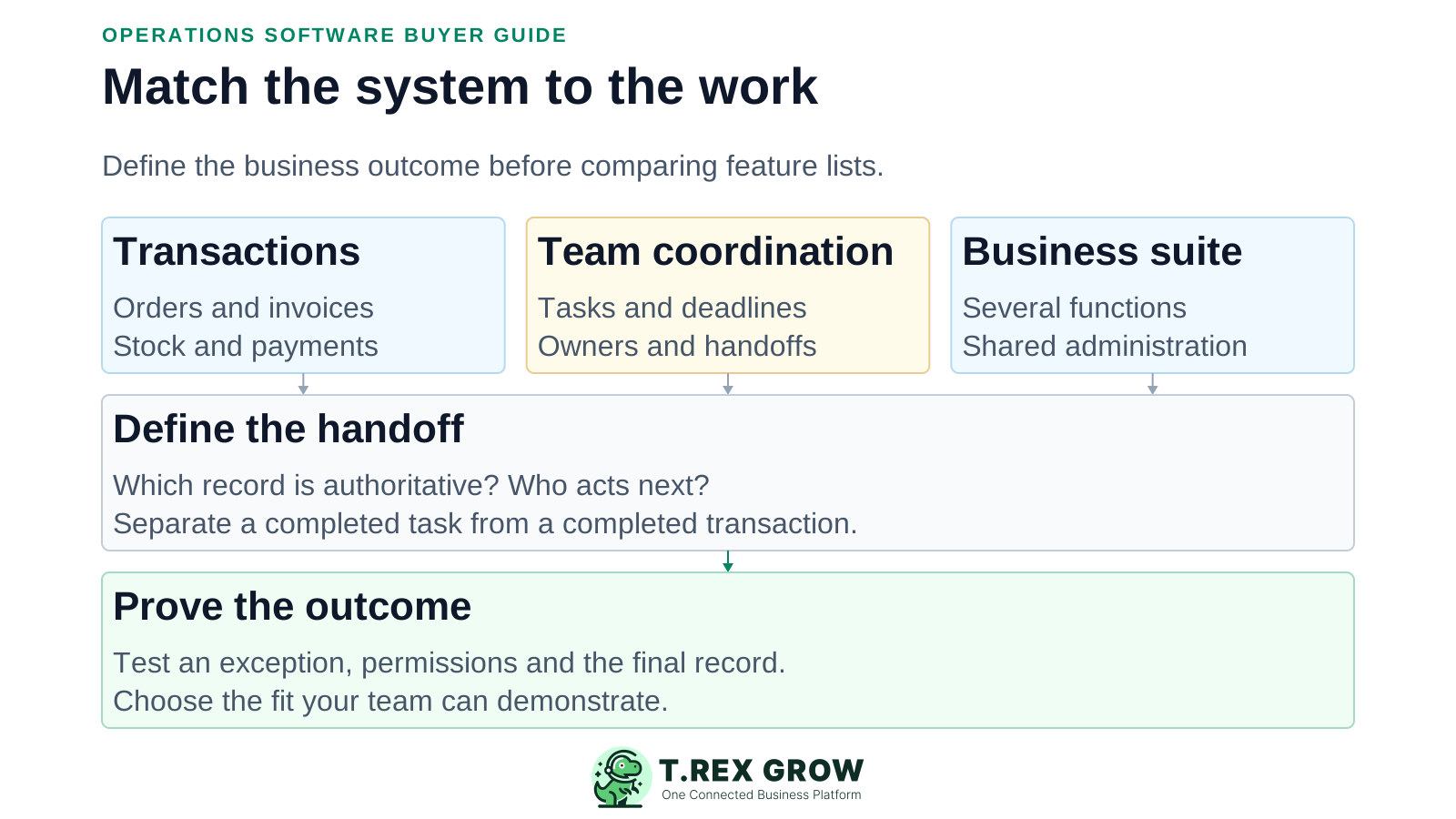
Write down one normal workflow and one common failure case before comparing dashboards.
Identify where the authoritative invoice, order, stock movement or task lives. A board item and a posted transaction serve different purposes.
Test assignment, due dates, status views and the path back to supporting information. Check what each role can see and change.
Try a partial receipt, rejected request or changed deadline. Establish what remains open and who must act next.
List required apps, integrations, permissions, exports and Malaysia-specific requirements. Ask for evidence on the intended edition; do not infer suitability from a category name.
The most polished demo can still skip the part your team struggles with.
Recurring issues usually point to workflow-control gaps, not one isolated data-entry mistake.
Closing a reminder does not prove that goods arrived, an invoice was settled or the source record was updated.
Check identifiers, sync direction, failure handling and the person responsible for each app and integration.
Include all required users, features, usage allowances, setup, training, migration and ongoing support.
Test permissions and exception handling. A successful happy-path automation does not establish reliable approvals or recovery.
Choose the closest starting fit, then test the requirements that matter to your team. These tools can complement one another; they are not all substitutes for the same system.
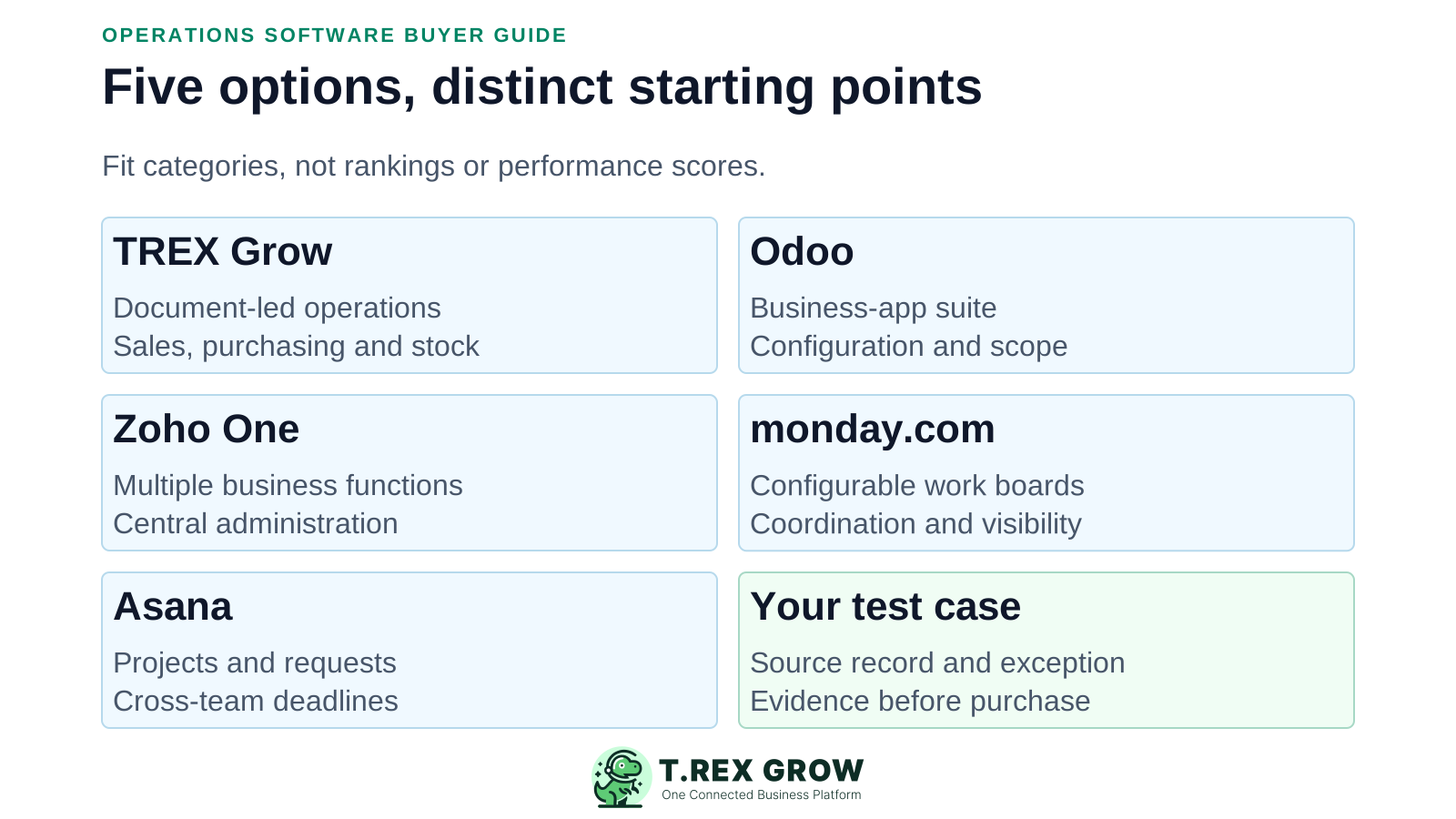
| Option | Starting fit | Documented capability | Verify before choosing |
|---|---|---|---|
| TREX Grow | Document-led SME operations | Connected sales, purchasing and inventory areas, with reminders and source-record follow-up. | Plan gates for purchasing/stock; approval scope; Accounting Beta setup and review. No universal ERP-replacement claim. |
| Odoo | A broader configurable business-app suite | Sales, accounting, inventory and project apps; purchasing features include stock availability and forecasts. | Standard versus Custom, hosting, localisation, custom modules and implementation scope. |
| Zoho One | Coordinating several business functions in a suite | Business applications with central administration and options to extend or customise. | Exact apps and editions available in your region, cross-app handoffs, configuration and licensing model. |
| monday.com | Configurable boards and work coordination | Boards, templates and plan-dependent views, automations and integrations. | Required product/tier, action allowances and integrations to authoritative financial or stock records. |
| Asana | Cross-team projects, requests and deadlines | Tasks/projects; Starter adds forms, rules and reporting. Advanced adds portfolios, goals and approval/proofing tools. | Required reporting and governance tier; demonstrate any connection to business transaction systems. |
Shortlist TREX Grow when daily operations centre on sales documents, supplier orders, stock and follow-up. Review the underlying record, give the next action an owner and record the actual business outcome.
Keep the document and follow-up distinct: a supplier call can be complete while a purchase still has an outstanding quantity.
Free covers core records and sales activity. Essential adds purchasing and core stock workflows; Premium extends warehouse controls. Check current plan details before the pilot.
Test module permissions and applicable document approvals. Accounting is labelled Beta and requires setup and review; do not assume automated reconciliation or professional sign-off.
For project portfolios and cross-team deadlines, examine work-management tools. For broader app coverage and customisation, assess a suite and its implementation requirements.
No fixed currency amounts are quoted here. Region, billing period, seat model and feature gates affect the configuration you need. Ask for a written scope covering recurring and one-off costs.
Prepare sample customers, suppliers, products, open work and supporting documents. Verify totals and ownership before expanding.
Name who maintains permissions, templates, integrations and data quality after launch. Include their time in the decision.
| Option | What to clarify |
|---|---|
| TREX Grow | Free versus paid workflow scope; use Essential or Premium for purchasing/stock tests. Include data preparation and Accounting Beta review where relevant. |
| Odoo | Standard and Custom are per-user all-app plans. Custom adds Studio, multi-company and external API access; verify hosting, implementation and custom-code costs. |
| Zoho One | Compare all-employee and flexible-user licensing. All-employee pricing requires licences for all payroll employees; verify regional plan availability and setup services. |
| monday.com | Seat-based plans; check minimum seat purchase, automation/integration allowances, additional products and any usage-credit costs. |
| Asana | Per-user paid tiers; confirm required portfolio, approval and administration features, guest eligibility and any add-ons. |
Use safe sample data and the same acceptance criteria for each shortlist candidate. For a transaction-led business, try an order for 20 units with only 12 received. For a project team, use an equivalent incomplete handoff with an open dependency.
Record the current facts in one shared place.
Confirm what is known and what needs attention.
Make the next decision or follow-up accountable.
Complete the next task and record the outcome.
Refresh the shared view when facts change.
A dependable workflow keeps the shared record and the next action aligned.
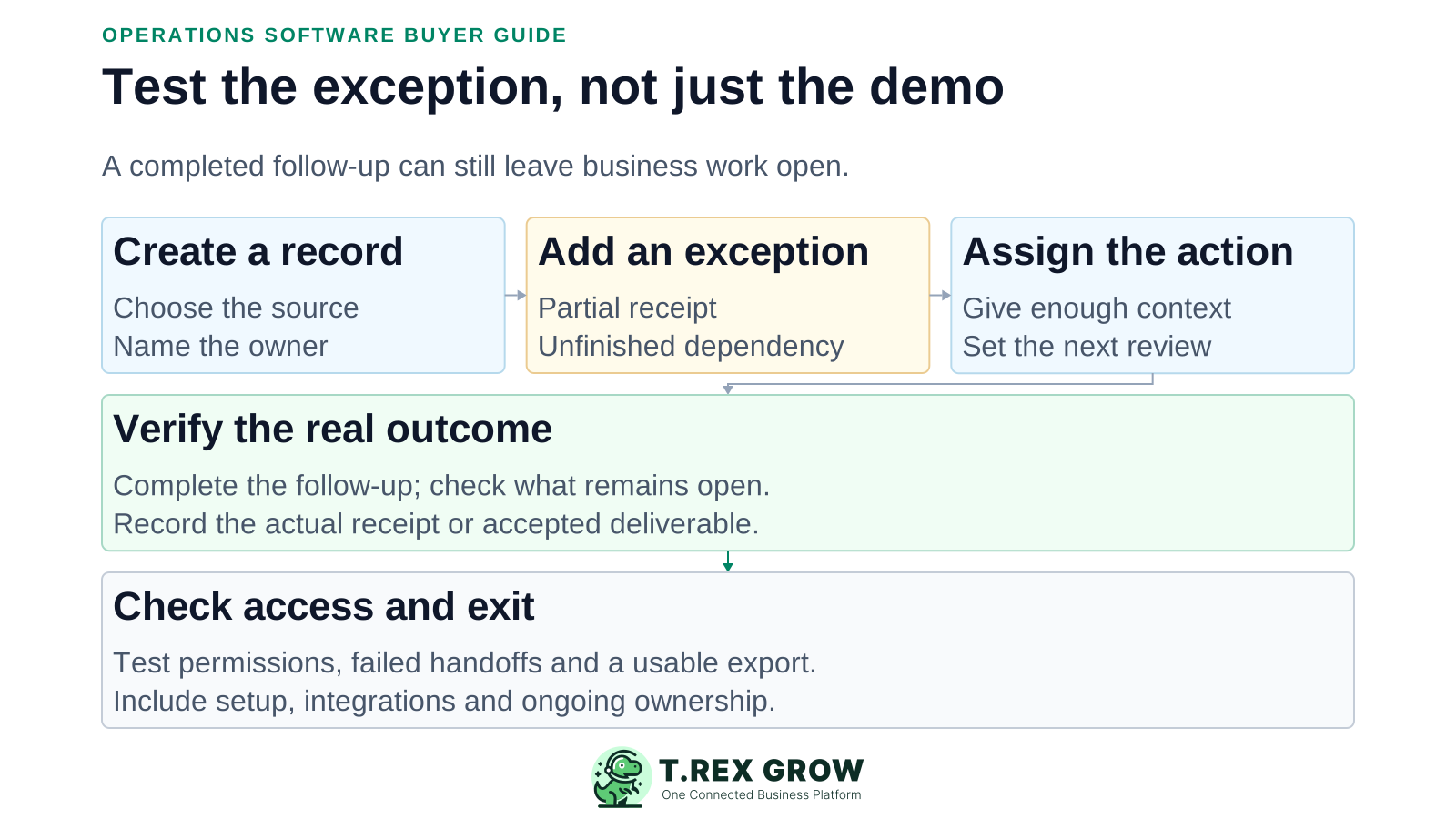
Create the source record and identify the authoritative system, owner and intended outcome.
Introduce a normal exception: partial receipt, rejected request or a missed dependency.
Assign the follow-up to a second user with enough context to act without asking the creator.
Complete the follow-up but leave the transaction or dependency unfinished. Check that the remaining work stays visible.
Record the final receipt, payment or accepted deliverable in the appropriate system and review the evidence.
Test restricted access, a usable export, integration failure handling and the full configuration cost before deciding.
Record the edition tested, results and workarounds. Do not replace acceptance checks with invented star ratings.
Can another authorised user follow a status back to the source and understand the next action?
Can an unauthorised user change a sensitive record? What happens when a request is rejected or a user leaves?
Demonstrate what happens when a sync fails, and inspect an export for identifiers, relationships and attachments.
Read current security and access documentation. Ask for contractual evidence where certifications, residency, recovery objectives or service levels are requirements.
The best practice is to make the next action clear before the situation becomes urgent.
Explore TREX Grow’s plans and product tour, then test a small document-led workflow on the appropriate plan. Choose based on demonstrated fit, not the length of a feature list.
It depends on the work. This shortlist positions TREX Grow for document-led operations, Odoo and Zoho One for wider suite needs, and monday.com and Asana for work coordination. These are editorial starting points, not measured rankings.