TREX Grow
An SME operations platform connecting documents and follow-up across sales, purchasing and stock. Accounting is currently labelled Beta; it needs setup and review.

Compare the work your team needs to complete—not just two brand names. Start with the AutoCount product in scope, then test sales, purchasing, stock, accounting and the people responsible for each handoff.
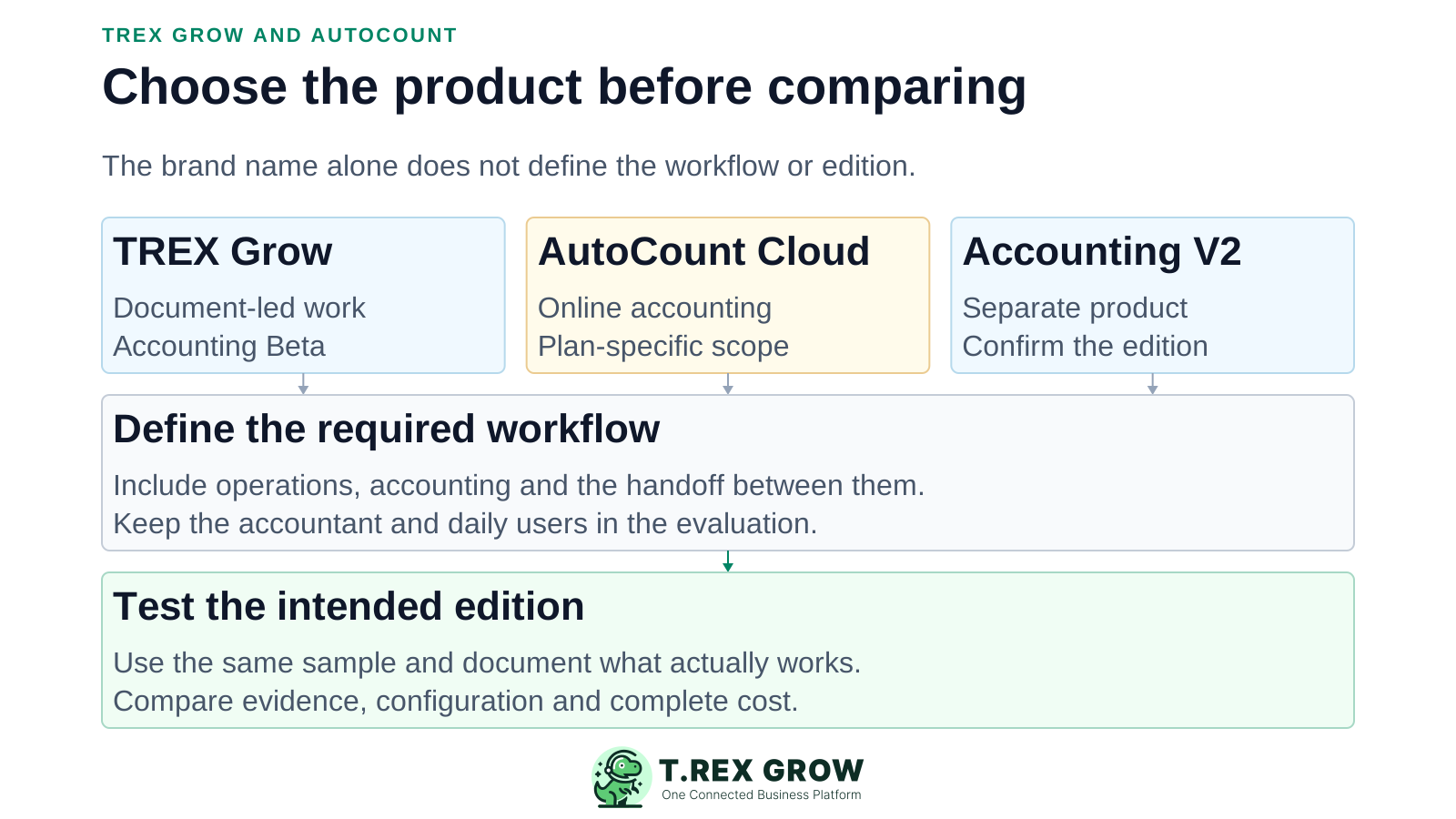
AutoCount offers Cloud Accounting and Accounting V2 as distinct products. This page compares TREX Grow with Cloud Accounting for a browser-based shortlist and calls out V2 separately. Do not apply one product's feature or price to the other.
An SME operations platform connecting documents and follow-up across sales, purchasing and stock. Accounting is currently labelled Beta; it needs setup and review.
An online accounting product with sales, purchasing and inventory capabilities that vary by plan.
Its official page documents recurring entries, document templates, stock-cost recalculation and purchase orders from reorder advice. Confirm the edition, modules and deployment offered in your quotation.
TREX Grow publishes this page and is one of the products compared. Official documentation was reviewed on 12 September 2026. We did not run a hands-on AutoCount benchmark; recommendations are editorial fit judgments, not measured rankings.
A feature name does not prove identical behaviour. Demonstrate the intended edition with your own sample and acceptance criteria.
Where a capability was not established, ask for evidence. No vendor endorsement, universal winner or guaranteed business outcome is implied.
Ask the operations lead and accountant to agree on the same test. Define which system owns each transaction and which reports must reconcile.
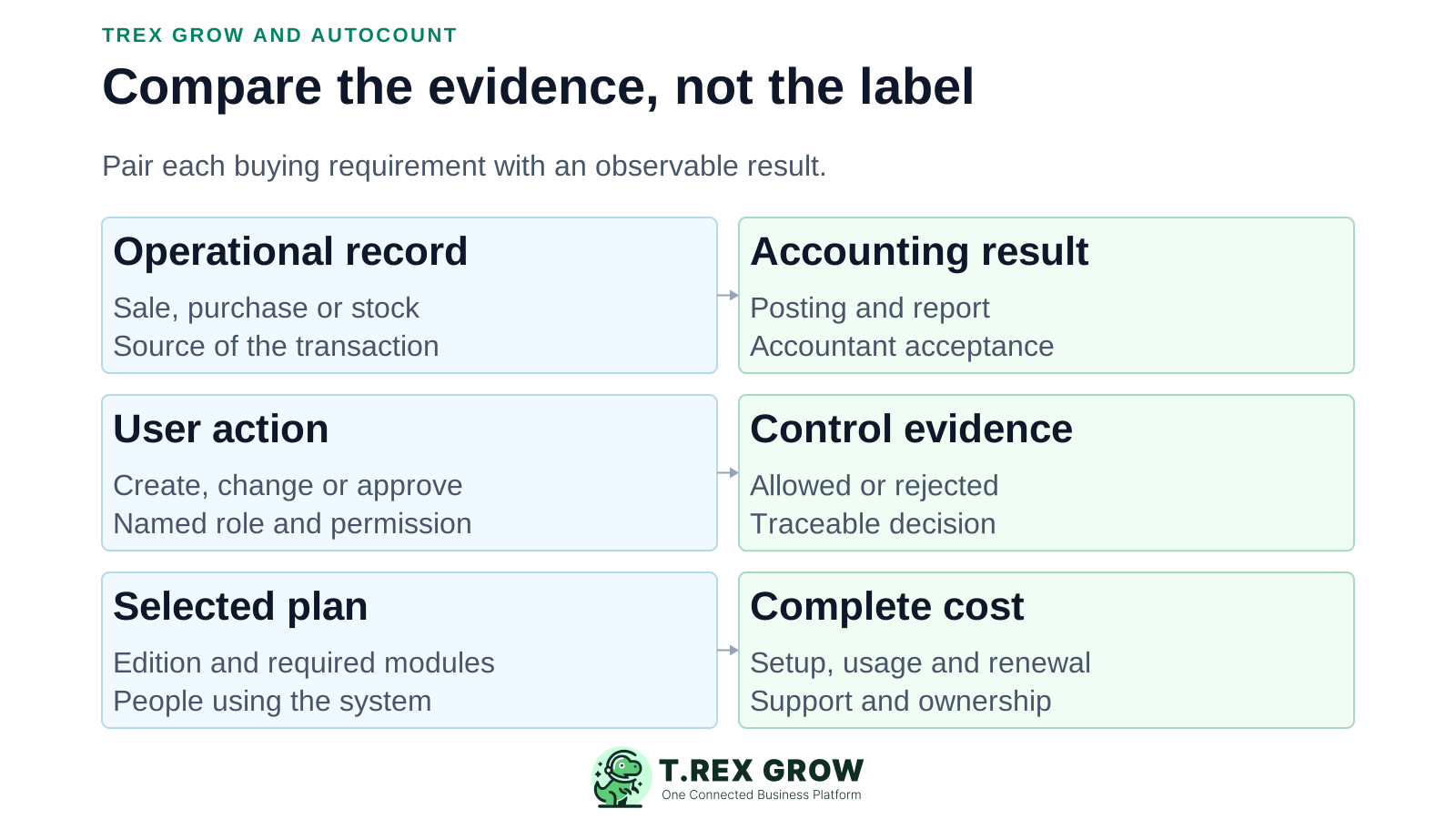
| Requirement | TREX Grow | AutoCount evidence | What to test |
|---|---|---|---|
| Daily documents | Sales documents, purchasing, stock and reminders; scope depends on plan. | Cloud Accounting lists sales, purchase and stock modules; V2 has its own document workflows. | Trace one sale and one supplier purchase from entry to final outcome. |
| Accounting review | Accounting Beta includes setup, journals and financial reporting; review readiness with your accountant. | Cloud documentation covers journals, ledger, trial balance, financial statements and bank reconciliation. | Check postings, corrections, period-end reports and accountant acceptance. |
| Remote access | Browser-based application. | Cloud Accounting is online; do not describe all AutoCount products as desktop-only. | Verify supported devices, user roles and the proposed deployment. |
| Inventory | Essential adds core stock; Premium extends warehouse control. | Cloud advertises variants and multiple locations; V2 documents stock-cost recalculation. | Check required plan, units, partial receipts, returns and costing. |
| e-Invoice | Malaysia submission is included in Free, subject to setup and applicable workflow support. | Cloud documentation explains enabling e-Invoice and related settings. | Demonstrate the relevant submission and correction cases; software alone is not a compliance guarantee. |
| Customer enquiry | Public product catalog and RFQ, followed by staff-reviewed quotation conversion. | An equivalent public catalog-to-RFQ journey was not established in this review. | Ask for that exact journey if it is a requirement; do not infer absence. |
| Controls | Module permissions and approvals on applicable documents; no arbitrary-rule-engine claim. | Cloud documents access control, audit trail and pre-submission approval. | Test an unauthorised user, a rejected request and the evidence retained. |
Both the workflow and the accounting result matter. A short feature checklist is not sufficient evidence for a switch.
Recurring issues usually point to workflow-control gaps, not one isolated data-entry mistake.
Name the product and deployment. The AutoCount brand includes a cloud accounting product.
TREX Grow's accounting label must stay visible. Check required controls and reports before relying on it for the accounting scope.
Master records are only part of the job. Open balances, stock valuation, documents and historical access need separate checks.
No native TREX Grow–AutoCount connector was verified here. Do not plan automatic synchronisation until the mapping and failure handling are demonstrated.
The better fit depends on your bottleneck and non-negotiable accounting requirements. These are decision prompts, not claims that either product lacks the other's capabilities.
Start with a sales or purchasing scenario where the team needs clearer source records, assigned follow-up and visibility of work still outstanding.
If accounting work is central, demonstrate the required reports and controls in the proposed AutoCount product alongside your accountant. Existing familiarity and configuration are relevant migration costs.
If the current system meets your requirements, examine configuration, training or a smaller workflow change before a full migration.
TREX Grow's Free plan is not its full purchasing and stock scope. Its Accounting Beta status is not equivalent to a claim of accounting maturity or universal ERP coverage.
Avoid a fixed price verdict based on temporary offers. Request a like-for-like scope covering users, workflow modules, support, setup and renewal.
Budget for data cleanup, template setup, training and the person maintaining the system.
Agree how records, attachments and reports can be retained and exported. Inspect a sample export before the purchase.
| Option | What to clarify |
|---|---|
| TREX Grow | Free for core workflows; Essential for purchasing/core stock and Premium for extended warehouse controls. Confirm trial terms and any required paid features. |
| AutoCount Cloud Accounting | Confirm plan, included and extra users, storage, scan credits, support, renewal and tax. Its trial is transaction-based; do not assume a standard number of days. |
| AutoCount Accounting V2 | Obtain a product-specific quotation for the required edition, modules, deployment, maintenance, training and implementation. |
Use safe sample data, not live filings or real customer messages. Include your accountant when financial records or reporting are in scope.
Record the current facts in one shared place.
Confirm what is known and what needs attention.
Make the next decision or follow-up accountable.
Complete the next task and record the outcome.
Refresh the shared view when facts change.
A dependable workflow keeps the shared record and the next action aligned.
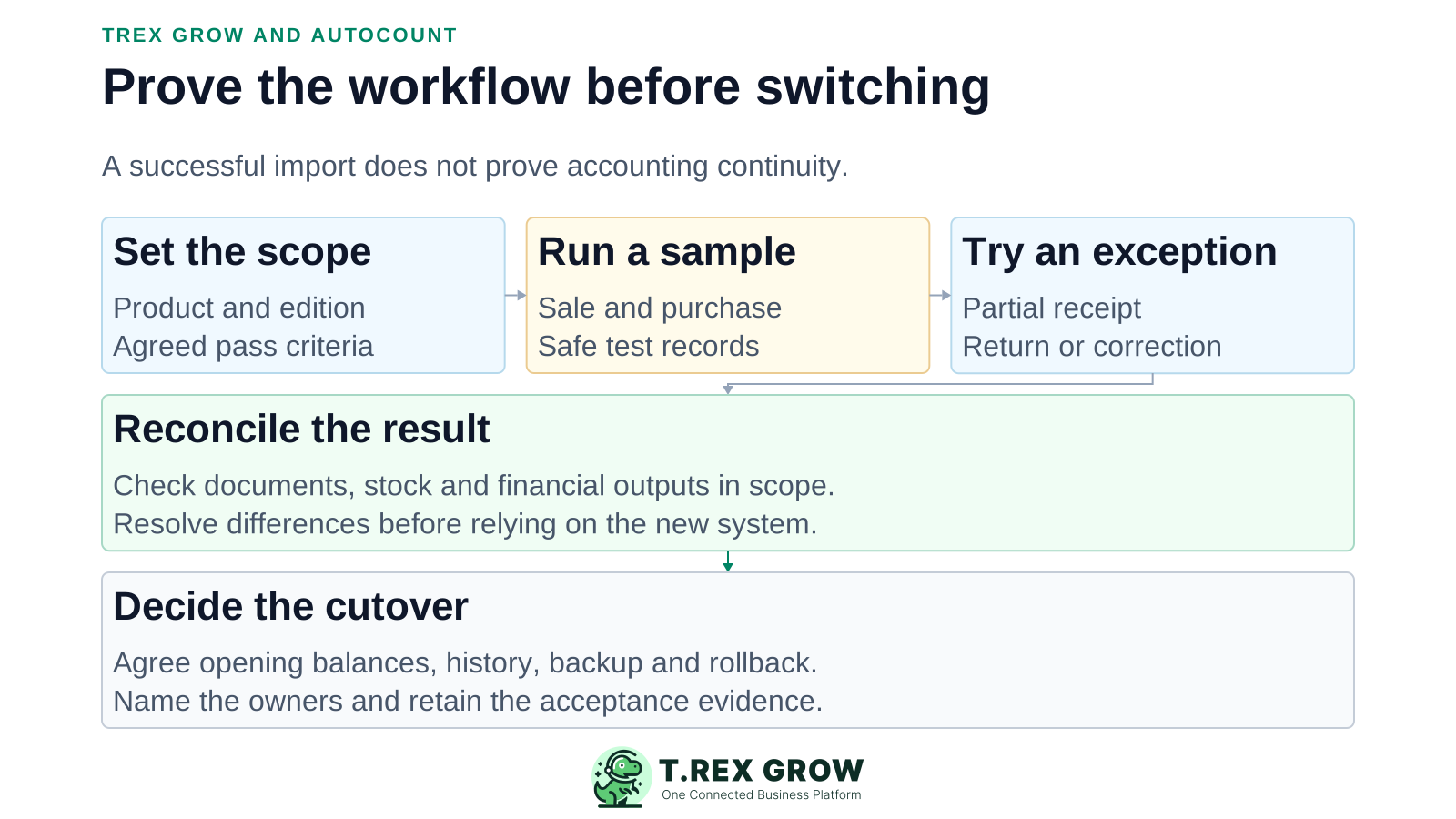
Write the required product, edition, user roles and pass criteria. Identify the authoritative record for each workflow.
Create one customer sale and one supplier purchase with representative items and terms.
Test a partial receipt, return or correction. Confirm what remains open and who can approve or change it.
Reconcile documents, outstanding amounts, stock and accounting outputs that are in scope. Resolve unexplained differences.
Inspect exports and map identifiers, opening balances and historical documents. A supported master-data import does not establish full transaction-history migration.
Agree the cutover date, backup, historical access, rollback plan and responsible owners. Switch only after the agreed checks pass.
Evaluate operational continuity as carefully as the new interface.
AutoCount Cloud's support guide documents Excel templates for products, customers, suppliers and chart of accounts. Independently verify source exports and destination support for the direction of your migration.
Keep an agreed set of opening balances, outstanding documents and stock values. Record any deliberate exclusions rather than silently dropping them.
Read each vendor's current documentation and request the relevant contractual evidence for access, recovery, retention and support. This page does not certify either system.
Name the person responsible for errors, duplicate entry, failed integrations and changes after launch.
The best practice is to make the next action clear before the situation becomes urgent.
Use the product tour and current plans to scope a TREX Grow test. Bring the same scenario to the AutoCount product you are considering, and keep the evidence that supports your decision.
There is no universal answer. Test the exact product and edition against your operational and accounting requirements. This is a vendor-published comparison, not an independent performance benchmark.