Start with a bounded rollout
For example, choose one sales workflow for one team and explicitly exclude other work until later. Record why this first slice is useful.

Start with the workflow, records and people that must work together. Use this guide to define the first rollout, test the exceptions and decide when the business—not just the software—is ready.
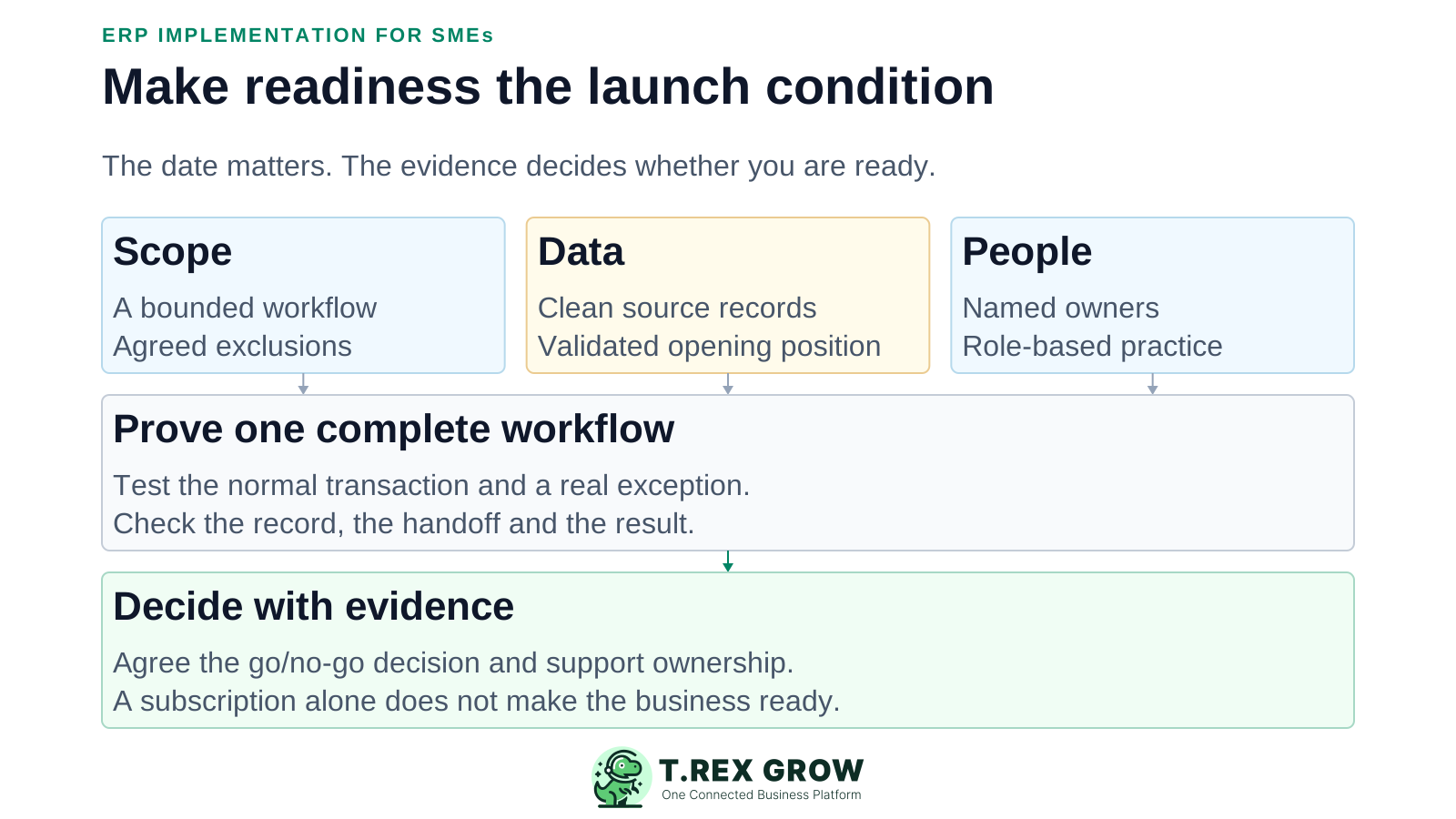
This guide is a planning framework for document-led SMEs. It does not promise a fixed duration, a managed implementation service or complete ERP replacement. Validate the selected product against your requirements before moving live work.
For example, choose one sales workflow for one team and explicitly exclude other work until later. Record why this first slice is useful.
Describe what the team must be able to do and what evidence will demonstrate it. Avoid requirements such as easy to use without an observable test.
Assign a business sponsor who can resolve scope, cost and launch decisions. The software administrator should not have to make every business tradeoff.
These are suggested responsibilities; a small team may combine roles, but ownership should remain explicit.
| Owner | Expected output |
|---|---|
| Business sponsor | Approved scope, priorities, budget and go/no-go decision. |
| Process owner | Agreed workflow, exceptions and user acceptance evidence. |
| Data owner | Clean records, mapping and reconciled migration results. |
| Finance reviewer | Accepted opening positions and financial outputs where in scope. |
| Administrator / implementation lead | Configuration, access, dependency tracking and cutover runbook. |
| Support owner | Issue intake, escalation contacts and post-launch follow-up. |
Activities can overlap, but do not treat unfinished prerequisites as complete merely to keep a launch date.
Record the current facts in one shared place.
Confirm what is known and what needs attention.
Make the next decision or follow-up accountable.
Complete the next task and record the outcome.
Refresh the shared view when facts change.
A dependable workflow keeps the shared record and the next action aligned.
Scope: record the first workflow, exclusions, users, dependencies and acceptance criteria.
Prepare: map current steps, clean required data and decide which records remain in the old system.
Configure: set up company details, document formats, roles and the demonstrated product features needed for the scope.
Test: have actual users complete normal and exception scenarios, with the intended permissions and representative data.
Cut over: rehearse the final sequence and approve the switch only when the agreed checks pass.
Stabilise: review issues and operating results, then transfer routine ownership before expanding.
Identify each source, destination, mapping, dependency and validation owner. Verify supported import methods before building a migration plan around them.
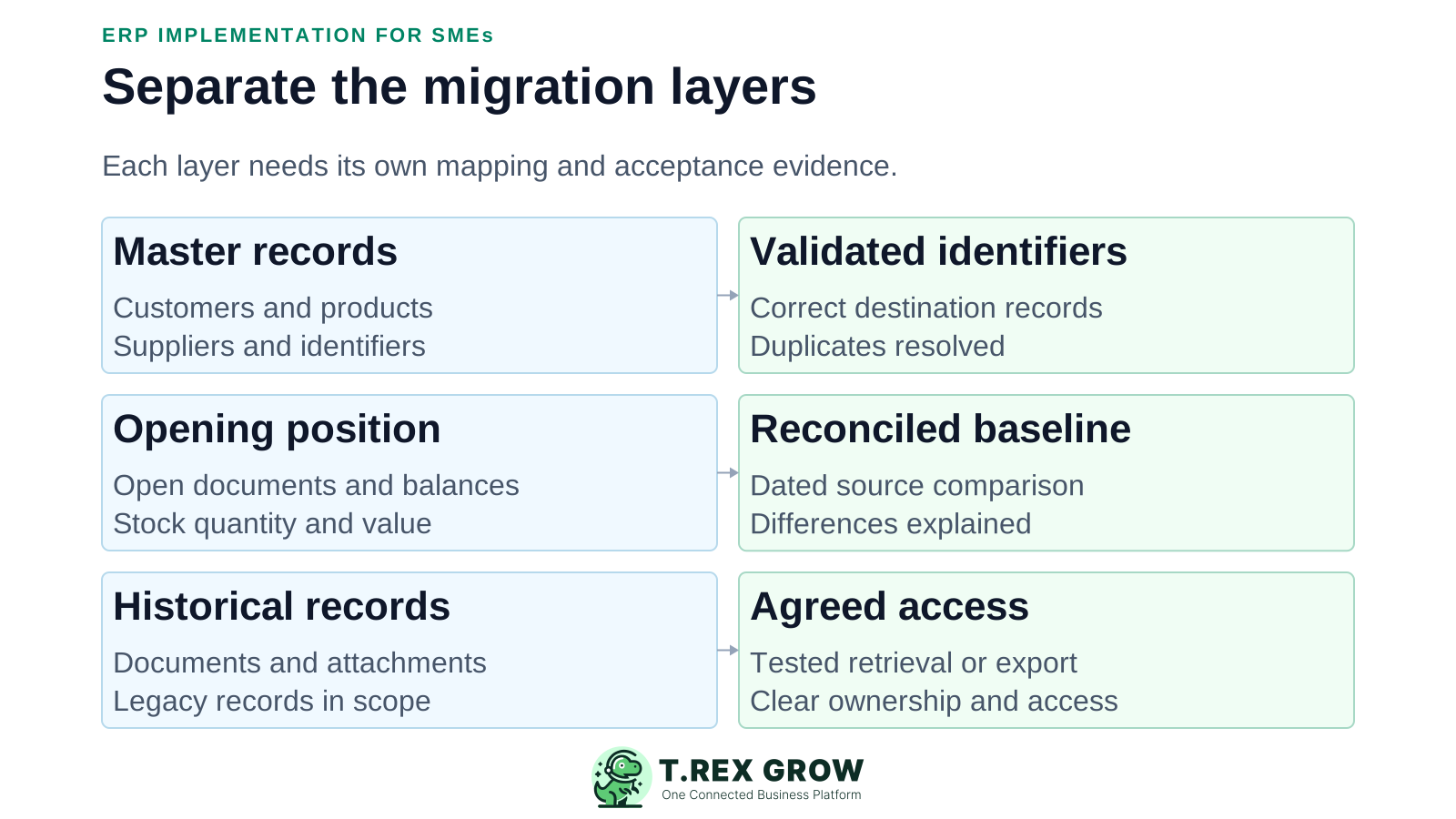
Run a representative migration test and record errors. Check relationships and totals, not only the number of successful rows.
Decide how records changed after the rehearsal reach the final system. Avoid silently overwriting newer information.
A supported customer import does not prove that transaction history, attachments or stock values can be migrated in the same way.
| Data layer | What to agree | Evidence to retain |
|---|---|---|
| Master records | Customer, supplier and product identifiers; units; duplicates; required fields. | Sample mapping, exception list and verified destination records. |
| Opening position | Outstanding documents, balances and stock quantities/values relevant to the rollout. | Dated source baseline and reconciled destination results. |
| History and attachments | Which details migrate and which remain accessible in an archive or legacy system. | Tested retrieval/export and a documented access arrangement. |
Use safe test data and an appropriate test environment. Do not send practice documents to customers or make live tax submissions as an informal test.
Follow a representative sale or purchase from creation through the intended final outcome.
Try a partial delivery, return, rejected request or correction. Confirm what remains open.
Test each role without giving everyone administrator access. Check sensitive changes and the review evidence.
Where interfaces exist, test failure handling and duplicate prevention. Agree suitable performance checks with the provider; do not load-test a live service without permission.
Record the expected result, actual result, issue severity and owner. Have the process owner accept the completed tests.
The best practice is to make the next action clear before the situation becomes urgent.
These options are planning tradeoffs, not product features or a universal ranking.
Even during parallel checks, define where each real transaction is recorded and which system may send customer documents.
Do not leave dual entry running indefinitely. Agree how differences are resolved and who can end the comparison.
| Approach | Useful when | Risk to manage |
|---|---|---|
| Phased | Teams or workflows can move separately. | Temporary handoffs and clear ownership across systems. |
| Single cutover | The connected scope must move together. | Greater dependence on complete readiness and recovery planning. |
| Controlled parallel validation | You need a bounded comparison of outputs. | Duplicate entry, conflicting records and accidental double sending or submission. |
Cutover is the sequence that moves responsibility for live work. A recovery plan must account for transactions created after release; restoring an old copy may not safely reverse them.
Record the current facts in one shared place.
Confirm what is known and what needs attention.
Make the next decision or follow-up accountable.
Complete the next task and record the outcome.
Refresh the shared view when facts change.
A dependable workflow keeps the shared record and the next action aligned.
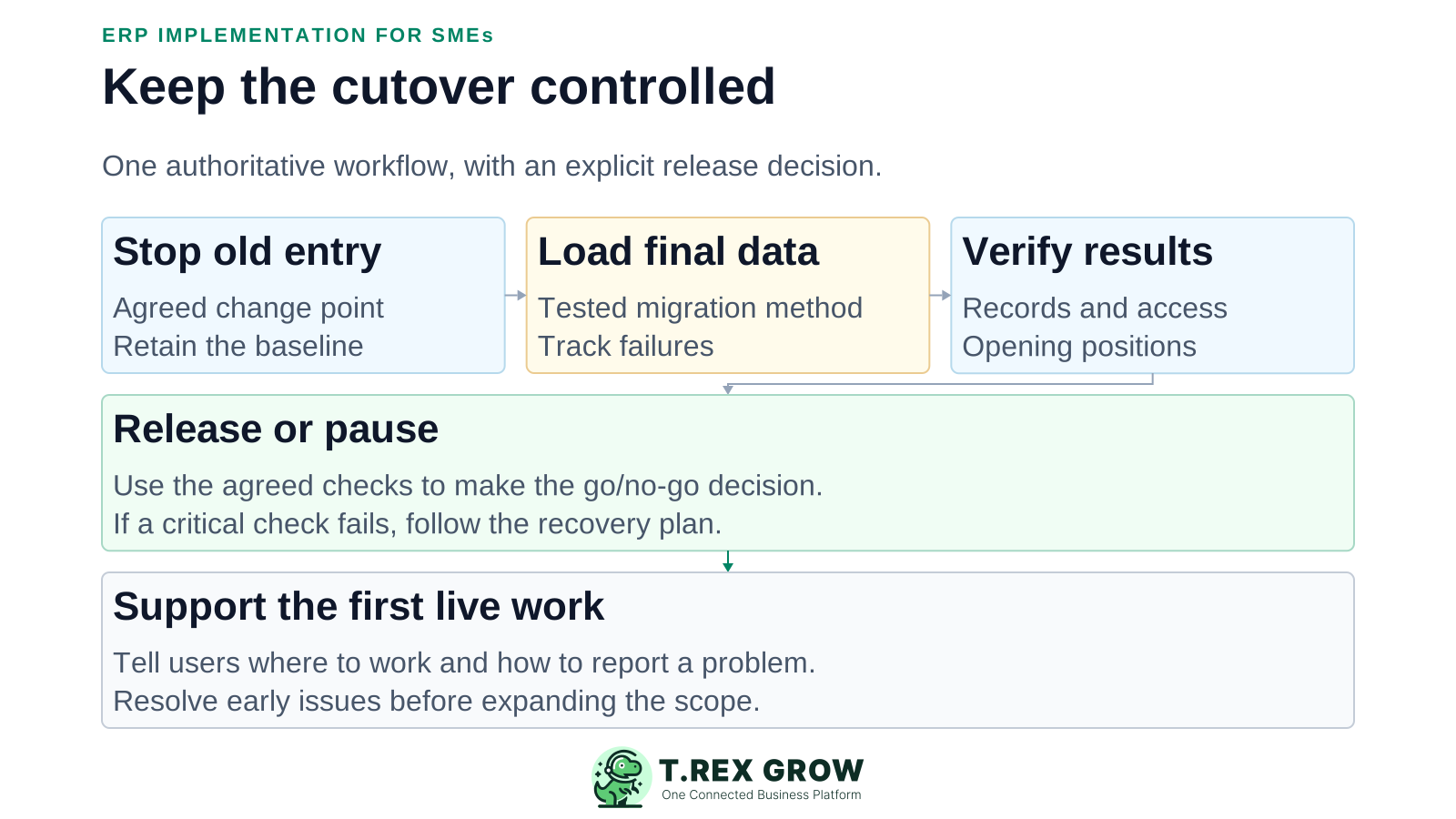
Confirm the approved scope, responsible people, contact channels and pause criteria.
Stop or control entry in the old workflow at the agreed point and retain an accessible baseline.
Load final changes using the tested method. Record results and resolve unexpected failures.
Verify opening positions, access and representative transactions before releasing the new workflow.
Make the explicit go/no-go decision. If checks fail, pause and use the agreed recovery process rather than improvising.
Tell users which system is now authoritative and route early issues to the named support owner.
Estimate from your actual scope and obtain a written statement of any external services. This guide is not a TREX Grow implementation quote.
Allow for cleanup, mapping, formats, permissions and supported integrations.
Include staff time for workflow decisions, testing, training and finance review.
Plan coverage during the switch, early issue handling and historical access.
Reserve capacity for known risks and unresolved dependencies; do not bury them in an optimistic launch date.
TREX Grow connects SME sales, purchasing, inventory and follow-up workflows. Evaluate those specific capabilities; do not assume every manufacturing, payroll, consolidation or enterprise ERP requirement is covered.
Free covers core records and sales activity. Starter expands sales documents; Essential adds purchasing/core stock; Premium extends warehouse controls. Confirm current plan scope.
Review company information, optional document formats and user permissions. The Getting Started guide explains the account and onboarding sequence.
Accounting is labelled Beta. If finance is in scope, require configuration, reconciliation and accountant acceptance before relying on the outputs.
Do not assume complete historical migration, a native legacy-system connector or customer-controlled backup restoration. Confirm the supported approach first.
Make early support visible and give recurring problems an owner. Choose review frequency based on operating risk and transaction volume.
Track blocked work, unresolved differences and failed handoffs with an owner and next action.
Ask users to complete the workflow themselves. Update instructions where they still rely on side spreadsheets or another person's memory.
Hand over settings, support contacts, known issues and the change process to the people who will run the system.
Expand only after the current slice is operating to the agreed standard, not simply because the launch meeting has ended.
The best practice is to make the next action clear before the situation becomes urgent.
Use TREX Grow's product tour and current plans to scope a small operational pilot. Keep the data, user and accounting checks visible before committing to a wider rollout.
A practical sequence is scope, prepare data and processes, configure, test, cut over and stabilise. Use acceptance criteria to decide when each stage is ready.