An operations-led gap
If quotes, purchase orders, receipts, supplier invoices and follow-up are spread across spreadsheets or chat, demonstrate the end-to-end operating record in both products.

Odoo offers a broad suite across sales, purchasing, inventory and accounting, with options that vary by edition and hosting. TREX Grow focuses on connected day-to-day SME records and Malaysia e-Invoice workflows; its accounting module is Beta. Compare a real transaction and the exact offer before deciding.
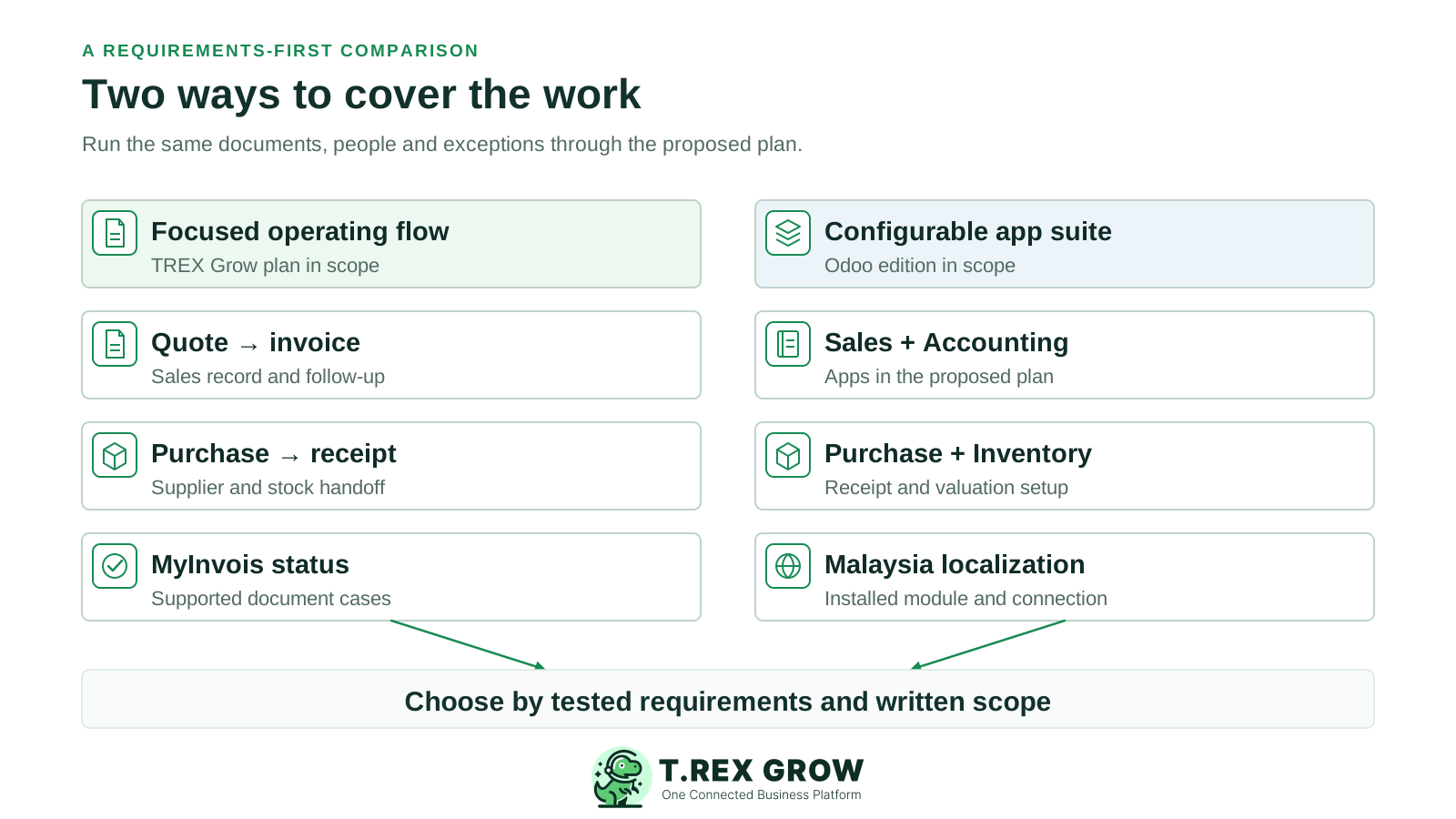
This guide is for a Malaysian SME evaluating one proposed Odoo setup against the TREX Grow plan it would actually use. Start with the work that must be completed, the people who approve it and the reports that must reconcile.
If quotes, purchase orders, receipts, supplier invoices and follow-up are spread across spreadsheets or chat, demonstrate the end-to-end operating record in both products.
If ledger, bank matching, tax treatment and period-end reports are the deciding factors, give the accountant an acceptance checklist. Odoo documents accounting workflows; TREX Grow Accounting is labelled Beta.
If the team also needs manufacturing, HR, eCommerce, custom apps or multiple companies, define those requirements explicitly. Odoo offers a wider application suite; test the selected edition and implementation proposal rather than assuming every app or customization is in every plan.
TREX Grow publishes this comparison and is one of the products discussed. Official vendor pages were reviewed on 25 September 2026. This is desk research, not a hands-on Odoo benchmark or a measured speed, cost or reliability ranking.
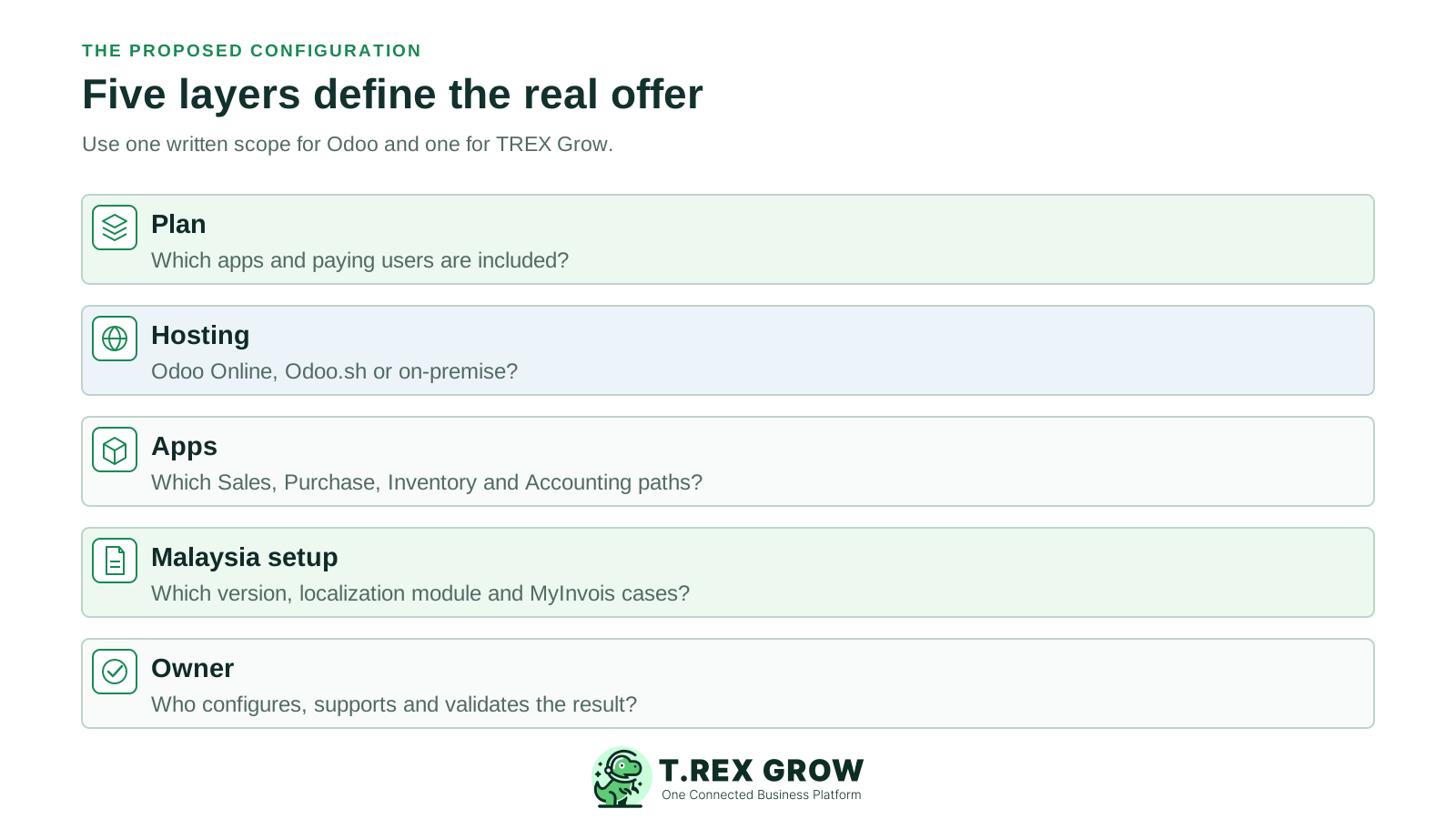
Odoo's current pricing distinguishes One App Free, Standard and Custom. Odoo Online, Odoo.sh and on-premise hosting are not interchangeable; Community is a separate edition. Ask which one is in your proposal.
A shared feature label does not establish the same result. Use the same users, documents, exceptions and acceptance criteria in each demonstration.
Where an exact integration, plan entitlement or document case has not been verified here, request a demonstration and written scope. Lack of verification is not proof of absence.
Odoo documents sales, purchasing, inventory and accounting apps, so a useful comparison goes beyond a simple operations-versus-accounting label. The important differences are the selected scope, setup, record ownership and accountant acceptance.
| Requirement | TREX Grow | Odoo documentation | Buyer test |
|---|---|---|---|
| Product scope | A focused SME workspace for sales, purchasing, stock, catalog/RFQ and supported Malaysia e-Invoice tasks; modules vary by plan. | A broader app suite, including Sales, Purchase, Inventory and Accounting. Entitlements and customization depend on plan, edition and hosting. | List the apps, users and records you will actually use; compare the quoted configuration. |
| Sales documents | Free includes quotations and invoices; broader sales documents and attachments come with Starter or above. | The Sales and Accounting apps document quotations, sales orders and customer invoices. | Change a quote, confirm the order and inspect the resulting invoice and history. |
| Purchasing and receipts | Essential adds purchase orders, stock entries, supplier invoices and returns; Premium adds deeper warehouse control. | Purchase documents RFQs, POs and vendor bills; Inventory documents receipts and stock movements. Confirm the proposed apps and receiving configuration. | Order 20 units, receive 12, then inspect the outstanding eight, supplier bill and stock value. |
| Accounting | Accounting Beta is available on paid plans. Calculations, postings and reports need qualified-accountant review. | Accounting documents journals, financial reporting and bank reconciliation, subject to configuration and local requirements. | Run opening balances, a correction, reconciliation and period-end reports with the accountant. |
| Malaysia MyInvois | Malaysia e-Invoice submission is listed even on Free for supported documents, with setup and data review required. | Odoo 19 Malaysia localization documents the l10n_my_edi module, MyInvois connection, invoice and self-billed submission, status and note workflows. | Confirm the selected Odoo version and edition, then demonstrate the relevant invoice, correction and status cases in each system. |
| Approvals and permissions | Permissions and Request/Approve behaviour exist on supported documents; do not assume arbitrary thresholds or multi-level routing. | Odoo Studio documents conditional approval steps; its public pricing lists Studio in Custom. Check the exact Studio entitlement and any other approval app in scope. | Test requester, approver, rejection, changed value and audit evidence on the quoted plans. |
| Catalog and enquiries | Free lists a public product catalog and RFQ tools, with staff review before quotation. | Odoo has website and commerce apps; this review did not establish an identical public catalog-to-RFQ handoff for the proposed setup. | Ask each vendor to show a buyer enquiry becoming an internal quote if that journey matters. |
| Customization and API | Ask TREX Grow about documented export, import and integration routes for your exact requirement. | Odoo's Custom offer lists Studio and External API, with Odoo.sh or on-premise options for custom development. | Write down the custom work, maintainer, data ownership and upgrade path. |
Attach each claim to an edition, plan and demonstrable outcome. A feature checklist is a starting point, not a migration decision.
Recurring issues usually point to workflow-control gaps, not one isolated data-entry mistake.
One App Free, Standard, Custom and Community differ in app access or deployment. Confirm the written offer before assigning a capability or cost to the brand.
Odoo 19 documents direct MyInvois integration through its Malaysia e-Invoicing localization module. Verify that the proposed version and setup support your actual documents.
Beta status is material. Keep an accepted accounting process until a qualified accountant validates the required posting, reconciliation and reports.
TREX Grow Free does not include Essential purchasing and stock. Odoo One App Free is a one-app offer with required dependencies, not the whole multi-app suite.
No direct TREX Grow–Odoo connector was verified here. Define exports, mappings, historical access and reconciliation before relying on a transfer.
These are shortlist prompts, not a universal verdict. Test the workflow, accountant needs, existing setup and actual implementation proposal.
Use a quote, purchase order, partial receipt, supplier invoice and follow-up to test connected records. Select Essential or Premium if the pilot needs purchasing or warehouse features.
If the required suite includes multiple business functions, deeper accounting or tailored controls, demonstrate those in the specified Odoo plan and hosting model with the implementation owner.
If the current setup meets operational and accounting requirements, compare configuration, training and smaller fixes with the cost and disruption of replacement.
If operations and accounting remain separate, specify which system owns each invoice, receipt, payment and stock value. Reconciliation is necessary until a supported integration is proven.
Public prices can change by location, billing term and offer. Ask for a written comparison covering users, apps, hosting, implementation, local setup and support. A lower subscription line alone does not settle total cost.
| Area | Ask TREX Grow | Ask Odoo or its implementer |
|---|---|---|
| Plan and users | Which of Free, Starter, Essential or Premium includes the required modules? Every public plan lists unlimited users and products. | Is the proposal One App Free, Standard, Custom or Community? How are paying users counted and which apps are included? |
| Hosting and custom work | What configuration, export or integration work is supported and who maintains it? | Is it Odoo Online, Odoo.sh or on-premise? Does Studio, API, third-party code or partner work change the offer? |
| Malaysia e-Invoice | Which supported document types, setup steps and error-recovery path apply? | Which Odoo version and Malaysia localization modules are installed? Who configures and supports the MyInvois connection? |
| Accounting acceptance | Who reviews Accounting Beta outputs and how will discrepancies be handled? | Who configures opening balances, tax, journals, bank reconciliation and period-end reports? |
| Migration and support | Which records and attachments can be moved, retained or exported, and who validates the result? | What data migration, user training, partner work, hosting and ongoing support are included? |
Use safe sample records in both products. Ask for the proposed Odoo edition, plan, hosting and modules in writing. Do not use a live MyInvois submission or customer message as an unplanned test.
Record the current facts in one shared place.
Confirm what is known and what needs attention.
Make the next decision or follow-up accountable.
Complete the next task and record the outcome.
Refresh the shared view when facts change.
A dependable workflow keeps the shared record and the next action aligned.
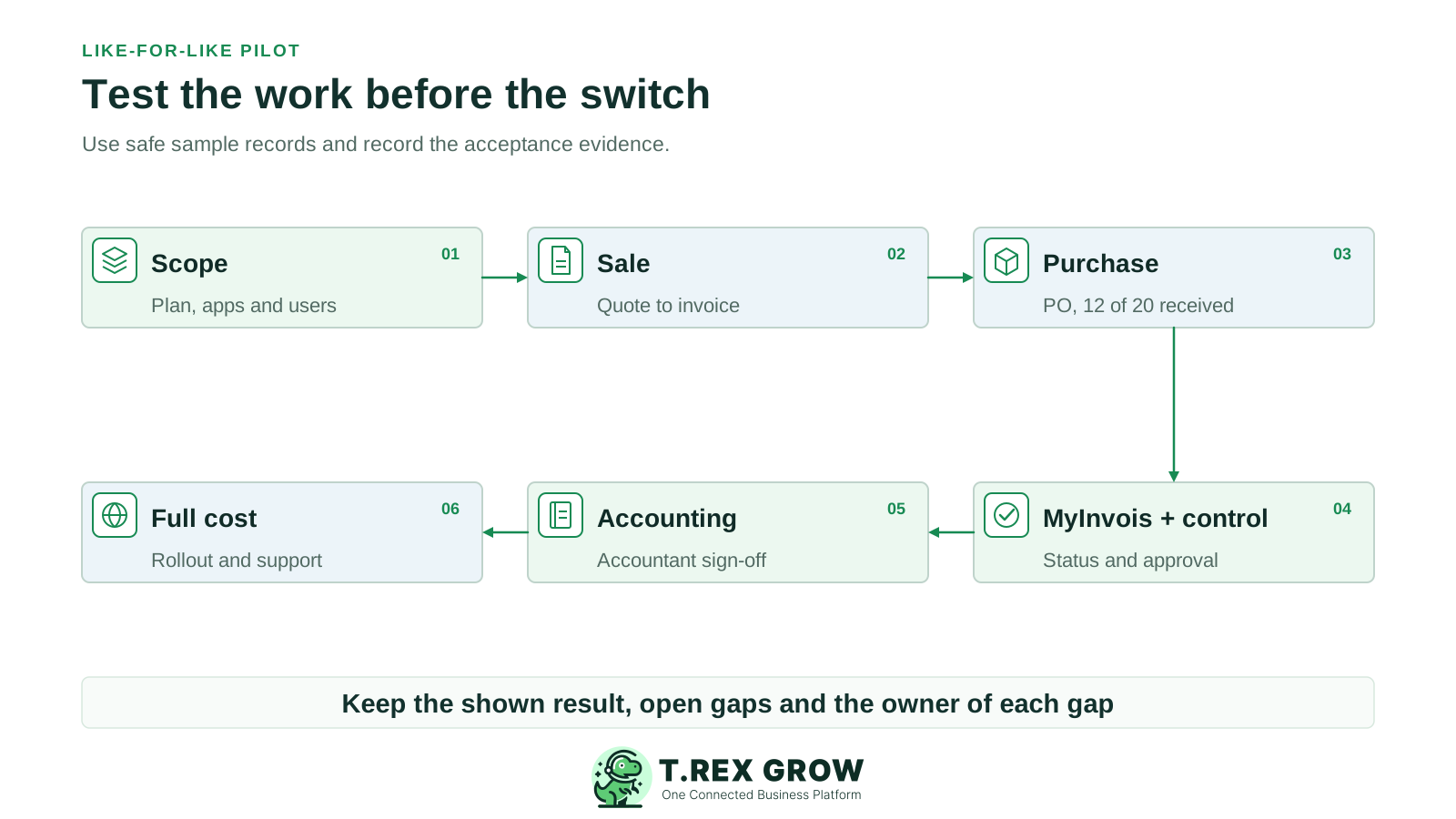
Record non-negotiable outcomes, users, Odoo edition and hosting, TREX Grow plan, apps and any custom work.
Run a safe quote-to-order-to-invoice sale. Capture changed values, owner, status and follow-up evidence.
Create a PO for 20 units, receive 12 and inspect the remaining eight, supplier bill and stock value.
Demonstrate relevant MyInvois statuses and correction cases in a safe environment; test requester, approver and rejected-document handling.
Have the accountant verify opening balances, postings, bank reconciliation and reports. Treat TREX Grow Accounting Beta as unaccepted until reviewed.
Compare written subscription, users, hosting, implementation, training, migration, support and ongoing maintenance costs.
A polished demo is not an acceptance test. Keep a record of the shown configuration, results, remaining gaps and the person responsible for each gap.
List open sales and supplier documents, balances, stock quantities, tax fields, attachments and history that must remain accessible after a switch.
Check field mapping, duplicate prevention, tax identifiers, attachments and reconciled opening balances. A product master import is not a complete accounting migration.
Operations signs off the day-to-day handoffs; a qualified accountant signs off postings, reconciliation and reports if accounting is in scope.
Check access, backup, data location, recovery, retention and support for the selected deployment. This comparison does not certify either product or guarantee compliance.
The best practice is to make the next action clear before the situation becomes urgent.
Choose the TREX Grow plan that includes your required documents and run the same sale, purchase and MyInvois cases you request from Odoo. Keep the accountant's acceptance criteria and total rollout scope beside both results.
No. TREX Grow is worth testing for a focused connected operating workflow. Odoo offers a broader app suite and documented accounting, purchasing and inventory capabilities. The fit depends on your required work, proposed configuration, accountant acceptance and rollout cost.