The document has several copies
A printout, email attachment and shared-drive file can each look current after one has changed.

Moving an approval online is more than replacing a paper signature with a click. Start with one business document, keep its current version and reviewer in the same process, and make the decision visible before the next action happens.
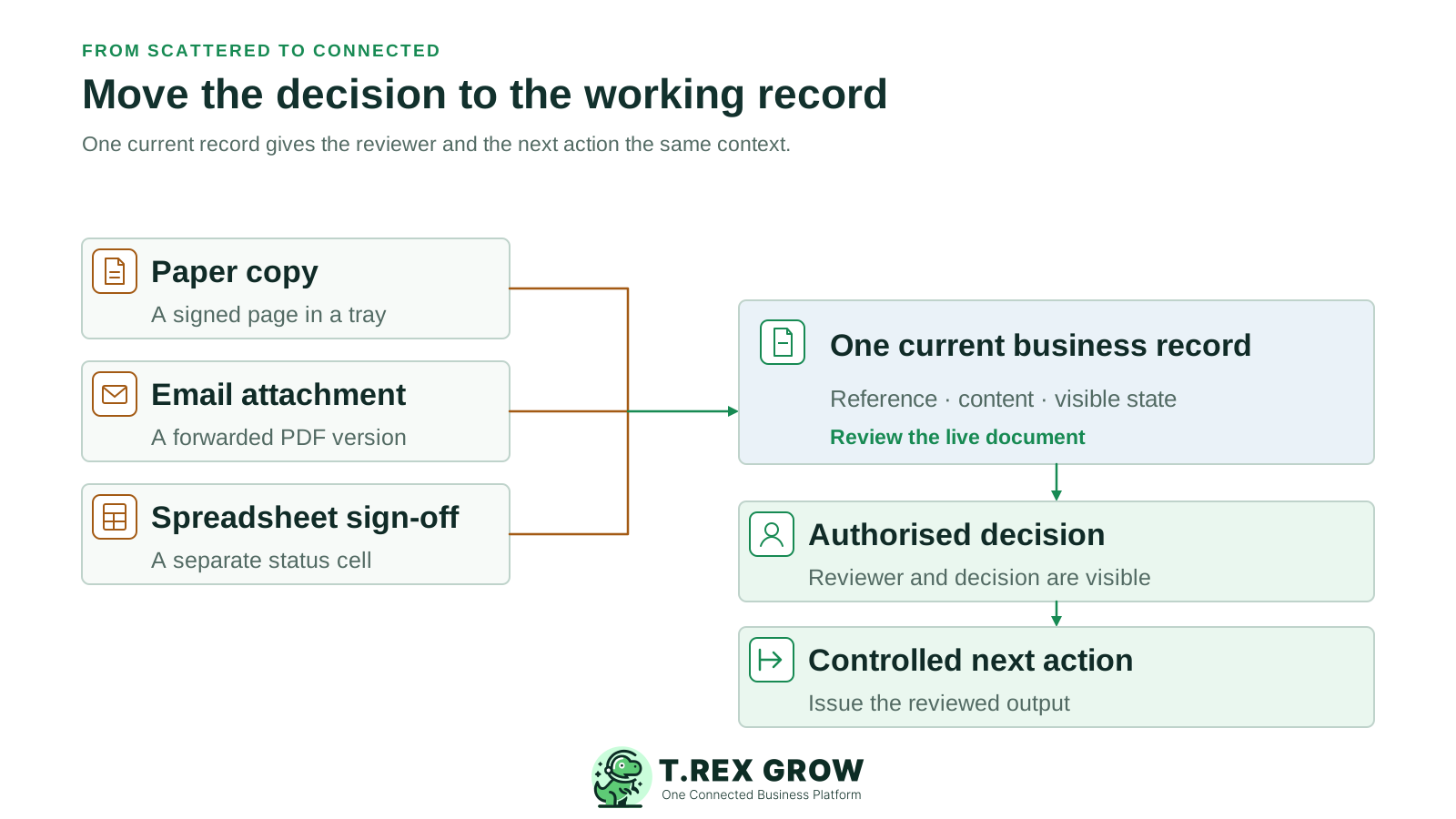
A business may already email PDFs and keep spreadsheets, yet the approval lives in a separate message. The document owner then has to interpret which version was reviewed, update the working record and tell the next person that the decision happened.
Operational pressure
When records live in different places, the person responsible has to reconstruct what happened before they can make a confident decision or follow up.
A printout, email attachment and shared-drive file can each look current after one has changed.
A manager replies yes in chat while the quotation or PO still shows an unfinished state.
A shared login or forwarded response makes it difficult to tell who had authority and who merely passed on the message.
Someone must translate the decision into an official document, stock action or another operating step.
A useful digital approval process joins the current business record to the people and states that control it. The goal is an understandable handoff, not a new file format or an extra inbox.
A quotation, purchase order or other supported record has a clear reference and current content for review.
The requester, authorised reviewer and person who acts after approval are distinguishable.
The team can see whether a request is still being prepared, waiting for a decision or authorised for its next step.
The approved version and resulting document or action are linked by an operating procedure rather than reconciled from memory.
Choose one frequent decision and write down where the source record, evidence, request, answer and final output live today. This reveals which gaps a digital workflow must close and which controls remain a management responsibility.
| Handoff | Common scattered approach | Target digital habit |
|---|---|---|
| Prepare the document | Create a file, print a copy or circulate a spreadsheet row. | Prepare one current business record with its key details. |
| Request review | Send a separate email or message asking for a quick yes. | Make the request on or directly linked to that record. |
| Make the decision | Reply to a thread that may contain an earlier attachment. | Review the current record with an identified authorised user. |
| Continue the work | Copy the answer back into a tracker and issue a different file. | Use the visible decision to release the reviewed output and record the next action. |
A shared folder can store files, but it does not by itself show the request state or the authority behind a decision. Keep the current record as the anchor and connect supporting evidence, user access, decision identity and the resulting output around it.
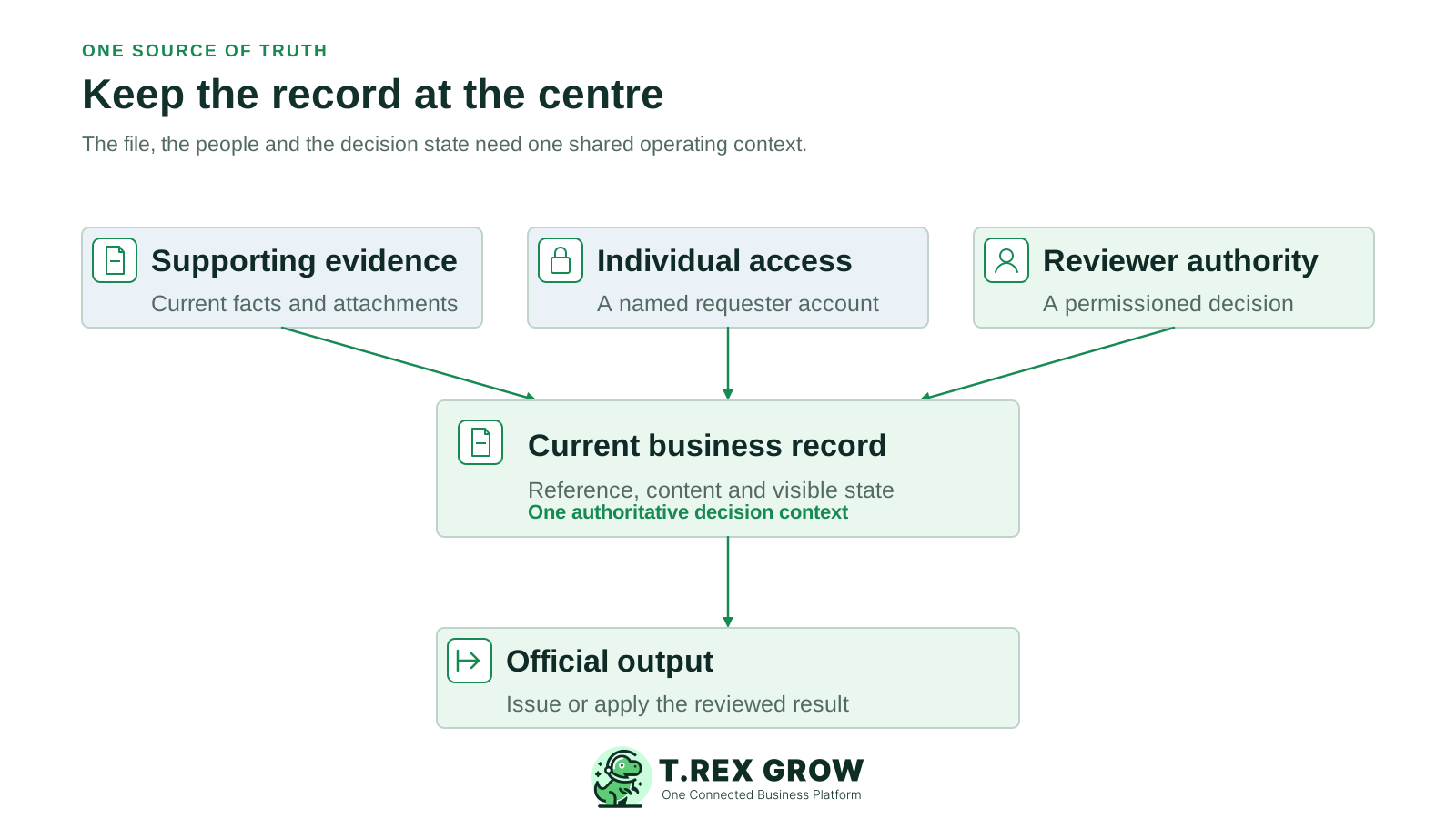
Keep the relevant quote, terms, count evidence or invoice easy for the reviewer to inspect, while recognising that attachment support differs by workflow.
Give preparers and reviewers individual accounts and the permissions their actual document work requires.
Agree what prepared, waiting and approved mean in the chosen workflow; a notification alone is not a completed decision.
Check that the document issued or action applied matches the approved business content.
Start with a small pilot rather than changing every department at once. Test the path with the people who will prepare, review and release the work; adapt the order and timing to the SME's operating needs.
Record the current facts in one shared place.
Confirm what is known and what needs attention.
Make the next decision or follow-up accountable.
Complete the next task and record the outcome.
Refresh the shared view when facts change.
A dependable workflow keeps the shared record and the next action aligned.
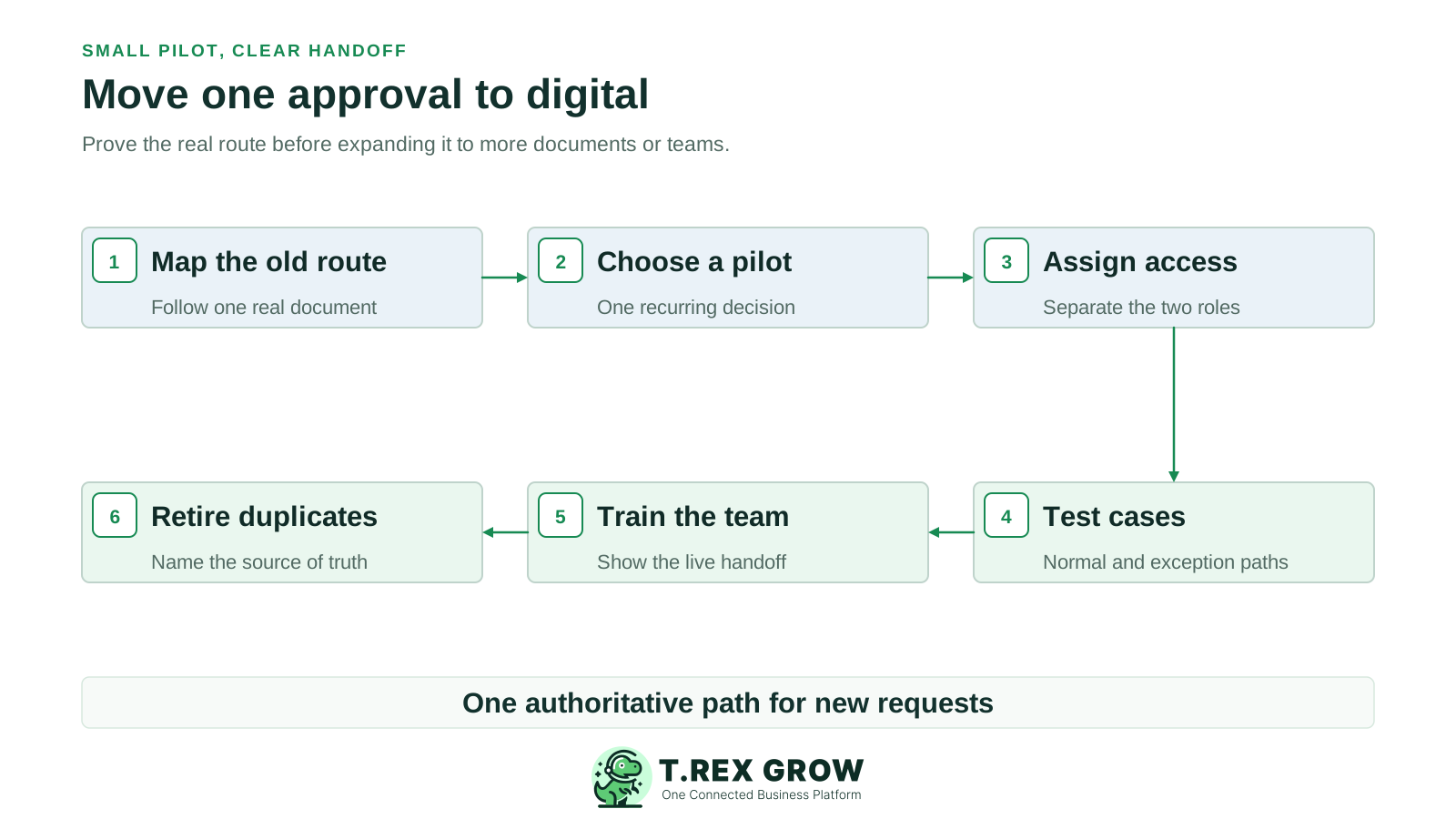
Map the old route: follow one recent document from preparation through request, decision and final issue.
Choose a pilot: select one recurring document with a clear requester, reviewer and operating result.
Assign access: give each test user the relevant record permissions and approval responsibility.
Test real cases: run a normal request, an incomplete request, a changed record and an absent-reviewer scenario using the team's written procedure.
Train the team: show where to prepare the record, find pending work, review it and confirm the resulting output.
Retire duplicate tracking: after the pilot is stable, name the authoritative record and stop treating a separate chat or sheet as the approval source.
Technology does not decide an SME's authority policy. Confirm that the configured path supports the normal case, and write a practical response for cases the software does not automate.
Test as the real preparer and approver, not only as an owner or administrator who can see every action.
Verify whether a user can finalise without another person and whether that matches the business's chosen authority rule.
Agree how the team pauses and corrects an incomplete request without claiming an automatic return-for-change feature.
Name the authorised human backup and how the business will record an exceptional decision when the usual path is unavailable.
Check the official document or stock effect separately from the approval status; later receipt and payment still have their own controls.
The best practice is to make the next action clear before the situation becomes urgent.
Consider an illustrative Malaysian wholesaler. Today the buyer emails a PO PDF and the owner replies approved; the buyer then updates a spreadsheet and sends another PDF to the supplier. In a digital pilot, the team prepares the working PO, routes it to the authorised reviewer and checks the official supplier-facing output after the decision.
Supplier, items, quantities, prices and terms should be visible on the record reviewed by the decision-maker.
The buyer prepares the PO and the authorised reviewer inspects it using separate access; the SME decides how backup coverage works.
After the test is reliable, the team identifies which record is authoritative and stops treating an email reply or spreadsheet cell as the current approval.
PO approval can authorise a supplier commitment. Goods receipt, supplier-invoice review and payment still require their own evidence.
The screen may look modern while the handoff stays fragmented. Check the operating change as closely as the tool setup.
Recurring issues usually point to workflow-control gaps, not one isolated data-entry mistake.
A scanned signature can preserve an image while the current business record and waiting status remain elsewhere.
If chat, a spreadsheet and the new record all claim to be final, staff still need to reconcile conflicting answers.
A common account can erase the distinction between the person who prepared a document and the person who approved it.
Test threshold routing, delegation, return handling and reapproval after edits instead of inferring them from an approve button.
A broad rollout makes it harder to see which handoff failed or which team needs instruction.
During the first weeks, review a small sample of real requests rather than measuring success by the number of accounts created. The cadence is a suggested management practice, not a universal target.
Count how many pilot requests begin on the agreed business record versus a separate message or old spreadsheet.
Ask requesters and reviewers to find the same pending item without searching through private conversations.
Look for copying a decision between systems, mismatched versions and duplicate attachment handling.
Trace a few decisions to the issued document or applied action and record any gap that needs a process fix.
The best practice is to make the next action clear before the situation becomes urgent.
TREX Grow has verified module-specific approval paths for supported business records. An SME should configure and test the relevant module with its own users, rather than assume one universal approval engine or identical behaviour across every record type.
Supported quotations and purchase orders carry the customer or supplier details, items and commercial terms that the reviewer needs.
Company membership and module permissions distinguish users who request approval from those authorised to approve in supported workflows.
A supported request can enter Pending Approval; verified quotation and PO paths record the approver and approval date.
For verified quotations and POs, approval or permitted direct finalisation generates the official PDF from the business record.
Do not assume amount-based routing, multiple approval levels, automatic delegation, return-for-change routing or automatic reapproval of edits.
Pick a quotation or purchase order that currently needs an informal sign-off. Map its old route, configure the preparer and reviewer, test the pending decision and compare the official output with the reviewed record before expanding the process.
It is a defined way to prepare a current business record, send it to an authorised reviewer, show its waiting and decision states, and continue only with the work that was approved.