One current source per data set
Name the file or system used for company, customer and product data. Record the date of the extract and the person who can approve corrections.

Bring together the records your first workflow actually needs. Give each data set an owner, resolve duplicates and missing fields, then check a small sample in TREX Grow before using it for live work.
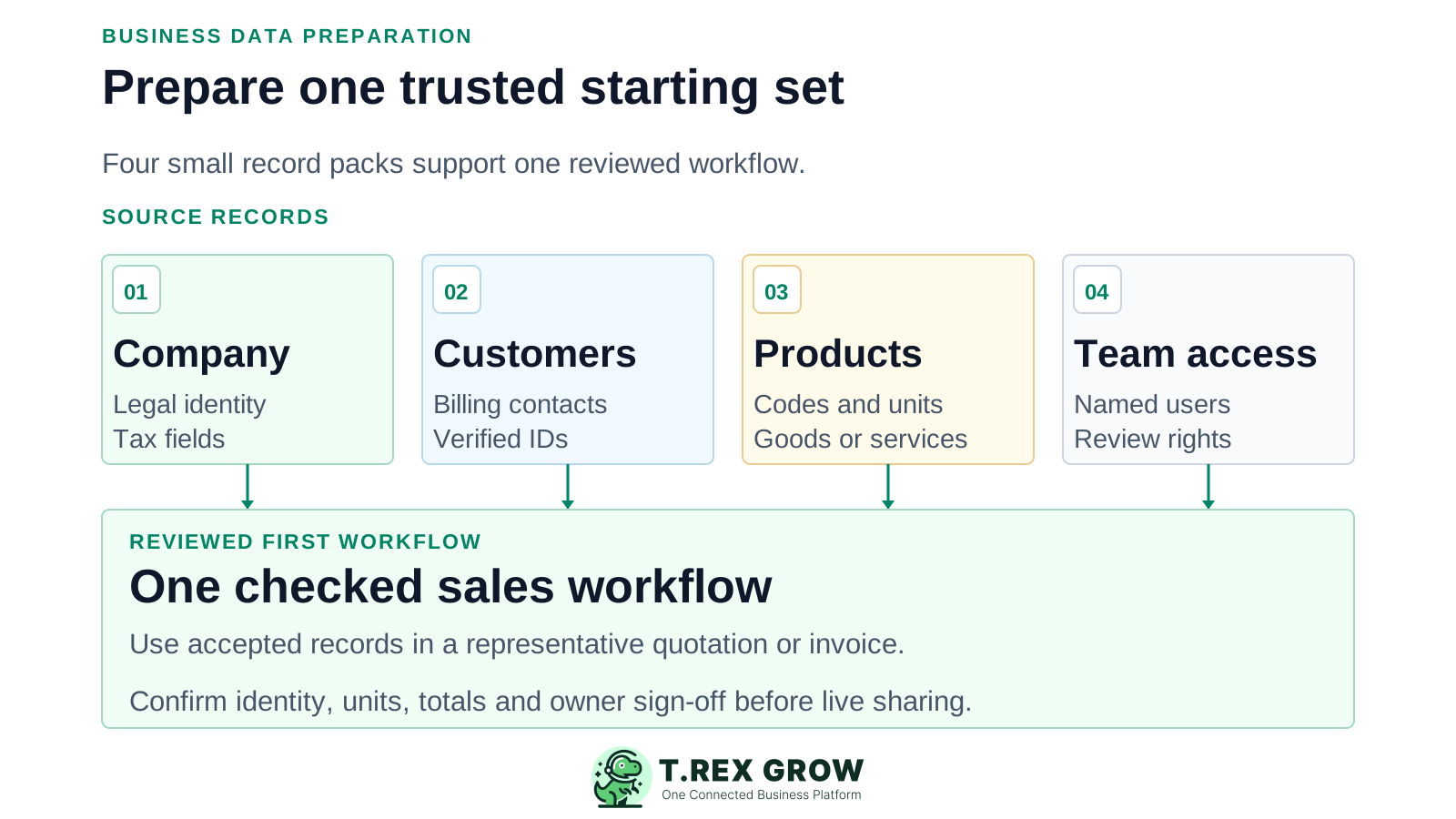
Choose one real workflow first, such as customer to quotation to invoice. Prepare only its active records, known owners and checks. A clean source list is more useful than a large unreviewed export.
Name the file or system used for company, customer and product data. Record the date of the extract and the person who can approve corrections.
Choose a stable customer or product identifier, decide which duplicate survives and keep an exception list. Do not delete old evidence simply because it is not in the first pilot.
Use representative records to create and review a document internally. The owner should accept identity, lines, units, totals and access before live use.
TREX Grow's current plan page shows core customer, product, quotation and invoice work on Free; broader purchasing and stock workflows need higher plans. Confirm the current scope before preparing data you cannot yet use.
| Workflow to pilot | Data to prepare now | Plan check |
|---|---|---|
| Sales documents | Company identity, active customers, products or services, document reviewer and numbering conventions. | Core customer, product, quotation and invoice workflows are listed on Free; check document-specific limits. |
| Purchasing and core stock | Add suppliers, payment terms, product-to-supplier links, stock units and a dated opening stock baseline. | Purchasing and core stock are listed on Essential; review current plan details. |
| Extended warehouse controls | Add location structure, count owners and any warehouse-specific identifiers needed for the pilot. | Extended warehouse controls are listed on Premium; validate the exact capability. |
| Accounting outputs | Agree accounts, tax treatment and opening figures with the finance reviewer before using outputs. | Accounting is labelled Beta; an appropriately qualified accountant should review calculations and postings. |
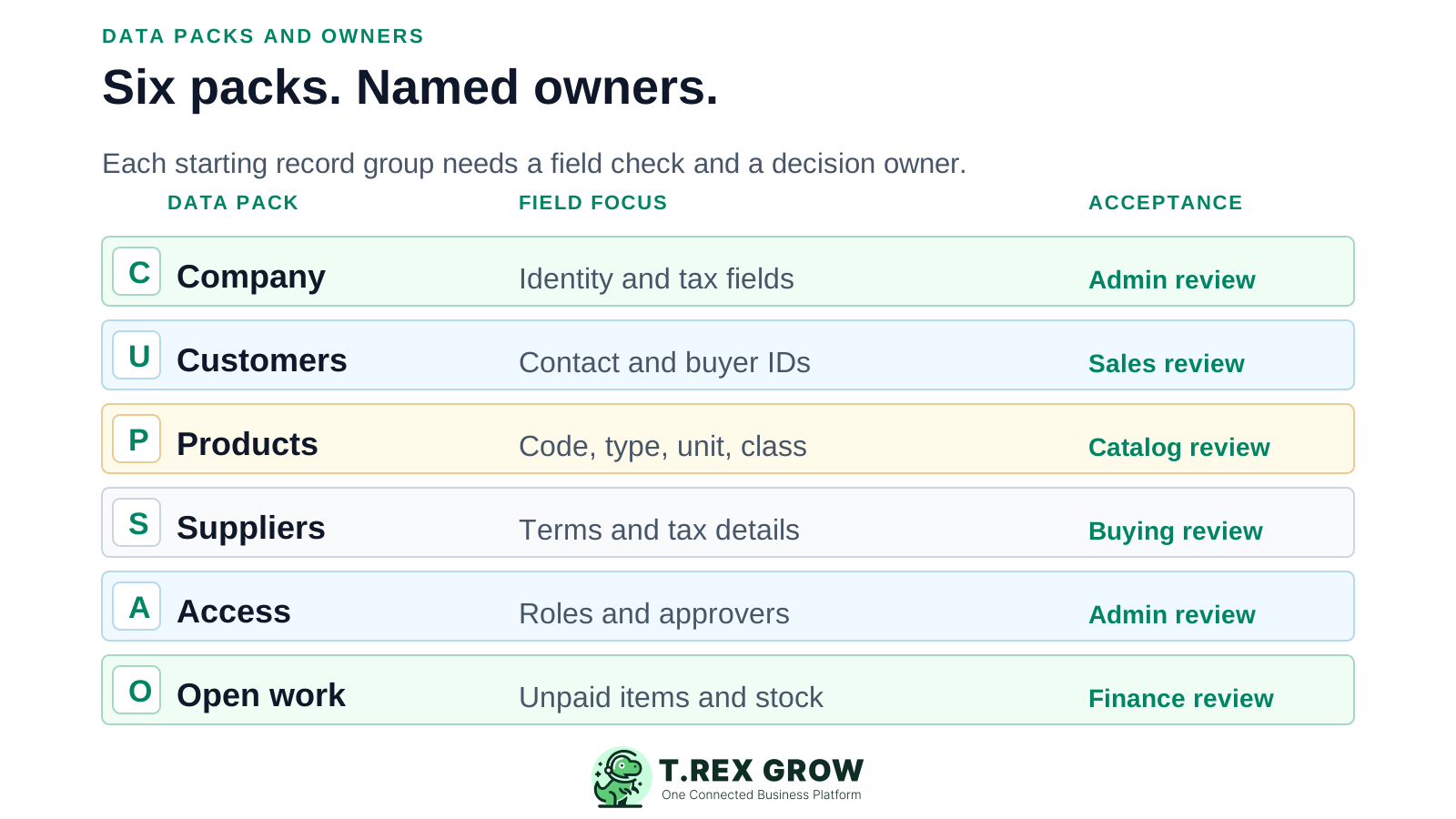
Use a named owner and an acceptance check for each pack. Supplier, stock and warehouse detail is conditional on your selected plan and first workflow.
| Data pack | Prepare and check | Suggested approver |
|---|---|---|
| Company | Confirm registered name, business address, contact details and applicable tax identifiers against current records. | Owner or administrator |
| Customers | Keep active billing/contact details, a stable identity and applicable tax fields; merge obvious duplicates after review. | Sales or finance owner |
| Products and services | Check code/SKU, name, goods versus service, unit of measure, price, category and applicable classification. | Catalog owner |
| Suppliers, if in scope | Check current contact, payment terms and applicable tax details; decide which products are linked to each supplier. | Purchasing owner |
| Users and access | List users by role, workflow responsibility and approval authority. Give each person their own access. | Administrator and process owner |
| Open work, if in scope | List unpaid or in-progress documents and stock quantities as of an agreed date; reconcile before recreating or migrating anything. | Process owner and finance reviewer |
Keep the original export and a separate reviewed working copy. Log corrections so the business owner can explain why a value changed.
Use one code per product and one agreed key per customer. Keep leading zeros and distinguish legal names from display names.
Decide whether each item is a good or service, use consistent units and check prices, tax treatment and stock quantities in the right unit.
Mark missing fields, conflicting addresses and duplicate records for owner review instead of silently guessing or filling them with placeholders.
Identify what is needed for the first workflow and how older records will remain retrievable. Historical access and retention need their own decision.
The best practice is to make the next action clear before the situation becomes urgent.
If the pilot includes Malaysia e-Invoice, review the supplier and buyer details required for that document type. HASiL publishes current code lists and TIN validation guidance. Requirements vary by transaction and party; resolve uncertainties with your tax adviser or the official MyInvois guidance.
Confirm the issuer's registered details and applicable tax identifiers before issuing documents. Do not assume a general contact record is submission-ready.
Check the buyer's applicable TIN and registration or identity information where required. TREX Grow documents TIN lookup support in the LHDN review flow, but a lookup does not replace owner review.
Review relevant classification, unit, tax and other MyInvois code values against current official lists. A data-preparation checklist does not guarantee a valid submission.
TREX Grow's documented bulk CSV flow is for products, with validation, inline correction and an error summary. That does not establish bulk import for customers, suppliers, opening balances, attachments or transaction history. Confirm supported methods and service scope for every other data set before setting a migration date.
| Record type | What is documented | Decision before rollout |
|---|---|---|
| Products | Product CSV bulk import with validation and correction is documented. | Test a small file, fix errors and check resulting product codes, units and classifications. |
| Customers and suppliers | The product documentation describes record management, but this page makes no bulk-import claim. | Verify the current creation or migration route and effort with TREX Grow. |
| Opening work and history | No universal history or opening-balance import is assumed. | Agree a dated baseline, in-scope open items and retrieval plan for historical evidence. |
This is a practical business process for your team, not a claim that TREX Grow automatically performs each step.
Record the current facts in one shared place.
Confirm what is known and what needs attention.
Make the next decision or follow-up accountable.
Complete the next task and record the outcome.
Refresh the shared view when facts change.
A dependable workflow keeps the shared record and the next action aligned.
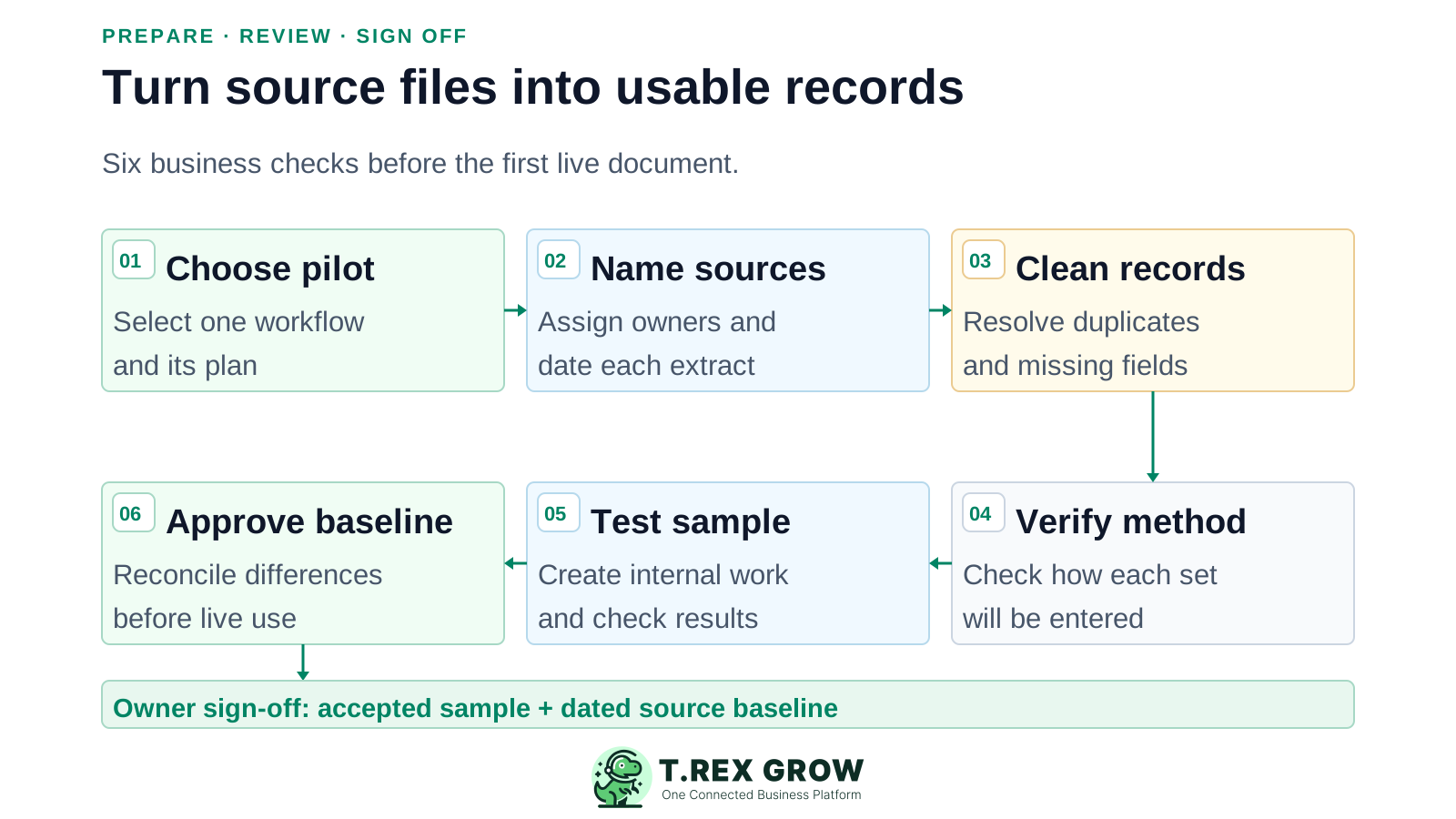
Choose the first workflow and the plan that includes its required documents or stock activity. Write down what is out of scope.
Name the authoritative source and approving owner for every required data pack; date the extract and keep the original.
Remove or resolve duplicates, inactive records, missing fields and inconsistent codes in a reviewed working copy.
Map fields and verify the actual entry or import method for each record type. For products, rehearse the documented CSV validation flow with a small sample.
Create a representative internal workflow with intended user permissions. Check identity, lines, units, totals, tax-related fields where relevant and any errors.
Reconcile the pilot results to the agreed source and have the responsible owners approve the baseline or record issues before live use.
Use safe sample records and keep practice documents internal. Do not send practice documents to customers or make a live tax submission just to see whether setup worked.
Keep a short exception list with the record, issue, decision, owner and retest result. A successful row count alone does not prove correctness.
Agree how changes made after the source extract will be captured before the first live document. Avoid creating two competing sources of truth.
| Check | Pass condition | Owner |
|---|---|---|
| Identity | Company and selected customer details match the approved source; applicable tax fields have been reviewed. | Business or finance owner |
| Catalog | Selected codes, units, goods or service types, prices and relevant classifications match the reviewed list. | Catalog owner |
| Workflow | An intended user can complete the sample, while access and approval boundaries behave as agreed. | Process owner |
| Opening position, if used | Selected open documents or stock quantities reconcile to a dated source baseline and differences are explained. | Finance or stock owner |
The best practice is to make the next action clear before the situation becomes urgent.
TREX Grow connects customer and product records to its sales documents, with additional purchasing and stock workflows by plan. Use the product tour to inspect the workflow you intend to run, then build your workspace with records the owner has accepted.
Create accurate company, customer and product records for a quotation or invoice pilot. Add only the staff who need to work on or review it.
Prepare suppliers, stock and warehouse information when the plan and operational scope call for it. Check the current plan page before assuming a feature is included.
Accounting is marked Beta. If finance outputs are part of the pilot, arrange an appropriately qualified accountant's review and reconcile results before relying on them.
Use the checklist to assemble a reviewed starting set. Create your TREX Grow workspace, test a representative document internally and expand only after the owners accept the result.
Start with accurate company details and the active customer and product records needed for one sales workflow. Name the record owners and reviewers. Supplier, stock and warehouse records are needed only if your selected plan and pilot include those workflows.