The buyer has an old file
A saved PDF may show a previous range or description. Sending a new version does not remove copies that customers already downloaded.

Give buyers one link to browse selected products and request a quotation. TREX Grow keeps the product, quantity and enquiry details together, while your sales team reviews price, availability and delivery before quoting.
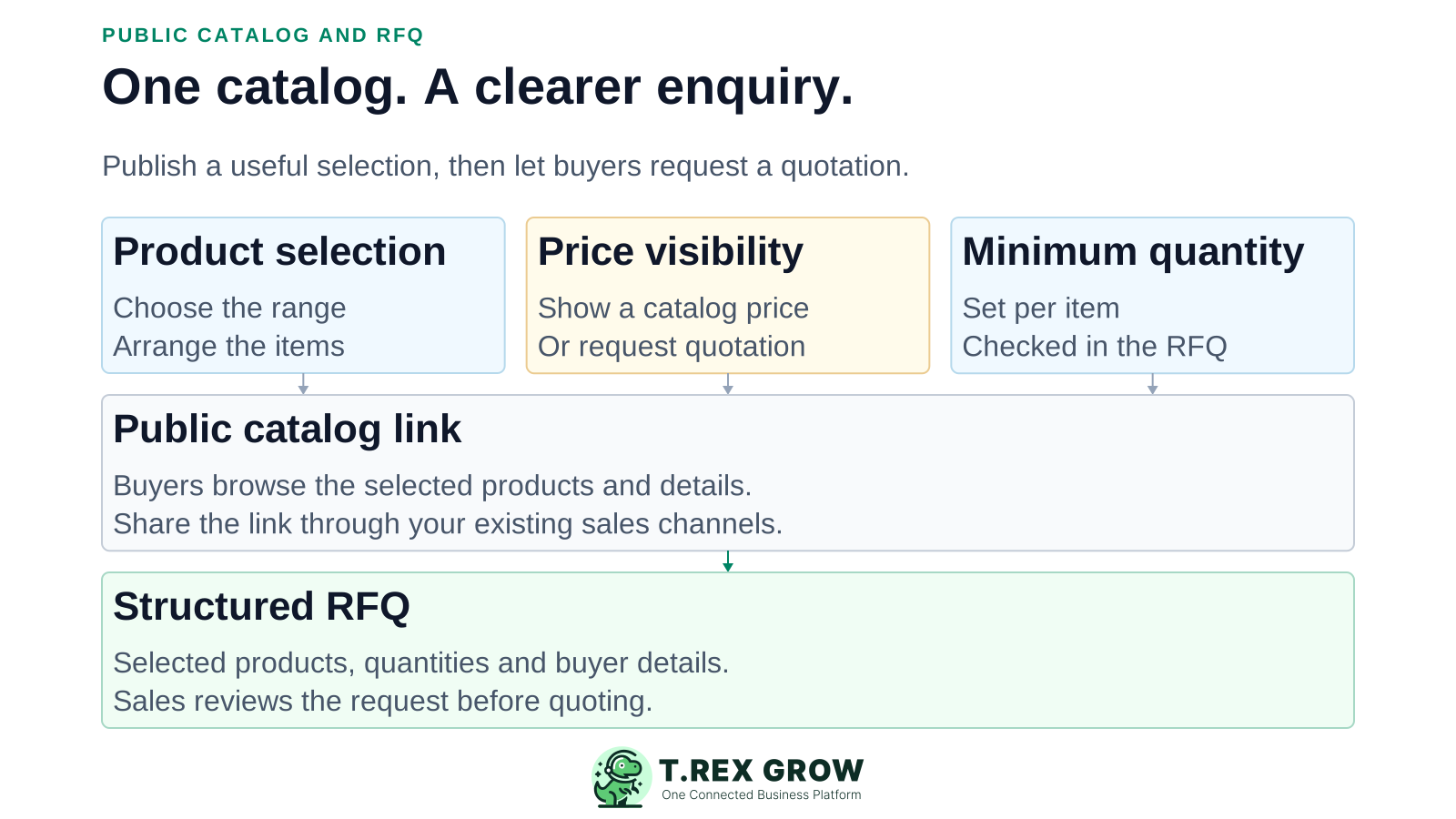
When products are shared as disconnected files and messages, the sales team often has to reconstruct the request before it can price anything.
Operational pressure
When records live in different places, the person responsible has to reconstruct what happened before they can make a confident decision or follow up.
A saved PDF may show a previous range or description. Sending a new version does not remove copies that customers already downloaded.
A screenshot and 'please quote' leave staff asking which product, unit and quantity the customer actually needs.
Product names and details are retyped from chat into a working list, making it harder to keep the enquiry consistent.
Some items have a display price; others depend on volume or specifications. A catalog should support that distinction.
Files remain useful references, but they do not by themselves connect a product selection to an incoming RFQ. TREX Grow adds that enquiry step without presenting the catalog as an online checkout.
Recurring issues usually point to workflow-control gaps, not one isolated data-entry mistake.
Choose the intended range instead of assuming every product record belongs on a public page.
Keep the selected products and quantities in an RFQ, then use communication to resolve the remaining commercial questions.
Review specifications, availability, delivery and final terms before issuing the quotation. A request is not an accepted order.
Create a named catalog with its own link, description and selected product items. Configure the buyer-facing information for that selection while keeping the product records in the workspace.
| Setting | Practical decision |
|---|---|
| Product selection | Which products should this audience be able to request? |
| Description | Does the buyer understand the specification and intended use? |
| Price visibility | Show a catalog price or leave pricing to the quotation? |
| Minimum quantity | What is the smallest quantity buyers may request for this item? |
| Display order | Which products should buyers encounter first? |
Add the products that belong in this catalog and arrange their display order. You do not need to expose the whole product range.
Override an item's description for the catalog, or use the product description when there is no catalog-specific text.
Each item has a price-display setting and can carry a catalog-specific price. Hide pricing when the buyer should request a quotation.
Define a minimum quantity for each catalog item. The RFQ flow checks requested quantities against these minimums.
Product names, codes and units help buyers distinguish similar items and communicate what they need.
Public product and company attachments depend on the plan. Check the buyer-facing page rather than assuming every internal image or PDF will appear.
Public availability depends on the catalog and the products in it. Review both before putting the link in customer messages, email or your website.
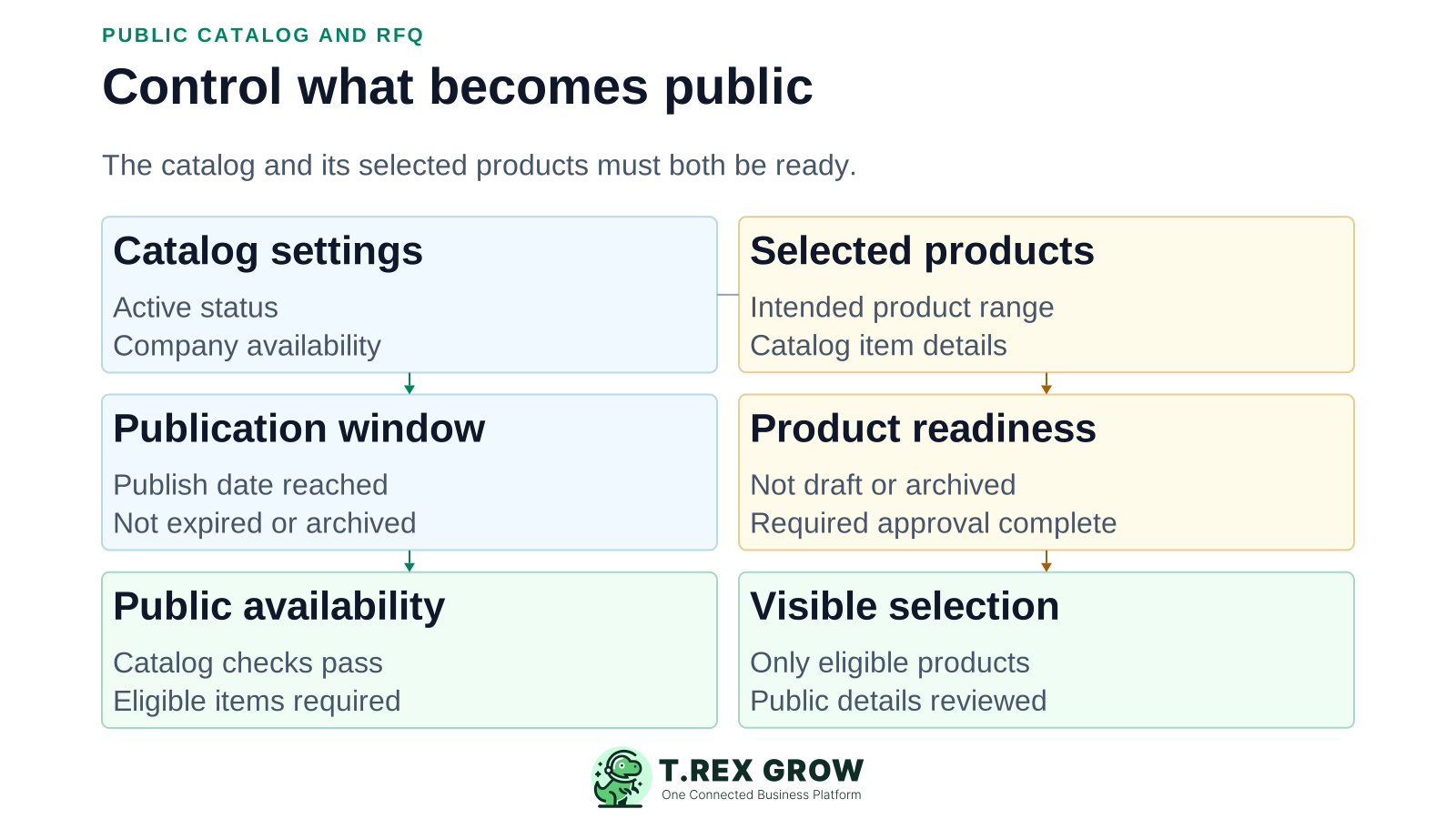
A public catalog must be active and within its configured publication window. It must also have eligible visible products and an available company account.
Draft, archived or still-unapproved products are not eligible for public display. Resolve those states before relying on the catalog selection.
The preview helps inspect the page, but RFQ submission is disabled there. Buyers submit requests through the published public catalog.
The public URL uses the company and catalog slugs. Changing a catalog slug breaks previously shared catalog links; review the effect before changing it.
Check descriptions, contact details and any exposed attachments for content that should not be shared. This is not a password-protected buyer portal.
The public catalog provides a structured enquiry path. Staff remain responsible for the commercial response and for deciding whether the request should become a quotation.
Record the current facts in one shared place.
Confirm what is known and what needs attention.
Make the next decision or follow-up accountable.
Complete the next task and record the outcome.
Refresh the shared view when facts change.
A dependable workflow keeps the shared record and the next action aligned.
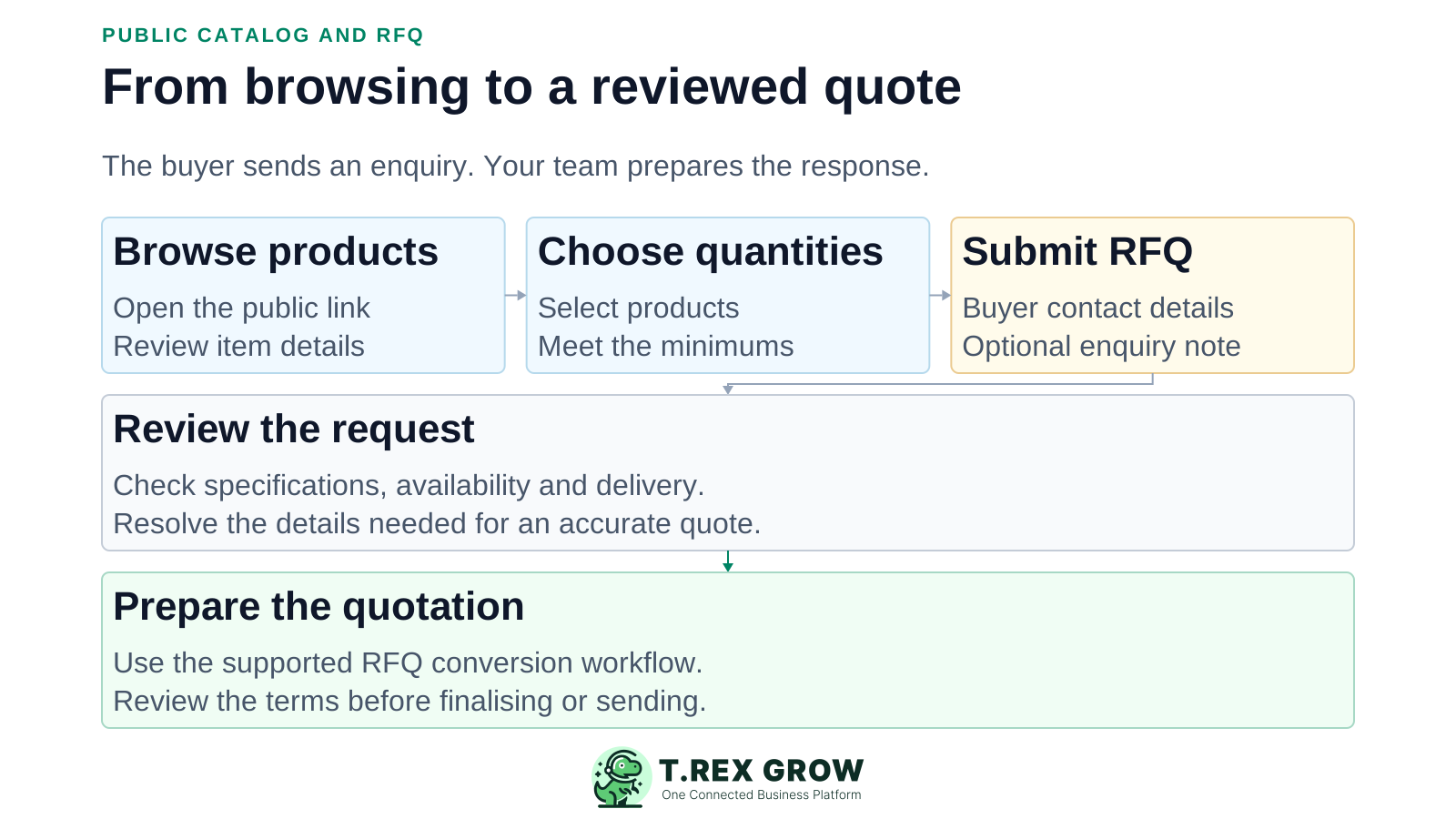
Share the published catalog link with a buyer through the channel you already use, such as WhatsApp, email or your website.
The buyer browses the visible products, selects the items of interest and enters quantities that meet the catalog minimums.
The buyer supplies their name and email, with optional phone, company and enquiry notes, then submits the RFQ.
TREX Grow records the request against the catalog with its selected products and quantities. The catalog assignee is carried into the RFQ.
Sales reviews the request and clarifies specifications, availability, price and delivery. An authorised user can use the RFQ-to-quotation conversion workflow.
Review the quotation before finalising or sending it. Catalog browsing and RFQ submission do not themselves create a paid order or reserve stock.
For an illustrative catalog, a buyer selects 200 packaging boxes and 20 rolls of labels, then adds a note about the required size and delivery location. The RFQ carries the selected products and quantities; sales still needs to resolve the commercial details.
If a box item has a minimum requested quantity of 50, a request for 200 meets that rule. The minimum is a catalog setting, not a promise about lead time or available stock.
If the final price depends on printing or specifications, leave the catalog price hidden and confirm those details before preparing the quotation.
Review product suitability, delivery and terms. Do not interpret the buyer's request as confirmation that the business can fulfil it.
A useful first catalog is one a customer can understand and your team can maintain. Expand after the end-to-end request flow is clear.
Distinguish pack sizes, models or specifications in the available description fields. Avoid ambiguous units that require another clarification call.
Check product visibility, descriptions, displayed prices, minimum quantities and the available media on both desktop and mobile.
Choose the catalog assignee and establish a team follow-up routine. Email notification is an aid, not a guarantee that someone has responded.
Review the live page after changing catalog items, product status, descriptions or publication settings. Previously downloaded files remain outside that update path.
The best practice is to make the next action clear before the situation becomes urgent.
Catalog and RFQ tools are part of the TREX Grow Free plan. Begin with the core enquiry workflow and check current Pricing before relying on attachment support or broader paid document workflows.
Use the catalog when customers need to ask about quantities, specifications, price or delivery before buying.
This page does not promise payment-gateway checkout, shipping calculation, order fulfilment automation or stock reservation from an RFQ.
The free catalog software is different from the selected-SME setup campaign. Any manual setup offer has its own scope and eligibility; it is not unlimited done-for-you catalog maintenance.
Choose a small product range, review the public details and share the catalog link. Give your sales team a clearer starting point for the next quotation request.
It lets a business present a selected product range through a public web link. TREX Grow adds an RFQ flow so buyers can select products and quantities and send an enquiry for sales review.