Invoices are saved in too many places
A customer invoice may be in email, a shared drive, a chat attachment, a laptop folder and an accounting export, with no clear final copy.

The best digital invoice storage system is not just a folder of PDFs. It should connect the invoice file, customer or supplier, source document, payment status, adjustment records and e-Invoice references so the business can retrieve the right proof quickly.
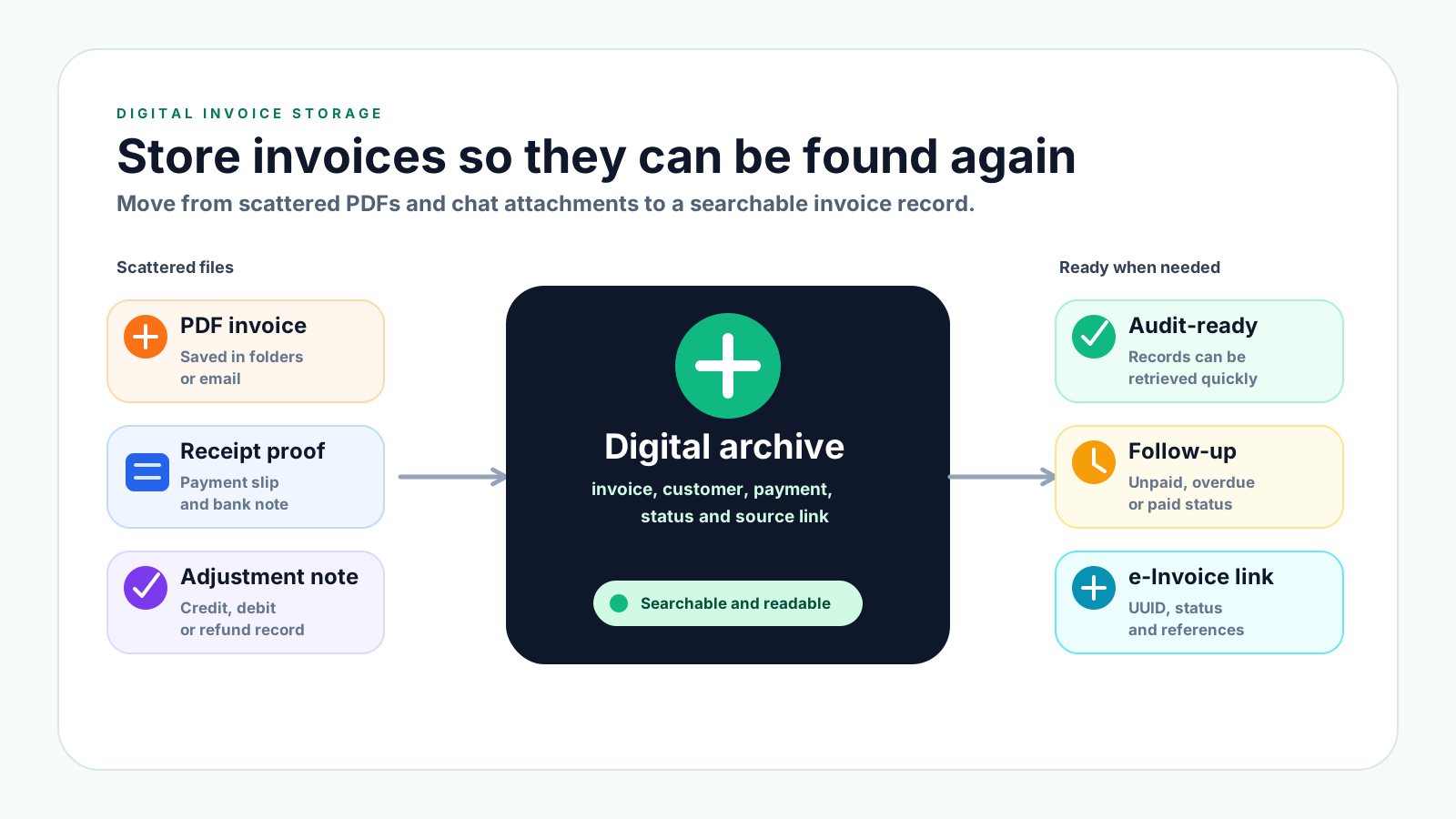
Invoice storage often starts as a simple folder, but it becomes difficult when invoices, receipts, payment updates and adjustment records are saved in different places. The business may have the document, but not the full trail behind it.
Operational pressure
When records live in different places, the person responsible has to reconstruct what happened before they can make a confident decision or follow up.
A customer invoice may be in email, a shared drive, a chat attachment, a laptop folder and an accounting export, with no clear final copy.
Names such as invoice-final.pdf or scan123.pdf make it hard to search by invoice number, customer, date, amount or payment status.
The invoice may be stored in one folder while bank slips, receipts and payment notes are stored somewhere else.
Credit notes, debit notes and refund notes become confusing when they are not stored with the invoice they adjust.
A stored invoice is less useful if the team cannot see whether it is unpaid, partially paid, overdue, paid, cancelled or adjusted.
When management, auditors, tax advisers or customers ask for proof, the team wastes time searching instead of retrieving a complete record.
Good digital storage is not only about keeping a PDF. Malaysian businesses should keep invoice records and supporting documents in a way that explains the transaction and can be accessed, read and produced when needed. For e-Invoice workflows, the archive should also keep useful status and reference information beside the business record.
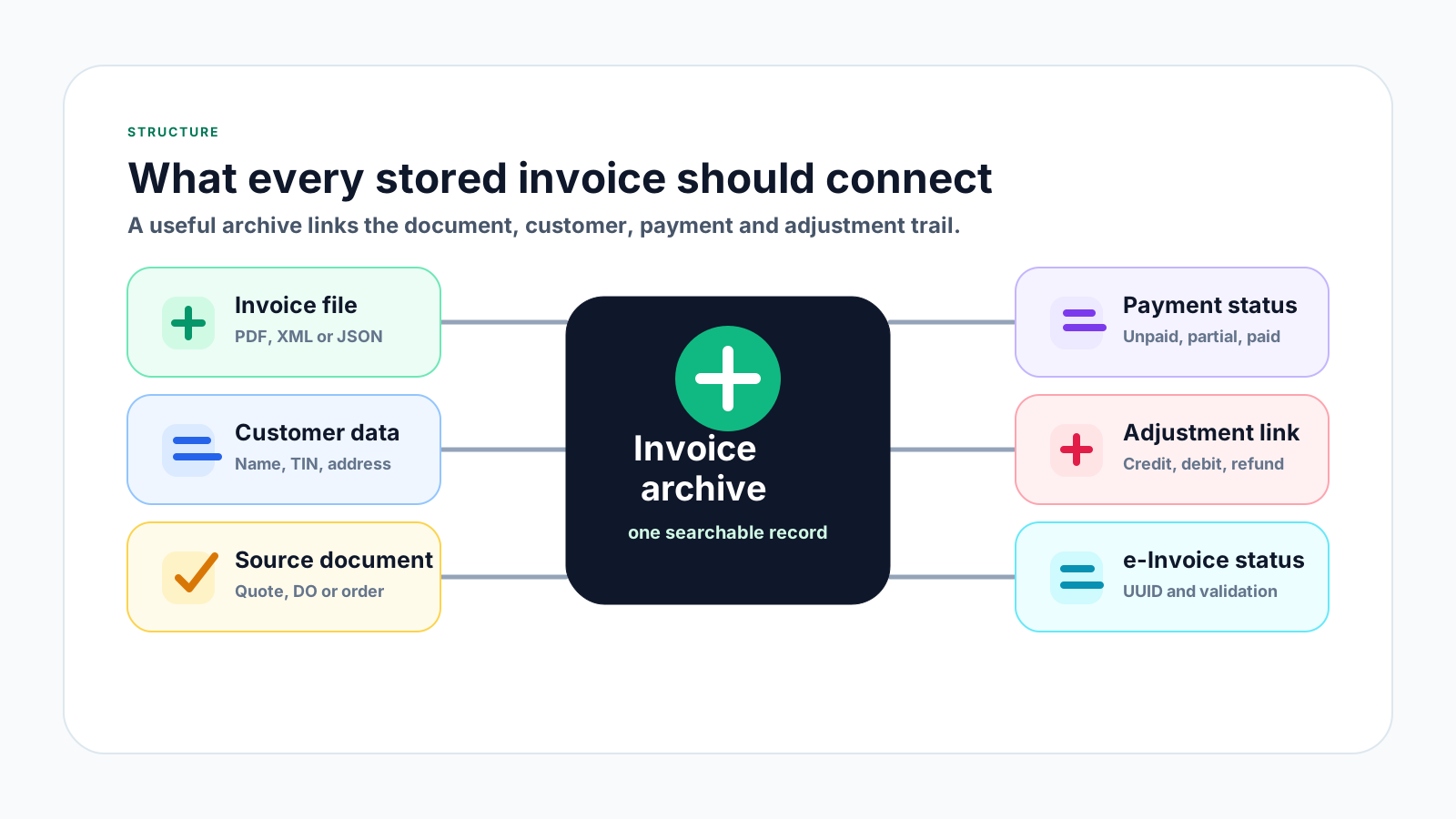
Store the final invoice PDF and, where relevant, source data such as XML, JSON, accounting export or e-Invoice retrieval record.
Keep the invoice connected to the customer or supplier profile, including name, registration details, billing address and contact person.
Link the invoice to quotation, sales order, purchase order, delivery order, job record or supplier bill so the transaction can be explained.
Track whether the invoice is unpaid, partially paid, overdue or paid, and keep receipt or bank proof close to the invoice record.
Store credit notes, debit notes and refund notes with a clear reason and original invoice reference so corrections are not detached.
For Malaysia e-Invoice workflows, keep validation status, UUID, submission or retrieval references and related internal document numbers where relevant.
Use this workflow for both customer invoices and supplier invoices. The goal is to make each invoice searchable, readable, linked to its source and useful for payment follow-up or future review.
Record the current facts in one shared place.
Confirm what is known and what needs attention.
Make the next decision or follow-up accountable.
Complete the next task and record the outcome.
Refresh the shared view when facts change.
A dependable workflow keeps the shared record and the next action aligned.
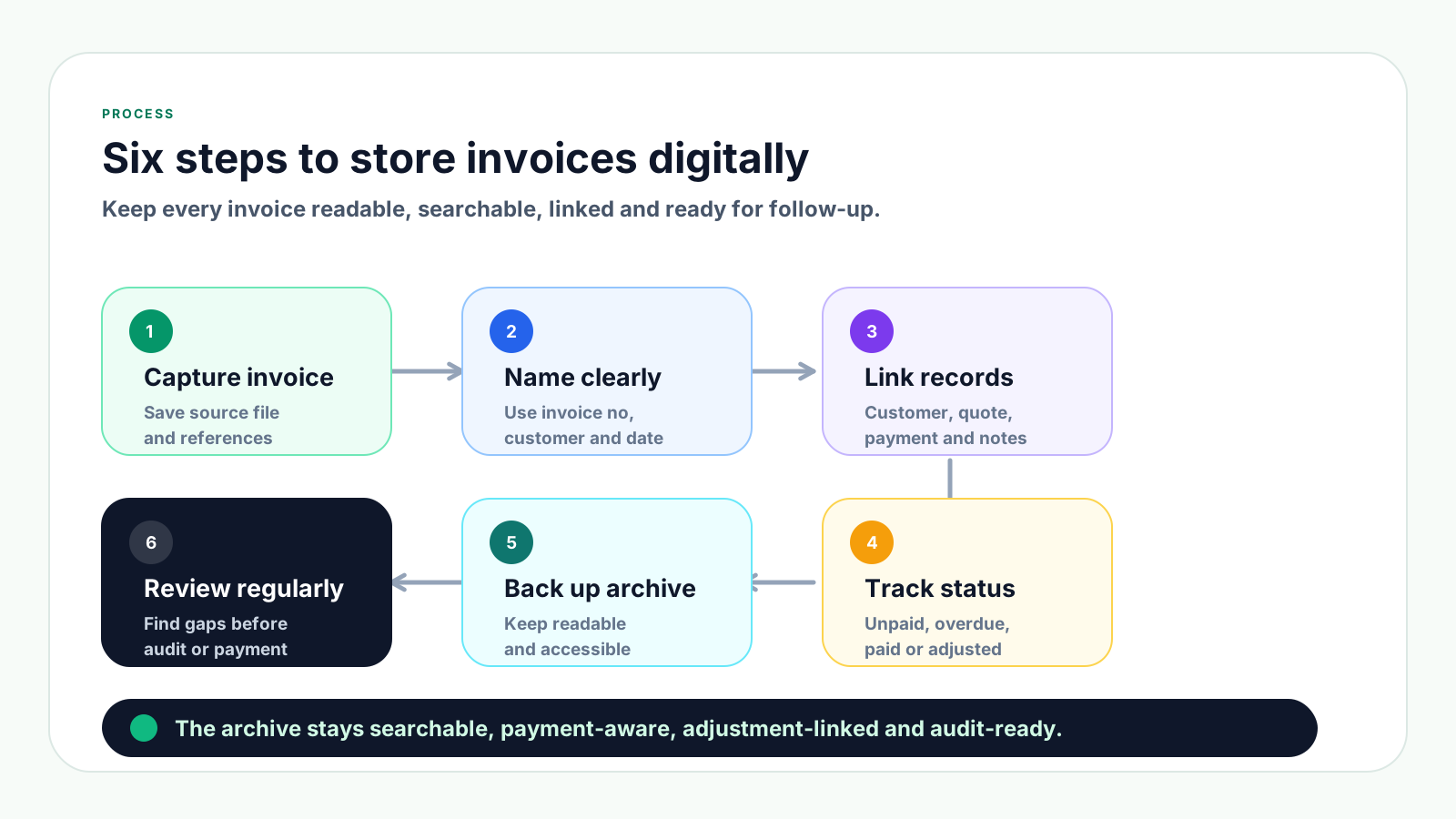
1. Capture the invoice immediately: Save the invoice file as soon as it is issued or received. Include final PDF and source data where relevant, not only screenshots or chat attachments.
2. Use a consistent naming format: Name files with invoice date, invoice number, customer or supplier name and document type so staff can search without opening every file.
3. Link the invoice to source records: Connect each invoice to quotation, purchase order, delivery order, customer profile, supplier profile, payment proof and adjustment records where applicable.
4. Track invoice status beside the record: Mark whether the invoice is draft, issued, validated, unpaid, partially paid, overdue, paid, cancelled or adjusted.
5. Keep the archive readable and backed up: Store files in a format and location that can be accessed by authorised staff, backed up regularly and produced when needed.
6. Review open and missing records regularly: Check unpaid invoices, missing payment proof, unmatched adjustment notes and records without source documents before month-end or audit pressure.
A useful invoice archive should store the document and the operational status around it.
| Record | Store with invoice | Why it matters | Follow-up signal |
|---|---|---|---|
| Final invoice | PDF, invoice number, date, buyer and total. | The team can retrieve the exact document sent. | Issued but not yet paid. |
| Payment proof | Receipt, bank slip, remittance advice or payment note. | Finance can prove what was paid and when. | Partial, paid or unmatched. |
| Source record | Quotation, PO, delivery order or job reference. | The transaction can be explained without searching separately. | Dispute or missing approval. |
| Adjustment note | Credit note, debit note or refund note with reason. | Corrections stay linked to the original invoice. | Adjusted balance to collect. |
These mistakes do not always cause problems immediately, but they make invoice retrieval, payment follow-up and record review harder as transaction volume grows.
Recurring issues usually point to workflow-control gaps, not one isolated data-entry mistake.
Folders help, but the team also needs invoice status, customer or supplier links, payment proof and adjustment references.
Screenshots or scanned images can be hard to search and may miss source data. Keep the readable invoice file and structured records where available.
If each person names files differently, searching becomes slow and duplicates are more likely.
When receipt and bank records are not linked to the invoice, finance must rebuild the payment trail during follow-up or reconciliation.
Sales invoices, supplier invoices, receipts and payment vouchers should be clearly separated but still searchable from one system.
Credit notes, debit notes and refund notes should not sit alone. They need the original invoice reference, reason and approval trail.
The archive should work even when the person who saved the invoice is away, leaves the company or cannot remember the file location.
A strong archive should support daily work, not just compliance. Sales, finance and management should be able to find the right invoice, understand its status and see what happened after it was issued.
Keep invoice records in one controlled system or register instead of splitting final copies across personal folders and messaging apps.
Use a simple format such as YYYY-MM-DD_invoice-number_customer-or-supplier_document-type so files are searchable outside the system too.
Record invoice number, date, customer or supplier, amount, due date, status, payment reference, source document and adjustment links.
Electronic records should remain readable and accessible to authorised staff, and capable of being produced when needed.
Malaysia tax guidance commonly requires business records and supporting documents, including invoices, to be kept for at least seven years. Check current rules for your entity and situation.
Use regular backups and sensible access control so invoice records are not lost through device failure, accidental deletion or staff turnover.
Look for invoices without payment proof, payment records without invoice links, adjustment notes without reasons and duplicate invoice numbers.
The best practice is to make the next action clear before the situation becomes urgent.
TREX Grow helps SMEs keep invoice records connected to the operational workflow around them. Instead of storing a PDF separately from the customer, quotation, payment and adjustment history, the business can keep the record easier to search and explain.
Customer invoices can stay linked to customer profiles, quotations, line items, payment terms and related source records.
Teams can track unpaid, partially paid, overdue and paid invoices without relying only on a separate payment spreadsheet.
Credit notes, debit notes and refund notes can remain connected to the invoice they adjust, with clearer reasons and references.
Purchase orders, supplier invoices, supplier payments and inventory-related records can be managed without losing the source trail.
Instead of searching only by file name, teams can work from customer, supplier, document, payment and status information.
Keeping invoice files, references, status and adjustment links organised makes Malaysia e-Invoice workflows easier to manage over time.
If invoices are still scattered across folders, email and chat, start by building a searchable archive that links the invoice file to customer or supplier data, source documents, payment status and adjustments. TREX Grow helps SMEs keep invoice records connected to the wider sales, purchasing and payment workflow.
Store invoices in one searchable system or register that links the invoice file to customer or supplier details, source documents, payment status, receipts, adjustment records and e-Invoice references where applicable.