Requests start in informal channels
Customers ask for prices in WhatsApp, email, phone calls or through salespeople. If those requests are not turned into quotation records quickly, the follow-up depends on memory.

Most quotation problems do not start because the team forgets how to quote. They start because enquiries, price files, revisions, approvals and follow-up tasks live in different places. This guide explains where the trail breaks and how SMEs can regain control.
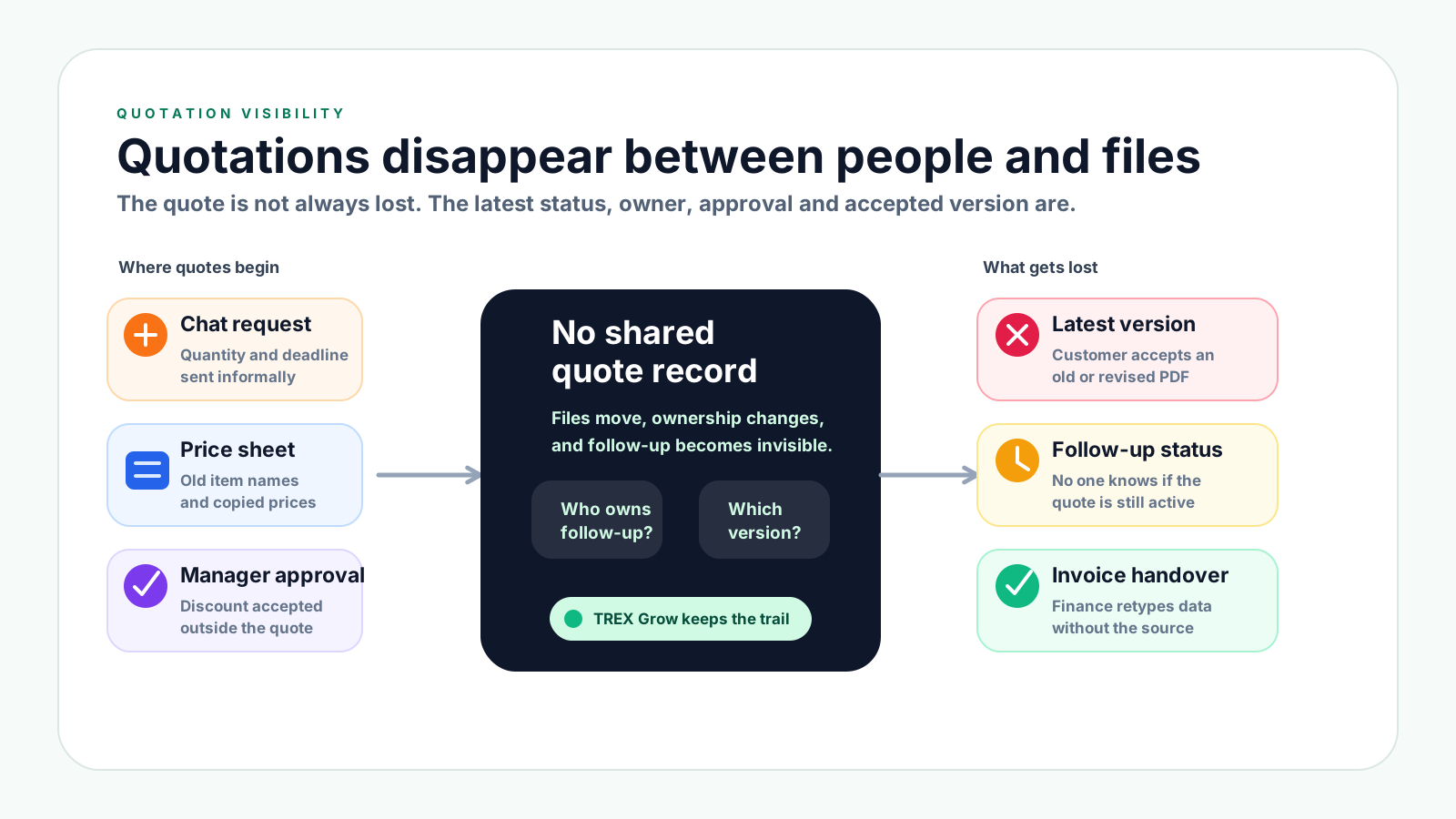
A quotation can be technically sent to the customer but still be lost operationally. The problem is usually not one careless person. It is a workflow where each team member sees only part of the quote journey.
Operational pressure
When records live in different places, the person responsible has to reconstruct what happened before they can make a confident decision or follow up.
Customers ask for prices in WhatsApp, email, phone calls or through salespeople. If those requests are not turned into quotation records quickly, the follow-up depends on memory.
A PDF, spreadsheet or copied quotation template can be sent quickly, but it does not automatically show owner, status, next action, approval or accepted version.
The customer may ask for a different quantity, discount, scope or delivery date. Without revision history, the team may not know which version is current.
Discounts, margin exceptions or special payment terms may be approved in chat, while the quotation record itself does not show who approved the change.
When no one owns the next action date, sent quotations can sit unanswered until the customer buys elsewhere or the quoted price expires.
If finance only receives the accepted PDF, they may need to retype customer details, item names, prices and payment terms before invoicing.
Good quotation tracking keeps six pieces of information connected: the customer request, item and pricing data, approval evidence, revision history, follow-up owner and invoice handover. If any piece lives somewhere else, the quote becomes harder to trust.
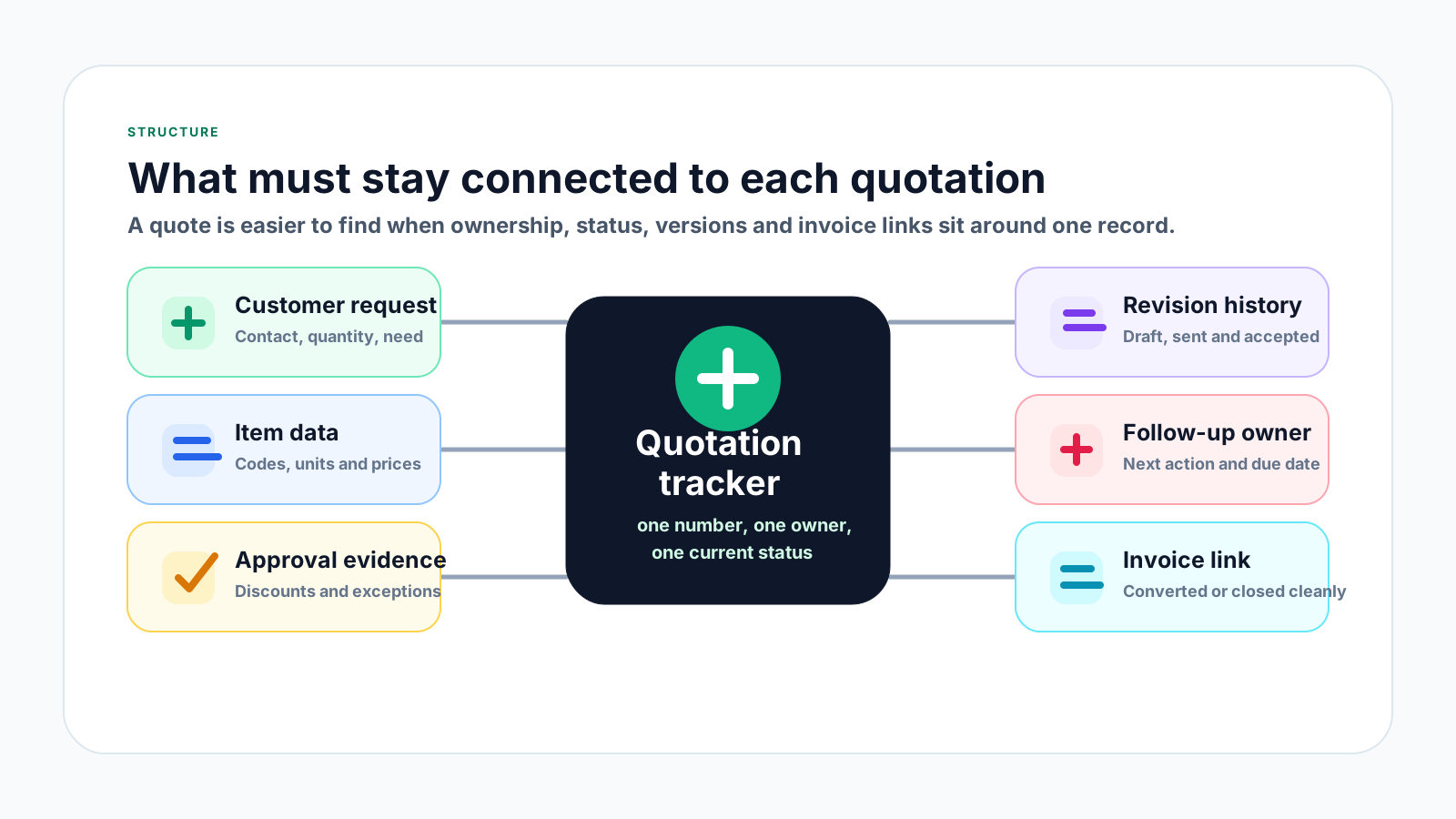
Record who asked, what they need, when they need it, delivery expectations and any customer reference such as a project name or purchase request.
Use standard product or service names, item codes, units, descriptions and price sources so every quotation starts from consistent data.
Keep discount approval, margin exceptions, credit terms and special delivery promises beside the quote instead of buried in message threads.
Show whether the quotation is a draft, sent version, revised version or accepted version. This avoids disputes when customers compare old PDFs.
Every open quotation should have an owner, status and next action date so sales opportunities do not disappear after the first send.
When the quotation is accepted, make it clear whether it has been converted, rejected, expired or closed without forcing finance to rebuild the record.
The goal is not to make sales slower. The goal is to make each quotation searchable, traceable and ready for the next person who needs it, whether that person is a salesperson, manager or finance user.
Record the current facts in one shared place.
Confirm what is known and what needs attention.
Make the next decision or follow-up accountable.
Complete the next task and record the outcome.
Refresh the shared view when facts change.
A dependable workflow keeps the shared record and the next action aligned.
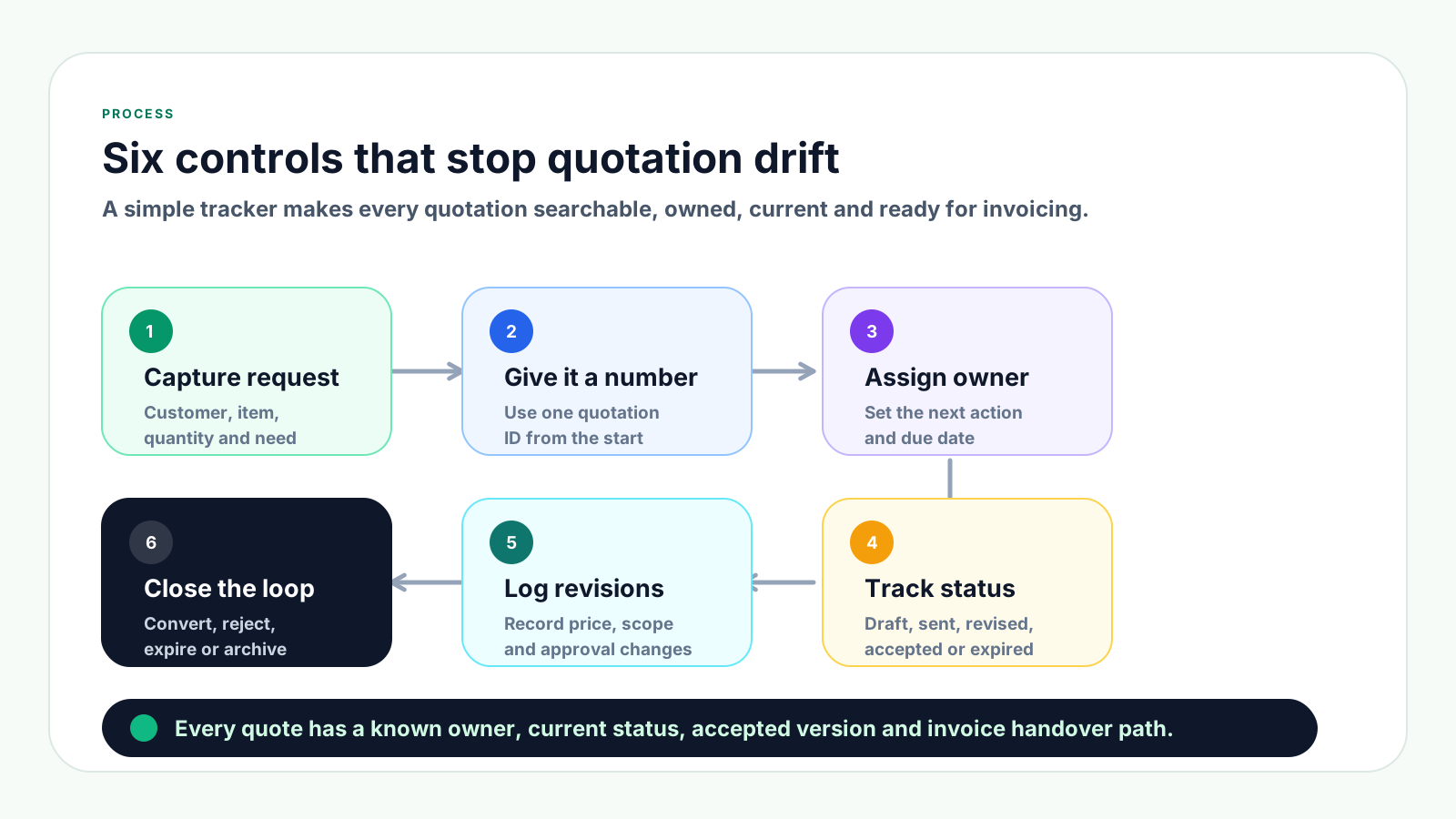
1. Capture the request: Turn customer messages, calls and emails into a quotation record with customer name, contact person, requested items, quantity, delivery expectation and reference notes.
2. Give the quote a number: Use one quotation ID from the start so revised files, customer replies, approvals and later invoices can point back to the same record.
3. Assign an owner and next action: Make one person responsible for the next follow-up date, customer reply, approval request or internal review.
4. Track the status clearly: Use practical statuses such as draft, sent, revised, accepted, rejected, expired and converted so everyone knows where the quote stands.
5. Log revisions and approvals: Record why the price, scope, quantity, validity or payment terms changed and who approved the change before sending the revised quote.
6. Close the loop: When the quote is accepted, convert it from the accepted version. If it is rejected or expired, close it instead of leaving it active in the pipeline.
A practical way to see how better quotation tracking improves the later invoice and payment workflow.
| Workflow area | Before | After | Payment visibility effect |
|---|---|---|---|
| Customer request | Saved in email or WhatsApp with no owner. | Logged with customer, request date and follow-up owner. | Finance can see which quote may become a billable invoice. |
| Quote version | Several PDFs are called final. | One accepted version is marked clearly. | Invoice amount follows the accepted customer agreement. |
| Follow-up status | Sales remembers manually or forgets. | Open, accepted, expired and lost statuses are reviewed weekly. | Accepted quotes move into billing before collection is delayed. |
| Invoice handover | Finance asks sales what was approved. | Quote, approval and terms are linked before invoicing. | Due date and payment terms are visible from the start. |
These habits feel fast during busy sales work, but they make it harder to find the right quote, explain the accepted price or prepare the invoice later.
Recurring issues usually point to workflow-control gaps, not one isolated data-entry mistake.
Names such as final, new final or customer revised do not tell the team which quotation was actually accepted. Use revision status inside the record.
If product names, units, prices or descriptions are copied from older files, the accepted quotation may not match the invoice or stock record later.
Without a quotation expiry date, old prices can remain open after supplier cost, stock availability or delivery assumptions have changed.
Chat approvals are easy to lose. Keep the approval and reason close to the quotation so management can understand margin decisions later.
A quotation that was sent is not the same as a quotation that was accepted. Mixing the two creates sales forecasting and invoicing mistakes.
If rejected, expired or cold quotations are not closed, the team wastes time reviewing a pipeline that no longer reflects reality.
Manual retyping creates avoidable customer, item, price and payment term errors. Convert from trusted source data wherever possible.
A reliable quotation process should be easy for salespeople to use and structured enough for finance, management and customer service to trust.
Keep a list of all quotations with customer, quotation number, owner, amount, issue date, expiry date, current status and next follow-up date.
Agree on a small set of statuses such as draft, sent, revised, accepted, rejected, expired and converted. Avoid vague labels.
Each open quotation should have one owner so customer replies, internal approvals and follow-up tasks do not fall between teams.
Once a customer accepts, keep that version clear. Any later change should become a formal revision rather than a quiet file edit.
Discounts, special terms and exceptions should be recorded against the quotation, including who approved them and why.
A short weekly check of sent, revised and expiring quotations can prevent missed opportunities and outdated pricing.
Accepted quotation details should feed the invoice process so customer, item, price and term information does not need to be rebuilt.
The best practice is to make the next action clear before the situation becomes urgent.
TREX Grow helps SMEs handle quotations as connected records instead of loose files. Sales, finance and management can work from the same customer data, product data, quotation status, approval trail and invoice handover.
Teams can prepare quotations from customer and product records instead of searching old spreadsheets or copying previous PDF files.
When a quotation is accepted, the invoice can be prepared from trusted source details, reducing the need to retype customer and line item information.
Quotation stages such as draft, sent, revised, accepted, expired and converted help the team see what still needs attention.
Discounts, special payment terms and exceptions can be kept closer to the quotation record so decisions remain easier to explain.
Cleaner customer, item and commercial term data at quotation stage supports more reliable invoicing and Malaysia e-Invoice preparation when billing applies.
If your team is still tracking quotations through chat, copied files and memory, start by giving every quotation a number, owner, status and next action. TREX Grow gives SMEs a connected way to manage quotations, invoices, approvals, payments and e-Invoice-ready data in one workflow.
Businesses usually lose track of quotations because requests, price files, revisions, approvals and follow-up tasks are handled in different places. Without one quotation record, the latest status and accepted version become unclear.