Customer enquiry
Request details

Sales documents are not just files to keep after the deal. Customer enquiries, quotations, sales orders, delivery records, invoices, receipts and adjustment notes explain what was promised, delivered, billed and paid. This guide shows how small businesses can organise them into a clearer workflow.
Sales document control
Keep each sales document organised by stage, owner, status and source record.
Request details
Price and terms
Accepted scope
Fulfilment record
Billing record
Paid or overdue
Credit, debit, refund
Most small businesses do not lose control in one day. The problem grows slowly as more customers, staff, document versions and payment follow-ups are added to the same informal filing habits.
Operational pressure
When records live in different places, the person responsible has to reconstruct what happened before they can make a confident decision or follow up.
Sales may keep quotations in email, operations may keep delivery details in chat and finance may track invoices in a spreadsheet. When the customer asks a question, nobody has the full story.
Files named final, latest, revised or customer copy are hard to trust. A clear naming rule helps the team know which record is current.
If the accepted quotation version is unclear, invoices may be created from the wrong price, quantity, discount, payment term or delivery scope.
When invoice due dates, payment status and last follow-up notes are not part of the same workflow, overdue payments are easier to miss.
Purchase orders, delivery orders, proof of service, receipts and adjustment reasons may be needed later for customer questions, internal review or e-Invoice readiness.
A sales document is any record that explains the customer transaction before, during or after billing. Small businesses should organise the full sequence, not only the invoice PDF.
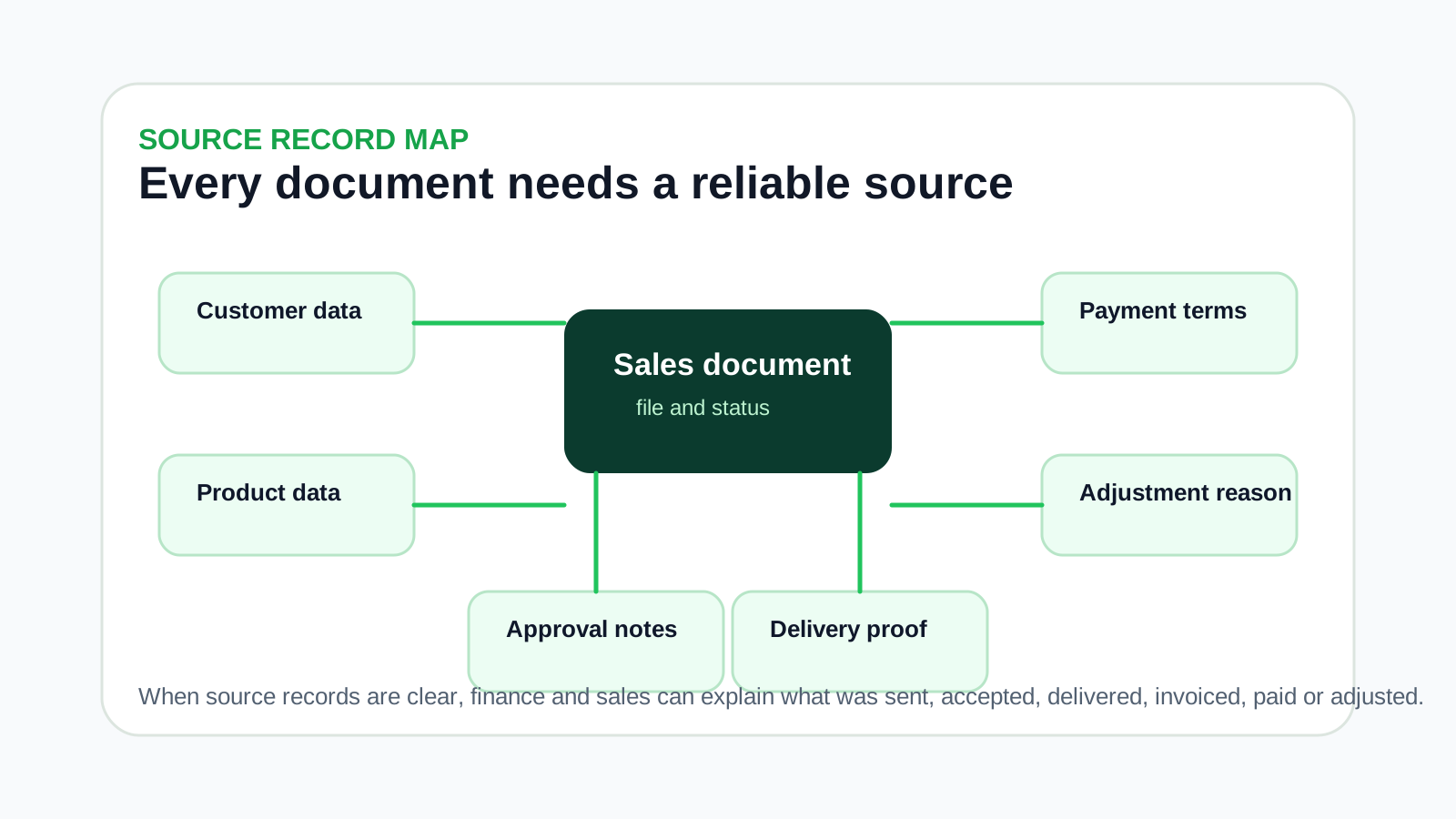
Customer enquiry, quotation, revised quotation, customer purchase order, internal approval and sales order records explain what was requested and accepted.
Delivery order, service completion note, picking list, stock movement or job proof shows whether the order was delivered or completed.
Invoice, e-Invoice status, receipt, payment proof, reminder note, credit note, debit note or refund note explains the financial follow-up.
Customer records, product records, pricing rules, payment terms and contact people make each sales document easier to prepare accurately.
Use this workflow to organise the document sequence before deciding whether to keep using folders, spreadsheets or a connected system.
Record the current facts in one shared place.
Confirm what is known and what needs attention.
Make the next decision or follow-up accountable.
Complete the next task and record the outcome.
Refresh the shared view when facts change.
A dependable workflow keeps the shared record and the next action aligned.
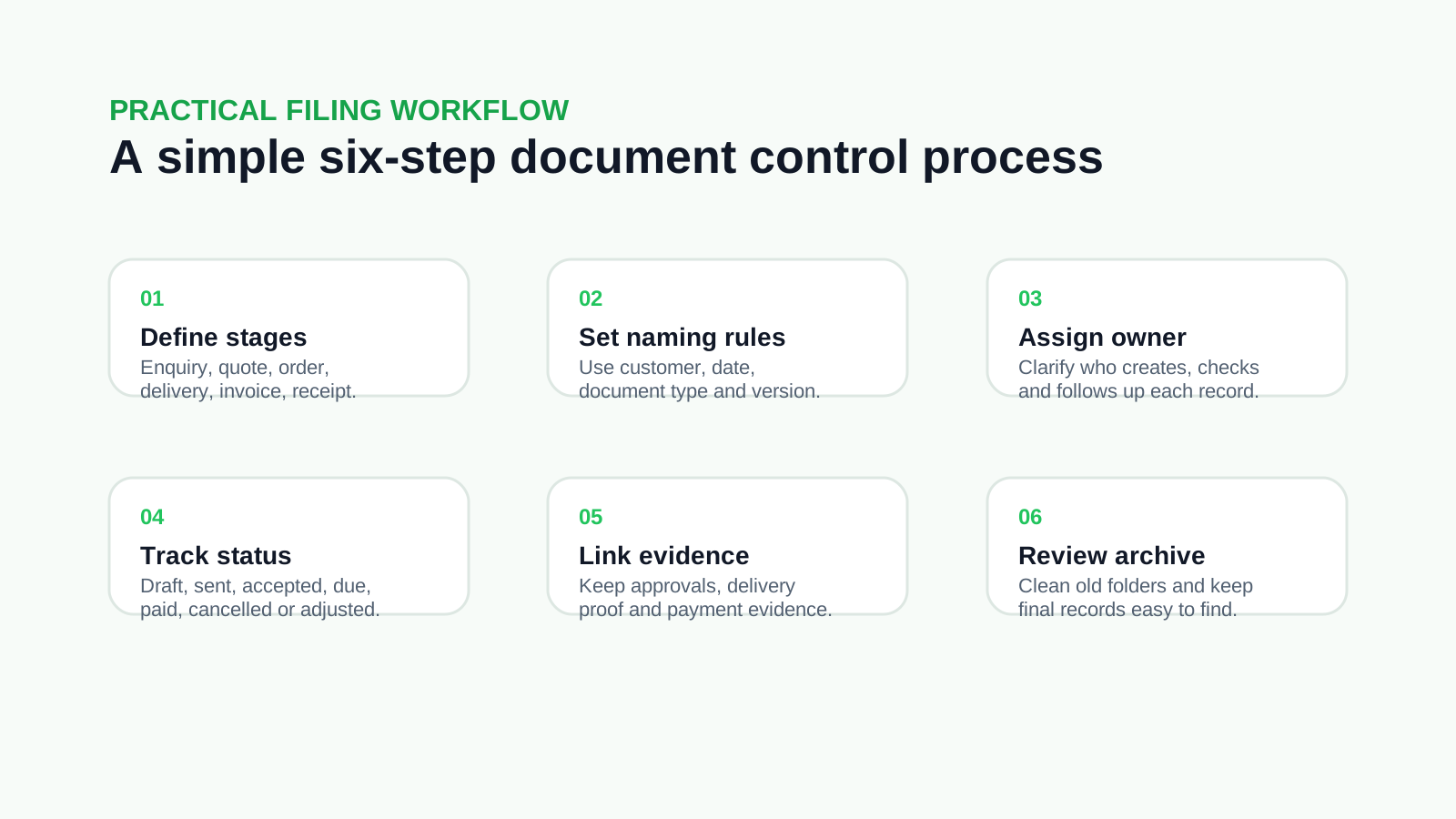
Step 1: Define document stages - List the stages your business actually uses, such as enquiry, quotation, sales order, delivery order, invoice, receipt and adjustment note.
Step 2: Create a naming rule - Use a consistent format with customer name, document type, date, document number and version. Avoid vague names such as final, latest or new copy.
Step 3: Assign ownership - Decide who creates, reviews, sends, files and follows up each document. Sales, finance and operations should not assume the other team has updated the record.
Step 4: Track document status - Use clear labels such as draft, sent, accepted, rejected, delivered, invoiced, paid, overdue, cancelled or adjusted.
Step 5: Link supporting evidence - Keep customer PO, delivery proof, payment proof, approval notes and adjustment reasons close to the document they support.
Step 6: Review open records weekly - Check open quotations, undelivered orders, unpaid invoices, pending receipts and unresolved adjustment notes before they become month-end surprises.
These mistakes make documents harder to find and explain, especially when the business grows beyond one owner or one finance admin.
Recurring issues usually point to workflow-control gaps, not one isolated data-entry mistake.
Customer folders help, but they are not enough if the team cannot tell which quotation became which invoice or which delivery order belongs to the sale.
Old versions should be retained where useful, but the accepted version must be clearly marked so billing starts from the right record.
When delivery proof sits away from the invoice, customer disputes and internal checks take longer to resolve.
If payment reminders live only in WhatsApp, the next person cannot see what was already promised or discussed.
Replacing an invoice PDF without recording why it changed can create confusion later. Corrections should have a clear reason and source document link.
Inconsistent filing rules make search and handover harder. A simple shared rule is better than a complicated system nobody follows.
A good sales document system should be easy enough for daily use and structured enough for finance, operations and management review.
Make sure quotations, sales orders, delivery records, invoices and receipts can be traced as one customer transaction rather than separate files.
Drafts and internal working files should not be confused with documents sent to customers or used for billing.
Even a simple change note helps the team understand why a price, quantity, payment term or delivery detail was revised.
A weekly review prevents accepted quotations, pending deliveries, unpaid invoices and adjustment notes from being forgotten.
Cleaner master records reduce errors across quotations, invoices and e-Invoice preparation.
The filing structure should still make sense when a different staff member needs to find, explain or continue the work.
The best practice is to make the next action clear before the situation becomes urgent.
Use this checklist when reviewing whether your current sales document process is organised enough.
Can we find the accepted quotation without asking the salesperson?
Can we see whether the customer purchase order or approval exists?
Can we link the invoice to the delivery or service completion record?
Can we tell whether the invoice is unpaid, partially paid, overdue, cancelled or adjusted?
Can we retrieve receipts and payment proof quickly?
Can we explain why a credit note, debit note or refund note was issued?
Can a new staff member understand the folder or system without guessing?
Can the owner review open sales documents without waiting for manual updates?
After you define the workflow, TREX Grow can help bring the related records into a more connected workspace. The goal is not just to store files, but to keep customer, product, quotation, invoice, receipt and follow-up activity easier to trace.
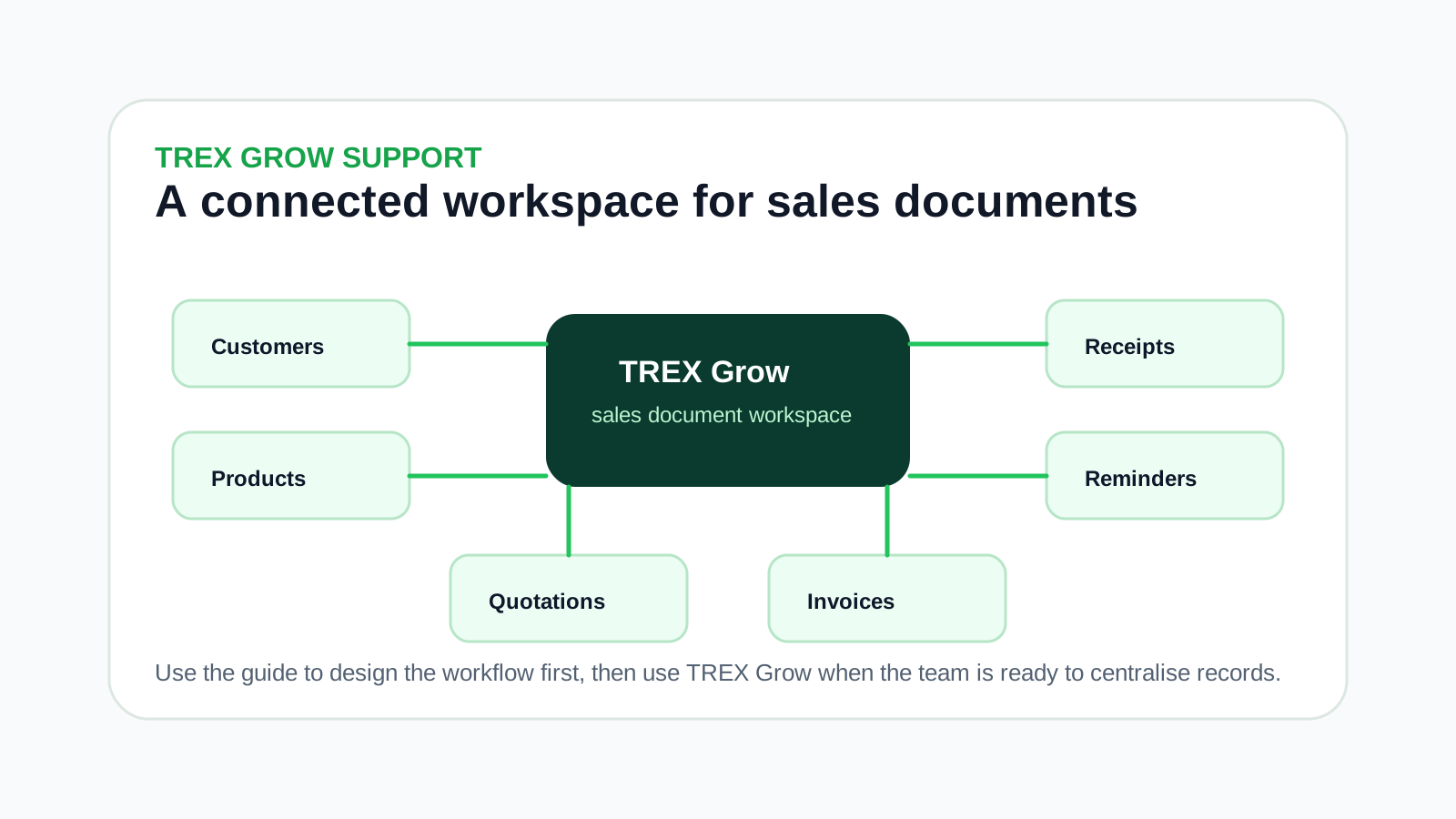
Keep the records behind quotations and invoices more consistent so the team does not recreate details each time.
Use structured sales documents so accepted work is easier to carry into billing and follow-up.
Connect payment records and reminders to the sales document workflow instead of leaving them in separate notes.
For businesses that receive requests through catalogs, RFQs or bookings, keep customer activity closer to the sales record.
Cleaner sales records help reduce the operational mess that often appears before e-Invoice submission.
Map your current quotation, delivery, invoice, receipt and follow-up process first. When the team is ready for a more connected workspace, TREX Grow gives small businesses a practical place to manage the records behind each sale.
Small businesses should organise customer enquiries, quotations, revised quotations, sales orders, customer purchase orders, delivery orders, service completion notes, invoices, receipts, payment proof, credit notes, debit notes and refund notes where relevant.