One person, one account
Use individual users rather than a shared owner login. The current TREX Grow pricing page lists users and permissions on every plan and says users are unlimited.

Start with a small group and one real workflow. Give each person their own access, let them practise the task they will own, and check the handoff before opening the process to the wider team.
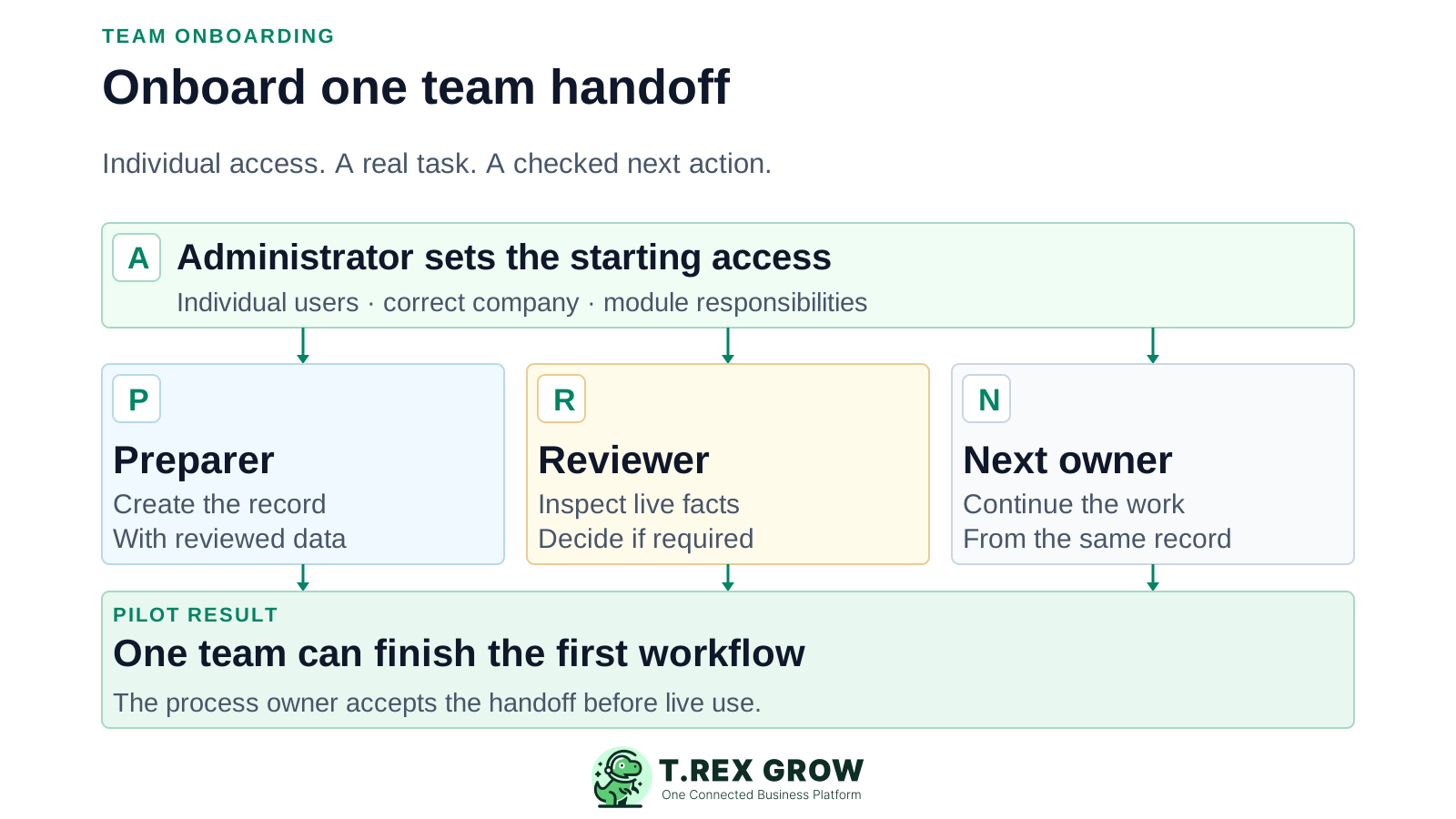
A successful first session ends with more than logins. Each person can identify the correct company, perform the task assigned to them, see the right record and explain who acts next. The administrator can also show that unrelated actions are unavailable where the permission design requires that boundary.
Use individual users rather than a shared owner login. The current TREX Grow pricing page lists users and permissions on every plan and says users are unlimited.
Teach a sales preparer how to prepare the selected document, a reviewer how to check it, and the next owner how to continue. Add other modules only after the first handoff works.
The process owner should record what passed, what failed, who will correct gaps and when the small cohort may start live work.
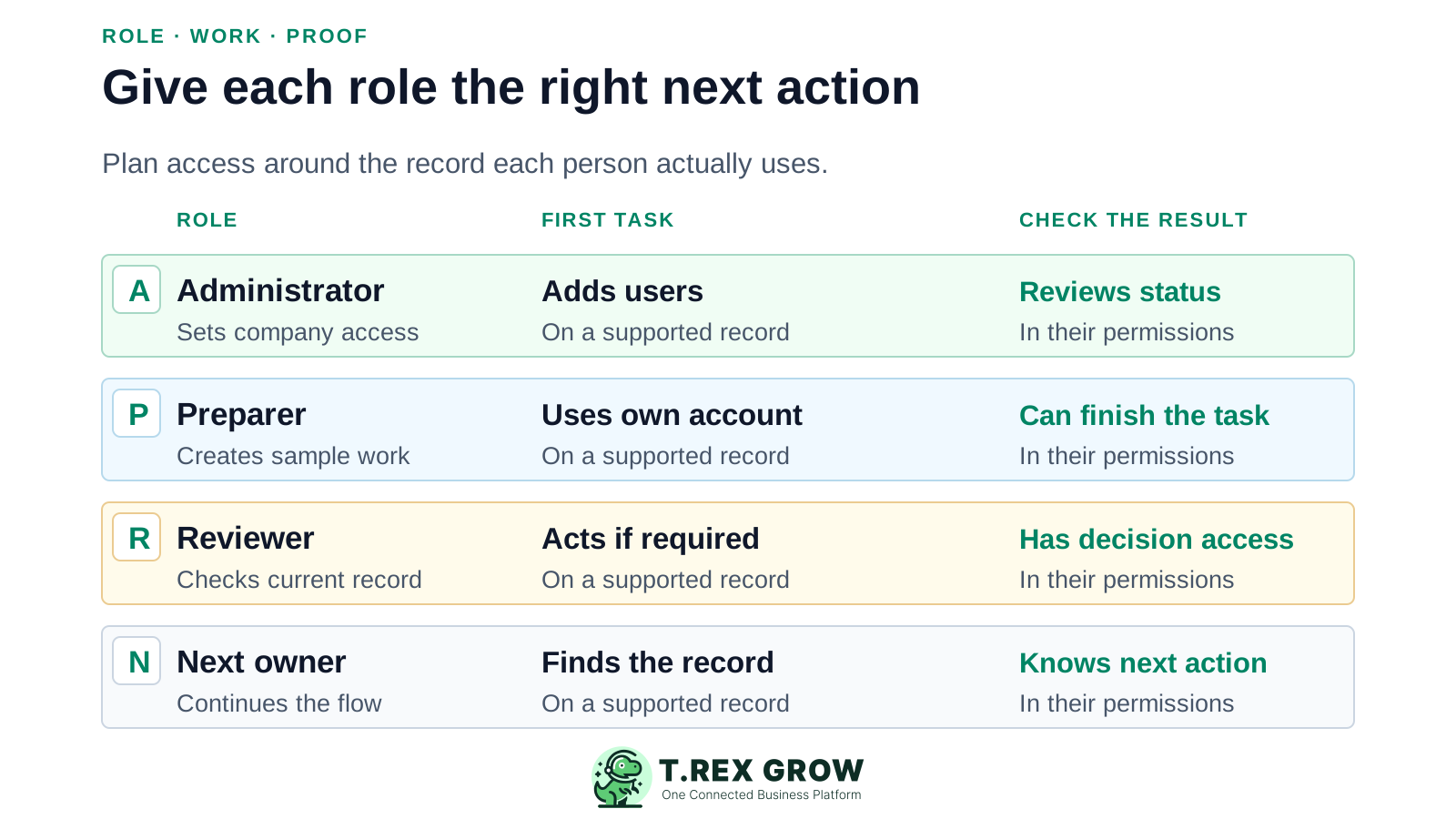
Select one workflow and the people who touch it. One person can hold more than one business role in a small company, but test with the actual accounts that will do the work. These are planning roles, not built-in TREX Grow role templates.
| Person or role | First responsibility | Evidence to collect |
|---|---|---|
| Owner or administrator | Choose the company, selected plan, pilot workflow and initial user permissions. | Current user list, agreed access matrix and named process owner. |
| Preparer | Create a representative customer document or other in-plan record using reviewed source data. | A complete internal sample and a list of fields that caused confusion. |
| Reviewer, where the process needs one | Inspect the current record and perform the supported review or approval action assigned to this module. | Correct decision rights and a documented result. |
| Next owner | Continue the downstream task, such as invoicing or follow-up, within their own access. | The next action is clear and the linked record is findable. |
TREX Grow documents owner/admin user management, active or inactive status, and a per-module permission matrix for View, Create, Edit, Delete and approval responsibility. Company membership and the selected plan affect the work each person can perform. Decide the minimum needed for the pilot, then test it with each person's account.
| Decision | Ask before setting access | Pilot check |
|---|---|---|
| Company context | Which company should this person work in? Are other entities in scope? | They sign in and choose the intended company. |
| Record access | Which modules and records must they view, create, edit or manage? | They can finish their task and cannot perform unrelated actions that you intended to restrict. |
| Approval responsibility | For a supported module, should this person finalise directly, request review or approve others? | The configured None, Request or Approve path behaves as agreed. |
| Account lifecycle | Who activates, changes or inactivates access when responsibilities change? | The owner/admin can show the current user status and review owner. |
Access to a module cannot make an unavailable plan feature usable. Start with records included in the selected plan and use the paid-plan trial to evaluate broader workflows if needed. Confirm current entitlements on the pricing page.
| Plan scope | Useful first practice | Boundary to explain |
|---|---|---|
| Free | Customer and product records, quotation or invoice work, individual users and permissions. | Do not train a purchase-order or stock-entry role as though the module is included. |
| Starter | Broader sales documents, attachments and multi-currency where relevant. | Accounting is Beta and requires qualified accountant review before reliance. |
| Essential | Purchasing, supplier documents and core stock work with the appropriate staff. | Test the actual supplier and stock handoffs before adding the full team. |
| Premium | Warehouse location, picking or count tasks for the intended operators. | Train against the exact warehouse controls the team will use. |
This is a team rollout sequence, not an automatic product wizard or a promise that every workflow uses approval. Adapt the sample to the records and plan you selected.
Record the current facts in one shared place.
Confirm what is known and what needs attention.
Make the next decision or follow-up accountable.
Complete the next task and record the outcome.
Refresh the shared view when facts change.
A dependable workflow keeps the shared record and the next action aligned.
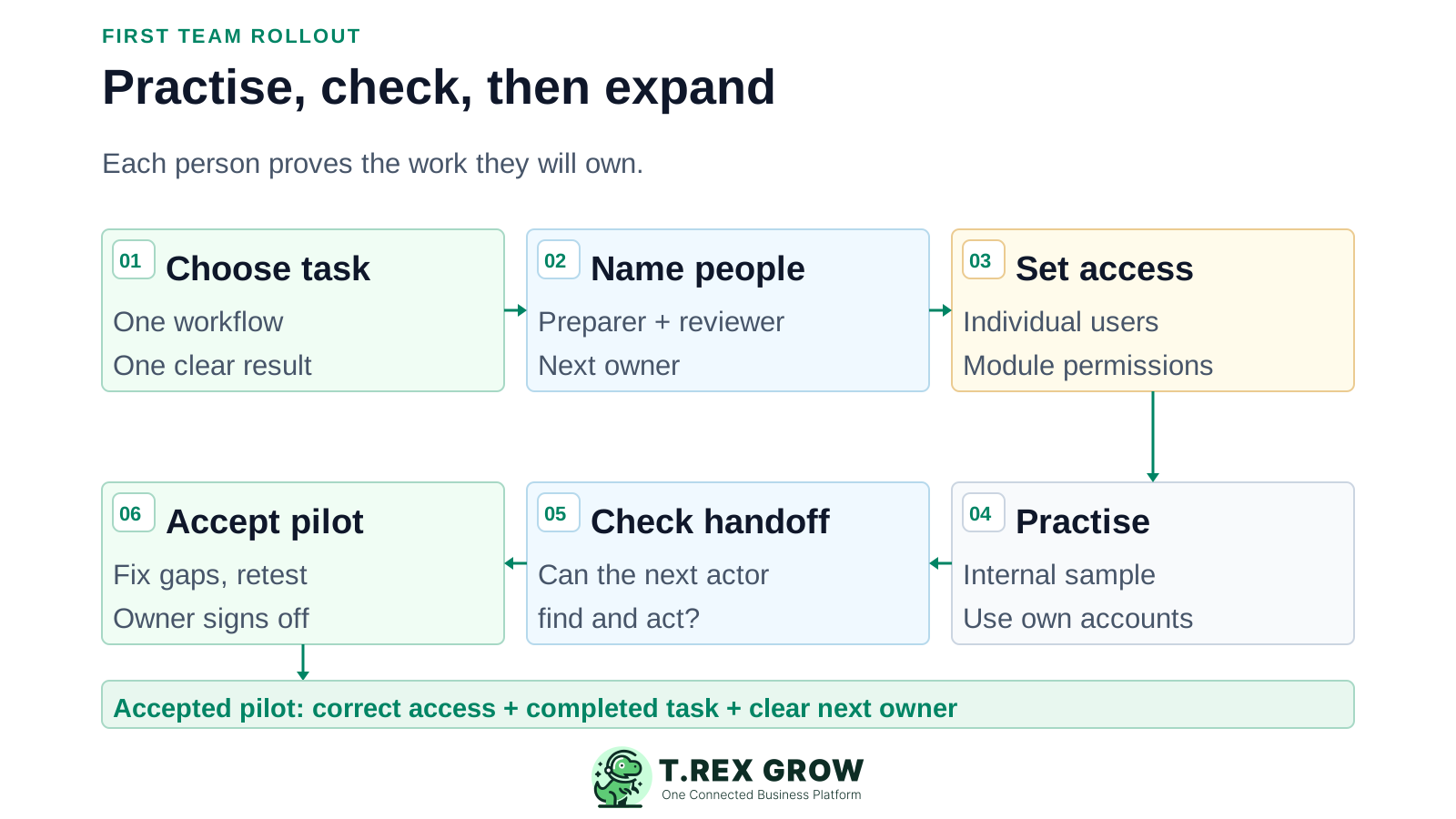
Choose one representative workflow and identify its plan-dependent modules, records and expected final result.
Name the preparer, reviewer if required, next owner and administrator. Write down who resolves mistakes and who may approve live use.
Have the owner/admin add or update individual company users and assign only the module actions and approval responsibility each person needs.
Let each person sign in as themselves and complete an internal sample using reviewed data. Point them to the in-app user manual for the specific task.
Observe the handoff and a safe exception: can the next person find the record, inspect it, act within their permission and return a correction when needed?
Record the result, correct gaps, retest and obtain process-owner acceptance before widening access or using the workflow with real customers.
Use a short exercise based on the team's real work. The product tour shows the screens; the in-app user manual covers core workflows. Staff still need to demonstrate that they can complete their own task and understand the next action.
Have a sales user prepare a representative quotation. If approval is configured for that supported record, the designated reviewer should inspect the live facts and complete the decision. Otherwise confirm the intentional direct-finalisation path.
Ask the billing owner to locate the accepted record and continue the in-plan invoice workflow. Check customer, lines, totals and status before any real document is shared.
On Essential or Premium, rehearse a purchase or stock task with the intended operator and reviewer. Do not imply those modules are included on Free or Starter.
If the reviewer spots a wrong customer, price or quantity, make the correction owner and retry step explicit. Do not rely on an unverified automatic escalation or multi-level routing feature.
The best practice is to make the next action clear before the situation becomes urgent.
These checkpoints are an editorial template for a small pilot, not a fixed TREX Grow implementation timetable. Stretch them when your data, approvals or staff availability require more review.
| Checkpoint | What the team does | Exit evidence |
|---|---|---|
| Before first session | Agree the workflow, clean sample data, individual accounts, permissions and process owner. | Named cohort and written access plan. |
| First practice | Each person signs in, uses the correct company and completes their assigned internal task. | Task completed or a precise issue recorded. |
| Handoff review | Run the requester/reviewer or preparer/next-owner transition and one correction scenario. | The next actor can find and act on the current record. |
| End of pilot | Retest problems, confirm help contact and approve or postpone live use. | Process-owner sign-off with outstanding issues assigned. |
Keep practice documents internal and use safe sample data. Do not send them to customers or submit practice e-Invoices to a live tax system as an informal test. Set a clear switch from rehearsal to real work.
Shared logins blur who prepared or approved a record. Tell users where to get sign-in help and remind them not to share passwords.
A role test should confirm both what the user can do and which unrelated actions are unavailable under the intended access model.
Record the admin contact, process owner, correction owner and route for reporting a blocked action or wrong result.
Owner/admin user management includes active and inactive status. Review company access and module permissions when someone changes responsibilities or leaves.
The best practice is to make the next action clear before the situation becomes urgent.
TREX Grow combines individual company users, module permissions and supported approval choices with the records staff use for daily work. The product provides the controls; your team defines who owns the work, how it is reviewed and when the pilot is ready.
Authorised owner/admin users can manage users and their active or inactive status. Permission changes are constrained by owner protection and self-permission rules.
The documented permission matrix separates basic actions such as View, Create, Edit and Delete from None, Request or Approve responsibility where supported. The selected plan still governs available modules.
The product tour shows the operating areas, while TREX Grow's in-app user manual covers core module workflows. Use both as aids to a real role-based exercise.
Create a workspace, choose a small cohort and prove one handoff with their own accounts. Expand after the people doing the work and the process owner accept the result.
Start with the people needed for one workflow: an administrator, a preparer, a reviewer if the process requires one, and the next owner. One person may hold several roles in a small company, but use the accounts that will actually perform the work.