One controlled workbook still works
If volume is low, one owner checks formulas and inputs, and the team can show the current file and outcome, keep the workbook in the shortlist.

Excel can calculate, analyse, coauthor and even automate a carefully managed workbook. TREX Grow provides plan-based records for quotations, invoices, purchasing, stock and supported MyInvois work. The decision is whether your team needs a flexible sheet, a controlled operating path, or both.
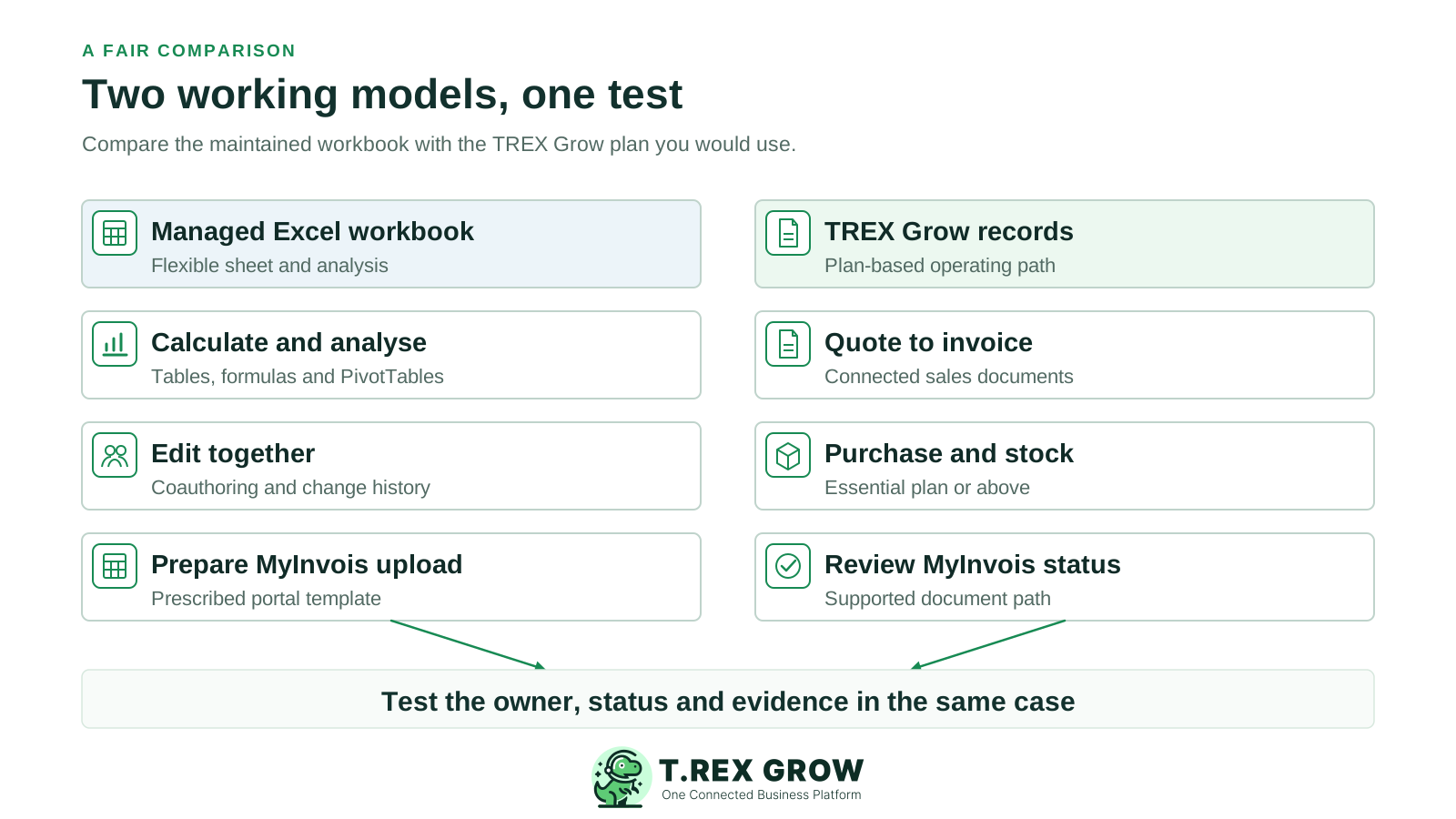
Use this guide when an Excel workbook is carrying daily business work, not merely analysis. A small team with one trained owner and a stable process may be well served by Excel. More people, documents and exceptions can make the ownership of each record the deciding issue.
If volume is low, one owner checks formulas and inputs, and the team can show the current file and outcome, keep the workbook in the shortlist.
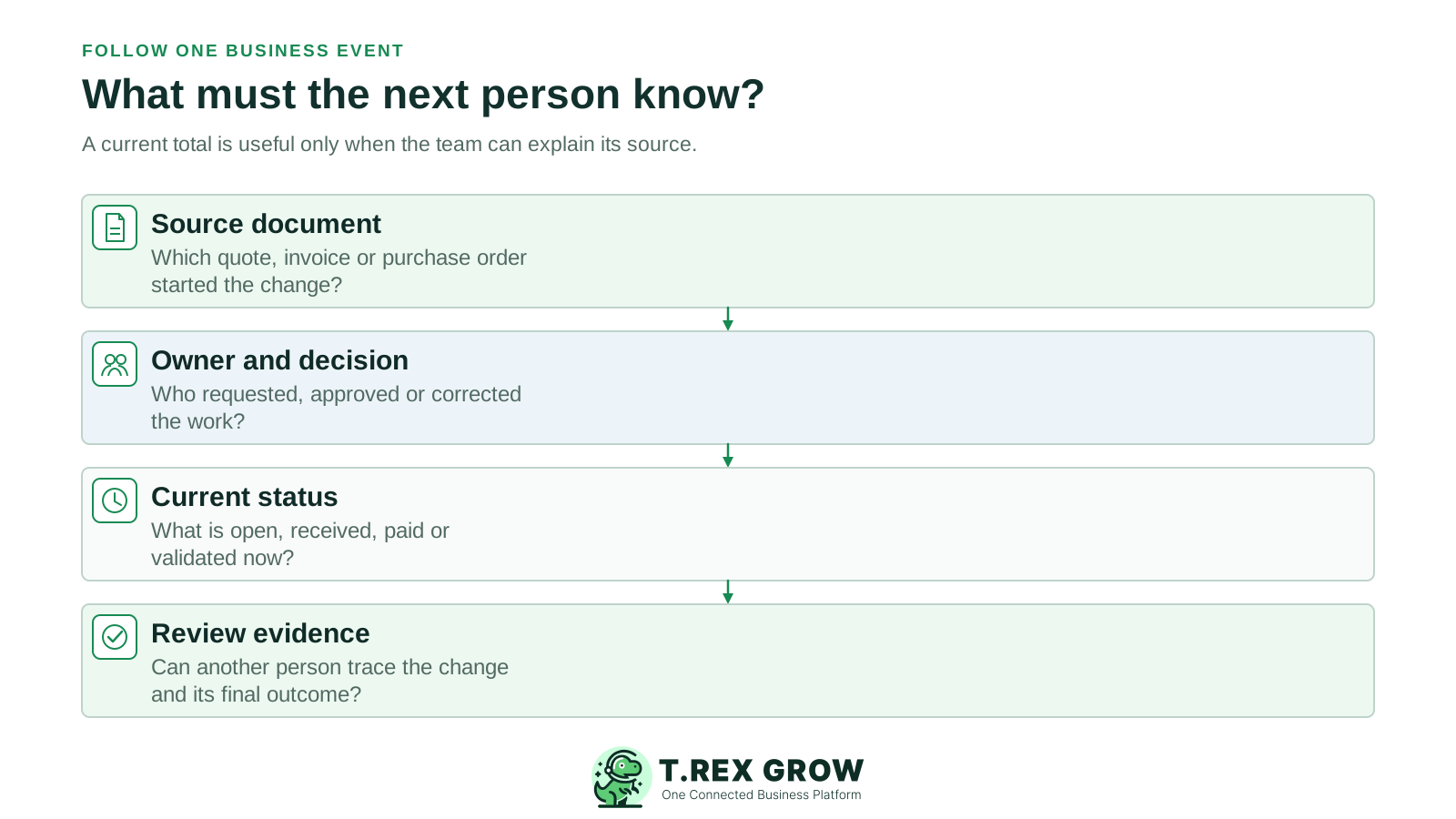
When a quote becomes an invoice, a PO becomes a partial receipt, or a document waits for approval, test whether each handoff can be explained without rebuilding history from cells, email and chat.
Moving operational records does not require abandoning Excel analysis. Excel's PivotTables and Power Query can remain useful for modelling and reporting from approved data.
Microsoft documents more than formulas. The relevant question is how well your actual workbook uses these features and who maintains the business rules around them. Microsoft 365 capabilities vary by licence, storage setup and Excel version.
A workbook saved to OneDrive or SharePoint can support coauthoring and version history. Excel for Microsoft 365 also documents Show Changes for cell edits.
Data validation, protected cells, PivotTables and Power Query can help a trained owner control entry and combine data. Worksheet protection is not a security feature by itself.
Office Scripts and Power Automate can automate workbook tasks in an eligible Microsoft 365 setup. Someone still has to design, test, maintain and support the resulting process.
HASiL's MyInvois Portal accepts its prescribed Excel template for batch upload. A normal invoice tracker is not the same as a submitted and validated e-Invoice; portal steps and returned status still need ownership.
TREX Grow publishes this page and is one of the options compared. Microsoft and HASiL sources were reviewed on 25 September 2026. This is desk research, not a measured Excel-versus-TREX benchmark. Compare your maintained workbook and the TREX Grow plan that includes the exact modules in your test.
Use one representative sale, purchase, correction and e-Invoice case in each setup. Capture who acted, which record changed and what evidence remained.
Excel may be extended with scripts and other Microsoft 365 tools; those flows need design and maintenance. A proposed TREX Grow plan must also be checked against its published module boundaries.
Neither a custom workbook nor TREX Grow Accounting Beta should replace an accepted accounting process on the strength of this page. Give a qualified accountant the ledger and reporting test.
A fair decision compares the maintained process, including its controls and human work, with the actual software plan—not a bare spreadsheet against a feature list.
Recurring issues usually point to workflow-control gaps, not one isolated data-entry mistake.
Coauthoring, version history and Show Changes exist in supported Microsoft 365 setups. Test whether they provide the document-level approval and operational evidence your team needs.
The MyInvois Portal provides an official prescribed Excel batch-upload template. Compare that portal route with TREX Grow's supported submission workflow and status handling.
Free covers core quotations, invoices, catalog/RFQ and supported Malaysia e-Invoice submission. Essential adds purchasing and stock; Premium adds deeper warehouse controls.
TREX Grow says accounting calculations, postings and reports may be incomplete or inaccurate. Keep qualified-accountant review in the decision.
A balance alone does not explain source documents, partial receipts, changes or open items. Keep historical workbooks and reconcile sample records before a cutover.
Excel can be configured in many ways, so its column describes a capable, maintained Microsoft 365 workbook rather than every spreadsheet. TREX Grow's column describes published plan scope; validate the final behaviour in a trial.
| Requirement | Excel setup | TREX Grow scope | Buyer test |
|---|---|---|---|
| Flexible analysis | Formulas, tables, PivotTables and Power Query support tailored analysis and reusable models. | Operational views follow product records and supported modules; Excel can remain a companion for custom analysis. | Name the reports your team needs and how each source value is refreshed and checked. |
| Collaboration and changes | OneDrive or SharePoint coauthoring, Version History and Show Changes can help show workbook edits when configured. | Users, permissions and supported document statuses give work an operating context. | Ask a second staff member to explain the latest approved state and why it changed. |
| Sales documents | Templates and formulas can produce quotes and invoices; the team defines numbering, revisions, handoffs and filing. | Free includes quotations and invoices; Starter adds broader sales documents and attachments. | Revise a quote, issue the invoice and find the original terms and follow-up. |
| Purchasing and stock | Tables and queries can calculate ordered, received and remaining quantities; the team designs the PO and stock movement controls. | Essential includes POs, stock entries and supplier invoices; Premium adds location, picking and count depth. | Order 20 units, receive 12 and show the remaining eight and the stock evidence. |
| Approvals | Comments, protection, scripts and Microsoft 365 workflows can support a designed approval path; confirm licence and maintenance owner. | Request/Approve behaviour and permissions exist for supported documents; do not assume arbitrary rules or thresholds. | Reject a changed document and identify the requester, approver, final version and retained record. |
| Malaysia MyInvois | HASiL's prescribed Excel template can be batch uploaded through the MyInvois Portal; submission and validation occur through the portal. | Supported invoices can be submitted through TREX Grow's MyInvois path, including on Free; setup and status review are still required. | Show template preparation or source invoice, submission result, returned status and correction path. |
| Accounting | A workbook can model figures, but its accounting design and reports need professional validation. | Accounting Beta is on paid plans; calculations, postings and reports require qualified-accountant review. | Have the accountant accept opening balances, correction, reconciliation and period-end outputs. |
The aim is a defensible shortlist. A workbook may remain the right tool for modelling even when operational records move elsewhere.
One owner, consistent fields, a current shared file and regular reconciliation may be enough for low-volume work. Continue using Excel when its flexibility is the value you need.
If staff repeatedly re-enter customer or product data, debate which invoice is current, or reconstruct PO and stock events, test linked records on the plan that includes those modules.
Keep Excel for budgeting, forecasting or custom analysis if useful. Decide which system owns live customer, supplier, document and stock records, and how approved data reaches each report.
TREX Grow Accounting remains Beta. Retain the accepted accounting process until your accountant verifies that another setup meets the required controls and outputs.
Do not compare only an existing Excel licence with a new software subscription. Include the time to maintain templates, reconcile exceptions, train users and manage remaining portal work. Do not assign a fixed saving without measuring your own process.
| Area | Excel question | TREX Grow question |
|---|---|---|
| Software entitlement | Which Excel and Microsoft 365 licence, storage and automation features are already available to the team? | Which of Free, Starter, Essential or Premium includes every document and stock step in the pilot? |
| Build and maintenance | Who owns templates, formulas, data validation, scripts, version rules and backup of the current workbook? | Who sets up master data, roles, supported workflows and any required imports or exports? |
| Malaysia e-Invoice | Who fills the prescribed portal template, uploads it, checks rejection or validation and files the result? | Who configures the MyInvois path, checks supported document types and resolves rejected submissions? |
| Migration and reporting | Which workbooks, formulas and historical reports remain accessible after a move? | Which records can be imported or exported, and how will opening positions be reconciled? |
| Accounting | Who validates workbook accounting logic and final reports? | Who reviews Accounting Beta postings and reports before relying on them? |
Use safe sample data, a maintained workbook and the TREX Grow plan that contains the required modules. Record the result and any manual work left in each setup. Avoid live tax submissions or customer messages as an unplanned demo.
Record the current facts in one shared place.
Confirm what is known and what needs attention.
Make the next decision or follow-up accountable.
Complete the next task and record the outcome.
Refresh the shared view when facts change.
A dependable workflow keeps the shared record and the next action aligned.
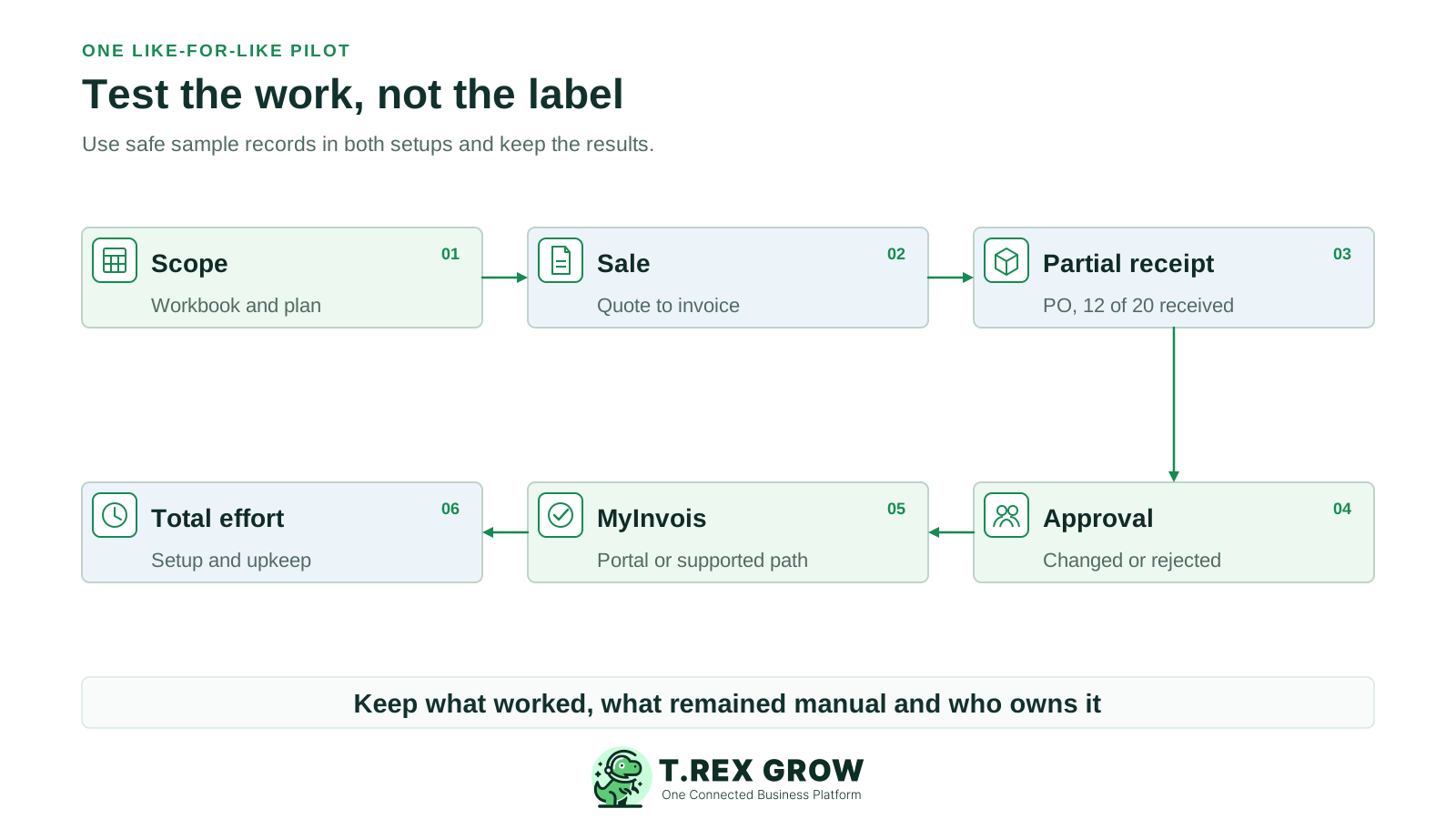
Write down the current workbook, Microsoft 365 features, named owner and TREX Grow plan used for the test.
Create and revise one quotation, then issue an invoice. Find the prior terms and the final customer position in each setup.
Create a PO for 20 units, record a receipt of 12 and show the remaining eight, supplier bill and stock record.
Test a requester, approver and changed or rejected document. Record what the next employee can see without asking the author.
Demonstrate a safe MyInvois route: HASiL's prescribed Excel template through the portal versus TREX Grow's supported document path and returned status.
Time data entry, reconciliation, exceptions and follow-up. Add licence, plan, setup, training, migration and ongoing maintenance to the decision.
A successful demo proves only the shown case. Keep a short acceptance sheet that separates completed work from assumptions and records the owner of every unresolved issue.
Keep the original file, formula definitions, customer and product IDs, open documents and a dated balance snapshot. Decide who may edit it during cutover.
Compare line items, quantities, tax identifiers, payments and status in both places. Do not infer that moving rows migrated business decisions or attachments.
Once a workflow moves, state where staff must create, approve and correct records. Prevent an old workbook from continuing as a hidden second operational system.
Check Microsoft 365 sharing and protection settings and TREX Grow permissions for the actual users. Have a qualified accountant approve the accounting scope separately.
The best practice is to make the next action clear before the situation becomes urgent.
Choose one real workflow that costs your team time today. Keep Excel's useful analysis, select the TREX Grow plan that covers the operational steps, and compare the evidence from the same sale, purchase and e-Invoice case.
No. Excel can be effective for a low-volume, well-owned process and remains useful for custom analysis. Test TREX Grow when recurring documents, approvals, purchasing or stock changes need a shared operational record. Use the same sample and total-cost assumptions for both.