Customer context is rebuilt every time
Sales teams often copy customer details, contacts, product descriptions, and earlier pricing from scattered sources. That creates inconsistent quotes and slow revisions.

Quotation software should do more than generate a polished PDF. This guide helps Malaysian SMEs assess customer context, scope, pricing, terms, approval, version control, and the move from an accepted quote to the next record.
Primary keyword
quotation software Malaysia
Audience
Malaysian SME owners, sales administrators, account executives, finance assistants, operations managers, distributors, contractors, and service businesses that prepare customer quotations and need a clearer process before fulfilment and billing.
Goal
Teach Malaysian SMEs how to evaluate quotation software around customer context, version control, approvals, decision tracking, and quote-to-invoice continuity before softly showing how TREX Grow supports connected operations.
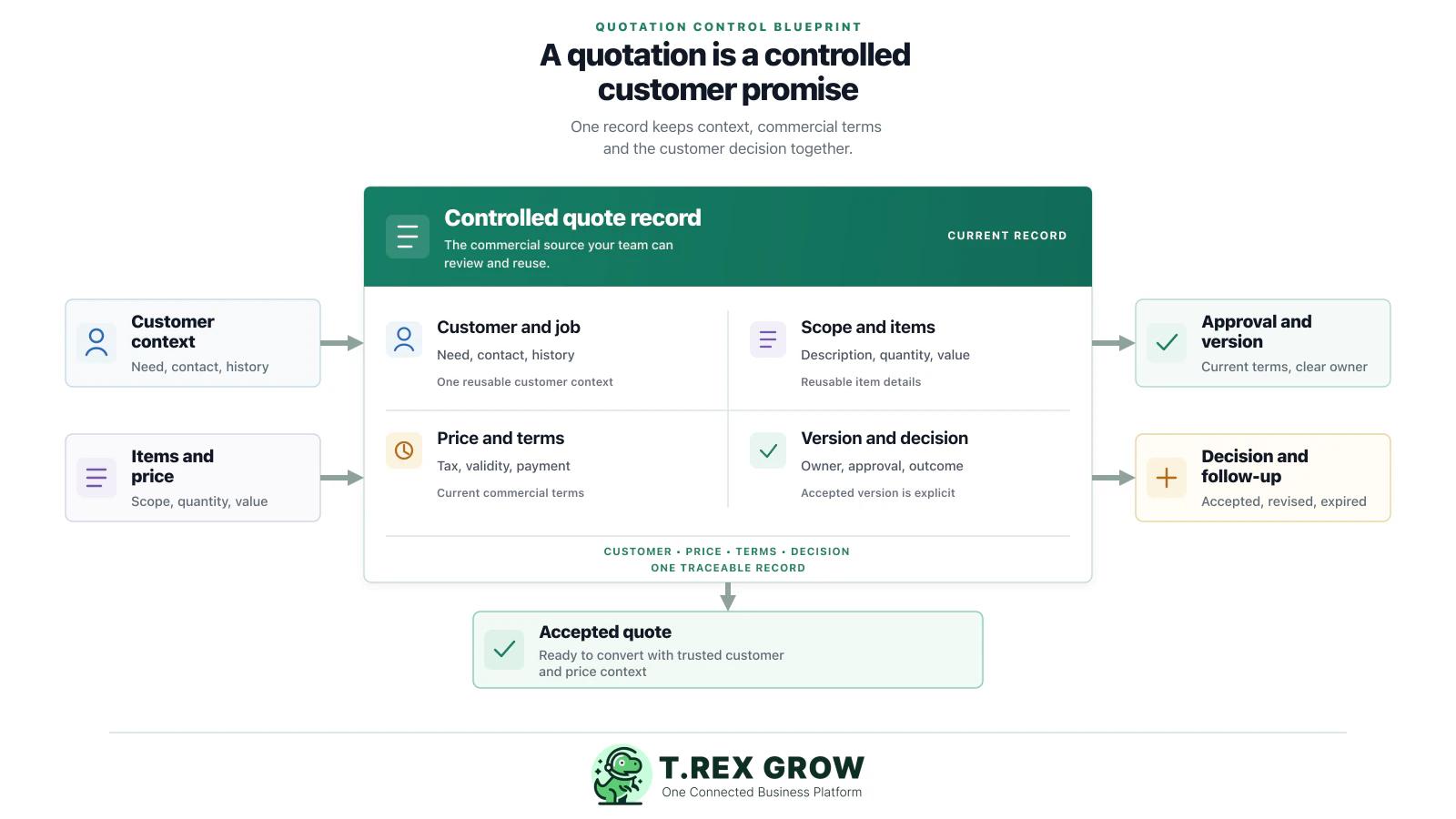
A quotation is where a customer’s request turns into a commercial promise. The software decision matters because this is where customer data, scope, pricing, terms, approval, and future billing context can either stay connected or start to drift apart.
Operational pressure
When records live in different places, the person responsible has to reconstruct what happened before they can make a confident decision or follow up.
Sales teams often copy customer details, contacts, product descriptions, and earlier pricing from scattered sources. That creates inconsistent quotes and slow revisions.
When a revised quote is sent by email or WhatsApp without an obvious version and status, sales, finance, and the customer can each rely on different terms.
Discounts, delivery commitments, payment terms, tax treatment, and quote validity can be changed casually when the process has no clear approval or ownership.
If the accepted quotation does not carry into the sales order, fulfilment, or invoice, teams retype the same details and risk billing the wrong scope or amount.
A quote can be accepted, revised, expired, or ignored. Without a visible decision status and next action, important opportunities and customer replies get lost.
Quotations are not e-Invoices, but clean customer, item, price, and term records make the later order, invoice, and e-Invoice workflow easier to prepare accurately.
Evaluate how a system helps your team manage the commercial decision around a quote. The objective is a traceable record that people can understand, update, approve, send, and convert without reconstructing the sale from scratch.
The work is easier when the team can see the current facts, the responsible person, and the next action without reconstructing the history from separate tools.
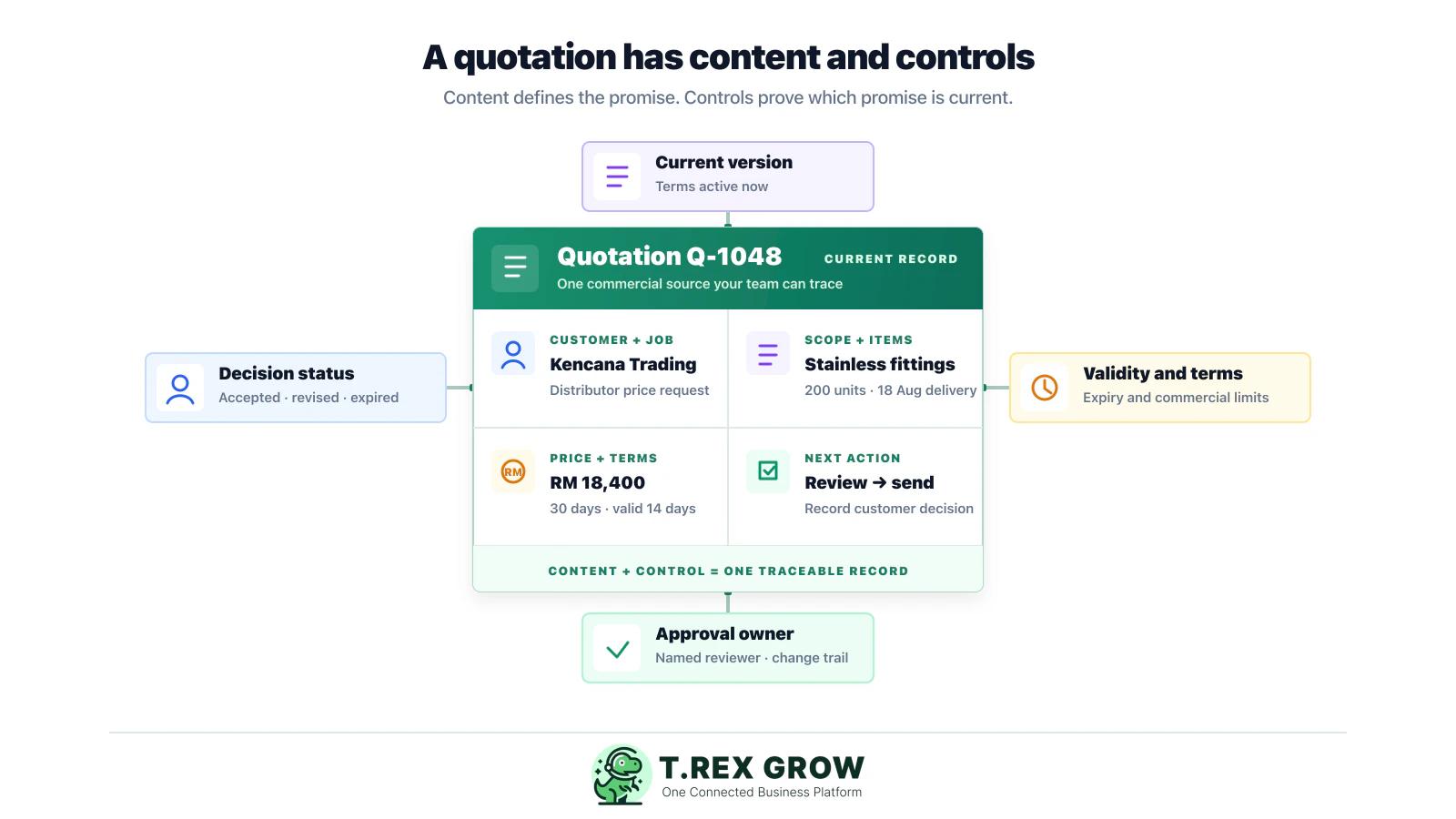
The quote should start from a reliable customer record, decision contact, job or request context, and any relevant history. This prevents the sales team from retyping or guessing basic details.
A useful quote makes the product, service, unit, quantity, exclusions, delivery expectation, and supporting description clear enough for the customer and internal teams to understand the promise.
Check how pricing rules, discounts, taxes, payment terms, deposits, delivery charges, validity periods, and special conditions are displayed, reviewed, and changed.
The team should be able to see which version is current, what changed, who approved it, and whether the quote sent to the customer reflects the right commercial terms.
Use clear states such as draft, awaiting review, sent, revised, accepted, declined, expired, or cancelled. Each status should suggest the next action instead of leaving follow-up to memory.
When a customer accepts, the relevant quote details should be easy to carry into the next step—sales order, delivery, invoice, or project work—without recreating the commercial context.
A clear workflow makes quotes faster to prepare and safer to hand over. Start with a realistic customer request, then make the accepted commercial promise visible to the people who need it next.
Record the current facts in one shared place.
Confirm what is known and what needs attention.
Make the next decision or follow-up accountable.
Complete the next task and record the outcome.
Refresh the shared view when facts change.
A dependable workflow keeps the shared record and the next action aligned.
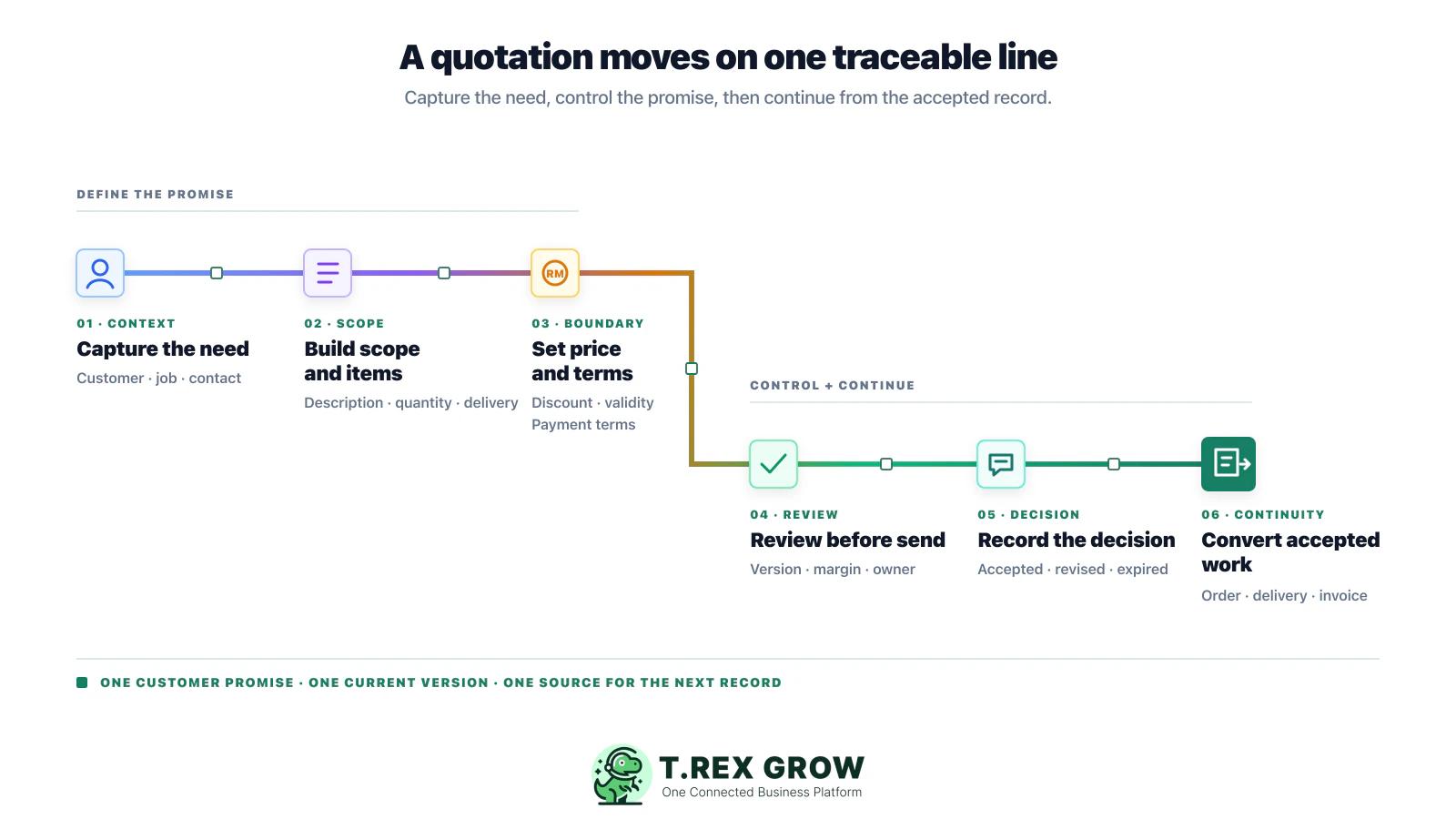
Capture the customer request: record the customer, decision contact, job or project context, requested products or services, timing, and any known commercial constraints before preparing the quote.
Build the quote from controlled records: select the customer, items, descriptions, quantities, price basis, and delivery or service expectations from a reliable source instead of copying an old PDF blindly.
Set commercial terms clearly: include discount, tax treatment, deposit or payment terms, quote validity, exclusions, delivery conditions, and any special requirements in a format the customer and your team can understand.
Review the current version before it is sent: confirm that the scope, price, terms, documents, and approval owner are correct. If a quote changes, make the revised version and the reason visible rather than silently replacing it.
Send and record the customer decision: record when the quote was sent, who received it, its validity date, the customer response, and the next follow-up action. Do not leave the outcome in a private inbox or chat thread.
Convert accepted work without retyping the sale: use the accepted quotation as the source for the sales order, fulfilment, invoice, or service job. Preserve the link so the team can trace what the customer agreed to.
Review open quotations weekly: prioritise expired quotes, high-value quotes awaiting decision, revised quotes needing approval, and accepted quotes that have not progressed to the next operational step.
Quotation processes become unreliable when the team treats the document as a one-off attachment instead of the start of a controlled sales workflow.
Most issues are not tax knowledge problems. They are workflow control problems.
A polished PDF does not show whether the team can control customer data, price changes, approval, customer decisions, and the next document after acceptance.
Reusing a previous quote can carry forward outdated customer details, prices, discounts, validity dates, payment terms, or scope from a different job.
When staff cannot identify the current version, the customer may accept one price while operations or finance works from another. Mark revisions and acceptance clearly.
Large discounts, unusual delivery promises, extended payment terms, or customised work can create operational and cashflow risk if the right owner never sees them.
Acceptance should trigger a visible next step. If the quote does not become an order, delivery, job, or invoice source, the team starts the sales story again from scratch.
A sent quote can be open, accepted, revised, declined, or expired. Without a routine for follow-up and outcomes, pipeline reporting and customer service become unreliable.
A quote can prepare clean source data, but it does not replace the separate invoice and e-Invoice workflow. Confirm the applicable requirements and keep the later document process controlled.
The best rollout begins with a simple set of commercial rules that the sales, finance, and operations teams can follow. Software should make those rules easier to use, not hide them behind more steps.
Agree on a small number of statuses such as draft, awaiting review, sent, revised, accepted, declined, expired, and cancelled. Assign a next action to each status.
Decide where legal customer details, contacts, product or service descriptions, price rules, and payment terms are maintained. This reduces differences between quotes.
Record a revision number or clear change marker, the date it was sent, the customer response, and the version the customer accepted. Do not rely on file names such as final or latest.
Set thresholds for discounts, non-standard terms, delivery commitments, or margins that need a manager or finance review before the quote is sent.
Link approval emails, purchase orders, or messages to the relevant quotation record. This makes future invoice, delivery, dispute, and handover conversations easier.
Define the information that must carry forward after acceptance: customer, scope, items, quantity, price, terms, evidence, owner, and any special commitments.
Test a normal quote, a price change, a customer revision, an exception requiring approval, an accepted quote, and an expired quote before rolling out to every user.
The best practice is to make the next action clear before the situation becomes urgent.
For SMEs that need quotations to guide fulfilment, invoice, and payment work, a connected operations workspace can make the commercial decision easier to trace across the handovers that follow customer acceptance.
TREX Grow helps SMEs work with connected customer, quotation, invoice, and operational records so teams do not need to rebuild the same commercial context in separate files.
A shared quotation workflow helps sales, finance, and operations see whether a quote is being drafted, reviewed, sent, accepted, revised, expired, or ready for its next document.
For trading and service SMEs, an accepted quote often connects to inventory, purchasing, approvals, delivery, supplier payments, catalogue activity, RFQs, or appointments. TREX Grow brings these records closer to the sales workflow.
TREX Grow supports Malaysia LHDN e-Invoice workflows alongside quotation, invoice, and operations management. Each business should still confirm its own current requirements, data configuration, and responsibility with HASiL guidance.
Start with the quotation handovers that create the most rework today, then extend the shared workflow as your team gains confidence in the records behind each sale.
Use the checklist in this guide to test your current quote process with a real customer request. When your team is ready for a connected workflow, TREX Grow can help keep the quotation, next document, and wider operations closer together.
Quotation software helps a business prepare, control, send, track, revise, and convert customer quotes. The useful part is not only creating a PDF; it is keeping customer context, scope, pricing, terms, versions, approvals, decisions, and the next operational action connected.