Record the current working scope
List the product, edition or plan, enabled modules, users, locations, reports and any connected tools. Note which activities already work and which depend on a spreadsheet or manual handover.

An AutoCount alternative should solve a specific problem in your business. Identify the product and setup you use, then decide which sales, purchasing, stock and accounting responsibilities would move. Evaluate TREX Grow for supported operating workflows, with its current Accounting Beta qualification included in the decision.
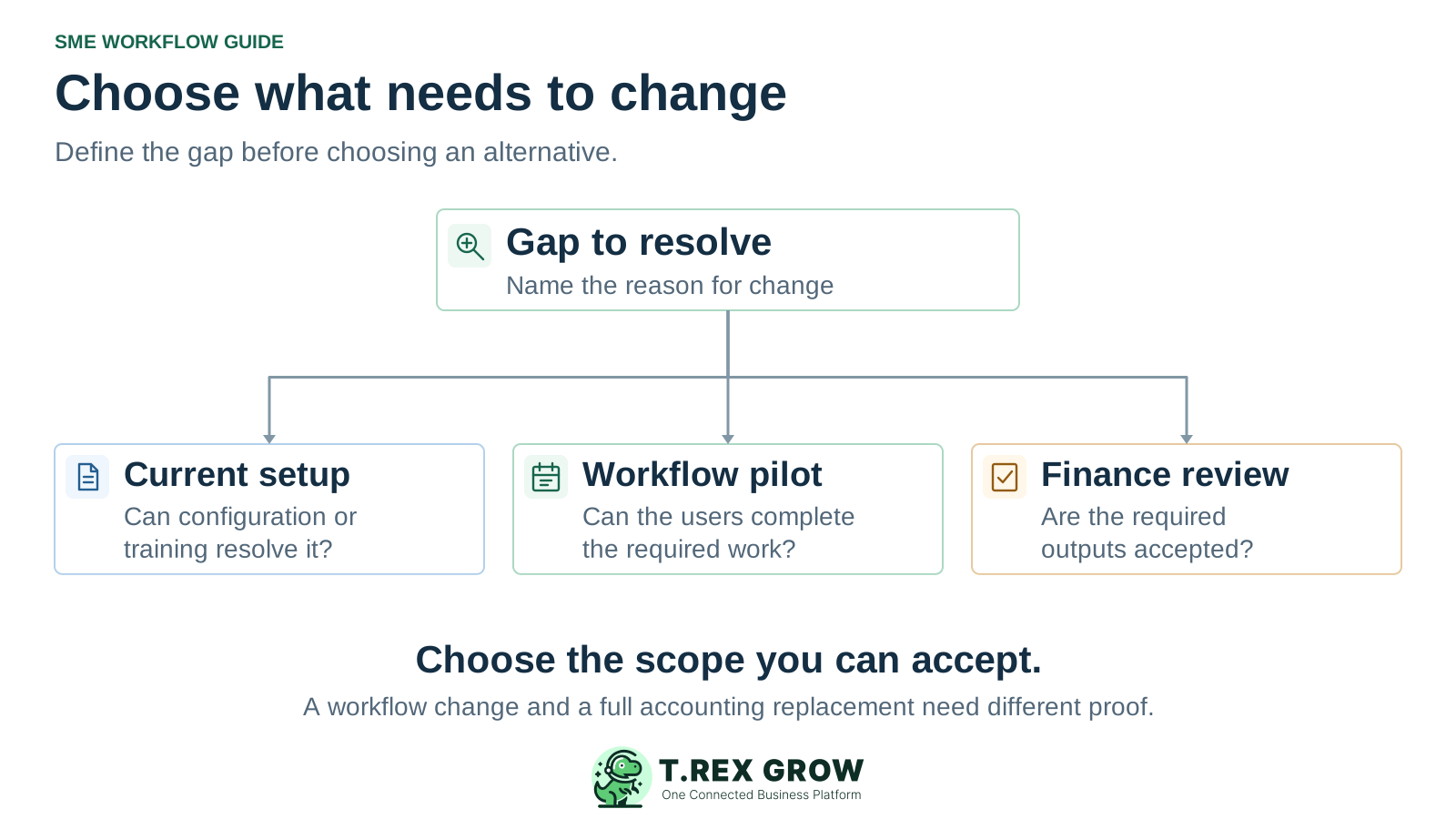
This guide is for SMEs considering a change to an existing setup. AutoCount Cloud Accounting offers browser access, sales and purchase documents, inventory and accounting capabilities. Accounting V2 has its own editions, modules and document workflows. Compare the selected product and configuration. Official product information was reviewed on 17 October 2026; this is desk research, not hands-on AutoCount testing. TREX Grow is not affiliated with or endorsed by AutoCount.
List the product, edition or plan, enabled modules, users, locations, reports and any connected tools. Note which activities already work and which depend on a spreadsheet or manual handover.
Ask the current provider to demonstrate the missing workflow in your configuration. A setup, training or module change may be sufficient. Compare that option with the work and risk of switching.
Name the people who will accept daily document handling, stock evidence, balances and financial outputs. A convenient operating screen alone cannot establish that every responsibility can move.
Write down a recent example of the problem before building a shortlist. Specify the record, the person doing the work and the result they could not establish. Use the same example when reviewing the current setup and any alternative.
Operational pressure
When records live in different places, the person responsible has to reconstruct what happened before they can make a confident decision or follow up.
For example, the purchasing team needs to see which order a receipt belongs to and what remains outstanding. Test the source link, quantities and next action rather than asking only whether a stock module exists.
Identify the users, devices and actions involved. Test the actual access and permission configuration, including an action that should be blocked, before treating the problem as a limitation of an entire brand.
Compare the required users, workflows, services and ongoing responsibilities. A lower starting subscription is useful only if the proposed configuration covers the work your team will actually perform.
Keep the switching decision tied to demonstrated scope. A brand-level feature list or a clean import preview can leave important responsibilities unresolved.
Recurring issues usually point to workflow-control gaps, not one isolated data-entry mistake.
AutoCount Cloud Accounting already describes browser access, inventory and purchasing. Verify the current plan and setup before using those capabilities as a reason to replace it.
AutoCount's support documentation describes template-based master-data imports into its cloud product. That does not establish an export path to TREX Grow, a native connector, or transfer of history, attachments and document relationships.
Keep required accounting work in an accepted process until the replacement scope has been reviewed. TREX Grow currently labels Accounting as Beta and warns that financial outputs may be incomplete or inaccurate.
These are decision paths, not a vendor ranking. Choose the scope that addresses the verified gap and record any remaining work. If two systems will remain, explicitly assign the authoritative record and the handover for each responsibility.
| Path | When to investigate it | Evidence to require |
|---|---|---|
| Retain or reconfigure the current AutoCount setup | The main requirement may be covered by an existing capability, configuration, module or training change. | The current provider demonstrates the workflow and quotes the full change, including users, support and any remaining manual work. |
| Evaluate TREX Grow for a defined operating workflow | The priority is connected sales documents, purchasing or stock work that the proposed TREX Grow plan supports. | The intended users complete a representative job and exception. Confirm plan coverage, record ownership and the accounting boundary. |
| Keep an accepted accounting process alongside changed operations | Daily operations may move while finance still needs an established process for required outputs. | Name who transfers or reconciles information, how often, and which records control balances. No native AutoCount–TREX Grow connector is established by this guide. |
| Evaluate a replacement for the full financial scope | The business requires accounting, reporting and operating responsibilities to move together. | Have the finance reviewer accept the actual configured outputs and opening positions. Do not infer readiness from invoice tracking or a Beta feature label. |
Consider TREX Grow when your first requirement is a document-led SME operating workflow. Review the current plan matrix for the sales, purchasing and stock scope you want to test. Its published pricing page identifies Accounting as Beta, with setup and accuracy qualifications; include a qualified accountant in any financial evaluation.
Evaluate supported quotation, delivery and invoice relationships with your intended users. Check source references, a partial outcome and the distinction between document state and payment state.
Test a purchase order and a linked stock-entry workflow with representative items and quantities. Confirm the selected plan, location handling and the evidence your team needs before accepting the result.
TREX Grow warns that Beta financial calculations, postings and reports may be incomplete or inaccurate. Required setup and opening balances also need review. Keep essential financial work in an accepted process until the relevant outputs are validated.
This existing TREX Grow demo screenshot shows a Create Stock Entry form referencing purchase order CD-PO-0001, with expected and entered received quantities of 250. The form shows Matched and the location is still Not allocated. It illustrates visible input and source-reference fields; a saved receipt, location allocation and resulting stock or financial effects require a live test.
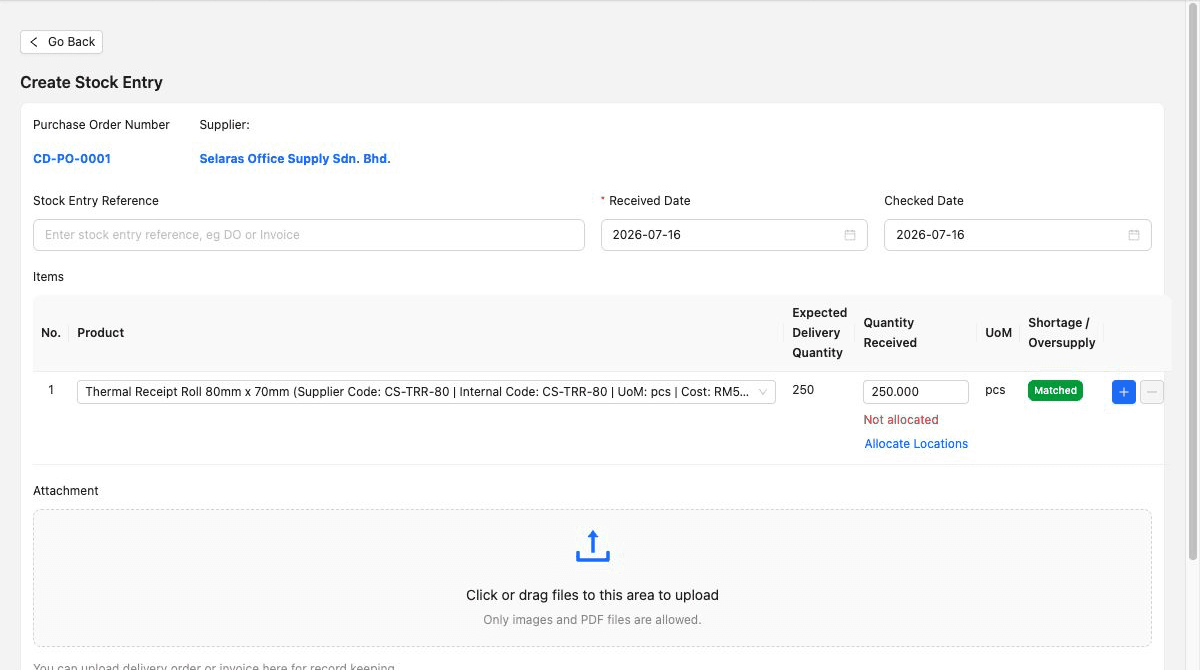
Ask the intended user to complete the relevant workflow, then inspect the saved record, source relationship and resulting quantity evidence. Include a short receipt or correction that reflects your real work.
A source-linked demo form does not establish that an AutoCount order can be imported with the same links. Validate the preparation or transfer method independently for your selected record types.
Request a current quote for the AutoCount product and configuration you use, and check TREX Grow's current pricing for the proposed scope. Plan terms and promotions can change. Compare the same users, work and planning period; this guide does not claim a fixed price advantage.
| Area | What to establish |
|---|---|
| Product scope | Required plan or edition, modules, users, entities, locations and any applicable limits or add-ons. Confirm that the quoted setup matches the pilot. |
| Preparation and rollout | Data cleanup, field mapping, opening positions, configuration, training and named owners for acceptance and support. |
| Work that remains between systems | Manual transfer, reconciliation, integration work if separately established, and review of exceptions. Include the team's recurring effort. |
| Historical access and later exit | Usable records, attachments, continued access to earlier periods and the agreed way to obtain data if the supplier or scope changes again. |
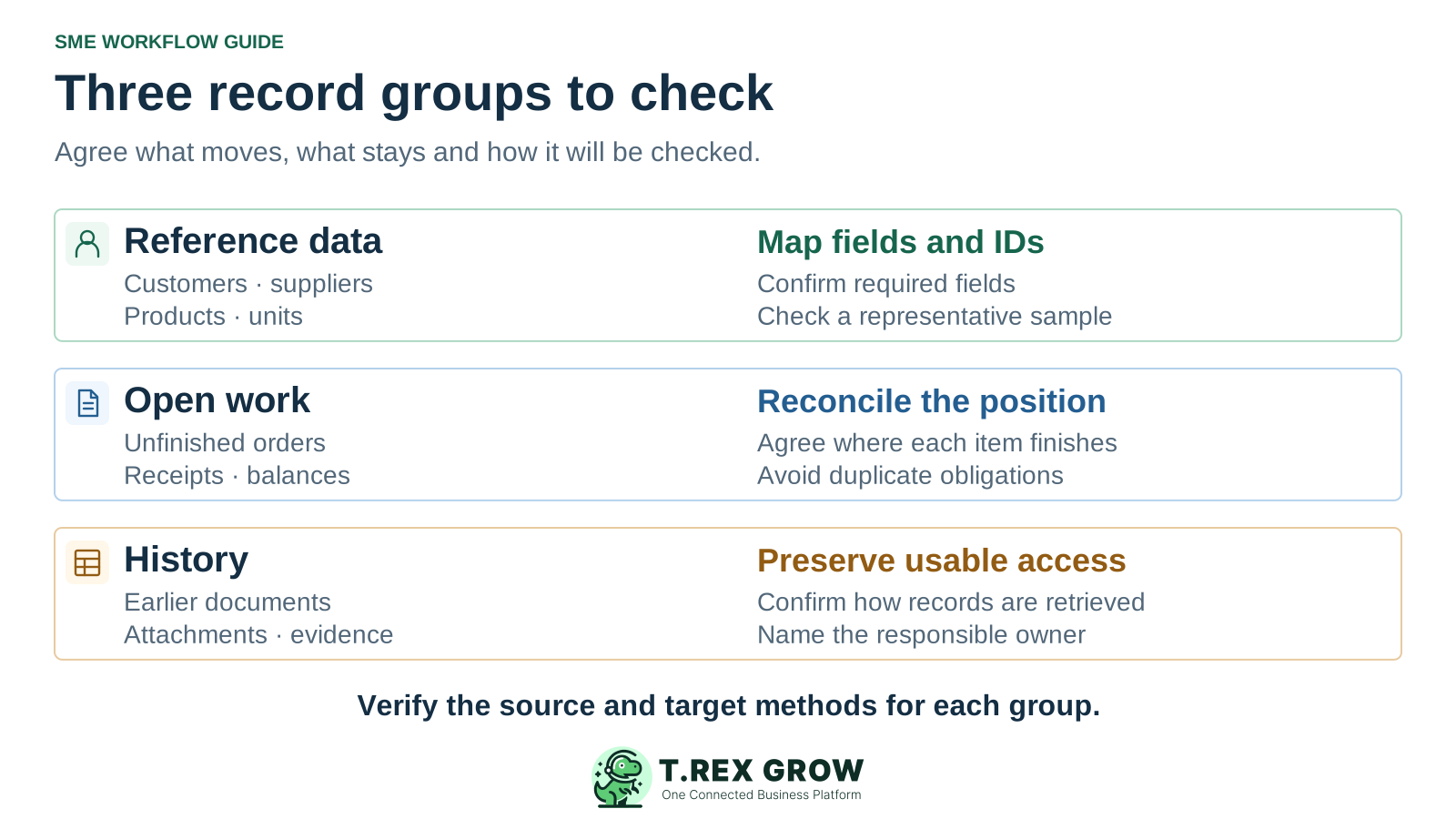
Separate reference data, open work and historical access before planning a switch. Establish the available source extraction and target preparation methods for each group; neither an export nor a compatible import should be assumed. The diagram is a planning model, not a migration feature promise.
Review customers, suppliers, items, units and the identifiers used to link them. Test required fields, duplicate handling and a small representative sample using the method actually available.
List unfinished orders, partial deliveries or receipts, unpaid amounts and unresolved exceptions. Decide where each item will finish, reconcile the accepted position and avoid opening the same obligation twice.
Agree how authorised users will retrieve earlier documents, attachments and supporting records. Keep the current process available during validation and have the responsible reviewers set the access and retention requirements.
The best practice is to make the next action clear before the situation becomes urgent.
Keep the first evaluation bounded to one representative workflow and its exceptions. Preserve an accepted process for ongoing work while the proposed scope is tested. Agree what will happen if a required check fails before making the new setup authoritative.
Record the current facts in one shared place.
Confirm what is known and what needs attention.
Make the next decision or follow-up accountable.
Complete the next task and record the outcome.
Refresh the shared view when facts change.
A dependable workflow keeps the shared record and the next action aligned.
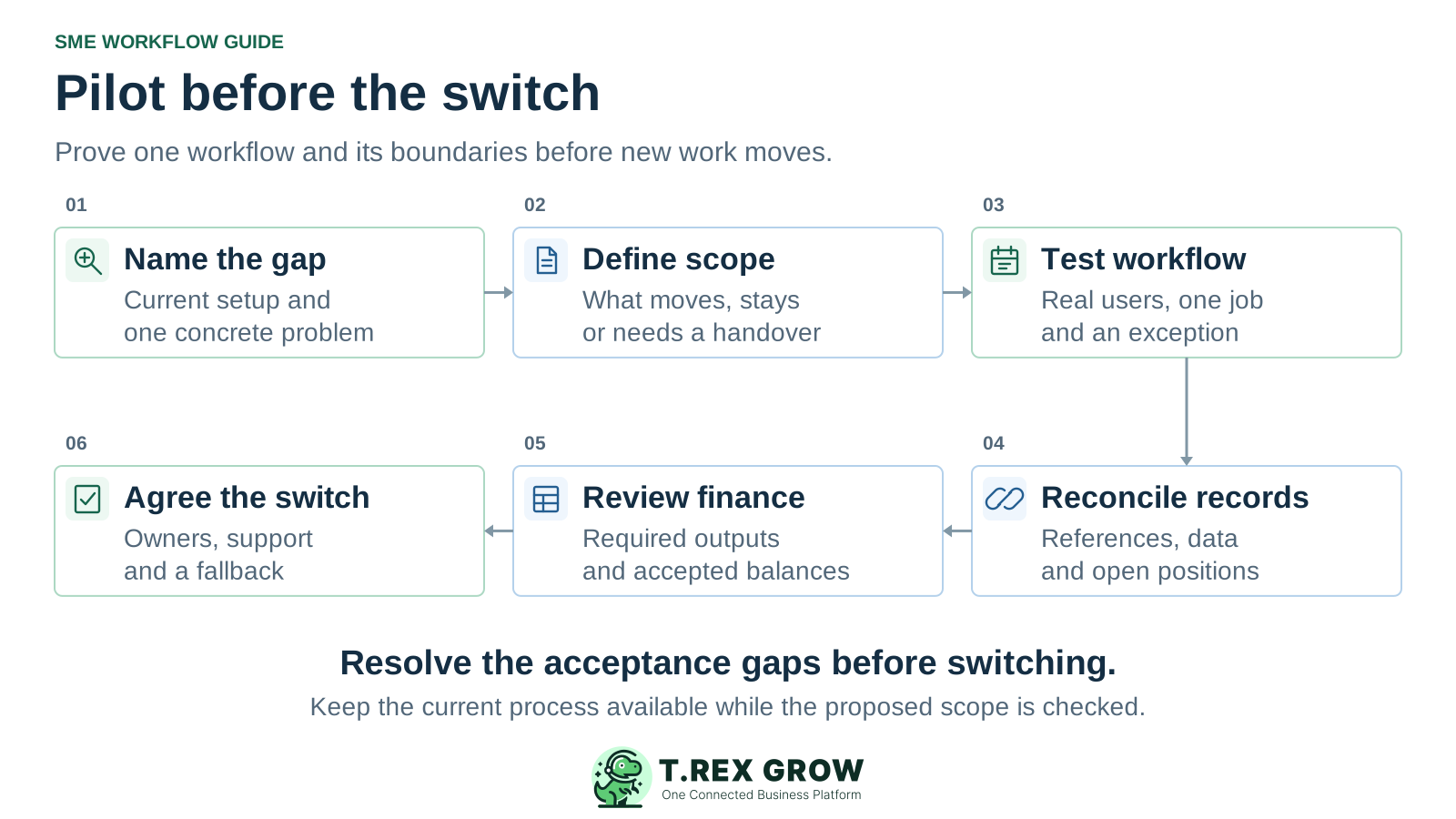
Name the gap: record the current product and configuration, one concrete problem and the improvement the team needs to demonstrate.
Define the scope: list the users, records and responsibilities that would move, remain or need a controlled handover. Set the operating and financial acceptance criteria.
Test the workflow: use the proposed plan and real user roles to complete a representative job, then try a partial outcome, correction or blocked action.
Reconcile the records: validate the preparation or transfer method, source identifiers, required fields and open positions with a representative sample. Preserve usable history.
Review the financial requirement: have the responsible finance reviewer inspect required balances and outputs. Include the current TREX Grow Accounting Beta warnings and keep unaccepted work in the established process.
Agree the switch: record passed and unresolved checks, owners, support, the point when new work changes systems, the treatment of earlier work and the fallback if acceptance fails.
Create a free workspace, review the current plan scope and test one representative operating workflow. Confirm the terms before testing paid features. Keep your current process available while you assess the result, and include the published Accounting Beta qualification in any wider replacement decision.
The fit depends on the scope you need to change. Evaluate TREX Grow for supported sales-document, purchasing and stock workflows in the selected plan. If full accounting replacement is required, include its current Accounting Beta warnings and have the required outputs reviewed before moving that responsibility.