You need a clearer cross-team workflow
Sales, purchasing, warehouse and accounts may already have useful tools. The decision is which records and handovers need to work together, including any specialist application that will remain.

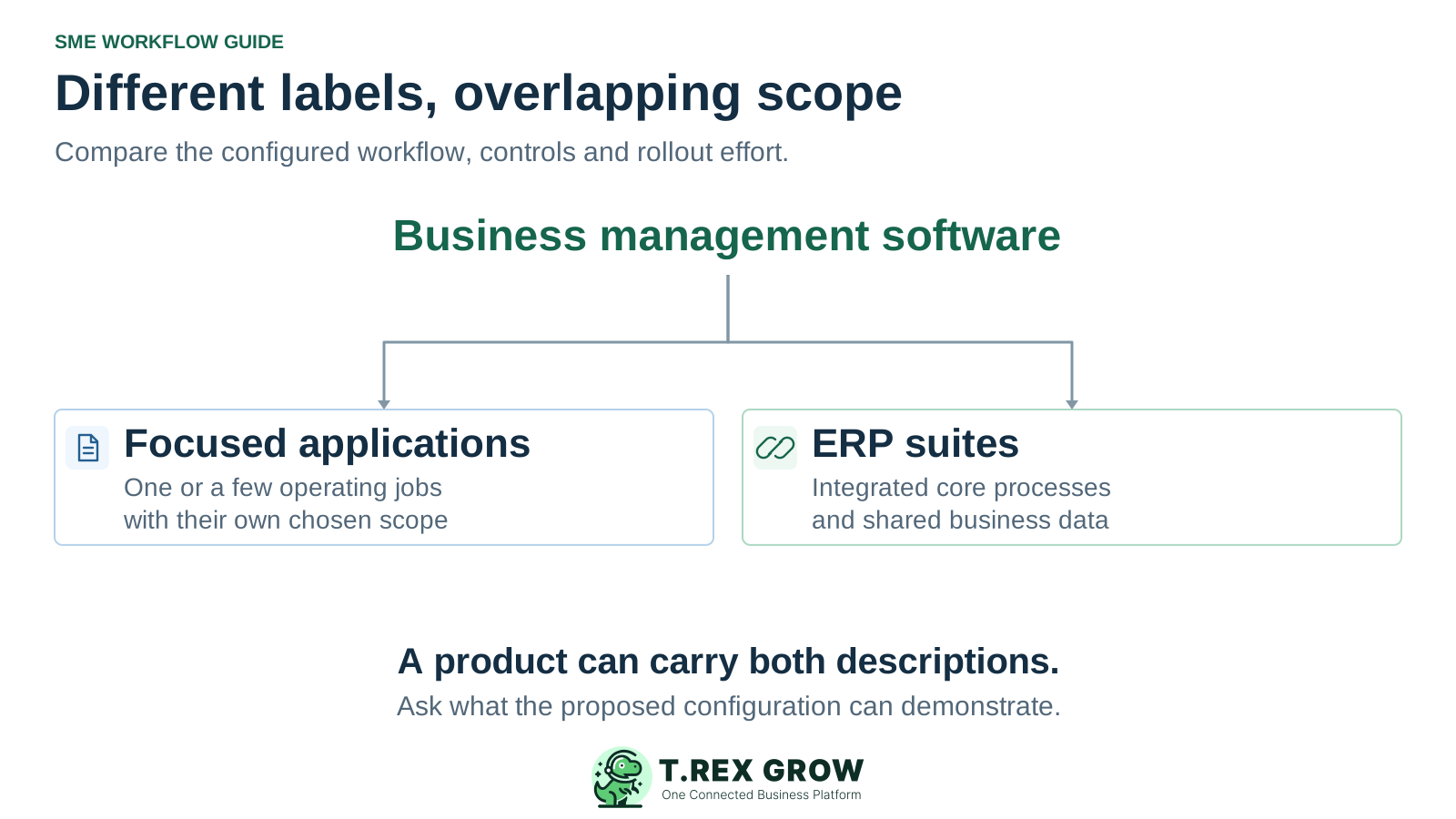
ERP and business management software are overlapping descriptions. ERP usually signals an integrated suite for core processes; business management software can describe a focused application, a broad suite or ERP itself. Compare the workflows, financial depth, controls and implementation effort of the actual configuration you would use.
Use this guide when your Malaysian SME is choosing software to connect daily work and the shortlist mixes ERP, business management and operations labels. Start with the business requirement that must work, then test the proposed scope.
Operational pressure
When records live in different places, the person responsible has to reconstruct what happened before they can make a confident decision or follow up.
Sales, purchasing, warehouse and accounts may already have useful tools. The decision is which records and handovers need to work together, including any specialist application that will remain.
An invoice list and an unpaid balance answer useful operating questions. They do not by themselves demonstrate the posting, period controls and financial reporting your finance reviewer may require.
Define the users, business entities, records and exceptions involved in the first rollout. A small team can have complex requirements, while a larger team may need a bounded set of workflows.
For this comparison, business management software is the broad description for applications that help run business activities. ERP is an integrated approach to core processes and shared business data. Vendor usage overlaps: Microsoft describes Business Central as ERP on its product page and as a business management solution in its documentation.
SAP and Oracle describe ERP around connected business processes, including finance and operational functions. The exact modules, industry depth and integration methods still depend on the product and selected configuration.
A product marketed as business management software may focus on a few jobs or cover a wide suite. Ask what is included, which records connect and how the proposed setup meets your requirements.
Neither description establishes the total price, implementation duration, financial completeness or ease of use for your business. Request evidence for the scope you would actually buy and operate.
Choose one representative job, then follow the records across the people who do the work. The diagram is a conceptual evaluation example, not a claim that every product includes every stage or posts financial entries automatically.
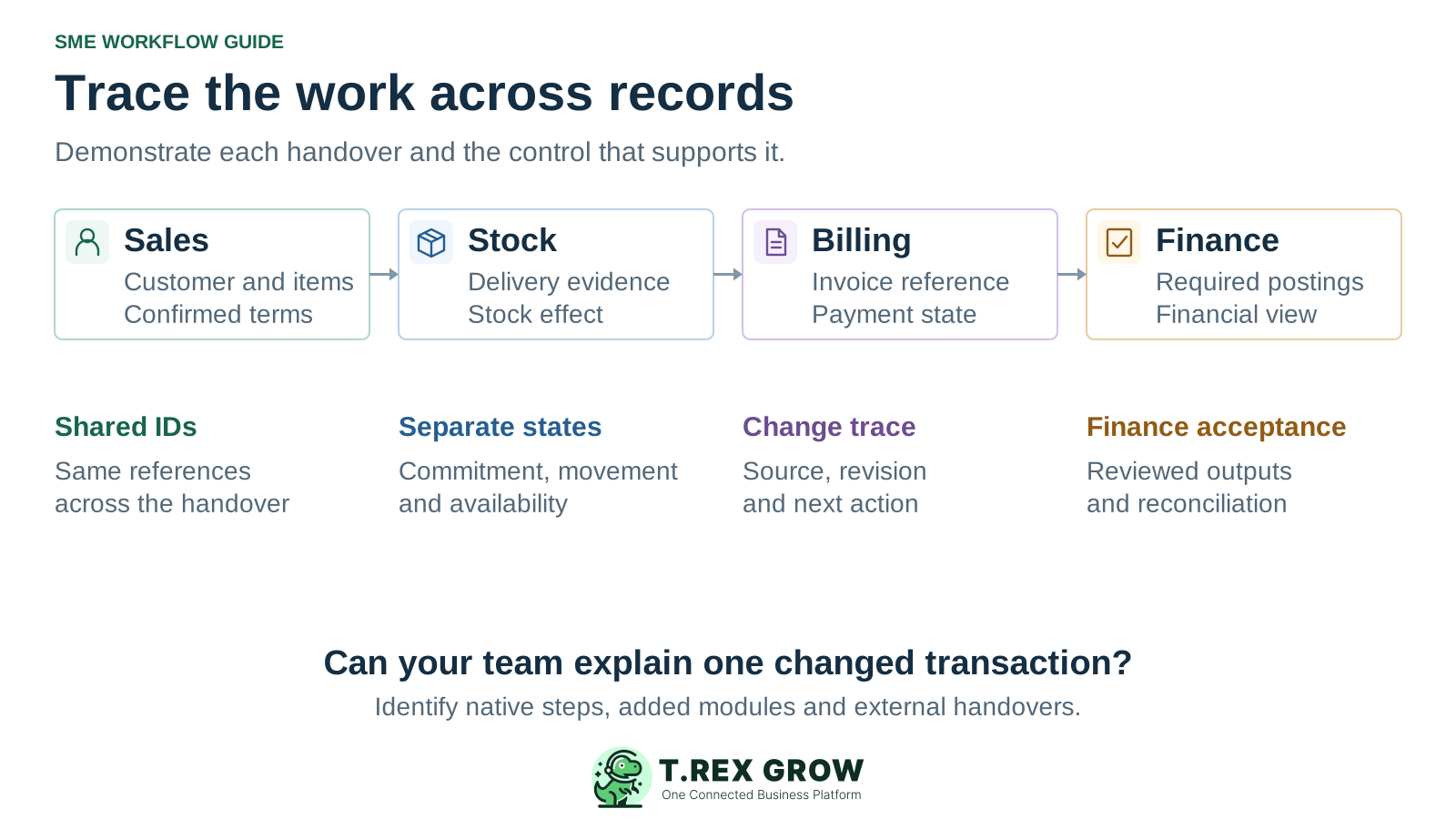
Mark each required step as part of the quoted product, a separately licensed module, an integration or an owned manual process. A common login or dashboard does not explain those boundaries.
Revise a quantity or complete a partial outcome, then inspect the source and downstream records. Confirm which changes propagate, which require review and how the next colleague knows what remains open.
The warehouse may need physical movement and availability evidence; finance may need a posting and reporting result. Have both reviewers explain the outcome and reconcile any boundary between their records.
An attractive category story can hide a poor fit. Keep the same requirements, sample transaction and acceptance criteria across the shortlisted configurations.
Recurring issues usually point to workflow-control gaps, not one isolated data-entry mistake.
ERP products are offered for smaller businesses as well as larger organisations. Review process complexity, financial requirements and the resources needed to maintain the chosen setup.
A broad app suite with integrations and custom work can require substantial effort. Compare the complete configured scope instead of inferring cost or usability from the name.
Confirm the edition, plan, extension, implementation service and permissions needed for each required function. Record whether the demonstrated feature is available in the actual quoted setup.
Open the underlying records, trace the source and test an exception. A headline total does not establish how movements, adjustments, payment events or financial outputs were created.
These are working descriptions, not universal feature guarantees. Use the final column to turn each distinction into an evidence request for the specific product, edition and implementation you are considering.
| Decision area | What ERP usually signals | What business management software can describe | Evidence to request |
|---|---|---|---|
| Functional scope | An integrated suite for several core business processes. | A focused application, an operational suite, a broad app collection or ERP itself. | A list of required workflows mapped to included, added and external capability. |
| Record connections | Shared definitions and linked work across the selected core modules. | Connections can range from a narrow single workflow to extensive suite integration. | A source record traced through the next department, including a change or exception. |
| Financial depth | Finance is commonly part of the core scope; exact depth and modules vary. | Financial functions may be central, limited, separate, integrated or still in development. | The postings, review controls and reports your finance owner needs, demonstrated in the proposed setup. |
| Industry requirements | Industry modules or extensions may add production, project or supply-chain depth. | Specialist business applications may be deep in one area or broad across several. | Your industry-specific scenario, with every required extension and limitation identified. |
| Workflow controls | Cross-functional control is an important evaluation expectation. | Approval, permission and change controls depend on the actual product. | An authorised action, a blocked unauthorised action and a traceable correction. |
| Implementation effort | Depends on scope, configuration, data, integrations and organisational change. | The same factors apply; a broad label does not establish a lighter rollout. | A staged implementation plan with named data owners and acceptance evidence. |
| Total cost | Depends on the selected configuration and operating commitments. | May involve one subscription or several products, extensions and services. | A comparable quote for the complete working scope, support and future changes. |
TREX Grow is an option to evaluate for document-led SME operations across supported sales, purchasing, inventory and payment workflows. Match the exact plan and enabled scope to the work you need, and assess financial requirements separately with the person responsible for your accounts.
Inspect customer and product records, quotations, delivery orders and invoices. TREX Grow supports creating invoices from supported customer, quotation or delivery records, so the source relationship can be part of your fit test.
Confirm the required sales, purchasing, stock or warehouse functions in the current plan. Use your own roles and exception scenario rather than assuming all modules or actions are available together.
The published pricing page labels accounting Beta and warns that calculations, postings and reports may be incomplete or inaccurate. Confirm the enabled scope and have a qualified accountant review outputs before relying on financial reporting.
This existing TREX Grow demo screenshot shows a quotation workspace with related sales-order and invoice records. The invoice row includes quotation reference CD-Q-0001 and distinct finalised and unpaid states. It supports a source-record inspection; it does not demonstrate completed delivery, stock posting or general-ledger output.
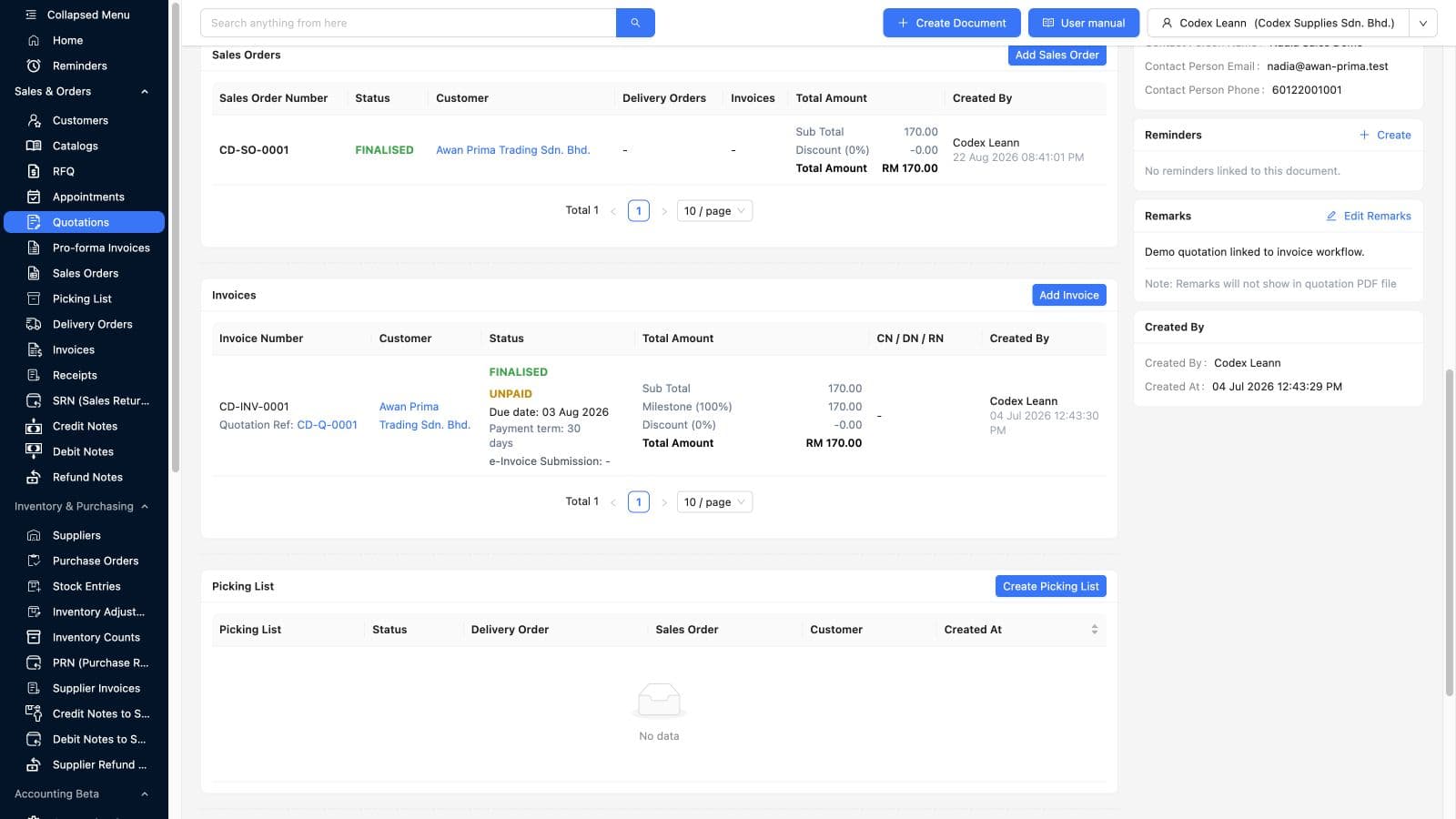
Use a representative document to inspect the source reference, the resulting record and the next action. Then test the part of the workflow that is not established by this static image.
A finalised invoice can remain unpaid. Neither label by itself proves that an accounting period, ledger posting or financial report has been checked and accepted.
Ask every supplier to price the same working scope and planning period. Include the people and services needed to make the configuration usable. For TREX Grow, review current plan inclusions and country-aware pricing directly on the pricing page before committing; this comparison does not quote a fixed price.
| Cost area | What to include | Question for the shortlist |
|---|---|---|
| Product and access | Required edition, modules, extensions, users, entities, transaction allowances and storage where applicable. | Does the quote include the configuration used in our demonstration? |
| Implementation | Data preparation, opening positions, configuration, integrations, training and rollout support. | Who owns each task, and what evidence will make us accept the first workflow? |
| Ongoing operation | Support, integration monitoring, administration, changes, upgrades and additional capacity where applicable. | Which recurring work stays with our team, and which service is included? |
| Future change or exit | Additional workflows, new entities, data extraction, attachments and transition support. | Can we obtain usable records and preserve references if the scope or supplier changes? |
Make each important requirement a named acceptance check. Ask for current product behaviour and service terms rather than treating a category label, badge or screenshot as the complete answer.
Test who can create, approve, change and reverse the relevant record. Include a blocked action and the agreed review path after a material change.
Review the supplier's documented backup, recovery, support and export arrangements for the actual service. Confirm owners and what evidence can be supplied for your requirements.
Have the responsible reviewers check the particular reporting, document and country-specific workflows needed by the business. A regional marketing label is not a substitute for that review.
Name the first workflow, records and users, then rehearse both normal and exception cases. Decide how earlier open work will finish and which record will own new daily updates.
The best practice is to make the next action clear before the situation becomes urgent.
Use one representative business job and consistent acceptance criteria. Record the demonstrated result and any work outside the quoted configuration so the final decision remains explainable.
Record the current facts in one shared place.
Confirm what is known and what needs attention.
Make the next decision or follow-up accountable.
Complete the next task and record the outcome.
Refresh the shared view when facts change.
A dependable workflow keeps the shared record and the next action aligned.
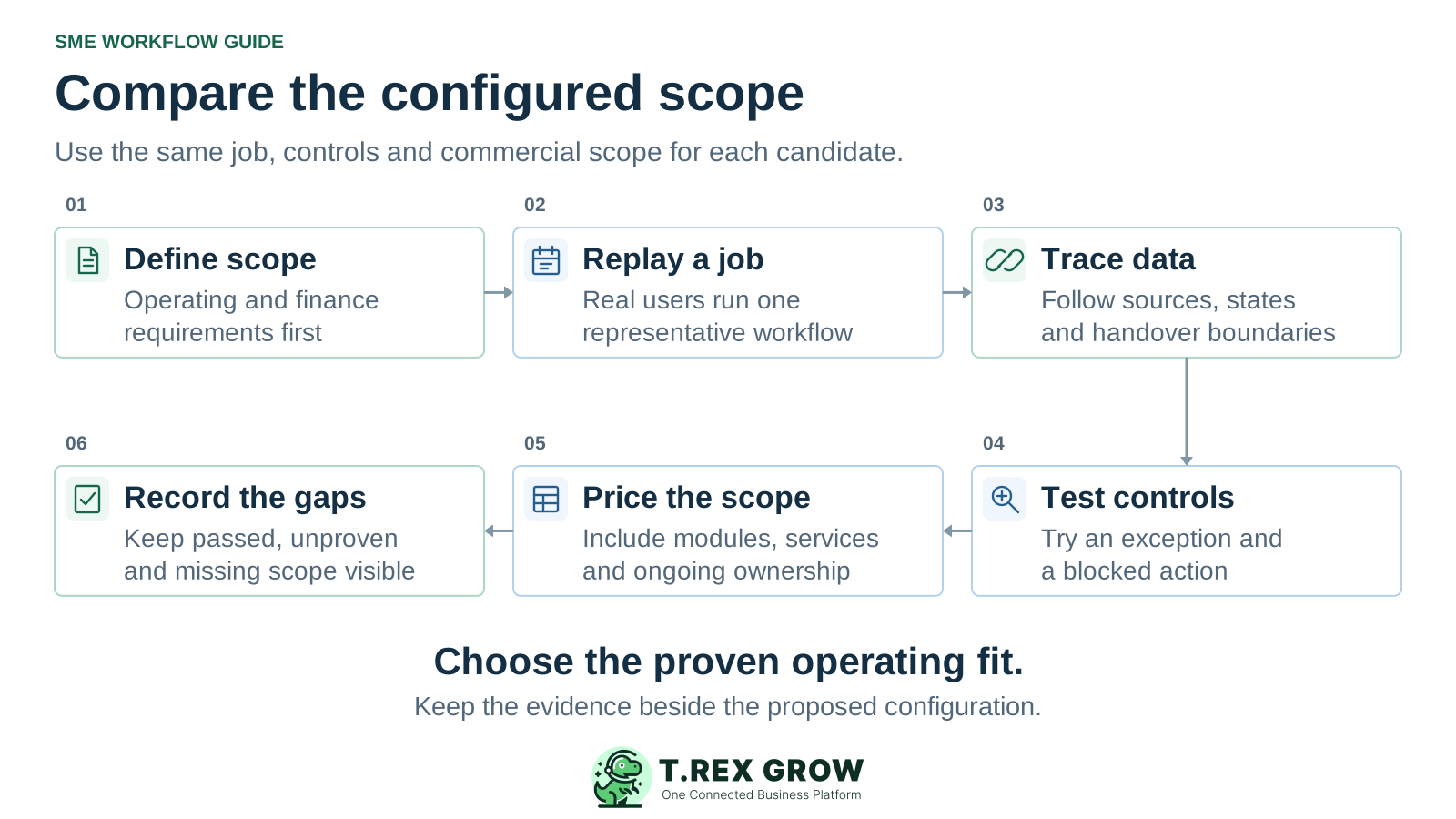
Define the required scope: list the operating workflow, financial outputs, users and exceptions that must work in the first stage.
Replay one job: have the intended users carry a representative transaction through the relevant departments using the configuration being quoted.
Trace the records: inspect shared identifiers, source references, document states and the next action across every application boundary.
Test controls and an exception: try an authorised action, a blocked action and a change or partial outcome. Review the required operating and financial evidence.
Price the complete scope: identify included features, additional modules, integrations, manual work, implementation services and ongoing responsibilities.
Record the decision and gaps: state what passed, what remains unproven, who accepts each limitation and which unresolved requirement prevents a purchase decision.
Create a free workspace, review the current plan matrix and choose one representative operating flow to inspect. If your first scope needs paid modules, check the trial and plan terms before testing them. Keep your financial acceptance criteria and the published Accounting Beta qualification in the decision.
ERP usually describes an integrated suite for core processes and shared business data. Business management software is a broader description that may apply to focused applications, broad suites and ERP products. Compare the actual configured workflows, controls and financial scope because the labels overlap.